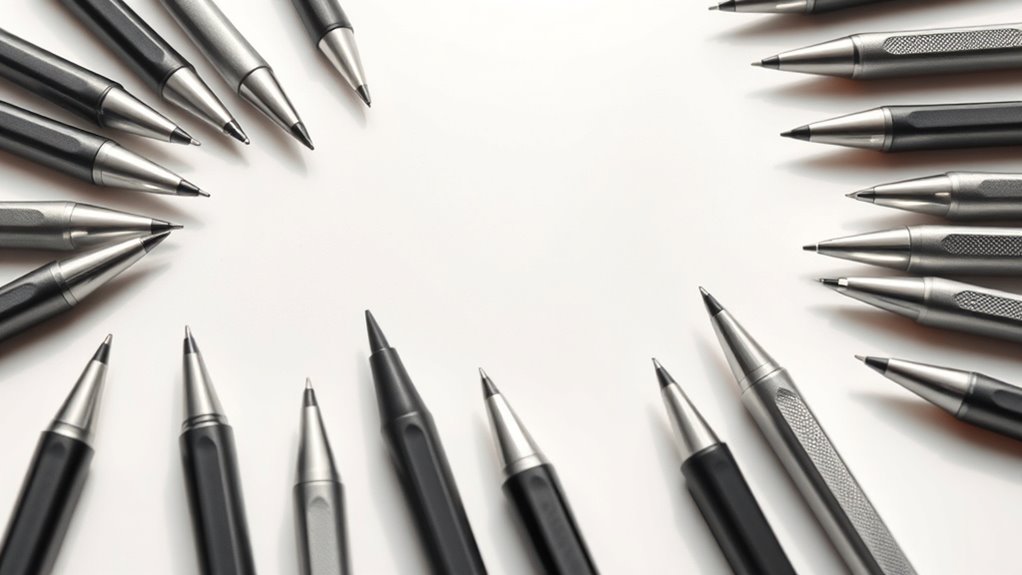

For tablet stylus pens with fine tips, I’d start with the OASO Capacitive Disc Tip Stylus for a clear view of the contact point and a cap that protects its disc. The Isvo 3-Pack is a practical choice if you want several precision-disc pens, while the Kenkor Rechargeable Dual-Tip suits buyers who prefer a rechargeable option with two tip styles. The main tradeoff is between a visible, precise disc tip and simpler fiber tips that may feel more natural but cover a broader contact area. Compatibility and replacement-tip availability also matter, since a fine point does not automatically mean pressure sensitivity or palm rejection. Read on for how the six options compare and which type of buyer each one suits.

Get the little things that make your day delivered free with Prime
- Fast, free delivery on millions of items
- Prime Video, Amazon Music and more included
- Member-only deals all year
Key Takeaways
- Disc tips lead this comparison for visible precision: OASO and Isvo use clear disc-style contact points, which can help when placing marks close to lines or small interface targets.
- Multipacks favor convenience over a single premium tool: Isvo and WsjiaboFux provide three pens, while Bopomofo supplies two; a larger bundle can help keep a spare nearby but does not establish that tips are replaceable.
- The Kenkor stands apart by charging and tip variety: its rechargeable dual-tip design offers a different feature set from the passive capacitive pens, but buyers should check compatibility and charging needs before choosing it.
- The simplest options are not automatically the most precise: Bopomofo’s fiber tips prioritize straightforward touchscreen contact, while disc-tip designs make more sense when seeing the point of contact matters.
- Fine-tip wording does not guarantee active-pen features: these listings describe capacitive or universal styluses, so buyers should verify support for pressure sensitivity, palm rejection, and device-specific shortcuts rather than assume them.
| OASO Capacitive Disc Tip Stylus Pen with Magnetic Cap, Black |  | Best for a Protected, Portable Disc Tip | Brand and model: OASO 1010B | Tip: Disc tip | Compatibility: Tablets, laptops, and smartphones with capacitive touchscreens | VIEW ON AMAZON | See Our Full Breakdown |
| STYLUSLINK 3-in-1 Capacitive Stylus Pen for Touchscreens |  | Best for Switching Between Tip Styles | Brand and model: STYLUSLINK 3in1-fiberstylus | Tip types: Two rubber tips and one transparent disc tip | Rubber tip sizes: 0.18 in and 0.27 in | VIEW ON AMAZON | See Our Full Breakdown |
| Kenkor Rechargeable Dual-Tip Stylus Pen |  | Best for Fine Writing with a Powered Tip | Brand and model: Kenkor Stylus 01 | Tips: 1.45 mm copper fine tip and magnetic mesh tip | Battery life: Up to 10 hours | VIEW ON AMAZON | See Our Full Breakdown |
| Bopomofo 2-Pack Touchscreen Stylus Pens with Fiber Tips |  | Best Simple Two-Pack | Brand: Bopomofo | Pack count: 2 | Tip type: Fiber | VIEW ON AMAZON | See Our Full Breakdown |
| Isvo 3-Pack Universal Stylus Pens with Precision Disc Tips |  | Best Multi-Pen Disc-Tip Set | Brand: Isvo | Pack size: 3 stylus pens | Tip type: Precision disc tip | VIEW ON AMAZON | See Our Full Breakdown |
| WsjiaboFux Universal Fine-Point Stylus Pens, 3-Pack, Black |  | Best Multi-Pen Set | Brand: WsjiaboFux | Pack size: 3 pens | Color: Black | VIEW ON AMAZON | See Our Full Breakdown |
| tablet stylus pens fine tip | Compatibility | Brand and model | Warranty | Brand |
|---|---|---|---|---|
| OASO Capacitive Disc Tip Stylu | Tablets, laptops, and smartphones with capacitive touchscreens | OASO 1010B | — | — |
| STYLUSLINK 3-in-1 Capacitive S | iPhone, iPad, Android devices, Microsoft Surface, and other capacitive touchscreen devices | STYLUSLINK 3in1-fiberstylus | 1 year | — |
| Kenkor Rechargeable Dual-Tip S | Many iPhone, iPad, Android, and Switch devices | Kenkor Stylus 01 | — | — |
| Bopomofo 2-Pack Touchscreen St | Capacitive touchscreen devices, including iPad, iPhone, Android, Microsoft Surface, and Nintendo Switch | — | 1 year | Bopomofo |
| Isvo 3-Pack Universal Stylus P | Touchscreen devices, including Samsung, iOS, Android, Chromebook, smartphones, and Nintendo Switch | — | 1 year | Isvo |
| WsjiaboFux Universal Fine-Poin | — | — | — | WsjiaboFux |
More Details on Our Top Picks
OASO Capacitive Disc Tip Stylus Pen with Magnetic Cap, Black
The OASO is a straightforward pick for buyers who want a fine, visible disc tip without charging, pairing, or app setup. Its magnetic cap protects the tip between uses, while the included case and spare disc make it better equipped for carrying than the Bopomofo fiber-tip pair. The disc design can help with more deliberate screen contact than a broad fiber tip, though this is still a basic capacitive stylus, not a device-specific pen with confirmed pressure sensitivity. A replacement tip is included, but getting it out means unscrewing the pen end, so swaps are less convenient than the tool-free tips on the STYLUSLINK 3-in-1. Choose the OASO for a compact everyday writing and navigation tool; skip it if you need pressure-controlled drawing or quick tip changes.
Pros:- Disc tip supports more deliberate contact than a broad fiber tip
- Works with capacitive touchscreen devices without a battery
- Magnetic cap helps protect the tip during transport
- Includes a replacement disc tip and carrying case
Cons:- Pressure sensitivity is not specified
- Replacing the disc requires unscrewing the pen end
Best for: Tablet and phone owners who want a battery-free disc tip with a cap, carrying case, and spare tip for everyday notes and navigation.
Not ideal for: Digital artists who need confirmed pressure sensitivity or users who want to change tips without unscrewing the pen.
- Brand and model:OASO 1010B
- Tip:Disc tip
- Compatibility:Tablets, laptops, and smartphones with capacitive touchscreens
- Power:No battery required
- Included accessories:Replacement disc tip and leather pen case
- Color:Black
- Weight:0.04 kg
Our verdict“Choose the OASO if you want a portable, battery-free disc-tip stylus with useful protective accessories rather than advanced drawing controls.”
STYLUSLINK 3-in-1 Capacitive Stylus Pen for Touchscreens
The STYLUSLINK stands out when one stylus needs to handle both fine placement and casual touchscreen use. Its transparent disc tip leaves the contact point visible, while two rubber tips offer broader options for scrolling, games, or quick navigation. That variety makes it more adaptable than the single-disc OASO, and its tips can be changed without tools, unlike the OASO’s screw-out replacement. The tradeoff is that the extra tip choices do not make it a pressure-sensitive digital pen; it remains a capacitive option, so drawing control is limited to basic touch input. The listed device range is broad, but specific model support is not confirmed. This is the better fit for people who value flexibility over a single, dedicated fine-tip feel.
Pros:- Three tip options suit different touchscreen tasks
- Transparent disc tip keeps the contact point visible
- Tips can be changed without tools
- Listed for a broad range of capacitive touchscreen devices
Cons:- No pressure sensitivity is specified
- Compatibility with specific device models is not confirmed
Best for: Phone and tablet owners who want one battery-free stylus for visible-point writing, scrolling, and casual games.
Not ideal for: Artists seeking pressure-sensitive drawing or buyers who need confirmed compatibility with a particular device model.
- Brand and model:STYLUSLINK 3in1-fiberstylus
- Tip types:Two rubber tips and one transparent disc tip
- Rubber tip sizes:0.18 in and 0.27 in
- Compatibility:iPhone, iPad, Android devices, Microsoft Surface, and other capacitive touchscreen devices
- Tip replacement:Replaceable without tools
- Pack count:3
- Warranty:1 year
Our verdict“Pick the STYLUSLINK if switching between a visible disc tip and rubber tips matters more than specialized drawing features.”
Kenkor Rechargeable Dual-Tip Stylus Pen
Among these picks, the Kenkor offers the clearest move toward a narrow writing point: its 1.45 mm copper tip is paired with a mesh tip for battery-free touch tasks. The rechargeable fine tip suits users who want more precise handwriting than the broader fiber tips on the Bopomofo 2-Pack, while the mesh side remains available when the battery is depleted. It does require charging, unlike the OASO and Isvo disc pens, and its stated compatibility exclusions are significant: it is not for Chromebook, Windows, Lenovo, or Samsung devices that use S-Pen. Micro USB charging also feels less convenient than a no-charge option. With no Bluetooth pairing required and up to 10 hours of use per charge, it makes sense for compatible devices when fine-point writing takes priority.
Pros:- 1.45 mm copper tip is suited to fine writing and drawing
- Mesh tip works without battery power
- Up to 10 hours of use per charge
- No Bluetooth pairing required
Cons:- Not compatible with several device categories, including Chromebook and Windows
- Requires charging through Micro USB
- Pressure sensitivity is not specified
Best for: Owners of compatible iPhone, iPad, Android, or Switch devices who want a narrow powered tip for handwriting and a second tip for basic touch use.
Not ideal for: Chromebook, Windows, Lenovo, and S-Pen Samsung users, or anyone who prefers a stylus that never needs charging.
- Brand and model:Kenkor Stylus 01
- Tips:1.45 mm copper fine tip and magnetic mesh tip
- Battery life:Up to 10 hours
- Charging:Micro USB; 1–1.5 hours
- Automatic shutoff:After 5 minutes
- Compatibility:Many iPhone, iPad, Android, and Switch devices
- Incompatibility:Chromebook, Lenovo, Windows, and Samsung devices using S-Pen
- Material and color:Aluminum, black
Our verdict“Choose the Kenkor for a narrow powered writing tip on a listed compatible device, but avoid it if your device falls within its exclusions.”
Bopomofo 2-Pack Touchscreen Stylus Pens with Fiber Tips
The Bopomofo set is the uncomplicated choice for buyers who want two ready-to-use styluses rather than a replaceable disc system or a rechargeable fine point. Its fiber tips support writing, drawing, games, and navigation, and the metal barrels keep the pens lightweight. Unlike the Kenkor Dual-Tip, there is no battery or charging routine; unlike the STYLUSLINK, there is no selection of tip styles. That simplicity comes with less point visibility and potentially less precise placement than a transparent disc tip. The tips may also need extra pressure at first, particularly through a screen protector, which can make fine handwriting less comfortable. Choose these for shared everyday touchscreen use, not for detailed digital illustration or consistently pinpoint strokes.
Pros:- Two pens provide a convenient spare or shared option
- Fiber tips suit general writing, drawing, and navigation
- Metal barrels are lightweight
- Works without charging or an app
Cons:- Tips may need extra pressure during initial use
- A screen protector may affect accuracy
- Fiber tips do not show the contact point as clearly as a disc tip
Best for: Households or students who want two lightweight, no-charge styluses for routine touchscreen writing, games, and navigation.
Not ideal for: Users who need a visible fine-point contact area, detailed drawing control, or reliable performance through a screen protector without extra pressure.
- Brand:Bopomofo
- Pack count:2
- Tip type:Fiber
- Barrel material:Metal
- Charging:Not required
- Compatibility:Capacitive touchscreen devices, including iPad, iPhone, Android, Microsoft Surface, and Nintendo Switch
- Warranty:1 year
Our verdict“Pick the Bopomofo pair for simple, shared touchscreen tasks, but choose a disc-tip option if seeing the exact contact point matters.”
Isvo 3-Pack Universal Stylus Pens with Precision Disc Tips
Isvo puts the precision disc tip at the center of a three-pen set, making it a practical option for buyers who want spares at home, school, or work. The battery-free design avoids charging and drivers, much like the OASO, but Isvo supplies three pens rather than one and lists compatibility across several device types, including Chromebook and Nintendo Switch. That broad listing should not be mistaken for confirmed feature support on every model. The product data mentions 2048 pressure-sensitivity levels but provides no performance details, so buyers should not assume it behaves like a device-specific active pen. Its plastic construction also differs from the metal-barrel Bopomofo. Pick Isvo for quantity and a disc-style contact point, not for verified pressure-controlled artwork.
Pros:- Three styluses provide convenient spares or shared use
- Precision disc tips are designed for smooth screen contact
- No charging or drivers required
- Listed compatibility covers several touchscreen device categories
Cons:- Pressure-sensitivity performance is not explained
- Compatibility and features may vary by device
- Plastic construction may feel less substantial than the Bopomofo metal barrels
Best for: Students, families, or multi-device owners who want three battery-free disc-tip styluses for basic writing and note-taking.
Not ideal for: Artists who need clearly documented pressure performance or buyers who want a metal-bodied pen or model-specific compatibility confirmation.
- Brand:Isvo
- Pack size:3 stylus pens
- Tip type:Precision disc tip
- Compatibility:Touchscreen devices, including Samsung, iOS, Android, Chromebook, smartphones, and Nintendo Switch
- Pressure sensitivity:2048 levels listed; performance details not provided
- Power:No charging or drivers required
- Material:Plastic
- Weight:0.02 kg
- Warranty:1 year
Our verdict“Choose Isvo for a three-pen supply of battery-free disc-tip styluses, while treating its pressure-sensitivity claim as unverified for your specific device.”
WsjiaboFux Universal Fine-Point Stylus Pens, 3-Pack, Black
The WsjiaboFux set is a practical choice for buyers who want three fine-point pens rather than a single stylus to keep track of. The lightweight ABS bodies and pocket clips suit shared spaces, backpacks, or keeping a spare near another device. Its fine point is intended for writing, drawing, and touchscreen navigation, giving it a more pen-like role than the Bopomofo fiber-tip pair, whose softer tips favor broad, casual tapping. Unlike the Isvo precision-disc set, though, WsjiaboFux does not specify a disc-style tip, so buyers seeking a clearly described precision-disc design may prefer that alternative. The main tradeoff is limited compatibility detail: the listing names smartphones, tablets, and other touchscreens but does not identify tested models or clarify performance across devices. Choose it for quantity and portability, not model-specific assurances.
Pros:- Three pens provide spares or allow placement in multiple locations.
- Fine-point tips are suited to writing, drawing, and navigation.
- Pocket clips make the pens easier to carry and keep accessible.
- Lightweight ABS construction suits everyday portability.
Cons:- Compatibility information does not name specific device models.
- The listing does not specify a disc tip or other specialized precision mechanism.
- No operating details describe how the fine point performs across different touchscreen types.
Best for: Tablet and smartphone owners who want several lightweight fine-point styluses to distribute between bags, desks, or family devices.
Not ideal for: Buyers who need confirmed compatibility with a particular tablet model or specifically want a precision-disc tip.
- Brand:WsjiaboFux
- Pack size:3 pens
- Color:Black
- Tip:Fine point
- Compatible devices:Smartphones, tablets, and other touchscreens
- Enclosure material:ABS
- Portability feature:Pocket clip
- Minimum required operating system:Android 3.0 Honeycomb
Our verdict“Choose this set if you want three portable fine-point styluses for general touchscreen use, but pick a more specifically documented option if device compatibility or tip design is your priority.”

How We Picked
I ranked these six pens around what matters for fine-tip tablet work: how clearly the contact point can be placed, what tip styles are offered, and how practical the pen is for everyday writing, marking, or tapping. I also weighed the format—single pen, multipack, or rechargeable design—because those choices affect convenience and upkeep. Since the listed products do not establish universal support for advanced tablet-pen features, I treat compatibility claims cautiously and distinguish capacitive contact from device-specific active-pen functions.
OASO ranks first for combining a disc tip with a protective magnetic cap, a useful pairing for precision and portability. Isvo follows for buyers who value a three-pen supply of precision-disc styluses, while Kenkor earns a distinct place for its rechargeable dual-tip design. STYLUSLINK offers multiple contact styles in one pen; Bopomofo is the straightforward fiber-tip multipack; and WsjiaboFux is a basic three-pen option whose fine-point fit depends on confirming the exact tip construction and tablet compatibility. The order reflects each option’s fit for this specific fine-tip brief, not a claim that every tablet or app will respond the same way.
| tablet stylus pens fine tip | Brand and model | Compatibility | Brand |
|---|---|---|---|
| OASO Capacitive Disc Tip Stylu | OASO 1010B | Tablets, laptops, and smartphones with capacitive touchscreens | — |
| STYLUSLINK 3-in-1 Capacitive S | STYLUSLINK 3in1-fiberstylus | iPhone, iPad, Android devices, Microsoft Surface, and other capacitive touchscreen devices | — |
| Kenkor Rechargeable Dual-Tip S | Kenkor Stylus 01 | Many iPhone, iPad, Android, and Switch devices | — |
| Bopomofo 2-Pack Touchscreen St | — | Capacitive touchscreen devices, including iPad, iPhone, Android, Microsoft Surface, and Nintendo Switch | Bopomofo |
| Isvo 3-Pack Universal Stylus P | — | Touchscreen devices, including Samsung, iOS, Android, Chromebook, smartphones, and Nintendo Switch | Isvo |
| WsjiaboFux Universal Fine-Poin | — | — | WsjiaboFux |
Factors to Consider When Choosing Tablet Stylus Pens Fine Tip
Choosing a fine-tip stylus is not just a matter of finding the smallest-looking point. I’d match the tip’s contact style to the task, then check how the tablet recognizes it and what maintenance it may need. These broader checks can prevent a common mismatch: buying a precise-looking capacitive pen when you actually need an active stylus for handwriting features.
Match the tip style to the work
A disc tip makes the contact point easier to see, which can help with handwriting in small spaces, careful selections, and line placement. Fiber tips tend to offer a softer, broader contact area and may suit casual tapping or sketching where exact placement matters less. A dual- or multi-tip pen can cover more than one task, but switching ends may be less convenient than carrying a dedicated tool. Do not judge precision by the word “fine” alone; tip shape and the device’s response both affect control. If you write small, prioritize visibility and consistent contact over a bundle with more pens. For broad navigation, a fiber tip may feel like a simpler fit.
Check whether capacitive or active input is required
Many universal styluses work by imitating a finger on a capacitive screen, while active pens communicate with compatible tablets using supported electronics. Capacitive models can be useful for basic notes, tapping, and marking, but a fine contact point does not add pressure sensitivity, palm rejection, or tilt support. Those features depend on the tablet, stylus protocol, and app working together. Before buying, check the tablet maker’s compatibility list and the features your preferred app supports. A common mistake is assuming “universal” means every function works on every device. If natural handwriting with your palm resting on the screen is the goal, confirm active-pen support rather than relying on the product’s tip description.
Think about visibility, friction, and screen protection
Fine contact can help with placement, but the feel of the tip matters during long sessions. A hard disc can feel different from a soft fiber tip, and screen protectors may change friction or make a contact point harder to see. Use a clean screen and inspect the tip regularly; grit caught between a tip and the glass can cause scratches regardless of the stylus design. If you use a textured protector, check whether the pen maker gives guidance for that surface. Avoid pressing harder to compensate for missed input, since pressure does not necessarily improve capacitive recognition. The best tip is one that tracks reliably on your actual screen without forcing you to alter your grip.
Account for upkeep and replacement parts
A multipack can be handy when pens get misplaced or when you want one at home and another in a bag, but extra pens are not the same as replaceable tips. Check whether replacement nibs or discs are sold separately and whether installation is straightforward. Disc tips need careful handling because a bent or missing disc can affect contact; fiber tips can also wear or collect debris with use. A magnetic cap can help protect an exposed point in transit, while a rechargeable model adds a charging routine. If the manufacturer does not state parts availability, treat the stylus as a whole-item purchase rather than counting on inexpensive repairs. Choose the format that matches how often you use it and how likely it is to be lost or damaged.
Choose bundle size for real usage, not headline quantity
Two or three pens may be useful for a household, classroom, or shared workspace, but a larger pack only helps if the pens suit the intended users. Look at whether the bundle repeats one design or offers genuinely different tips; those are different kinds of flexibility. For one person taking regular notes, a single comfortable pen with a cap or dependable storage may be more useful than several basic spares. For shared devices, multiple pens can reduce searching and make it easier to keep one near each tablet. Compare what is included with what you will actually use, including caps and any spare parts. This keeps “more in the pack” from standing in for better precision.
Set expectations for writing and drawing
Universal capacitive pens are often best treated as touchscreen accessories, not automatic replacements for a tablet’s dedicated drawing pen. For quick annotations, menus, and simple handwriting, they can meet the need without specialized pairing. For detailed illustration or extensive handwritten notes, input lag, palm contact, pressure response, and app support can matter as much as tip size. Look for clear statements about those functions rather than inferring them from a pointed shape. If the product information is limited, choose based on the confirmed basics—tip type, power needs, and compatibility—and keep expectations modest. Buyers who need advanced pen behavior should compare their tablet’s supported active styluses before choosing a universal capacitive option.
Frequently Asked Questions
Will a fine-tip capacitive stylus work with any tablet?
It may work with many capacitive touchscreens for basic input, but “universal” does not promise identical performance on every tablet. Screen protectors, software, and the stylus’s contact design can affect responsiveness. Capacitive contact also does not provide device-specific features such as pressure sensitivity or palm rejection unless the stylus and tablet support them together. Check the product’s stated compatibility and your tablet model before ordering. If handwriting is your main use, confirm the exact features you need rather than relying on broad compatibility language.
Is a disc tip more precise than a fiber tip?
A disc tip can make the contact point easier to see, which often helps with careful placement on small targets or near existing lines. That visibility does not guarantee better tracking on every screen, and some people may prefer the softer feel of fiber. The app, screen surface, and the way the stylus registers contact all affect the result. If possible, choose based on the task: disc styles for visible placement, fiber styles for straightforward tapping and broader strokes. Neither style by itself adds pressure sensitivity or palm rejection.
Should I choose a rechargeable stylus or a passive capacitive pen?
A passive capacitive pen avoids charging and is ready for basic touchscreen input, which makes it convenient as a spare or everyday pointer. A rechargeable model may offer additional design features, such as more than one tip style, but it brings battery upkeep and may have more compatibility limits. Do not assume a charging port means the pen supports advanced active-pen functions; check the manufacturer’s feature list. Consider how often you use the stylus and whether you are willing to keep it charged. For occasional tapping, passive designs are usually the simpler category to evaluate.
Are multipacks a better choice for note-taking?
A multipack makes sense when you want backups, share pens, or keep one in more than one location. It does not necessarily improve handwriting precision, and the included pens may not have replaceable tips. For frequent note-taking, comfort, reliable input, and compatibility with your tablet’s handwriting features matter more than the number of pens. Check whether the pack includes one consistent design or different tip types, since that changes its usefulness. If you need a dedicated writing experience with palm rejection, compare compatible active pens before opting for a universal multipack.
What should I check before using a fine-tip stylus with a screen protector?
Confirm that the stylus is intended for capacitive screens and inspect the tip for debris or damage before use. A protector can change friction and may affect how easily a disc tip contacts the display, especially if the surface is textured or uneven. Keep both the screen and tip clean, and avoid pressing harder when input seems inconsistent. If the stylus maker provides guidance for particular screen surfaces, follow it. For a costly or unusual protector, checking compatibility or testing gently in a low-risk area can help prevent scratches or frustrating input.
Conclusion
For most shoppers focused on fine-tip control, I’d choose the OASO as the best overall pick: its disc tip keeps the contact point visible, and its magnetic cap adds practical protection. The Isvo 3-Pack is my best-value-style choice for buyers who want several precision-disc pens, while Kenkor is the best premium-style option in this lineup for those drawn to a rechargeable dual-tip design. Beginners who mainly need simple touchscreen input may prefer the straightforward Bopomofo fiber-tip pair; shoppers who want one pen with varied contact styles can look at STYLUSLINK. For a basic multi-pen supply, consider WsjiaboFux, after verifying its exact tip construction and device fit. If your specific need is palm rejection or pressure-sensitive drawing, prioritize a tablet-compatible active pen instead of choosing by fine-tip wording alone.
NFL season / tailgating Picks
team gear
As an affiliate, we earn on qualifying purchases.