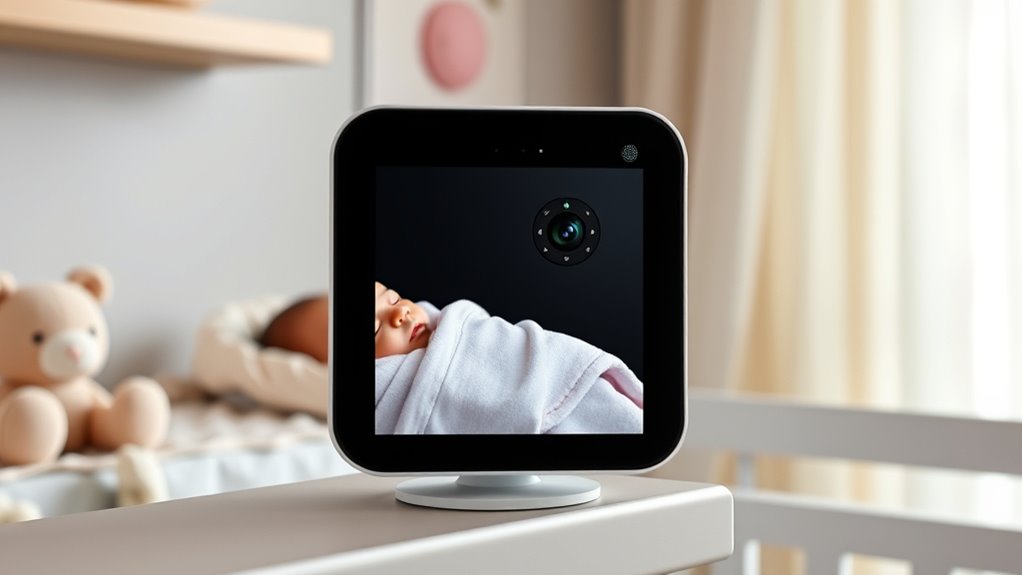

Smart baby monitors with camera range from simple parent-unit systems to Wi-Fi cameras with app access, and the right choice depends on how you plan to check in. The Nanit Smart Baby Video Monitor is my best overall pick for families who want an app-centered setup, while the ARENTI C3 Kit stands out for pairing a dedicated display with a pan-and-tilt camera. For a simpler, no-Wi-Fi option, the HelloBaby HB6560 offers a large screen and long stated battery life. The key tradeoff is between remote access and a self-contained monitor, with screen size, camera movement, and multi-camera support shaping the rest of the decision. Read on for how all 15 options compare and which type of setup fits your home.

Get the little things that make your day delivered free with Prime
- Fast, free delivery on millions of items
- Prime Video, Amazon Music and more included
- Member-only deals all year
Key Takeaways
- The Nanit and hybrid kits serve different priorities: Nanit is app-centered, while the ARENTI C3 pairs a camera with a dedicated 5-inch display.
- No-Wi-Fi models remain a distinct choice: the GoodBaby and several HelloBaby monitors use a parent unit, which suits families who do not want app-based viewing.
- A bigger screen is not the same as broader coverage: HelloBaby’s 6-inch models emphasize viewing comfort, while pan-and-tilt cameras add the ability to reposition the view remotely.
- Multi-camera support can matter more than extra resolution: the GoodBaby split-screen model is aimed at households that want to view two camera feeds together.
- Not every camera here is designed as a nursery monitor: the Tapo C210 and outdoor Tapo SolarCam C402 are security cameras, so buyers should check how their mounting, alerts, and viewing setup fit nursery use.
| ARENTI Baby Monitor C3 Kit with 5″ Wireless Display and 3MP PTZ Camera |  | Best Overall for Flexible Monitoring | Camera resolution: 3MP (1296p) | Display: 5 inches | Zoom: 6x digital | VIEW ON AMAZON | See Our Full Breakdown |
| 5-Inch HD Video Baby Monitor with Camera and Audio |  | Best for Wi-Fi-Free Simplicity | Screen size: 5 inches | Display resolution: 720p | Wireless technology: 2.4GHz FHSS | VIEW ON AMAZON | See Our Full Breakdown |
| Tapo C210 2K Pan/Tilt Security Camera |  | Best App-Based Value | Resolution: 2K (2304×1296) | Connectivity: 2.4GHz Wi-Fi | Pan and tilt: 360° horizontal; 114° vertical | VIEW ON AMAZON | See Our Full Breakdown |
| HelloBaby HB6560 6-inch Video Baby Monitor with Camera, Audio, and 30H Battery | 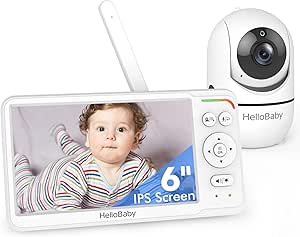 | Best Large-Screen No-Wi-Fi Pick | Screen: 6-inch IPS | Battery life: 16–30 hours | Connectivity: 2.4GHz FHSS; no Wi-Fi required | VIEW ON AMAZON | See Our Full Breakdown |
| 1080P WiFi Baby Monitor with 4″ Screen, PTZ Camera, and 2-Way Audio |  | Best Hybrid Screen-and-App Pick | Screen size: 4 inches | Video resolution: 720p; supports up to 1080p display | Connectivity: 2.4GHz Wi-Fi and FHSS | VIEW ON AMAZON | See Our Full Breakdown |
| GNCC 2K WiFi Baby Monitor with Night Vision and Cry Detection |  | Best for Motion Tracking | Video resolution: 2K Ultra HD | Connectivity: 2.4 GHz and 5 GHz WiFi; Bluetooth pairing | Pan and tilt: 340° pan; 80° tilt | VIEW ON AMAZON | See Our Full Breakdown |
| GoodBaby 5″ Split-Screen Baby Monitor with 2 Cameras and Audio |  | Best for Two Babies | Display: 5-inch HD LCD | Camera capacity: Two included; expandable to four | Pan and tilt: 355° pan; 120° tilt | VIEW ON AMAZON | See Our Full Breakdown |
| Nanit Smart Baby Video Monitor with Floor Stand |  | Best for Sleep Insights | Video resolution: 1080p HD | Connectivity: WiFi; Alexa and Google Home | Sleep features: AI sleep tracking and insights | VIEW ON AMAZON | See Our Full Breakdown |
| GoodBaby 5″ Baby Monitor with Camera and Audio (No WiFi) |  | Best for WiFi-Free Privacy | Screen: 5 inches | Video resolution: 480p | Connectivity: 2.4 GHz FHSS; no WiFi | VIEW ON AMAZON | See Our Full Breakdown |
| HelloBaby 4.3” Video Baby Monitor with Remote Pan-Tilt-Zoom |  | Best Compact Parent Unit | Screen: 4.3-inch IPS | Connectivity: 2.4 GHz FHSS; no WiFi or app | Range: Approximately 1,000 ft | VIEW ON AMAZON | See Our Full Breakdown |
| VTech Smart WiFi Baby Monitor VM901 |  | Best Dual-Screen Smart Pick | Model: VM901 | Video resolution: 1080p | Parent screen: 5 inches | VIEW ON AMAZON | See Our Full Breakdown |
| Dr.Care VistaView 5″ 1080P Smart WiFi Baby Monitor with Camera & Clip Mount |  | Best Feature-Rich Smart Kit | Parent screen: 5 inches | Video resolution: 1080p | Battery capacity: 5000mAh | VIEW ON AMAZON | See Our Full Breakdown |
| HelloBaby HB6550Plus 6″ Video Baby Monitor with Remote Pan/Tilt, 33H Battery, No WiFi |  | Best for WiFi-Free Simplicity | Screen: 6-inch IPS | Connectivity: 2.4GHz FHSS; no WiFi | Battery life: 18–33 hours | VIEW ON AMAZON | See Our Full Breakdown |
| Tapo SolarCam C402 KIT 1080P Outdoor Security Camera |  | Best for Outdoor Nursery Perimeters | Resolution: 1080p | Power: Solar panel and built-in battery | Battery life: Up to 180 days | VIEW ON AMAZON | See Our Full Breakdown |
| HelloBaby HB6550 No WiFi Baby Monitor with 5″ Video Screen |  | Best No-WiFi Pick for Multi-Camera Homes | Screen: 5-inch color display | Connectivity: 2.4GHz FHSS; no WiFi | Camera movement: 355° horizontal, 120° vertical | VIEW ON AMAZON | See Our Full Breakdown |
| smart baby monitors with camera | Connectivity | Night vision | Camera movement | Audio |
|---|---|---|---|---|
| ARENTI Baby Monitor C3 Kit wit | Wi-Fi 6; 2.4GHz FHSS | 8x 940nm infrared LEDs | — | — |
| 5-Inch HD Video Baby Monitor w | — | — | 355° pan; 95° tilt | — |
| Tapo C210 2K Pan/Tilt Security | 2.4GHz Wi-Fi | Up to 30 ft | — | Two-way audio with built-in siren |
| HelloBaby HB6560 6-inch Video | 2.4GHz FHSS; no Wi-Fi required | Invisible infrared LED | 355° pan; 120° tilt | Two-way audio |
| 1080P WiFi Baby Monitor with 4 | 2.4GHz Wi-Fi and FHSS | — | 340° pan and tilt | — |
| GNCC 2K WiFi Baby Monitor with | 2.4 GHz and 5 GHz WiFi; Bluetooth pairing | Infrared, up to 10 meters | — | Two-way audio |
| GoodBaby 5" Split-Screen Baby | — | — | — | Split-screen with audio auto-scan every 15 seconds; two-way talk |
| Nanit Smart Baby Video Monitor | WiFi; Alexa and Google Home | Infrared | — | Two-way audio |
| GoodBaby 5" Baby Monitor with | 2.4 GHz FHSS; no WiFi | — | 355° pan; 120° tilt; 2× zoom | Two-way talk and eight lullabies |
| HelloBaby 4.3” Video Baby Mon | 2.4 GHz FHSS; no WiFi or app | Automatic infrared | 350° pan; 120° tilt | — |
| VTech Smart WiFi Baby Monitor | WiFi | Automatic | — | — |
| Dr.Care VistaView 5" 1080P Sma | — | — | 300° rotation, 65° tilt | — |
| HelloBaby HB6550Plus 6" Video | 2.4GHz FHSS; no WiFi | Infrared LED | 355° pan, 120° tilt | Two-way |
| Tapo SolarCam C402 KIT 1080P O | WiFi | — | — | — |
| HelloBaby HB6550 No WiFi Baby | 2.4GHz FHSS; no WiFi | Invisible infrared LED | 355° horizontal, 120° vertical | Two-way |
More Details on Our Top Picks
ARENTI Baby Monitor C3 Kit with 5″ Wireless Display and 3MP PTZ Camera
The ARENTI C3 Kit pairs a dedicated 5-inch display with a 3MP pan-and-tilt camera, giving caregivers a direct viewing option alongside Wi-Fi 6 connectivity and smart home support. Its broad camera movement and 6x digital zoom suit rooms where a fixed view might miss part of the crib area. Compared with the Tapo C210, this kit includes its own screen and supports local storage up to 256GB, so everyday viewing need not depend on a phone or cloud service. Cry and motion alerts, two-way audio, and feeding reminders add useful monitoring tools. The tradeoff is a limited 20 fps frame rate, and the camera’s manual focus may take adjustment to get a clear image. Its IP30 rating also makes it a dry-room device.
Pros:- 3MP video with 8x 940nm infrared LEDs for day and night viewing
- 355° pan, adjustable tilt, and 6x digital zoom help cover a wider room
- Local storage up to 256GB works without relying on cloud recording
- Includes a 5-inch display and Alexa and Google Assistant support
Cons:- 20 fps video is less smooth than higher-frame-rate options
- Manual focus can require adjustment for a clear image
- IP30 rating is not suited to wet environments
Best for: Caregivers who want a dedicated monitor screen, remote camera movement, and local recording options in one kit
Not ideal for: Buyers who need smoother video, automatic focus, or a camera suited to damp rooms
- Camera resolution:3MP (1296p)
- Display:5 inches
- Zoom:6x digital
- Pan and tilt:355° pan; -15° to 78° tilt
- Night vision:8x 940nm infrared LEDs
- Connectivity:Wi-Fi 6; 2.4GHz FHSS
- Storage:Up to 256GB local; cloud support
- Smart home:Amazon Alexa and Google Assistant
Our verdict“Choose the ARENTI C3 if you want a dedicated screen, broad camera control, and local storage in a connected monitor kit.”
5-Inch HD Video Baby Monitor with Camera and Audio
This 5-inch HD monitor keeps setup simple: its 2.4GHz FHSS connection works without Wi-Fi, an app, or cloud access. That makes it a practical pick for caregivers who want a screen they can turn on without configuring a network. The camera can pan 355°, tilt 95°, and zoom 4×, while VOX mode wakes the display when sound is detected and supports the stated battery life of up to 100 hours. Compared with the HelloBaby HB6560, this model has a smaller screen and fewer supported cameras, but its longer claimed VOX runtime may suit caregivers who prioritize fewer charges. The 720p display is less detailed than the ARENTI C3’s 3MP camera, and the battery claim applies specifically to VOX mode. It supports no more than two cameras.
Pros:- FHSS connection works without Wi-Fi, an app, or cloud access
- Remote 355° pan, 95° tilt, and 4× zoom
- Up to 100 hours of battery life in VOX mode
- Includes two-way audio, temperature alerts, and eight lullabies
Cons:- 720p resolution is less detailed than the ARENTI C3’s 3MP camera
- The 100-hour battery claim applies to VOX mode
- Supports up to two cameras
Best for: Caregivers who want a straightforward monitor that works without a home network and can run for extended periods in VOX mode
Not ideal for: Families who want app access, sharper video, or to monitor more than two camera views
- Screen size:5 inches
- Display resolution:720p
- Wireless technology:2.4GHz FHSS
- Wi-Fi required:No
- Camera movement:355° pan; 95° tilt
- Zoom:4×
- Range:Up to 1,000 ft
- Battery life:Up to 100 hours in VOX mode
- Camera capacity:Up to 2 cameras
Our verdict“Pick this model for a simple, network-independent monitor with extended VOX runtime, provided 720p video meets your needs.”
Tapo C210 2K Pan/Tilt Security Camera
The Tapo C210 offers 2K video and a full 360° horizontal pan, which can help caregivers check more of a room from one fixed camera. Its app-based design includes motion, person, and baby-cry detection, plus two-way audio and voice viewing through Alexa or Google Assistant. Compared with the ARENTI C3 Kit, the Tapo relies on a phone and home Wi-Fi instead of including a dedicated monitor screen; in return, its microSD support reaches 512GB. That makes it a better fit for buyers comfortable using an app who want flexible local recording. A microSD card is sold separately, and cloud history or advanced features require Tapo Care. It also uses only 2.4GHz Wi-Fi, so this is less suited to caregivers who want an independent handheld monitor.
Pros:- 2K (2304×1296) video provides detailed viewing
- 360° horizontal and 114° vertical movement covers a wide area
- Supports local microSD storage up to 512GB
- Detects motion, people, and baby crying
Cons:- MicroSD card is not included
- Cloud history and advanced features require a subscription
- Requires 2.4GHz Wi-Fi and does not include a dedicated monitor screen
Best for: Caregivers who prefer phone-based viewing, want broad room coverage, and are comfortable setting up Wi-Fi
Not ideal for: Buyers who need a dedicated handheld screen or a monitor that works without Wi-Fi
- Resolution:2K (2304×1296)
- Connectivity:2.4GHz Wi-Fi
- Pan and tilt:360° horizontal; 114° vertical
- Local storage:Up to 512GB microSD (card not included)
- Cloud storage:Tapo Care Cloud
- Night vision:Up to 30 ft
- Audio:Two-way audio with built-in siren
- Voice assistant compatibility:Amazon Alexa and Google Assistant
Our verdict“Choose the Tapo C210 if app-based 2K viewing and high-capacity local storage matter more to you than a dedicated parent display.”
HelloBaby HB6560 6-inch Video Baby Monitor with Camera, Audio, and 30H Battery
The HelloBaby HB6560 is built around a large 6-inch IPS screen and a private 2.4GHz FHSS connection, so caregivers can monitor without a Wi-Fi setup or phone app. Its 355° pan and 120° tilt help scan the room from the parent unit, while the stated 16–30-hour battery range reduces the need for frequent charging. Compared with the 5-Inch HD Video Baby Monitor, this model gives you a larger screen and supports split-screen viewing with up to two cameras; the tradeoff is a shorter stated maximum runtime than that monitor’s VOX-mode claim. Two-way audio, temperature alerts, and lullabies cover common bedside needs. It is limited to two cameras and is not compatible with other HelloBaby models or devices, so expanding an existing mixed setup may be difficult.
Pros:- Large 6-inch IPS screen for a clear view from different angles
- FHSS connection works without Wi-Fi, an app, or an account
- 16–30-hour stated battery life
- Remote 355° pan and 120° tilt with split-screen support for two cameras
Cons:- Supports up to two cameras
- Not compatible with other HelloBaby models or devices
- Does not include app-based or Wi-Fi monitoring
Best for: Caregivers who want a large handheld screen, private non-Wi-Fi monitoring, and the option to view two cameras
Not ideal for: Families who need app access, compatibility across HelloBaby models, or support for more than two cameras
- Screen:6-inch IPS
- Battery life:16–30 hours
- Connectivity:2.4GHz FHSS; no Wi-Fi required
- Camera movement:355° pan; 120° tilt
- Night vision:Invisible infrared LED
- Audio:Two-way audio
- Expandability:Up to 2 cameras with split screen
- Mounting:Tabletop, wall, ceiling, or floor
Our verdict“Choose the HB6560 if a large screen and private, network-independent monitoring matter more than app access or broader system compatibility.”
1080P WiFi Baby Monitor with 4″ Screen, PTZ Camera, and 2-Way Audio
This hybrid monitor gives caregivers two ways to check in: a 4-inch IPS display with FHSS connection at home and a smartphone app over 2.4GHz Wi-Fi. That flexibility separates it from the app-only Tapo C210, while cry detection and two-way audio add ways to respond without entering the room. The camera offers 340° pan and tilt, auto-IR night vision, and a 68° field of view. Its stated video resolution is 720p, with support for up to a 1080p display, so buyers should not read that display figure as 1080p camera capture. The 14-hour maximum battery life is shorter than the non-Wi-Fi HelloBaby HB6560’s stated 16–30 hours, and a camera stand is not included. This is a flexible fit for caregivers who value both screen and app access.
Pros:- Can connect through Wi-Fi and a smartphone app or through FHSS without Wi-Fi
- Cry detection alerts and two-way audio support quick responses
- 340° pan and tilt with auto-IR night vision
- AES encryption and a two-year warranty
Cons:- Camera resolution is listed as 720p, despite support for up to a 1080p display
- Battery life is up to 14 hours
- A camera stand is not included
Best for: Caregivers who want a dedicated screen at home plus app access when away, with a secure FHSS option
Not ideal for: Buyers who prioritize longer battery life, a larger screen, or a supplied camera stand
- Screen size:4 inches
- Video resolution:720p; supports up to 1080p display
- Connectivity:2.4GHz Wi-Fi and FHSS
- Battery life:Up to 14 hours
- Night vision range:8 meters
- Camera movement:340° pan and tilt
- Field of view:68° wide angle
- Security:AES encryption; FCC certified
- Warranty:2 years
Our verdict“Pick this hybrid model if you want both an on-site screen and app access, and can work with a smaller display and shorter battery runtime.”
GNCC 2K WiFi Baby Monitor with Night Vision and Cry Detection
Automatic movement tracking gives this GNCC camera a distinct role: its pan and tilt can follow a crawling baby across the nursery, while custom activity zones help limit alerts to areas a parent wants to watch. The 2K video and night vision rated to 10 meters also provide more image detail than the 480p GoodBaby 5″ Baby Monitor with Camera and Audio. Unlike that dedicated, WiFi-free monitor, GNCC depends on the Osaio app and a WiFi connection, so it suits caregivers who want phone access and smart home links to Alexa or Google Assistant. Two-way audio supports remote soothing, and local SD recording is available with a card that is not included. Cloud recording requires a paid plan after a 14-day trial, and app-based monitoring may be a poor fit for families who prefer a standalone parent unit.
Pros:- 2K video and infrared night vision rated to 10 meters
- Automatic pan and tilt tracking follows movement around the room
- Custom zones can focus motion alerts on selected areas
- Supports two-way audio, voice assistant access, and local SD recording
Cons:- Requires WiFi and the Osaio app for monitoring
- SD card is not included and cloud storage requires a paid plan after the trial
- No dedicated parent display is listed
Best for: Parents who want app-based camera access, automatic tracking, and activity alerts in a WiFi-covered nursery.
Not ideal for: Caregivers who want a dedicated screen or monitoring that keeps working without WiFi or a phone app.
- Video resolution:2K Ultra HD
- Connectivity:2.4 GHz and 5 GHz WiFi; Bluetooth pairing
- Pan and tilt:340° pan; 80° tilt
- Night vision:Infrared, up to 10 meters
- Detection:Cry, sound, and motion alerts; customizable zones
- Audio:Two-way audio
- Storage:Local SD card recording or paid cloud storage
- Dimensions:2.95 × 4.72 × 2.95 inches
Our verdict“Choose GNCC if you want a high-detail, app-based camera that can track a moving baby and you are comfortable relying on WiFi.”
GoodBaby 5″ Split-Screen Baby Monitor with 2 Cameras and Audio
Two-camera split-screen viewing makes this GoodBaby a practical choice for parents checking two children from one dedicated display. Its audio focus rotates between cameras every 15 seconds, so the screen shows both views while sound shifts in turn. That setup is more immediately suited to shared monitoring than the Nanit Smart Baby Video Monitor with Floor Stand, which emphasizes app-based sleep tracking rather than a listed split-screen parent unit. GoodBaby also adds remote pan, tilt, and zoom, temperature alerts, and two-way talk. The tradeoff is that its HD screen and up to four-camera capacity serve a different purpose from Nanit’s WiFi insights and caregiver access. Video monitoring with the screen on lasts about 10 hours; the longer 30-hour figure applies to VOX mode, not continuous viewing.
Pros:- Split-screen lets one viewer see two cameras at once
- Supports up to four cameras
- Remote 355° pan, 120° tilt, and 2× zoom
- Includes temperature alerts, two-way talk, and eight lullabies
Cons:- Screen-on battery life is about 10 hours, well below the 30-hour VOX figure
- Audio rotates between cameras instead of playing both feeds at once
- Four-camera capacity may not cover larger households
Best for: Families with two babies or children in separate rooms who want both camera views on one parent screen.
Not ideal for: Parents who want high-resolution app viewing, sleep analytics, or more than four camera feeds.
- Display:5-inch HD LCD
- Camera capacity:Two included; expandable to four
- Pan and tilt:355° pan; 120° tilt
- Zoom:2×
- Range:Up to 1,000 ft
- Battery:3,500 mAh; up to 30 hours in VOX mode or 10 hours with screen on
- Audio:Split-screen with audio auto-scan every 15 seconds; two-way talk
- Additional features:Infrared night vision, temperature sensor with alerts, eight lullabies
Our verdict“Pick this model if seeing two nursery feeds on a dedicated screen matters more than app-based sleep tracking.”
Nanit Smart Baby Video Monitor with Floor Stand
Sleep tracking and routine insights set Nanit apart from monitors focused mainly on live viewing. Its 1080p WiFi camera combines motion, sound, and environmental alerts with sleep analysis, which gives data-minded parents more context than the GoodBaby 5″ Split-Screen Baby Monitor with 2 Cameras and Audio. Nanit also offers floor-stand or wall-mount setup, useful when a nursery layout makes a fixed camera position awkward, plus multi-caregiver access and listed encryption and two-factor authentication. Those connected features bring a tradeoff: the monitor depends on WiFi, and Sleep Plan features require a paid membership after the free trial. Families who want a standalone screen for straightforward watching may find the GoodBaby’s dedicated display a better fit. Nanit makes the most sense when sleep data and shared app access are central to the buying decision.
Pros:- AI sleep tracking provides data to help parents review sleep routines
- Floor stand and wall mount support different nursery layouts
- Customizable motion, sound, and environmental alerts
- Lists 256-bit AES encryption and two-factor authentication
Cons:- Relies on WiFi for connected monitoring
- Sleep Plan features require a paid membership after the trial
- No dedicated parent display is listed
Best for: Parents who want app-based sleep tracking, shared caregiver access, and flexible camera placement in a reliable WiFi area.
Not ideal for: Families who need a dedicated parent screen, dislike membership-based sleep features, or have weak nursery WiFi.
- Video resolution:1080p HD
- Connectivity:WiFi; Alexa and Google Home
- Sleep features:AI sleep tracking and insights
- Audio:Two-way audio
- Night vision:Infrared
- Environmental monitoring:Temperature and humidity
- Security:256-bit AES encryption and two-factor authentication
- Mounting:Floor stand or wall mount
Our verdict“Choose Nanit if sleep insights and flexible app access matter more to you than a standalone monitor screen.”
GoodBaby 5″ Baby Monitor with Camera and Audio (No WiFi)
Dedicated, WiFi-free monitoring is the defining advantage of this GoodBaby: the camera sends video to a 5-inch parent display over encrypted 2.4 GHz FHSS, so home internet and an app are not part of the setup. That makes it a simpler privacy-focused alternative to the app-dependent GNCC 2K WiFi Baby Monitor with Night Vision and Cry Detection. Remote pan, tilt, and zoom, temperature monitoring, and two-way talk cover everyday nursery needs, while VOX mode can extend parent-unit battery life to 30 hours when the screen is not continuously active. The main compromise is 480p video, which shows less detail than GNCC’s 2K feed. It also does not provide phone access from outside the home, and the listed camera expansion is limited to specific compatible models.
Pros:- Works without WiFi, internet, or an app
- Encrypted 2.4 GHz FHSS link connects camera and parent unit
- Remote pan, tilt, zoom, night vision, and temperature monitoring
- VOX mode offers up to 30 hours of battery life
Cons:- 480p resolution provides less detail than HD and 2K options
- No remote phone access outside the home
- Expansion requires specific compatible camera models
Best for: Parents who want a private-feeling, WiFi-free system with a dedicated screen and long standby time.
Not ideal for: Caregivers who want detailed HD footage, app access away from home, or broad camera compatibility.
- Screen:5 inches
- Video resolution:480p
- Connectivity:2.4 GHz FHSS; no WiFi
- Range:Up to 1,000 ft
- Camera movement:355° pan; 120° tilt; 2× zoom
- Battery:3,500 mAh; up to 30 hours in VOX mode or 10 hours with screen on
- Audio:Two-way talk and eight lullabies
- Mounting:Ceiling, wall, crib, desk, or freestanding
Our verdict“Pick this GoodBaby if dependable local viewing and WiFi-free operation matter more than video detail or remote app access.”
HelloBaby 4.3” Video Baby Monitor with Remote Pan-Tilt-Zoom
Compact 4.3-inch IPS display makes this HelloBaby a useful pick for parents who want a dedicated screen that is easier to carry around the home than a larger 5-inch unit. Like the GoodBaby 5″ Baby Monitor with Camera and Audio (No WiFi), it uses a WiFi-free FHSS connection and offers remote camera movement, two-way audio, and temperature monitoring. Its stated non-ECO battery life of up to 16 hours is longer than the GoodBaby’s listed 10 hours with the screen on, though both advertise extended battery life in power-saving modes. The smaller display is the clear compromise: it gives up viewing area, and digital zoom can soften the image. With no WiFi or app, this monitor stays focused on local viewing rather than remote access or smart tracking.
Pros:- 4.3-inch IPS parent screen in a compact format
- WiFi-free 2.4 GHz FHSS connection
- Remote pan and tilt with digital zoom
- Includes two-way talk, lullabies, temperature monitoring, and sound-activated screen
Cons:- Smaller viewing area than the 5-inch GoodBaby monitors
- Digital zoom can reduce image clarity
- No WiFi or app for viewing away from home
Best for: Caregivers who want a portable dedicated screen and local camera monitoring without configuring WiFi or an app.
Not ideal for: Parents who want a large display, app access away from home, or sharper detail when zooming.
- Screen:4.3-inch IPS
- Connectivity:2.4 GHz FHSS; no WiFi or app
- Range:Approximately 1,000 ft
- Camera movement:350° pan; 120° tilt
- Zoom:Digital
- Battery:3,500 mAh; up to 30 hours in ECO mode or 16 hours in non-ECO mode
- Night vision:Automatic infrared
- Additional features:Two-way talk, lullaby playback, temperature monitoring, sound-activated screen
Our verdict“Choose HelloBaby if a smaller, portable parent display and WiFi-free local monitoring suit your routine.”
VTech Smart WiFi Baby Monitor VM901
The VM901 pairs a dedicated 5-inch screen with app viewing, giving caregivers a nursery view at home while keeping remote access available on a phone. Its 1080p camera, automatic night vision, and pan-tilt-zoom controls help cover a wider area than a fixed camera, while motion, sound, and temperature alerts can flag changes without constant watching. Compared with the Dr.Care VistaView, it has fewer listed extras, such as split-screen viewing and humidity alerts, but the VTech’s straightforward mix of screen and app access may suit households that want the core smart features. The tradeoff is that remote viewing depends on stable WiFi, and checking the stream on a phone can use battery. I’d choose it for flexible everyday viewing, not for the broadest alert or recording toolkit.
Pros:- 1080p video with automatic night vision
- Dedicated 5-inch parent screen plus MyVTech Baby app viewing
- Remote pan, tilt, and zoom for adjusting the nursery view
- Motion, sound, and temperature alerts
Cons:- Remote app features depend on a stable WiFi connection
- Using the phone app for extended viewing can drain phone battery
Best for: Caregivers who want a dedicated nursery screen at home and app access when away
Not ideal for: Families who need humidity alerts, split-screen viewing, or monitoring that works remotely without dependable WiFi
- Model:VM901
- Video resolution:1080p
- Parent screen:5 inches
- Connectivity:WiFi
- Camera controls:Pan, tilt, and zoom
- Night vision:Automatic
- Alerts:Motion, sound, and temperature
- App:MyVTech Baby
Our verdict“Choose the VM901 if you want both a dedicated screen and smart app viewing with adjustable camera coverage.”
Dr.Care VistaView 5″ 1080P Smart WiFi Baby Monitor with Camera & Clip Mount
The VistaView combines a 5-inch screen and app control with a wider set of monitoring tools than the VTech VM901: it lists motion, temperature, humidity, and sound alerts, plus split-screen viewing, lullabies, and local or optional cloud recording. Its clip mount rotates 300 degrees, with tilt and zoom controls to help position the camera around a crib or other suitable mounting point. A WiFi OFF mode and 256-bit AES encryption add useful privacy options, while the listed battery life supports screen use away from an outlet. Those extras make it a stronger fit for families who want more controls and recording choices than the VTech offers. The tradeoffs are a more involved feature set, an SD card sold separately, and optional cloud storage; full smart access also relies on WiFi.
Pros:- 1080p video with split-screen viewing
- Alerts cover motion, temperature, humidity, and sound
- Clip mount with 300-degree rotation, tilt, and zoom
- Local SD recording option and WiFi OFF mode
Cons:- SD card for local recording is not included
- Cloud storage is optional rather than included
- Full smart features and remote access require WiFi
Best for: Parents who want a portable screen, app controls, several alert types, and flexible recording options
Not ideal for: Caregivers looking for a simple, ready-to-record setup without buying an SD card or choosing optional cloud storage
- Parent screen:5 inches
- Video resolution:1080p
- Battery capacity:5000mAh
- Battery life:11 hours continuous; 15 hours VOX mode
- Signal range:1279 feet
- Camera movement:300° rotation, 65° tilt
- Zoom:2x and 4x
- Storage:Up to 128GB SD card (not included) or optional cloud
- Security:256-bit AES encryption; WiFi OFF mode
Our verdict“Pick the VistaView if you want more alerts and recording choices than the VTech VM901 and are comfortable configuring them.”
HelloBaby HB6550Plus 6″ Video Baby Monitor with Remote Pan/Tilt, 33H Battery, No WiFi
The HB6550Plus is the lineup’s pick for caregivers who want a large 6-inch screen and a direct 2.4GHz FHSS connection without WiFi or an app. That keeps viewing tied to its parent unit, which can make setup and overnight checks simpler than the app-dependent VTech VM901 or Dr.Care VistaView. Its 355-degree pan, 120-degree tilt, and up to 33 hours of listed battery life support broad room coverage and less frequent charging. It also includes two-way audio, temperature monitoring, lullabies, and a sound level indicator. The compromise is clear: there’s no smartphone viewing when away, and expansion stops at two cameras. Compared with the WiFi picks, it gives up remote access and some smart features in exchange for a more self-contained monitoring setup.
Pros:- Large 6-inch IPS screen
- 2.4GHz FHSS connection works without WiFi
- Listed battery life of 18–33 hours
- Remote pan and tilt with two-way audio
Cons:- No smartphone app or remote viewing over the internet
- Supports up to two cameras
- Does not provide the WiFi-based remote access offered by the VTech VM901
Best for: Parents who want a large standalone screen, long battery life, and no WiFi or app setup
Not ideal for: Caregivers who need to view the nursery remotely on a phone or plan to monitor more than two cameras
- Screen:6-inch IPS
- Connectivity:2.4GHz FHSS; no WiFi
- Battery life:18–33 hours
- Camera movement:355° pan, 120° tilt
- Audio:Two-way
- Night vision:Infrared LED
- Camera expansion:Up to 2 cameras
- Additional features:Room temperature monitor, 8 lullabies, sound level indicator, feeding timer
Our verdict“Choose the HB6550Plus if a large screen and WiFi-free operation matter more than viewing the camera from outside the home.”
Tapo SolarCam C402 KIT 1080P Outdoor Security Camera
The Tapo SolarCam C402 KIT is an outdoor security camera rather than a dedicated baby monitor, so its place here is limited to families who want to keep an eye on an exterior area such as a nursery-facing garden or entry. It offers 1080p video, two-way audio, activity zones, and night vision up to 30 feet, with solar charging and a built-in battery to reduce routine recharging. Unlike the indoor VTech VM901, it has an IP65-rated weather-resistant build and can store footage on microSD or through Tapo Care Cloud. That outdoor flexibility comes with important limits for baby monitoring: it does not include a parent screen, nursery-specific alerts, or listed pan-and-tilt controls. Solar charging also has a temperature limitation, and cloud storage requires a subscription. I’d treat it as a perimeter camera, not a substitute for a cot-side monitor.
Pros:- Solar panel and built-in battery reduce routine charging
- 1080p video with night vision up to 30 feet
- IP65 weather resistance for outdoor placement
- microSD storage option up to 512GB
Cons:- Designed as an outdoor security camera, without a dedicated parent screen
- Solar charging requires temperatures above 32°F
- Tapo Care Cloud storage requires a subscription
Best for: Families seeking a weather-resistant camera for an outdoor area near the nursery
Not ideal for: Parents who need a dedicated indoor baby monitor with a parent screen, nursery alerts, or crib-focused controls
- Resolution:1080p
- Power:Solar panel and built-in battery
- Battery life:Up to 180 days
- Night vision range:Up to 30 feet
- Weather resistance:IP65
- Storage:microSD up to 512GB or Tapo Care Cloud
- Connectivity:WiFi
- Voice control:Amazon Alexa and Google Assistant
Our verdict“Consider the C402 KIT for outdoor perimeter viewing alongside a dedicated baby monitor such as the VTech VM901.”
HelloBaby HB6550 No WiFi Baby Monitor with 5″ Video Screen
The HB6550 keeps the WiFi-free 2.4GHz FHSS setup of the HB6550Plus but uses a 5-inch screen and supports up to four cameras, compared with the Plus model’s two. That makes this version a better match for caregivers who want to expand coverage across several rooms while keeping viewing on a dedicated parent unit. Its 355-degree pan, 120-degree tilt, 2x zoom, and invisible infrared night vision cover the core camera-monitoring needs without a phone app. The listed 30-hour battery life adds flexibility for carrying the screen around the home. Unlike the smart VTech VM901, it cannot provide remote app viewing or WiFi-based alerts, so its monitoring stays local. Families should also confirm expansion camera compatibility before adding units.
Pros:- 2.4GHz FHSS connection works without WiFi
- Supports up to four cameras
- Remote 355° pan and 120° tilt with 2x digital zoom
- Listed battery life of up to 30 hours
Cons:- No smartphone app or remote viewing away from home
- Expansion requires compatible cameras
- Does not offer the app alerts available on the VTech VM901
Best for: Caregivers who want a WiFi-free monitor with a 5-inch screen and room to add up to four cameras
Not ideal for: Parents who need app access away from home or smart motion, sound, and temperature alerts
- Screen:5-inch color display
- Connectivity:2.4GHz FHSS; no WiFi
- Camera movement:355° horizontal, 120° vertical
- Zoom:2x digital
- Night vision:Invisible infrared LED
- Battery life:Up to 30 hours
- Audio:Two-way
- Camera expansion:Up to 4 cameras
- Power:Battery powered or corded electric; 5V AC
Our verdict“Choose the HB6550 if you want local, WiFi-free viewing with more camera expansion than the HB6550Plus.”

How We Picked
I ranked these options by how well their stated features fit the needs implied by smart baby monitors with camera: seeing the crib clearly, checking in reliably, and using the system comfortably during everyday care. I gave weight to connection style, camera movement, screen and app access, battery claims, multi-camera viewing, and practical mounting. A dedicated parent unit can be preferable when a caregiver wants a direct viewing setup, while Wi-Fi and app access can suit families who want to check in remotely. I also looked at whether each product is presented as a baby monitor or a general security camera, since that affects how naturally it fits this use.
The ranking favors options with a clearly useful combination of camera and viewing method, then distinguishes picks by their best-fit household. A larger screen or higher stated resolution did not automatically place a product ahead of one with a more suitable connection setup. Models with narrower use cases, unclear fit for nursery monitoring, or reliance on a particular mounting or network arrangement rank lower. Since the list includes products with different intended roles, buyers should treat the recommendations as comparisons of stated features rather than claims of hands-on performance.
| smart baby monitors with camera | Audio |
|---|---|
| ARENTI Baby Monitor C3 Kit wit | — |
| 5-Inch HD Video Baby Monitor w | — |
| Tapo C210 2K Pan/Tilt Security | Two-way audio with built-in siren |
| HelloBaby HB6560 6-inch Video | Two-way audio |
| 1080P WiFi Baby Monitor with 4 | — |
| GNCC 2K WiFi Baby Monitor with | Two-way audio |
| GoodBaby 5" Split-Screen Baby | Split-screen with audio auto-scan every 15 seconds; two-way talk |
| Nanit Smart Baby Video Monitor | Two-way audio |
| GoodBaby 5" Baby Monitor with | Two-way talk and eight lullabies |
| HelloBaby 4.3” Video Baby Mon | — |
| VTech Smart WiFi Baby Monitor | — |
| Dr.Care VistaView 5" 1080P Sma | — |
| HelloBaby HB6550Plus 6" Video | Two-way |
| Tapo SolarCam C402 KIT 1080P O | — |
| HelloBaby HB6550 No WiFi Baby | Two-way |
Factors to Consider When Choosing Smart Baby Monitors With Camera
Before choosing a camera, decide how you will actually view it during naps and overnight. Connection style affects access and setup, while camera placement, caregiver habits, and the number of rooms you need to cover shape the rest of the decision.
Choose Between a Parent Unit and App Access
A dedicated parent unit gives caregivers a separate screen they can keep nearby without opening a phone app. Wi-Fi models can make remote check-ins possible, but their usefulness depends on a stable network and a setup every intended caregiver can access. A common mistake is to choose Wi-Fi just because it sounds more advanced, then find that the household mostly wants a simple bedside display. The reverse can happen too: a parent unit may not meet the needs of someone who expects to check the nursery while away from home. Decide where you expect to watch from, who needs access, and what should happen if the internet goes down. That answer will narrow the field faster than a feature checklist.
Match Camera Movement to the Room
Pan, tilt, and zoom can help when the camera needs to cover a larger area or when the crib position changes. They do not fix a poor mounting angle, blocked view, or a camera placed too far from the crib. Before buying, identify a safe, stable mounting point and check whether the camera can frame the sleep space without pointing at bright windows or obstructions. Clip mounts may help with flexible placement, while a floor stand takes up space and needs a suitable footprint. Think about whether you need to see only the crib or want a wider view of the room. A fixed camera can be a simpler fit when the crib stays in one position.
Prioritize the Right Kind of View
Resolution numbers describe image detail, but they do not tell the whole story about night viewing or day-to-day readability. Screen size matters if you plan to glance at a parent unit from across a room, while app viewing may make the phone display the screen you use most. Night vision, camera angle, and how the image is framed can matter more than a resolution upgrade for a sleeping baby. Avoid assuming that a security camera’s resolution or motion features automatically make it a better nursery monitor. Check whether the product’s viewing method gives you a clear, useful view where you will actually use it. The best image is one you can interpret quickly in your normal lighting and setup.
Plan for More Than One Camera
Families with multiple children or sleep spaces should check how a system handles more than one camera before choosing it. Split-screen viewing can show two feeds at once, while other systems may require switching between cameras or using separate devices. Those approaches suit different routines: simultaneous views help when both rooms need frequent attention, while switching may be adequate for occasional checks. Check whether extra cameras are included or whether the system supports them separately. Also consider whether each camera can be positioned and powered where it is needed. Buying for two rooms from the start can avoid an awkward mix of incompatible devices later.
Treat Battery Claims as a Planning Guide
Published battery-life figures can help compare parent units, but actual runtime depends on settings and usage. A bright screen, frequent checks, and active camera controls may affect how long a unit lasts between charges. If the monitor will stay in one place overnight, access to a charging cable may matter more than the longest stated battery figure. For daytime use around the home, a longer-running portable unit can reduce the need to keep it plugged in. Check what the battery claim applies to, since it may describe the display unit rather than the camera. Choose based on where the equipment will sit and how often you need to carry it.
Separate Nursery Monitors From Security Cameras
A general security camera may offer live video and alerts, but its design and setup can differ from a dedicated baby monitor. Look closely at how you will view the feed, mount the camera indoors, and receive notifications without unwanted interruptions. An outdoor camera kit is designed around a different placement and environment, so buyers should confirm it suits the intended nursery location and routine. Do not assume that a camera marketed for security includes a parent unit or baby-specific monitoring features. If you want a straightforward nursery setup, a product clearly sold as a baby monitor may be easier to match to your needs. A security camera can still fit some households, provided its limitations and installation requirements are acceptable.
Frequently Asked Questions
Can I use a baby monitor camera without home Wi-Fi?
Yes, several monitors in this roundup are explicitly listed as no-Wi-Fi models and use a dedicated parent unit for viewing. That setup can suit homes where internet access is unreliable or caregivers prefer a separate screen. It usually does not provide the same app-based remote access as a Wi-Fi monitor, so check where you need to view the feed from. Also confirm whether the camera and display connect directly and what range the manufacturer specifies. The right choice depends on whether you need local viewing or access through an app away from home.
Is a Wi-Fi baby monitor better than one with a dedicated screen?
Neither connection style is automatically better; each fits a different routine. Wi-Fi models can be convenient for app access, but they depend on network setup and phone access. A dedicated display keeps monitoring separate from a phone and may be easier for caregivers who want a screen ready at hand. Some kits combine a camera with a wireless display, giving buyers a middle ground, though features vary by model. Think through who will monitor, from where, and what they will do if the network or phone is unavailable.
Should I choose a split-screen monitor if I have two children?
A split-screen monitor can be useful when you want to see two camera feeds at once, as with the GoodBaby 5-inch model in this roundup. That convenience matters most if both rooms need frequent attention during the same period. If you only check one room at a time, a system that lets you switch views may be sufficient. Confirm that both cameras are included and that the screen layout remains comfortable to read. Also plan camera placement and power access for each room before choosing a system.
Is a security camera a suitable substitute for a baby monitor?
It can work for some families, but a security camera may not provide the same viewing setup or nursery-focused features as a dedicated baby monitor. The Tapo C210 and outdoor SolarCam C402 are security-camera products in this lineup, so check their mounting, alerts, and app requirements against your routine. In particular, verify that the camera is designed for the location where you plan to use it and that you can view the feed conveniently at night. A security camera may make sense if its existing app setup fits your household. If you want a ready-to-use parent display, a baby monitor may be a closer match.
What matters more for a nursery: camera resolution or pan-and-tilt controls?
It depends on the room and how you plan to position the camera. Higher stated resolution can provide more image detail, while pan-and-tilt controls can help reposition the view without moving the camera itself. Neither feature guarantees a useful view if the lens is poorly placed or the crib is obstructed. For a fixed crib and a stable camera position, a clear, well-framed image may matter more than remote movement. If the room layout changes or you want to cover a wider area, movement may be more useful. Consider the mounting point and viewing distance before paying extra for either feature.
Conclusion
For an app-centered setup, my best overall pick is the Nanit Smart Baby Video Monitor; for a combination of app-style smart monitoring and a dedicated display, consider the ARENTI C3. The best value direction is a straightforward no-Wi-Fi HelloBaby or GoodBaby model if local viewing meets your needs, while the HelloBaby HB6560 is a beginner-friendly choice for shoppers who want a large parent screen and uncomplicated setup. For a more feature-focused premium option, compare the Nanit with the VTech VM901 and Dr.Care VistaView based on their app, display, and mounting needs. Families monitoring two rooms should look first at the GoodBaby split-screen model. Choose a Tapo camera only if its security-camera setup matches your nursery placement and viewing routine.



![U.S. Marines Assess Their Conduct For Self-improvement [Image 10 Of 10]](https://knowyourbest.com/wp-content/uploads/2026/10/u-s-marines-assess-their-conduct-for-self-improvement-image-10-of-10-featured-260x140.jpg)