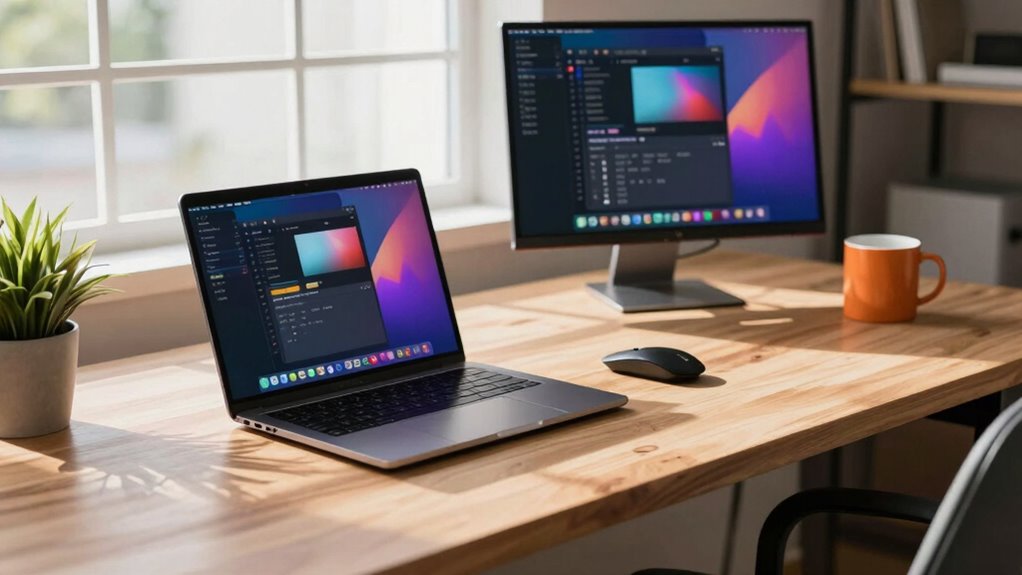

A laptop for a remote productivity setup has to juggle long workdays, video calls, dozens of browser tabs, and portability without breaking your budget — and the tradeoffs between them are real: raw power versus battery life, big 17.3-inch screens versus commute-friendly weight, and cheap 4GB configurations versus machines built to last through years of daily use. My best overall pick is the HP 17.3-Inch FHD Business Laptop with Ryzen 5, 32GB RAM, and 1TB SSD, because it nails the balance most remote workers need: a big comfortable display, enough memory to never think about tab counts, and storage you will not outgrow. If you want maximum muscle for heavier workloads, the NIMO 17.3-Inch with Ryzen 7 and 64GB RAM is the standout power option, while the HP 255 G10 with Ryzen 3 and 16GB RAM takes the value crown for everyday tasks. Keep reading for the full breakdown of all 13 models and who each one actually suits.

Get the little things that make your day delivered free with Prime
- Fast, free delivery on millions of items
- Prime Video, Amazon Music and more included
- Member-only deals all year
Key Takeaways
- RAM was the biggest divider in this lineup: every 4GB model (the HP Essential 14 and HP 14-inch Green) struggled to justify itself for remote work in 2027, while 16GB emerged as the practical floor and 32GB as the sweet spot.
- The 17.3-inch models dominated for desk-based remote work — three of my top five picks — but they trade away portability, so they only make sense if your laptop rarely leaves the home office.
- Windows 11 Pro (on the HP 255 G10 and HP 14-inch Green) matters more than most buyers realize for remote work because of BitLocker encryption and remote desktop access — a tiebreaker between otherwise similar machines.
- Bundled extras cut both ways: the HP Pro Business Copilot bundle includes a laptop cooler, which helps sustained performance on the 17.3-inch chassis, but adds bulk to a machine that is already the least portable pick here.
- NIMO‘s aggressive specs (Ryzen 7, 64GB RAM, Radeon 780M graphics) deliver the most raw performance per dollar in the lineup, but the brand lacks the enterprise support and track record of HP and Lenovo — a real consideration for a work-critical machine.
| Lenovo Business 15.6″ FHD Laptop, Intel Processor, 8GB DDR5, 128GB Storage |  | Best Budget Starter for Remote Work | Processor: Intel N150, 4 cores, up to 3.6GHz | Memory: 8GB LPDDR5-4800 | Storage: 128GB UFS 2.2 | VIEW ON AMAZON | See Our Full Breakdown |
| HP Essential 14-Inch Laptop with Intel N150, 4GB RAM, and 128GB Storage |  | Best Ultralight Backup Machine | Processor: Intel N150, 4 cores, up to 3.6GHz | Memory: 4GB LPDDR5-4800 | Storage: 128GB UFS | VIEW ON AMAZON | See Our Full Breakdown |
| HP 17.3-Inch FHD Business Laptop with AMD Ryzen 5, 32GB RAM, and 1TB SSD |  | Best Desktop Replacement for Multitaskers | Processor: AMD Ryzen 5 7430U, 6 cores, up to 4.3GHz | Memory: 32GB DDR4 | Storage: 1TB PCIe NVMe SSD | VIEW ON AMAZON | See Our Full Breakdown |
| HP Pro Business Copilot AI Laptop PC, 17.3″ Touchscreen, Intel Core Ultra 7, 16GB DDR5, 1TB SSD, Bundle with PCO Laptop Cooler |  | Best Premium Touchscreen Workstation | Processor: Intel Core Ultra 7 255U, 12 cores / 14 threads, up to 5.2GHz | Memory: 16GB DDR5-4800 (max 64GB) | Storage: 1TB SSD | VIEW ON AMAZON | See Our Full Breakdown |
| HP Pavilion 15.6-Inch FHD Laptop with Intel N100, 8GB RAM, 256GB SSD |  | Best Balanced Everyday Value | Processor: Intel N100, 4 cores, up to 3.4GHz | Memory: 8GB DDR4 | Storage: 256GB PCIe NVMe SSD | VIEW ON AMAZON | See Our Full Breakdown |
| HP 255 G10 Business Laptop, Ryzen 3 7330U, 16GB RAM, 512GB SSD, Windows 11 Pro |  | Best Balanced Workhorse | Processor: AMD Ryzen 3 7330U, 4 cores/8 threads, up to 4.3 GHz | Memory: 16 GB DDR4 3200 MHz | Storage: 512 GB SSD | VIEW ON AMAZON | See Our Full Breakdown |
| HP 17.3-Inch Business Laptop with Intel Core i5, 32GB RAM, and 1TB SSD |  | Best for Heavy Multitaskers on a Desk | Processor: Intel Core i5, 10 cores/12 threads, up to 4.6 GHz | Memory: 32 GB RAM | Storage: 1 TB SSD | VIEW ON AMAZON | See Our Full Breakdown |
| NIMO 17.3″ AI Creator Laptop, 6-Core AMD Ryzen 5 6600H, 32GB RAM, 1TB SSD |  | Best Big-Screen Value for Creators | Processor: AMD Ryzen 5 6600H, 6 cores/12 threads, up to 4.5 GHz | Graphics: AMD Radeon 660M (RDNA 2) | Memory: 32 GB DDR5, upgradeable to 64 GB | VIEW ON AMAZON | See Our Full Breakdown |
| HP 14″ Laptop – Intel N150, 4GB DDR5, 628GB Storage, Windows 11 Pro, Green |  | Best Starter Bundle for Light Users | Processor: Intel N150 quad-core, up to 3.6 GHz | Memory: 4 GB LPDDR5 | Storage: 128 GB UFS SSD plus 500 GB external drive (628 GB total) | VIEW ON AMAZON | See Our Full Breakdown |
| Lenovo V15 G6 15.6-Inch Business Laptop, Intel N100, 8GB DDR5, 256GB SSD |  | Best Budget Office Machine | Processor: Intel N100 quad-core, up to 3.4 GHz | Memory: 8 GB DDR5-4800 | Storage: 256 GB PCIe 4.0 NVMe SSD | VIEW ON AMAZON | See Our Full Breakdown |
| NIMO 17.3-Inch Laptop with AMD Ryzen 7 8745HS, 64GB RAM, 1TB SSD, and Radeon 780M |  | Best for Heavy Multitaskers | Processor: AMD Ryzen 7 8745HS | Graphics: AMD Radeon 780M | Memory: 64GB DDR5 | VIEW ON AMAZON | See Our Full Breakdown |
| NIMO 15.6-Inch FHD Laptop with Intel N150, 16GB RAM, 512GB SSD, and Windows 11 |  | Best Budget Work-From-Home Pick | Processor: Intel N150, 4 cores, up to 3.6GHz | Display: 15.6-inch, 1920 × 1080 Full HD | Memory: 16GB DDR4, 3200MHz | VIEW ON AMAZON | See Our Full Breakdown |
| HP 17.3″ HD+ Laptop, Intel Core i7-1355U, 32GB RAM, 2TB PCIe SSD, Numeric Keypad, Windows 11 |  | Best for Spreadsheet-Heavy Home Offices | Display: 17.3″ HD+ | Processor: Intel Core i7-1355U, 10 cores, up to 5.0 GHz | RAM: 32GB | VIEW ON AMAZON | See Our Full Breakdown |
| laptop for remote productivity setup | Processor | Storage | Display | Memory |
|---|---|---|---|---|
| Lenovo Business 15.6" FHD Lapt | Intel N150, 4 cores, up to 3.6GHz | 128GB UFS 2.2 | 15.6" FHD (1920×1080) anti-glare, 250 nits | 8GB LPDDR5-4800 |
| HP Essential 14-Inch Laptop wi | Intel N150, 4 cores, up to 3.6GHz | 128GB UFS | 14-inch HD (1366×768), anti-glare, 250 nits | 4GB LPDDR5-4800 |
| HP 17.3-Inch FHD Business Lapt | AMD Ryzen 5 7430U, 6 cores, up to 4.3GHz | 1TB PCIe NVMe SSD | 17.3-inch FHD (1920×1080) IPS anti-glare, 250 nits | 32GB DDR4 |
| HP Pro Business Copilot AI Lap | Intel Core Ultra 7 255U, 12 cores / 14 threads, up to 5.2GHz | 1TB SSD | 17.3" 1600×900 touchscreen, 60Hz, anti-glare | 16GB DDR5-4800 (max 64GB) |
| HP Pavilion 15.6-Inch FHD Lapt | Intel N100, 4 cores, up to 3.4GHz | 256GB PCIe NVMe SSD | 15.6-inch FHD (1920×1080), anti-glare | 8GB DDR4 |
| HP 255 G10 Business Laptop | AMD Ryzen 3 7330U, 4 cores/8 threads, up to 4.3 GHz | 512 GB SSD | 15.6-inch Full HD IPS, anti-glare | 16 GB DDR4 3200 MHz |
| HP 17.3-Inch Business Laptop w | Intel Core i5, 10 cores/12 threads, up to 4.6 GHz | 1 TB SSD | 17.3-inch LED, 1600 × 900, 250 nits | 32 GB RAM |
| NIMO 17.3" AI Creator Laptop | AMD Ryzen 5 6600H, 6 cores/12 threads, up to 4.5 GHz | 1 TB PCIe SSD, upgradeable to 4 TB | 17.3-inch Full HD IPS | 32 GB DDR5, upgradeable to 64 GB |
| HP 14" Laptop | Intel N150 quad-core, up to 3.6 GHz | 128 GB UFS SSD plus 500 GB external drive (628 GB total) | 14-inch HD anti-glare | 4 GB LPDDR5 |
| Lenovo V15 G6 15.6-Inch Busine | Intel N100 quad-core, up to 3.4 GHz | 256 GB PCIe 4.0 NVMe SSD | 15.6-inch Full HD TN, 250 nits, anti-glare | 8 GB DDR5-4800 |
| NIMO 17.3-Inch Laptop with AMD | AMD Ryzen 7 8745HS | 1TB PCIe 4.0 SSD | 17.3 inches | 64GB DDR5 |
| NIMO 15.6-Inch FHD Laptop with | Intel N150, 4 cores, up to 3.6GHz | 512GB M.2 NVMe SSD | 15.6-inch, 1920 × 1080 Full HD | 16GB DDR4, 3200MHz |
| HP 17.3" HD+ Laptop | Intel Core i7-1355U, 10 cores, up to 5.0 GHz | 2TB PCIe SSD | 17.3" HD+ | — |
More Details on Our Top Picks
Lenovo Business 15.6″ FHD Laptop, Intel Processor, 8GB DDR5, 128GB Storage
This Lenovo is the cheapest credible entry point in the lineup for a remote work setup built around documents, calls, and browser tabs. The Intel N150 with 8GB of LPDDR5 handles a full day of video conferencing without the constant slowdowns that plague the 4GB HP Essential 14, and the bundled one-year Microsoft 365 subscription means Word, Excel, and Outlook work from day one. Compared with the HP Pavilion 15.6, the Lenovo counters its smaller 128GB drive with an SD card slot for cheap expansion and MIL-STD-810H durability testing — reassuring if the laptop travels between home and café. The tradeoff is real though: UFS storage is slower than the Pavilion’s NVMe SSD, the TN panel has weaker colors than an IPS screen, and the non-backlit keyboard is awkward in dim home offices.
Pros:- 8GB LPDDR5 keeps video calls and multi-tab browsing smooth where 4GB rivals stall
- One-year Microsoft 365 Personal subscription included out of the box
- SD card reader plus USB-C with DisplayPort makes dual-monitor home setups easy
- MIL-STD-810H tested chassis at just 3.42 lbs for commuting
Cons:- 128GB UFS storage is small and slower than the NVMe drives in competing picks
- TN panel with 45% NTSC color coverage looks washed out next to IPS alternatives
Best for: Remote workers and students on a tight budget who mostly live in the browser and Office apps
Not ideal for: Anyone storing large media libraries locally — 128GB fills up fast and the non-backlit keyboard frustrates evening workers
- Processor:Intel N150, 4 cores, up to 3.6GHz
- Memory:8GB LPDDR5-4800
- Storage:128GB UFS 2.2
- Display:15.6″ FHD (1920×1080) anti-glare, 250 nits
- Wireless:Wi-Fi 6, Bluetooth 5.2
- Ports:2x USB-A, USB-C (PD, DisplayPort), HDMI 1.4, SD reader, audio jack
- Weight:3.42 lbs, 0.70″ thin
- OS & Software:Windows 11 Home, 1-year Microsoft 365 Personal
Our verdict“Buy this if you need a dependable, do-it-all remote work machine at the lowest possible spend and can live with modest storage.”
HP Essential 14-Inch Laptop with Intel N150, 4GB RAM, and 128GB Storage
The HP Essential 14 earns its spot as the lightest, cheapest way to stay reachable — think of it as a travel or secondary laptop rather than a primary workstation. At 3.24 lbs with up to 11 hours of video playback, it outlasts the Lenovo Business 15.6 for couch-and-café sessions, and its USB-C port supports DisplayPort, so it can still drive an external monitor at a desk. The compromises are the sharpest in this roundup, and they matter for remote work: 4GB of RAM chokes when a video call, spreadsheet, and ten browser tabs share the stage, and the 1366×768 HD panel gives you noticeably less screen real estate than the FHD screens on the Lenovo or Pavilion. If your workflow is one app at a time — email, documents, streaming — those limits rarely bite.
Pros:- Lightest machine in this batch at 3.24 lbs with up to 11 hours of video playback
- USB-C with 10Gbps speed and DisplayPort support for docking to a monitor
- Includes a one-year Microsoft 365 Personal subscription
- Anti-glare display comfortable for long sessions in bright rooms
Cons:- 4GB of RAM is the biggest bottleneck here — fewer apps and tabs than every other pick
- HD (1366×768) resolution looks dated beside the FHD panels on the Lenovo and Pavilion
Best for: Remote workers who need a featherweight secondary or travel laptop for email, docs, and light browsing
Not ideal for: Daily multitaskers and frequent video callers — 4GB of RAM makes heavy tab and app switching painful
- Processor:Intel N150, 4 cores, up to 3.6GHz
- Memory:4GB LPDDR5-4800
- Storage:128GB UFS
- Display:14-inch HD (1366×768), anti-glare, 250 nits
- Wireless:Wi-Fi 6 (2×2), Bluetooth 5.4
- Ports:USB-C 10Gbps with DisplayPort, 2x USB-A, HDMI 1.4b, SD reader, combo audio
- Battery:Up to 11 hours video playback
- Weight:3.24 lbs, 0.71″ thin
Our verdict“This makes sense only as a grab-and-go secondary laptop for lightweight tasks, not as your main remote workstation.”
HP 17.3-Inch FHD Business Laptop with AMD Ryzen 5, 32GB RAM, and 1TB SSD
When your remote setup lives on one desk, the 17.3-inch screen changes how you work — two documents side by side, a call window, and a reference page all fit at once. Pair that canvas with the Ryzen 5 7430U, 32GB of RAM, and a 1TB NVMe SSD, and this HP runs virtual machines, dozens of tabs, and large spreadsheets without complaint — head and shoulders above the Lenovo Slim 3i or Pavilion in raw capability. Windows 11 Pro adds domain join and BitLocker for company-managed devices, and HP Fast Charge hits 50% in roughly 45 minutes. The cost is portability: this is the machine you leave plugged in, not one you tote to a coffee shop, and the 250-nit panel is dimmer than ideal near a sunny window. The Core Ultra 7 touchscreen pick is faster still, but this one offers more RAM for less complexity.
Pros:- 32GB RAM and 1TB NVMe SSD handle serious multitasking no budget pick in this batch can match
- 17.3-inch FHD IPS anti-glare screen replaces a second monitor for many workflows
- Windows 11 Pro with business security features and a dedicated Copilot key
- HP Fast Charge recovers 50% battery in about 45 minutes
Cons:- Large chassis is far less portable than the 14- and 15.6-inch options here
- 250-nit brightness is mediocre for bright rooms or window-side desks
Best for: Work-from-home professionals who rarely move the laptop and juggle heavy multitasking across many apps and tabs
Not ideal for: Digital nomads and café hoppers — the 17.3-inch footprint and weight make daily carrying impractical
- Processor:AMD Ryzen 5 7430U, 6 cores, up to 4.3GHz
- Memory:32GB DDR4
- Storage:1TB PCIe NVMe SSD
- Display:17.3-inch FHD (1920×1080) IPS anti-glare, 250 nits
- Operating System:Windows 11 Pro
- Wireless:Wi-Fi 6, Bluetooth 5.4
- Ports:1 USB-C, 2 USB-A, HDMI 1.4b, headphone/mic combo
- Fast Charging:Up to 50% in approximately 45 minutes
Our verdict“This is the pick for a permanently docked home-office workstation where screen size and RAM matter more than mobility.”
HP Pro Business Copilot AI Laptop PC, 17.3″ Touchscreen, Intel Core Ultra 7, 16GB DDR5, 1TB SSD, Bundle with PCO Laptop Cooler
This is the most future-facing machine in the batch: the Core Ultra 7 255U brings a neural engine for on-device AI features, and its 12 cores and 14 threads outrun the Ryzen 5 7430U in the non-touch HP 17.3 for sustained workloads. The 17.3-inch touchscreen is genuinely useful for presentations and document markup, and business staples like a fingerprint reader, backlit keyboard, and Windows 11 Pro round out a polished work experience. But the display is the odd weak link — 1600×900 on a 17.3-inch panel is noticeably softer than the FHD screens on the Pavilion or the Ryzen-powered HP 17, which undercuts a big-screen buying rationale. Buyers should also know the factory seal is opened for the RAM and SSD upgrades, which is why PCOnline backs those parts with a three-year warranty rather than the standard one.
Pros:- Intel Core Ultra 7 with 12 cores and AI acceleration is the strongest CPU in this batch
- 17.3-inch touchscreen adds markup and presentation flexibility
- Backlit keyboard, fingerprint reader, and Windows 11 Pro for professional workflows
- Bundled laptop cooler plus 3-year warranty on upgraded RAM and SSD
Cons:- 1600×900 resolution is well below FHD and softens everything on a screen this large
- Opened factory seal for third-party RAM/SSD upgrades may matter to warranty-purists
- 1.7GHz base clock leans on turbo for heavy sustained loads
Best for: Professionals who want AI-ready processing power, a touchscreen for markup and presentations, and business-grade security features
Not ideal for: Detail-oriented visual workers — the low 1600×900 resolution on a 17.3-inch screen renders text and images noticeably less crisply than FHD rivals
- Processor:Intel Core Ultra 7 255U, 12 cores / 14 threads, up to 5.2GHz
- Memory:16GB DDR5-4800 (max 64GB)
- Storage:1TB SSD
- Display:17.3″ 1600×900 touchscreen, 60Hz, anti-glare
- Operating System:Windows 11 Pro
- Ports:1x USB-C 10Gbps, 2x USB-A 5Gbps, HDMI 1.4b, combo audio
- Weight:4.62 lbs, 0.78″ thick
- Warranty:3-year on upgraded RAM/SSD, 1-year on other components
Our verdict“Choose this for the processing power and touchscreen, but accept the low-resolution display as the price of admission.”
HP Pavilion 15.6-Inch FHD Laptop with Intel N100, 8GB RAM, 256GB SSD
The Pavilion threads the needle between the cheap-and-cramped HP Essential 14 and the bulky 17.3-inch workstations. You get the same FHD anti-glare screen as machines costing far more, 8GB of RAM — double the Essential — and a genuine 256GB NVMe SSD that boots and loads faster than the UFS storage in the similarly priced Lenovo Business 15.6. For a classic remote routine of calls, documents, and streaming, that combination is the sweet spot: enough headroom to multitask, enough storage to not panic about a full drive after a few months. The Intel N100 is the weakest processor here, though — noticeably slower than the N150 in the Lenovo and far behind the Ryzen and Core Ultra chips — so heavy filters in spreadsheets or local file processing will test your patience. Battery runtime is also unspecified, worth checking before committing to café days.
Pros:- FHD anti-glare display matches the screens on far pricier picks here
- 256GB NVMe SSD is faster and roomier than the UFS drives in budget rivals
- 8GB RAM handles simultaneous calls, docs, and browser tabs comfortably
- Slim 3.64 lbs, 0.7-inch chassis with numeric keypad and HDMI for desk setups
Cons:- Intel N100 is the slowest processor in this batch and shows its age under load
- Battery life is not specified, adding uncertainty for away-from-desk work
Best for: Home-office workers and students who want a comfortable FHD screen, fast storage, and smooth everyday multitasking without overspending
Not ideal for: Processor-hungry users — the N100 lags behind every other chip in this roundup for demanding tasks
- Processor:Intel N100, 4 cores, up to 3.4GHz
- Memory:8GB DDR4
- Storage:256GB PCIe NVMe SSD
- Display:15.6-inch FHD (1920×1080), anti-glare
- Wireless:Wi-Fi 6, Bluetooth 5.3
- Ports:3x USB 3.0, HDMI, headphone/microphone combo
- Camera:720p HD with dual microphones
- Weight:3.64 lbs, 0.7″ thin
- OS & Software:Windows 11 Home, Microsoft 365 (2026 Edition)
Our verdict“The best middle-ground pick for everyday remote work — pay a little more than the cheapest options for a better screen and storage, and skip it only if you need real processing muscle.”
HP 255 G10 Business Laptop, Ryzen 3 7330U, 16GB RAM, 512GB SSD, Windows 11 Pro
This HP 255 G10 hits a sensible middle ground that most remote workers actually need: a Ryzen 3 7330U with 16GB of RAM handles a full day of browser tabs, Slack, Zoom calls, and office apps without the lag you’d feel on the Lenovo V15 G6 and its Intel N100 chip. The Full HD IPS anti-glare panel is the standout here — several pricier 17.3-inch options in this lineup still ship with dimmer, lower-resolution screens, so the display quality punches above this model’s station. The AI noise-reducing microphones are a genuine asset for anyone living on video calls. The tradeoff: RAM maxes out at 16GB, and the original factory seal was opened for the RAM and SSD upgrades, with those parts covered by PCOnline US rather than HP. Compared with the NIMO 17.3″ AI Creator, you give up raw power and screen real estate, but you gain a 3.4-pound machine you can actually carry to a café.
Pros:- Full HD IPS anti-glare display that outclasses larger, dimmer rivals
- Light 3.4-pound build with a numeric keypad for spreadsheet work
- Wi-Fi 6 plus Bluetooth 5.3 for reliable modern connectivity
- HD camera with AI noise-reduction mics, ideal for frequent calls
Cons:- 16GB RAM is the listed maximum, closing the door on future upgrades
- Seal opened for third-party RAM/SSD upgrades, splitting warranty coverage
- Non-touch display with a modest 41Wh battery
Best for: Remote workers who split their week between a home desk and coffee shops and need dependable video-call quality
Not ideal for: Power users running virtual machines or heavy creative software — 16GB is the ceiling, with no upgrade path
- Processor:AMD Ryzen 3 7330U, 4 cores/8 threads, up to 4.3 GHz
- Memory:16 GB DDR4 3200 MHz
- Storage:512 GB SSD
- Display:15.6-inch Full HD IPS, anti-glare
- Connectivity:Wi-Fi 6, Bluetooth 5.3
- Ports:1 USB-C, 2 USB-A, HDMI 1.4b, combo audio jack
- Weight:3.4 lbs
- Operating system:Windows 11 Pro
Our verdict“The most well-rounded pick for day-to-day remote work where portability, call quality, and screen clarity matter more than raw horsepower.”
HP 17.3-Inch Business Laptop with Intel Core i5, 32GB RAM, and 1TB SSD
If your remote setup revolves around a permanent home-office desk, this 17.3-inch HP makes a strong case: a 10-core Core i5 paired with 32GB of RAM and a 1TB SSD chews through dozens of tabs, spreadsheets, and virtual meetings simultaneously. That memory advantage is real compared with the HP 255 G10, which caps out at 16GB — here, heavy multitaskers get breathing room that won’t feel cramped in two years. The catch is the display: 1600 × 900 on a 17.3-inch panel is noticeably softer than the Full HD screens on the NIMO 17.3″ or the HP 255, which undercuts the whole point of a big screen. HP also omits battery and weight figures, and a machine this size rarely travels well. Treat it as a desktop replacement that happens to fold, not a hybrid work companion.
Pros:- 32GB RAM handles extreme multitasking and large files comfortably
- 1TB SSD provides generous local storage for documents and media
- 10-core i5 delivers strong sustained performance for productivity software
- Windows 11 Pro with a solid port spread for docking and peripherals
Cons:- 1600 × 900 resolution looks dated stretched across 17.3 inches
- No published battery life or weight figures, signaling limited portability
Best for: Desk-based remote workers who run many apps at once and want one large screen instead of a monitor
Not ideal for: Anyone working from cafés or co-working spaces — the 17.3-inch footprint and unknown battery make it impractical to carry
- Processor:Intel Core i5, 10 cores/12 threads, up to 4.6 GHz
- Memory:32 GB RAM
- Storage:1 TB SSD
- Display:17.3-inch LED, 1600 × 900, 250 nits
- Graphics:Intel Iris Xe
- Ports:1 USB-C, 2 USB-A, HDMI, combo audio jack
- Operating system:Windows 11 Pro
Our verdict“A sensible desktop-replacement choice for stationary multitaskers, provided you can live with its low-resolution display.”
NIMO 17.3″ AI Creator Laptop, 6-Core AMD Ryzen 5 6600H, 32GB RAM, 1TB SSD
The NIMO 17.3″ is the most forward-looking machine in this batch. Its Ryzen 5 6600H is an H-series chip built for sustained loads, and the 32GB of DDR5 is upgradeable to 64GB — a future-proofing flex that neither the HP 17.3-inch i5 nor the HP 255 G10 can match. The 17.3-inch Full HD IPS panel also resolves the HP’s biggest weakness by putting proper 1080p on the same screen size. Add a backlit keyboard, a touchpad-integrated fingerprint reader, six ports including two USB-C, microSD, and a 100W USB-C PD charger, and this option reads like a spec sheet from a pricier tier. The compromises are structural: integrated Radeon 660M graphics won’t handle serious gaming or GPU rendering, and pushing a big bright panel on a 53.58Wh battery means unplugged runtime will be modest. It’s also built like a desktop replacement — heavy and wide.
Pros:- DDR5 RAM upgradeable to 64GB and SSD to 4TB for long-term relevance
- Genuine Full HD IPS panel on a 17.3-inch screen
- Ryzen 5 6600H sustains heavy multitasking better than the U-series chips here
- Dense port selection with two USB-C, HDMI 2.0, and microSD eliminates dongles
Cons:- Integrated graphics limit gaming and GPU-intensive creative work
- 53.58Wh battery will drain quickly powering a 17.3-inch display
- Large, heavy chassis is awkward for frequent travel
Best for: Entry-level content creators and students who edit photos, cut video lightly, and want one machine for both work and media
Not ideal for: Gamers and 3D or video professionals — the integrated GPU caps performance under demanding rendering workloads
- Processor:AMD Ryzen 5 6600H, 6 cores/12 threads, up to 4.5 GHz
- Graphics:AMD Radeon 660M (RDNA 2)
- Memory:32 GB DDR5, upgradeable to 64 GB
- Storage:1 TB PCIe SSD, upgradeable to 4 TB
- Display:17.3-inch Full HD IPS
- Ports:2× USB-C, 3× USB-A, HDMI 2.0, microSD, 3.5mm audio
- Security:Touchpad-integrated fingerprint reader
- Warranty:2-year manufacturer warranty
Our verdict“The best spec-per-dollar pick for creators who want a big, sharp screen and real upgrade headroom without paying premium-tier money.”
HP 14″ Laptop – Intel N150, 4GB DDR5, 628GB Storage, Windows 11 Pro, Green
This HP 14-incher is less about the laptop and more about everything in the box: wireless earbuds, a wireless mouse, an HDMI cable, a 500GB external drive, and lifetime Microsoft Office — a bundle that spares a first-time buyer a whole shopping trip. The N150 chip and LPDDR5 memory are tuned for light-duty work: email, documents, browsing, and video calls all run fine, which is more than the spec sheet suggests. The honest limitation is 4GB of RAM — the lowest in this roundup — which means heavy tab counts or simultaneous apps will bog down, especially next to something like the Lenovo V15 G6 with 8GB. The storage story is also a workaround rather than a feature: only 128GB lives inside, with the rest on the external drive you’ll need to remember to pack. For a student, a part-timer, or a backup travel machine, that tradeoff is reasonable. For a primary work machine, it isn’t.
Pros:- Complete starter bundle with earbuds, mouse, cables, and lifetime Microsoft Office
- Compact 14-inch anti-glare design suits bright rooms and small desks
- Wi-Fi 6 and fast UFS storage keep everyday tasks feeling responsive
- Windows 11 Pro adds business-grade security features
Cons:- 4GB of RAM is the tightest memory ceiling in this lineup
- Only 128GB of internal storage; the 500GB external drive must travel with you
Best for: Students and casual remote workers setting up a first home office on a tight budget who value included accessories
Not ideal for: Anyone multitasking across many browser tabs and apps daily — 4GB of RAM becomes a bottleneck quickly
- Processor:Intel N150 quad-core, up to 3.6 GHz
- Memory:4 GB LPDDR5
- Storage:128 GB UFS SSD plus 500 GB external drive (628 GB total)
- Display:14-inch HD anti-glare
- Connectivity:Wi-Fi 6
- Camera:720p HD with dual-array mics
- Operating system:Windows 11 Pro
Our verdict“A one-box starter kit for light users and students, as long as you accept its memory ceiling.”
Lenovo V15 G6 15.6-Inch Business Laptop, Intel N100, 8GB DDR5, 256GB SSD
The Lenovo V15 G6 earns its place through practicality rather than power. Its Intel N100 won’t win benchmarks against the NIMO’s Ryzen 5 6600H, but for documents, email, and video calls it’s entirely adequate — and Lenovo includes things budget laptops usually skip. The Gigabit Ethernet port is a rare and welcome sight for anyone who’s suffered glitchy Wi-Fi during an important call, and the camera privacy shutter, TPM 2.0, and Kensington lock slot give it genuine office-grade security credentials. It even carries MIL-STD-810H durability testing, which the HP 14-inch bundle can’t claim. The compromises are visible daily: the TN panel at 250 nits and 45% NTSC looks washed out beside the HP 255 G10’s IPS screen, 8GB/256GB will strain under heavier workloads, and the non-backlit keyboard is a nuisance for late-evening sessions. Buy it for dependability and wired stability, not for media or muscle.
Pros:- Gigabit Ethernet port for rock-solid wired connectivity during calls
- Security kit includes TPM 2.0, camera privacy shutter, and Kensington lock slot
- MIL-STD-810H tested chassis for durability
- Wi-Fi 6 plus four USB ports including USB-C with DisplayPort
Cons:- TN panel at 250 nits and 45% NTSC looks dull compared with IPS rivals
- 8GB RAM and 256GB storage strain under heavier workloads
- Keyboard lacks backlighting
Best for: Budget-conscious remote workers in shared or unstable Wi-Fi environments who want wired Ethernet and business security features
Not ideal for: Media-heavy users and color-sensitive workers — the dim, low-gamut TN display does photos and video no favors
- Processor:Intel N100 quad-core, up to 3.4 GHz
- Memory:8 GB DDR5-4800
- Storage:256 GB PCIe 4.0 NVMe SSD
- Display:15.6-inch Full HD TN, 250 nits, anti-glare
- Connectivity:Wi-Fi 6, Bluetooth 5.2, Gigabit Ethernet
- Ports:2 USB-C, 2 USB-A, HDMI 1.4b, RJ-45, combo audio
- Weight:3.33 lbs
- Durability:MIL-STD-810H tested
Our verdict“A dependable, security-minded budget workhorse for Ethernet-first remote workers who care more about stable calls than screen beauty.”
NIMO 17.3-Inch Laptop with AMD Ryzen 7 8745HS, 64GB RAM, 1TB SSD, and Radeon 780M
Most laptops in this roundup treat the display as a bonus; this NIMO treats it as the workspace. The 17.3-inch screen plus 64GB of DDR5 memory means you can keep a dozen browser tabs, a video call, and a full creative suite open at once — headroom that even the well-equipped HP 17.3″ HD+ laptop with 32GB can’t match. Compared with the NIMO 15.6-inch model with the Intel N150, this machine lives in a different performance class entirely.
The tradeoff is portability: a 17.3-inch chassis with a 58Wh battery is a desk-first machine, not a coffee-shop companion. Buyers should also note that vendor claims about 4K editing and gaming performance rely on the Radeon 780M integrated graphics, which is capable for its class but not a discrete-GPU substitute.
Pros:- 64GB of DDR5 RAM is double what most laptops in this roundup offer, giving serious headroom for multitasking
- 17.3-inch display provides generous screen real estate for split-screen remote work
- USB4, HDMI 2.1, three USB-A ports, and an SD reader cover nearly every docking scenario without adapters
- Two-year warranty adds peace of mind for a work-critical machine
Cons:- Large chassis and 58Wh battery make it a desk-bound machine rather than a travel companion
- Gaming and 4K editing claims rest on integrated graphics, which cannot replace a dedicated GPU for demanding creative work
Best for: Remote workers who live in heavy multitasking workflows — video calls, dozens of tabs, and editing software running simultaneously — and rarely move from their desk
Not ideal for: Digital nomads and frequent travelers; a 17.3-inch footprint and modest battery make it impractical as a carry-everywhere machine
- Processor:AMD Ryzen 7 8745HS
- Graphics:AMD Radeon 780M
- Memory:64GB DDR5
- Storage:1TB PCIe 4.0 SSD
- Display:17.3 inches
- Ports:USB4, HDMI 2.1, 3x USB-A, SD card reader
- Battery:58Wh
- Operating System:Windows 11
- Warranty:2 years
Our verdict“If your remote setup revolves around one desk and you need serious memory headroom for parallel workloads, this is the multitasking pick — as long as you never plan to sling it in a backpack daily.”
NIMO 15.6-Inch FHD Laptop with Intel N150, 16GB RAM, 512GB SSD, and Windows 11
This is the laptop for someone setting up a first remote workstation without overspending. The 16GB of RAM and 512GB NVMe SSD put it a clear step above budget entries like the HP Essential 14-Inch with 4GB of RAM and 128GB of storage, which will strain under browser-heavy remote work almost immediately. Here, video calls, documents, and a full tab stack run comfortably.
The compromise is raw power. The Intel N150 is an efficiency chip, so compared with the Ryzen-powered NIMO 17.3-inch 8745HS model, this one lags noticeably in anything demanding — think large spreadsheets with heavy recalculation or light photo editing. The 16GB memory ceiling also means no upgrade path, so buy it for everyday productivity, not growing workloads.
Pros:- 16GB RAM and a 512GB NVMe SSD are genuinely usable specs for multitasking, not just spec-sheet padding
- Fingerprint reader and backlit keyboard are features often missing at this budget level
- Broad port selection — 2 USB-C, 3 USB-A, HDMI, micro SD — plus an included 65W USB-C charger keeps desk setup simple
- 3.74 lb weight makes it the most portable NIMO in this lineup
Cons:- Integrated graphics and an entry-level processor limit anything beyond standard productivity apps
- RAM is capped at 16GB with no upgrade path for future-proofing
Best for: Students, entry-level remote employees, and anyone whose workday is mostly browser tabs, video calls, and documents on a tight budget
Not ideal for: Anyone editing media or running heavy software; the efficiency-focused processor and capped 16GB RAM will bottleneck quickly
- Processor:Intel N150, 4 cores, up to 3.6GHz
- Display:15.6-inch, 1920 × 1080 Full HD
- Memory:16GB DDR4, 3200MHz
- Storage:512GB M.2 NVMe SSD
- Battery:4700mAh, up to 8.5 hours
- Ports:2x USB-C, 3x USB-A, HDMI 1.4, Micro SD, 3.5mm audio
- Operating System:Windows 11 Home
- Warranty:2-year manufacturer warranty
Our verdict“A sensible, well-rounded entry point for lightweight remote work that beats the true budget laptops on memory and storage — just don’t expect it to grow with demanding workloads.”
HP 17.3″ HD+ Laptop, Intel Core i7-1355U, 32GB RAM, 2TB PCIe SSD, Numeric Keypad, Windows 11
Where most laptops in this roundup optimize for portability or raw specs, this HP optimizes for the data-entry side of remote work. The full-size numeric keypad is the differentiator — for finance, accounting, or anyone living in spreadsheets, it eliminates the external keyboard many 15.6-inch machines force onto your desk. The 2TB PCIe SSD also doubles the storage of the comparable HP 17.3-Inch Business Laptop with Intel Core i5 and 1TB, which matters if you archive years of files locally.
The catches: a 17.3-inch chassis sacrifices portability, and the HD+ resolution is lower than the Full HD panels on the NIMO models — fine for documents, less crisp for detailed visual work. With no stated battery figure, plan around it being a plugged-in desk machine.
Pros:- Full-size numeric keypad makes spreadsheet and invoicing work far faster than compact keyboards
- 2TB PCIe SSD offers double the storage of most rivals in this lineup for local file archives
- 10-core i7-1355U handles multitasking, video meetings, and productivity suites smoothly
- 32GB of RAM gives comfortable headroom for heavy browser and app workloads
Cons:- HD+ resolution lags behind the Full HD panels on the NIMO models, so text and images are less crisp
- Battery life is unspecified, and high-performance internals in a large chassis suggest limited unplugged runtime
Best for: Accountants, analysts, and admin-heavy remote workers who need a numeric keypad and huge local storage for documents and data files
Not ideal for: Traveling professionals and anyone doing visual work; the bulky chassis and HD+ resolution fall short of Full HD rivals for detail and mobility
- Display:17.3″ HD+
- Processor:Intel Core i7-1355U, 10 cores, up to 5.0 GHz
- RAM:32GB
- Storage:2TB PCIe SSD
- Keyboard:Full-size with numeric keypad
- Operating System:Windows 11
Our verdict“The right choice when your remote workday is built around numbers rather than mobility — massive storage, a numeric keypad, and smooth performance in exchange for a desk-bound footprint.”

How We Picked
I judged every laptop through one lens: how well it serves a full-time remote workday. That meant weighing sustained performance for multitasking (RAM and processor class over peak benchmark numbers), display comfort for eight-hour stretches, keyboard and webcam quality for calls, and storage headroom for years of files. Because a remote setup is only as reliable as the machine at its center, I also factored in build reputation, warranty ecosystems, and whether the operating system (Home versus Pro) supports the security features remote workers genuinely use.
The ranking logic is straightforward: machines with 16GB of RAM or more and a modern mid-range processor clustered at the top, because that combination handles video calls, Slack, browsers, and productivity suites without friction. Budget 4GB configurations fell to the bottom — not because they are bad laptops, but because they fail the specific test this roundup sets. Within the top tier, I separated desk-first 17.3-inch workhorses from portable picks, and I weighted bundled value, storage capacity, and business features like Windows 11 Pro as tiebreakers.
| laptop for remote productivity setup | Operating System |
|---|---|
| Lenovo Business 15.6" FHD Lapt | — |
| HP Essential 14-Inch Laptop wi | — |
| HP 17.3-Inch FHD Business Lapt | Windows 11 Pro |
| HP Pro Business Copilot AI Lap | Windows 11 Pro |
| HP Pavilion 15.6-Inch FHD Lapt | — |
| HP 255 G10 Business Laptop | Windows 11 Pro |
| HP 17.3-Inch Business Laptop w | Windows 11 Pro |
| NIMO 17.3" AI Creator Laptop | — |
| HP 14" Laptop | Windows 11 Pro |
| Lenovo V15 G6 15.6-Inch Busine | — |
| NIMO 17.3-Inch Laptop with AMD | Windows 11 |
| NIMO 15.6-Inch FHD Laptop with | Windows 11 Home |
| HP 17.3" HD+ Laptop | Windows 11 |
Factors to Consider When Choosing Laptop For Remote Productivity Setup
Before you commit to any of the 13 models above, step back and think about how and where you actually work. The most common mistake remote workers make is buying for a fantasy workflow instead of a real one — paying for specs they will never touch while skimping on the things they use every single day.Treat 16GB of RAM as Your Floor, Not Your Ceiling
The single biggest differentiator in this entire category is memory, and it is where cheap laptops quietly fail. A 4GB machine will run a browser and a document, but add a video call, Slack, and a second monitor and it starts stuttering within the hour — a productivity killer you cannot fix later on most budget models because the RAM is soldered. 16GB handles a realistic remote workday comfortably, while 32GB buys you headroom for virtual machines, heavy local development, or simply never closing anything. One pattern worth knowing: RAM upgrades cost far more aftermarket than at purchase, and several models in this roundup have no upgrade path at all, so buy the memory you will need in year three, not year one.
Match Screen Size to Your Actual Mobility
A 17.3-inch display is a genuine productivity tool — split-screen work, spreadsheets, and long writing sessions all benefit — but it comes with a machine that weighs twice as much as a 14-inch alternative. Be honest with yourself: if your laptop moves between rooms at most, the big screen is pure upside. If you work from cafés, coworking spaces, or travel monthly, a 15.6-inch or 14-inch machine will serve you better, and a USB-C monitor at your desk closes the screen-size gap for less than the price difference between chassis sizes. Also note the resolution difference within this lineup: HD+ on the cheapest 17-inch models looks noticeably softer than FHD, and you stare at that screen all day.
Do Not Overpay for Processor, But Do Not Underbuy Either
For typical remote work — documents, calls, browser tabs, cloud apps — the processor matters less than RAM, and entry-level chips like the Intel N100 and N150 are genuinely fine for that. The line gets crossed when you run local workloads: code compilation, photo and video editing, or large spreadsheet models. That is where a Ryzen 5 6600H, Ryzen 7 8745HS, or Intel Core Ultra 7 earns its price with headroom that lasts years. A useful rule: pair a weak processor with lots of RAM and you get smooth multitasking; pair a strong processor with 8GB and you get a fast machine that still chokes — which is why I ranked balanced configurations above lopsided ones throughout this guide.
Windows 11 Pro Is a Business Feature, Not Marketing Fluff
Several models here ship with Windows 11 Home while others include Pro, and the difference is more than a sticker. Pro adds BitLocker full-disk encryption, remote desktop hosting, and better domain and management support — features that matter when your laptop holds client files or connects to a company network. If you handle sensitive data or your IT department requires encryption, Pro should be a hard requirement, not a nice-to-have. For solo workers with no compliance obligations, Home is perfectly adequate and the savings are better spent on RAM or storage. Just decide this before you buy, because upgrading the edition later costs more than choosing the right SKU upfront.
Storage: Buy Headroom, Not Just Capacity
128GB fills up shockingly fast once Windows updates, Teams caches, and a year of downloads pile on — I would treat that capacity as a red flag for any primary work machine. 512GB is a sensible working minimum for remote productivity, and 1TB or 2TB makes sense if you keep local copies of media, backups, or large project files. The speed class matters too: PCIe SSDs (like the 2TB drive in the Core i7 HP 17.3) feel snappier than slower eMMC-style storage found in some budget configurations, which affects boot times and file operations you perform dozens of times a day. Cloud storage can offset a small drive, but only if your internet is dependable — a gamble many rural remote workers regret.
Weigh Brand Support Against Spec Sheets
The boldest specs in this roundup belong to NIMO, and on paper those machines outclass similarly priced HP and Lenovo models. But a remote work laptop is your income source, and when it fails, support quality becomes the most important spec of all. Established business lines like HP’s Pro and 255 series, and Lenovo’s business laptops, carry mature warranty networks and easy parts availability; newer brands often depend on return-and-replace cycles through the retailer. If you have a backup device and can tolerate a week of downtime, the spec-first bet is reasonable. If your laptop is your only machine, factor that safety net into the price before comparing numbers alone.
Frequently Asked Questions
Is 8GB of RAM really not enough for remote work in 2027?
For light remote work — email, documents, a handful of tabs — 8GB remains usable, but it sits right at the edge of comfortable. Modern browsers, always-on collaboration apps like Teams and Slack, and video calls consume memory faster each year, and an 8GB machine will start swapping during your busiest moments, which shows up as audio glitches on calls and laggy window switching. The bigger problem is that many 8GB models in this category have soldered memory with no upgrade path, so you are locked in for the life of the machine. My honest recommendation is to treat 8GB as acceptable only for secondary or occasional-use machines, and spend the difference on 16GB for anything you depend on daily.
Should I buy a 17.3-inch laptop if I mostly work from home?
If your laptop lives on a desk and travels rarely, a 17.3-inch model is one of the best productivity upgrades you can buy — the extra screen space genuinely changes how you work with split windows, spreadsheets, and research-heavy tasks. Three of my top picks are 17-inch machines precisely because desk-bound remote work is the most common setup. The tradeoffs are weight (often over two kilograms), bulk on the rare occasions you do travel, and typically shorter battery life than smaller machines because of the larger panel. If you travel even a few times a month, pair a 14- or 15.6-inch laptop with an external monitor at home instead — you get the best of both worlds for similar money.
Are the budget N-series Intel processors (N100, N150) a waste of money?
Not automatically — it depends entirely on what you run. N-series chips handle web-based productivity, streaming, and office suites efficiently and sip battery, which is why they appear in so many affordable machines. Where they fall apart is sustained heavy multitasking, local media work, and anything processor-intensive, and pairing them with only 4GB of RAM (as two models in this lineup do) compounds the problem badly. The smart play is an N-series chip with at least 8GB, ideally 16GB, of RAM — like the Lenovo V15 G6 or the NIMO 15.6 — which delivers smooth everyday performance at a low price. Avoid the 4GB N-series configurations unless the laptop is a true secondary device.
Is 64GB of RAM in the NIMO Ryzen 7 overkill for remote work?
For typical remote productivity — documents, calls, browsers, SaaS apps — yes, 64GB is far more than daily work needs, and most buyers would never notice the difference versus 32GB. Where it earns its keep is specialized work: running virtual machines, local AI models, heavy video editing, large datasets, or keeping dozens of demanding applications resident simultaneously. If that describes your workload, the NIMO Ryzen 7 configuration is one of the few affordable ways to get that capacity. If it does not, the same money spent on a 32GB machine from a more established brand buys better support and a more refined overall package, which is why I ranked the HP 17.3 Ryzen 5 above it for most readers.
Does Windows 11 Pro vs. Home actually matter for a remote worker?
It matters more than most buyers assume, but only for specific situations. Pro includes BitLocker full-disk encryption, which protects your data if the laptop is lost or stolen — a genuine concern for anyone carrying client or company files. It also enables remote desktop hosting, letting you connect into your machine from another device, which is handy if you keep a powerful laptop at home and work from a tablet elsewhere. If you freelance without compliance requirements, Home covers everything you need day to day. If you handle sensitive data or work under any corporate security policy, treat Pro as non-negotiable and let it break ties between otherwise similar models, like the HP 255 G10 versus comparable Home-edition rivals.
Conclusion
After comparing all 13 machines, the right choice comes down to how you actually work. For most remote professionals, my best overall pick is the HP 17.3-Inch FHD Business Laptop with Ryzen 5, 32GB RAM, and 1TB SSD — it combines a big comfortable display, effortless multitasking headroom, and dependable brand support in one package. The HP 255 G10 with Ryzen 3 and 16GB RAM is my best value recommendation, hitting the practical spec floor for real work at the lowest sensible price, while the NIMO 17.3-Inch with Ryzen 7, 64GB RAM, and Radeon graphics is the best premium pick for power users with demanding local workloads.
For beginners or minimal-workload buyers, the Lenovo V15 G6 offers the gentlest entry point that will not feel slow in a year, thanks to its balanced 8GB-plus-fast-storage configuration. For specific needs: choose the HP Pro Business Copilot AI bundle if you want an AI-accelerated chip and sustained thermal performance in one box, the HP 17.3 Core i7 with 2TB of storage if you hoard local files, and a 14-inch model only if portability outranks screen size for you. Whatever you pick, avoid the 4GB configurations — every other tradeoff in this lineup is negotiable, but that one is not for a machine your livelihood depends on.