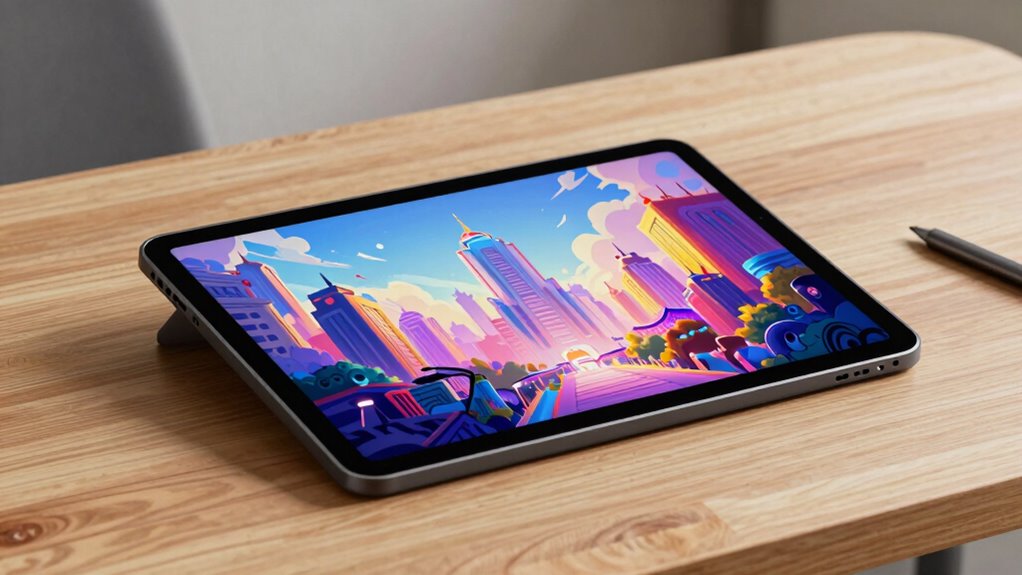

A digital art display tablet lets you draw directly on the screen, which shortens the learning curve dramatically compared to drawing on a blank pad while watching a monitor. After comparing 15 of the most compelling options on the market, the Wacom Cintiq 16 with QHD Screen and Pro Pen 3 stands out as the best overall pick thanks to its color accuracy, refined pen feel, and industry-trusted build. If budget matters, the XP-PEN Artist12 delivers a genuine drawing-on-screen experience at an entry-level price, while the PicassoTab X11 is the pick to beat when you want a standalone tablet that needs no computer at all. The main tradeoffs in this category come down to screen resolution versus price, whether you need portability or desk-bound workspace, and how much pen precision your art style actually demands. Keep reading for the full breakdown of all 15 models and which one fits your workflow.

Get the little things that make your day delivered free — and shop member deals
- Fast, free delivery on millions of items
- Access to Prime Big Deal Days deals on October 6–7
- Prime Video, Amazon Music and more included
Key Takeaways
- The Wacom Cintiq 16 separates itself from the XP-Pen and Huion field primarily through pen calibration out of the box and superior color accuracy — the two things you cannot fix later with settings.
- Huion‘s Kamvas 13 Gen 3 appears three times in this lineup (standard, black dual-dial, and pink dual-dial); the dual-dial variants are functionally identical, so color choice should be the deciding factor, not features.
- The PicassoTab X11 is the only truly standalone option here — every other tablet requires a connected computer, which makes it the single most important fork in the road for buyers.
- Screen size clusters into three tiers: 11.6-inch budget displays (Artist12, PD1161, Artist 12 3rd Gen), 13.3-inch mid-range (Kamvas 13, Artist 13.3 Pro), and 14-to-16-inch pro models (Artist Pro 14/16 Gen2, Kamvas Pro 16, Cintiq 16) — and price jumps disproportionately at each tier.
- The GAOMON PD1161 and XP-PEN Artist12 prove that sub-12-inch pen displays are viable for beginners, but their lower brightness and simpler styluses mean artists doing detailed line work will outgrow them faster than a 13.3-inch model.
| HUION Inspiroy H1060P Graphics Drawing Tablet, 10 × 6.25 in |  | Best Budget Entry Point | Working area: 10 × 6.25 in | Thickness: 10 mm | Stylus: PW100 battery-free | VIEW ON AMAZON | See Our Full Breakdown |
| PicassoTab X11 11″ Standalone Drawing Tablet – No Computer Needed |  | Best Standalone Option | Screen size: 11 inches | Display: 2K fully laminated, paper-like | Pressure sensitivity: 4096 levels | VIEW ON AMAZON | See Our Full Breakdown |
| Wacom Cintiq 16 Drawing Tablet with QHD Screen & Pro Pen 3 |  | Best Premium Pen Display | Screen size: 16 inches, IPS | Resolution: 2560 × 1600 (2.5K WQXGA) | Color gamut: 99% DCI-P3, 100% sRGB | VIEW ON AMAZON | See Our Full Breakdown |
| XP-Pen Artist 13.3 Pro V2 Drawing Tablet with Screen |  | Best Value Pen Display | Screen size: 13.3 inches | Display: Full HD IPS, laminated with AG film | Pressure levels: 16,384 (X3 Pro stylus) | VIEW ON AMAZON | See Our Full Breakdown |
| HUION Kamvas 13 (Gen 3) 13.3-Inch Drawing Tablet with Screen, Dual Dial, Black |  | Best for Shortcut-Heavy Workflows | Screen size: 13.3 inches | Screen: Laminated Canvas Glass 2.0, anti-sparkle | Pressure sensitivity: 16,384 levels | VIEW ON AMAZON | See Our Full Breakdown |
| XP-PEN Artist12 11.6-Inch FHD Drawing Display with Battery-Free Stylus |  | Best Budget Entry Point | Display size: 11.6 inches | Resolution: 1920 × 1080 | Display type: IPS | VIEW ON AMAZON | See Our Full Breakdown |
| XPPen Artist Pro 14 Gen2 Drawing Tablet with Screen |  | Best Mid-Size All-Rounder | Screen size: 14 inches | Pressure levels: 16,384 | Screen type: Full-laminated anti-glare etched glass | VIEW ON AMAZON | See Our Full Breakdown |
| XPPen Artist Pro 16 Gen2 2.5K 16-inch QHD Drawing Tablet with X3 Pro Battery-Free Stylus and Mini Keydial |  | Best Premium Screen Quality | Screen size: 16 inches | Resolution: 2560 × 1600 QHD (2.5K) | Pressure levels: 16,384 | VIEW ON AMAZON | See Our Full Breakdown |
| HUION Kamvas 13 (Gen 3) Drawing Tablet with Screen |  | Best Color Accuracy and Portability Combo | Display: 13-inch pen display | Pressure levels: 16,384 | Pen activation force: 2 g | VIEW ON AMAZON | See Our Full Breakdown |
| HUION Kamvas Pro 16 V2 Drawing Tablet with Screen, 15.6 inch Pen Display with 16,384 Pressure Levels |  | Best Ergonomic Setup Bundle | Screen size: 15.6 inches | Pressure levels: 16,384 | Pen: Battery-free PW600A with Pentech 4.0 | VIEW ON AMAZON | See Our Full Breakdown |
| Huion Kamvas Pro 16 Drawing Tablet with Screen |  | Best for Color-Critical Work | Screen size: 15.6 inches | Color gamut: 120% sRGB, 92% AdobeRGB | Color depth: 16.7 million colors, 8-bit | VIEW ON AMAZON | See Our Full Breakdown |
| HUION Kamvas 13 (Gen 3) Drawing Tablet with Screen, Dual Dial, 13.3-inch, Pink |  | Best Workflow Controls in a Compact Size | Screen size: 13.3 inches | Screen: Fully laminated Canvas Glass 2.0, anti-glare | Pressure sensitivity: 16,384 levels | VIEW ON AMAZON | See Our Full Breakdown |
| XPPen Artist 13.3 Pro Drawing Tablet with Screen |  | Best Value Pen Display | Display: 13.3-inch full-laminated FHD | Color gamut: 88% NTSC; AdobeRGB ≥91%; sRGB ≥123% | Viewing angle: 178 degrees | VIEW ON AMAZON | See Our Full Breakdown |
| XP-Pen Artist 12 3rd Generation Drawing Tablet with Screen |  | Best Portable Pick | Display size: 11.9 inches, 1920 × 1080 | Weight: 1.58 lb | Pen pressure levels: 16,384 | VIEW ON AMAZON | See Our Full Breakdown |
| GAOMON PD1161 11.6-Inch Full HD Drawing Tablet with Screen |  | Best Budget Starter Display | Screen: 11.6-inch Full HD IPS, anti-glare | Color gamut: 72% NTSC / 100% sRGB | Stylus: Battery-free AP50 | VIEW ON AMAZON | See Our Full Breakdown |
| digital art display tablet | Compatibility | Screen size | Color gamut |
|---|---|---|---|
| HUION Inspiroy H1060P Graphics | Windows 7+, macOS 10.12+, Android 6.0+, Ubuntu (Xorg) | — | — |
| PicassoTab X11 11" Standalone | — | 11 inches | — |
| Wacom Cintiq 16 Drawing Tablet | Windows, Mac | 16 inches, IPS | 99% DCI-P3, 100% sRGB |
| XP-Pen Artist 13.3 Pro V2 Draw | Windows 7+, macOS 10.13+, Chrome OS 88+, Android, Linux | 13.3 inches | 125% sRGB, 107% Adobe RGB, 95% Display P3 |
| HUION Kamvas 13 | — | 13.3 inches | — |
| XP-PEN Artist12 11.6-Inch FHD | Windows, Mac, Linux | — | 72% NTSC (100% sRGB) |
| XPPen Artist Pro 14 Gen2 Drawi | Windows, macOS, Android, Chrome OS, Linux | 14 inches | — |
| XPPen Artist Pro 16 Gen2 2.5K | — | 16 inches | 99% sRGB, ΔE < 2.2 |
| HUION Kamvas 13 | Windows 10+, macOS 10.12+, Android, Ubuntu 20.04 LTS | — | — |
| HUION Kamvas Pro 16 V2 Drawing | Windows 7+, macOS 10.12+, Linux (Ubuntu 20.04 LTS) | 15.6 inches | — |
| Huion Kamvas Pro 16 Drawing Ta | Windows 7+, macOS 10.12+, Linux (Ubuntu) | 15.6 inches | 120% sRGB, 92% AdobeRGB |
| HUION Kamvas 13 | Windows 10+, macOS 10.12+, Android, Ubuntu 20.04 LTS | 13.3 inches | 99% sRGB; Rec.709 |
| XPPen Artist 13.3 Pro Drawing | Windows 7+, macOS X 10.10+, ChromeOS 88+, Linux | — | 88% NTSC; AdobeRGB ≥91%; sRGB ≥123% |
| XP-Pen Artist 12 3rd Generatio | Windows 7+, macOS 10.13+, Android 10+, ChromeOS 88+, Linux, Windows ARM | — | 99% sRGB, ΔE < 1.5 |
| GAOMON PD1161 11.6-Inch Full H | Windows 7+; macOS 10.12+ | — | 72% NTSC / 100% sRGB |
More Details on Our Top Picks
HUION Inspiroy H1060P Graphics Drawing Tablet, 10 × 6.25 in
This is the odd one out in a lineup of pen displays — the H1060P has no screen at all, and that’s exactly why it earns a spot. For someone testing whether digital art sticks, spending a fraction of what a Wacom Cintiq 16 or XP-Pen Artist 13.3 Pro V2 costs makes sense, and drawing while looking at an existing monitor is a skill many artists never outgrow. The battery-free stylus with ±60° tilt and 28 total programmable shortcuts punch above its price class. The tradeoffs are real, though: no iPad or iPhone support, and Mac users need a USB adapter. Compared with the standalone PicassoTab X11, you give up portability and the screen, but gain a larger shortcut ecosystem and finer pressure control.
Pros:- Battery-free stylus with ±60° tilt support for natural shading gestures
- 28 programmable keys across press keys and soft keys
- Works across Windows, macOS, Android, and Ubuntu
- Symmetrical design genuinely accommodates left-handed users
Cons:- No screen — requires constant hand-eye separation from the monitor
- No iPhone or iPad support, and Mac users need a USB adapter
- Ubuntu support limited to the Xorg display server
Best for: Beginners and students who already own a decent computer and want to try digital art without a big commitment
Not ideal for: Artists who want to draw directly on a surface or need an all-in-one device — this has no display of its own
- Working area:10 × 6.25 in
- Thickness:10 mm
- Stylus:PW100 battery-free
- Tilt support:±60°
- Programmable keys:12 press keys + 16 soft keys
- Compatibility:Windows 7+, macOS 10.12+, Android 6.0+, Ubuntu (Xorg)
Our verdict“A low-risk way into digital art for computer owners, as long as you accept learning to draw without looking at your hand.”
PicassoTab X11 11″ Standalone Drawing Tablet – No Computer Needed
Every other pen display here — the Kamvas 13 (Gen 3), the Cintiq 16, the Artist 13.3 Pro V2 — is a peripheral that dies without a host computer. The PicassoTab X11 flips that: it’s a self-contained Android tablet with five preloaded creative apps, so you can sketch on the couch or in a classroom with zero setup. The fully laminated 2K paper-like display keeps parallax low and feels closer to paper than a glossy screen. Where it falls behind: 4096 pressure levels is a quarter of what the XP-Pen offers, 6GB of RAM strains heavy multithreaded workflows, and 2K resolution can’t match the Cintiq’s 2.5K sharpness. This pick makes sense for portability-first creators, not color-critical professionals.
Pros:- Fully standalone — no computer, cables, or drivers required
- Laminated paper-like 2K display reduces parallax and glare
- Bundle includes case, glove, protector, and lifetime app upgrades
- Storage expandable up to 1TB for large project files
Cons:- Only 4096 pressure levels, well below dedicated pen displays
- 6GB RAM limits heavy multitasking and complex layered files
Best for: Casual artists, kids, and travelers who want to draw anywhere without tethering to a laptop
Not ideal for: Professional illustrators who need 8192+ pressure levels, color accuracy, and desktop software like Photoshop
- Screen size:11 inches
- Display:2K fully laminated, paper-like
- Pressure sensitivity:4096 levels
- Processor:Octa-core, 6GB RAM
- Storage:128GB, expandable to 1TB
- Preloaded apps:5 creative apps
- Warranty:1 year
Our verdict“The only pick here that works completely on its own — ideal for mobility, not for pro-grade precision.”
Wacom Cintiq 16 Drawing Tablet with QHD Screen & Pro Pen 3
If this roundup has a gold standard, it’s this one. The 2.5K WQXGA resolution at 16 inches is noticeably sharper than the Full HD XP-Pen Artist 13.3 Pro V2, and the 99% DCI-P3 coverage makes it the only display here I’d trust for color-critical work alongside the Kamvas line. The redesigned Pro Pen 3 is modular and balances beautifully in the hand. But premium means compromise elsewhere: older computers without DisplayPort Alt Mode or Thunderbolt 3/4 need extra cables, the adjustable stand is sold separately (the Artist 13.3 Pro V2 includes one), and the 8192 pressure levels are technically half the XP-Pen’s and Huion’s 16,384 — though in practice few artists can perceive that difference. This model suits working professionals, not hobbyists stretching a budget.
Pros:- Sharp 2560 × 1600 display, the highest resolution in this batch
- 99% DCI-P3 and 100% sRGB coverage for trustworthy color
- Pro Pen 3 with tilt and customizable weight/length
- Fold-out legs provide a 20-degree working angle out of the box
Cons:- Requires DisplayPort Alt Mode or Thunderbolt 3/4; adapters needed otherwise
- Full adjustable stand sold separately
Best for: Professional illustrators and colorists who need accurate color and sharp detail on a large working surface
Not ideal for: Budget buyers or users with older laptops lacking USB-C DisplayPort output — cables and stands add cost
- Screen size:16 inches, IPS
- Resolution:2560 × 1600 (2.5K WQXGA)
- Color gamut:99% DCI-P3, 100% sRGB
- Pen:Wacom Pro Pen 3, 8192 levels, tilt
- Stand:Fold-out legs, 20° angle
- Connection:USB-C (DP Alt Mode or Thunderbolt 3/4)
- Compatibility:Windows, Mac
Our verdict“The professional’s choice when color fidelity and screen sharpness justify the investment.”
XP-Pen Artist 13.3 Pro V2 Drawing Tablet with Screen
This option stands out for squeezing near-flagship input quality into a midrange 13.3-inch body. The 16,384 pressure levels from the X3 Pro smart chip pen match the more premium HUION Kamvas 13 (Gen 3), and the exceptionally broad color gamut — 107% Adobe RGB — actually exceeds both the Kamvas 13’s sRGB coverage and rivals the Cintiq 16’s DCI-P3 numbers in Adobe workflows. The red dial plus eight shortcut keys put common controls at your fingertips, and unlike the Wacom Cintiq 16, an adjustable stand is in the box. The honest tradeoff: Full HD on 13.3 inches is fine but not crisp by 2024 standards, it’s tethered to a computer like every non-PicassoTab pick here, and color temperature adjustment works on Windows only — a real annoyance for Mac users.
Pros:- 16,384 pressure levels matching pricier flagships
- 107% Adobe RGB coverage, unusually wide for this size class
- Red dial plus 8 customizable keys for fast workflow
- Adjustable stand and full accessory bundle included
Cons:- Requires a connected computer or compatible device
- Color temperature adjustment available on Windows only
- Full HD resolution is less sharp than 2.5K rivals like the Cintiq 16
Best for: Intermediate artists and design students who want pro-level pen performance and Adobe RGB coverage without flagship pricing
Not ideal for: Mac users who need on-hardware color temperature tuning, or anyone wanting standalone use
- Screen size:13.3 inches
- Display:Full HD IPS, laminated with AG film
- Pressure levels:16,384 (X3 Pro stylus)
- Color gamut:125% sRGB, 107% Adobe RGB, 95% Display P3
- Controls:Red dial + 8 customizable keys
- Compatibility:Windows 7+, macOS 10.13+, Chrome OS 88+, Android, Linux
- Warranty:1 year
Our verdict“The smartest price-to-performance pick in this batch for artists who’ve outgrown screenless tablets.”
HUION Kamvas 13 (Gen 3) 13.3-Inch Drawing Tablet with Screen, Dual Dial, Black
Where the XP-Pen Artist 13.3 Pro V2 gives you one dial, the Kamvas 13 (Gen 3) gives you two dial buttons plus five programmable keys — a genuine advantage for illustrators who live in zoom, brush-resize, and rotate gestures all day. The Canvas Glass 2.0 anti-sparkle laminated screen keeps glare down in bright rooms, and a factory calibration report with average ΔE under 1.5 means colors arrive trustworthy out of the box rather than requiring a colorimeter session. The 2-gram initial activation force makes hairline strokes effortless, rivaling the Artist 13.3 Pro V2’s chip. Its gamut is narrower than the XP-Pen’s Adobe RGB coverage, though, and Android connectivity demands USB 3.1 Gen 1 and DP 1.2 — older phones and tablets simply won’t drive it. It remains a peripheral, not a standalone device like the PicassoTab X11.
Pros:- Dual dials plus 5 programmable keys for dense shortcut workflows
- Anti-sparkle laminated glass reduces glare in bright environments
- Factory calibration report with average ΔE under 1.5
- Ultra-light 2g initial activation force for delicate linework
Cons:- Not standalone — requires a computer or compatible device
- Android use requires USB 3.1 Gen 1 and DP 1.2 support
- sRGB-focused gamut trails the XP-Pen’s Adobe RGB coverage
Best for: Working illustrators who rely heavily on shortcuts and want factory-calibrated color in a compact 13-inch footprint
Not ideal for: Users with older Android devices lacking USB 3.1/DP 1.2, or anyone wanting Adobe RGB-wide gamut coverage
- Screen size:13.3 inches
- Screen:Laminated Canvas Glass 2.0, anti-sparkle
- Pressure sensitivity:16,384 levels
- Initial activation force:2 g
- Color accuracy:99% sRGB, avg. ΔE<1.5
- Controls:Dual dial buttons + 5 programmable keys
- Connection:USB-C single cable
- Stand:Adjustable ST300 included
Our verdict“A calibrated, shortcut-rich 13-inch display best suited to shortcut-driven illustrators tethered to a modern computer.”
XP-PEN Artist12 11.6-Inch FHD Drawing Display with Battery-Free Stylus
The Artist12 earns its place as the least expensive way to get a real pen display rather than a faceless graphics tablet like the HUION Inspiroy H1060P. You still draw directly on a 1920 × 1080 IPS screen, and the battery-free stylus with an eraser feels far more natural than entry-level pens without one. Compared with the HUION Kamvas 13 (Gen 3), the screen is smaller and the parallax more noticeable since it lacks full lamination, and color coverage tops out at 100% sRGB rather than reaching into Adobe RGB. Six shortcut keys plus a programmable touch bar offset some of that gap for workflow speed. The tradeoff is straightforward: value over refinement. This model makes the most sense for buyers testing whether a display tablet suits them before committing to pricier hardware.
Pros:- Full HD IPS screen at a very accessible price point
- Battery-free stylus includes an eraser and 8 replacement nibs
- Shortcut keys and programmable touch bar speed up workflow
- Broad OS support including Linux
Cons:- No full lamination, so cursor parallax is more visible than on premium rivals
- Small 11.6-inch workspace feels cramped for long illustration sessions
- Requires HDMI and USB-A ports or a converter, which complicates laptop setups
Best for: Students and hobbyists wanting a true draw-on-screen experience at the lowest possible entry cost
Not ideal for: Color-critical professionals — the 11.6-inch size and non-laminated screen limit precision for detailed client work
- Display size:11.6 inches
- Resolution:1920 × 1080
- Display type:IPS
- Color gamut:72% NTSC (100% sRGB)
- Stylus:Battery-free with digital eraser
- Controls:6 customizable keys + programmable touch bar
- Compatibility:Windows, Mac, Linux
- Warranty:1 year
Our verdict“A sensible first pen display for anyone who wants to draw on screen without a large investment.”
XPPen Artist Pro 14 Gen2 Drawing Tablet with Screen
The Artist Pro 14 Gen2 hits a sweet spot between the compact XP-PEN Artist12 and the larger Artist Pro 16 Gen2. Its full-laminated anti-glare etched glass eliminates the parallax that plagues budget displays, and the X3 Pro stylus delivers 16,384 pressure levels for line work that responds to the lightest touch. Compared with the HUION Kamvas 13 (Gen 3), the extra inch of diagonal and 16:10 aspect ratio give illustrations more breathing room, though Huion’s unit counters with dual dials and a calibration certificate. The included wireless Mini Keydial remote and foldable stand mean fewer add-on purchases. The main drawback is shared across this category: it is a display, not a computer, so unlike the PicassoTab X11 it cannot function untethered. Watch the separately boxed 3-in-1 cable during unpacking — a small annoyance that trips up plenty of buyers.
Pros:- Full lamination and etched glass minimize parallax and glare
- 16K pressure levels with the X3 Pro smart-chip stylus
- TÜV SÜD low blue light certification for long sessions
- Mini Keydial remote, foldable stand, and wrist rest included
Cons:- Requires constant connection to a computer or laptop
- 3-in-1 cable ships in a separate box and is easy to overlook
- 99% sRGB coverage trails the HUION Kamvas Pro 16 V2’s 120% figure
Best for: Developing illustrators who want laminated-screen quality and pro accessories without stepping up to a 16-inch model
Not ideal for: Anyone wanting to sketch away from a desk — it has no standalone capability at all
- Screen size:14 inches
- Pressure levels:16,384
- Screen type:Full-laminated anti-glare etched glass
- Color accuracy:99% sRGB, ΔE < 2.2
- Stylus:X3 Pro battery-free smart chip
- Viewing angle:178°
- Compatibility:Windows, macOS, Android, Chrome OS, Linux
- Accessories:Mini Keydial remote, foldable stand, wrist rest, 3-in-1 cable
Our verdict“The best-balanced pick here for artists who want near-premium drawing feel in a portable 14-inch frame.”
XPPen Artist Pro 16 Gen2 2.5K 16-inch QHD Drawing Tablet with X3 Pro Battery-Free Stylus and Mini Keydial
Where the XPPen Artist Pro 14 Gen2 settles for Full HD-class density, the Artist Pro 16 Gen2 pushes a 2560 × 1600 QHD panel, which means visibly crisper line edges and finer UI text across its 16 inches. That resolution, paired with full lamination and etched anti-glare glass, places it closer to the Wacom Cintiq 16 in drawing feel while undercutting it on bundled accessories — the Mini Keydial remote, foldable stand, and X-Edge wrist rest all come in the box. Color accuracy of ΔE < 2.2 with 99% sRGB coverage makes it workable for client-facing color work, though the HUION Kamvas Pro 16 V2 edges ahead on raw gamut width. The sacrifices are practical: a 16-inch display wants permanent desk space, and the separately packed 3-in-1 cable has caused setup confusion for many owners. This pick makes the most sense for artists whose work justifies pixel density.
Pros:- 2.5K QHD resolution delivers noticeably sharper detail than Full HD rivals
- 16K pressure levels with the X3 Pro stylus for nuanced linework
- TÜV SÜD certified low blue light and anti-glare etched glass
- Complete accessory bundle including wireless shortcut remote and stand
Cons:- Large footprint demands dedicated desk space
- 3-in-1 cable packed separately complicates initial setup
- Heavier and less portable than 13-14 inch alternatives
Best for: Serious illustrators and photo retouchers who need 2.5K sharpness and a large laminated workspace at a desk
Not ideal for: Mobile or sofa sketchers — the 16-inch footprint and mandatory computer connection anchor it to a desk
- Screen size:16 inches
- Resolution:2560 × 1600 QHD (2.5K)
- Pressure levels:16,384
- Color gamut:99% sRGB, ΔE < 2.2
- Screen type:Full-laminated anti-glare etched glass
- Eye certification:TÜV SÜD low blue light
- Viewing angle:178°
- Accessories:Mini Keydial remote, foldable stand, wrist rest, 3-in-1 cable
- Connection:Requires computer/laptop (not standalone)
Our verdict“The screen-quality leader of this batch for desk-bound artists who want maximum detail without Wacom pricing.”
HUION Kamvas 13 (Gen 3) Drawing Tablet with Screen
The Kamvas 13 (Gen 3) stands out for two things the XPPen lineup can’t match together: a factory calibration certificate with ΔE < 1.5 accuracy and 90% Adobe RGB coverage, all in an 865 g body just 11.7 mm thin. For photographers and designers who need prints to match what’s on screen, that calibration discipline matters more than raw size. Its paper-textured laminated surface and dual dial controllers give it a distinct workflow identity compared with the XP-PEN Artist12’s basic shortcut keys — the dials handle brush sizing and zoom without reaching for the keyboard. Against the XPPen Artist Pro 14 Gen2, you give up an inch of screen and the bundled wireless remote, but gain tighter color fidelity and easier USB-C-to-USB-C connectivity. Android support is present but demands USB 3.1 Gen 1 and DP 1.2, so older phones won’t cooperate.
Pros:- Factory calibrated to ΔE < 1.5 with included certificate
- 90% Adobe RGB coverage for print-oriented color work
- Slim 11.7 mm, 865 g design with single-cable USB-C option
- Dual dials plus 5 press keys for keyboard-free control
Cons:- Requires a connected computer or device to function
- Android connectivity demands USB 3.1 Gen 1 and DP 1.2 support
- 13-inch screen limits room for detailed, expansive compositions
Best for: Photographers and color-conscious creators who need certified accuracy in a slim, travel-friendly display
Not ideal for: Artists wanting maximum workspace — the 13-inch panel feels tight compared with 16-inch options like the Artist Pro 16 Gen2
- Display:13-inch pen display
- Pressure levels:16,384
- Pen activation force:2 g
- Color coverage:99% sRGB/Rec.709, 90% Adobe RGB
- Color accuracy:ΔE < 1.5 (factory calibrated)
- Controls:2 dial controllers + 5 press keys
- Weight:865 g (11.7 mm thick)
- Compatibility:Windows 10+, macOS 10.12+, Android, Ubuntu 20.04 LTS
Our verdict“The accuracy-per-gram champion here, ideal for color-critical work that travels.”
HUION Kamvas Pro 16 V2 Drawing Tablet with Screen, 15.6 inch Pen Display with 16,384 Pressure Levels
What separates the Kamvas Pro 16 V2 from the XPPen Artist Pro 16 Gen2 is less about the panel — both offer lamination, anti-glare, and 16K pressure — and more about the workstation package. The included ST200 aluminum stand with six angle positions, a recessed secure Type-C port, a Smart Touch Bar, and six express keys mean this display arrives ready for all-day sessions without extra purchases. Its 120% sRGB coverage actually exceeds both XPPen Pro models on gamut width, appealing to illustrators working in saturated styles. The PW600A pen with Pentech 4.0 keeps initial activation light for hairline strokes. The compromises: no touch input whatsoever, and like everything else in this batch except the PicassoTab X11, it is useless without a host computer. Compared with the HUION Kamvas 13 (Gen 3), you trade portability for a bigger, better-supported canvas.
Pros:- 120% sRGB coverage exceeds most rivals for saturated color work
- ST200 aluminum stand with 6 angles included at no extra cost
- 5080 LPI resolution and light-activation PW600A pen for fine detail
- Slim 0.453-inch, 2.65 lb body with secure recessed cable port
Cons:- No touch screen functionality, only pen input
- Requires a wired connection to a computer or laptop
- 16.7 million colors without factory calibration certificate unlike the Kamvas 13 Gen 3
Best for: Working illustrators who want a complete desk setup — stand, controls, and wide gamut — out of one box
Not ideal for: Anyone expecting iPad-style interaction — there is no touch functionality, and no standalone use
- Screen size:15.6 inches
- Pressure levels:16,384
- Pen:Battery-free PW600A with Pentech 4.0
- Resolution:5080 LPI
- Color coverage:120% sRGB (99% sRGB + 99% Rec.709)
- Controls:6 express keys + Smart Touch Bar
- Stand:ST200 aluminum, 6 angles (14.5–45°)
- Weight:2.65 lbs
- Compatibility:Windows 7+, macOS 10.12+, Linux (Ubuntu 20.04 LTS)
Our verdict“The most complete out-of-box desk setup in this group for illustrators who value ergonomics and wide color.”
Huion Kamvas Pro 16 Drawing Tablet with Screen
Where most displays in this lineup stop at sRGB coverage, the Kamvas Pro 16 reaches 120% sRGB and 92% AdobeRGB, which makes it the pick here for illustrators and photo retouchers who need prints and exports to match what’s on screen. The full-laminated anti-glare glass keeps the pen tip and cursor aligned, and the bundled 20°–60° stand is sturdier than the foldable stands on smaller options like the XP-Pen Artist 12 3rd Generation.
The tradeoff is age: color depth sits at 8-bit, and the 1,000:1 contrast ratio trails newer models like the Kamvas Pro 16 V2. Six express keys plus a touch bar cover shortcuts, but control count falls short of the Artist 13.3 Pro’s eight keys and dial. It still requires a computer, so budget-focused buyers should compare against the Wacom Cintiq 16 before committing.
Pros:- Wide 120% sRGB and 92% AdobeRGB gamut for color-accurate work
- Full-laminated anti-glare screen with subtle drawing texture
- Sturdy adjustable stand included (20°–60°)
- Battery-free pen with 60° tilt recognition and programmable buttons
Cons:- 8-bit color depth limits gradient smoothness versus newer panels
- Fewer shortcut controls than similarly priced rivals
Best for: Photographers and illustrators who need AdobeRGB coverage for color-accurate editing on a mid-size display
Not ideal for: Buyers wanting the latest spec sheet — the 8-bit panel and older pen tech lag behind the Kamvas Pro 16 V2
- Screen size:15.6 inches
- Color gamut:120% sRGB, 92% AdobeRGB
- Color depth:16.7 million colors, 8-bit
- Screen:Full-laminated with anti-glare glass
- Pen:Battery-free, 60° tilt recognition, 2 programmable buttons
- Express keys:6 customizable keys plus touch bar
- Stand:Adjustable from 20° to 60°
- Connectivity:3-in-1 USB-C cable with HDMI signal
- Compatibility:Windows 7+, macOS 10.12+, Linux (Ubuntu)
Our verdict“This display makes the most sense for color-accurate editing work where AdobeRGB coverage matters more than cutting-edge specs.”
HUION Kamvas 13 (Gen 3) Drawing Tablet with Screen, Dual Dial, 13.3-inch, Pink
Compared with the standard black Kamvas 13 (Gen 3), this pink edition is identical hardware — so the real story is what the 16,384 pressure levels and dual dial wheels do for your workflow. The dials handle brush size, zoom, and canvas rotation without reaching for a keyboard, which puts it ahead of the Huion Kamvas Pro 16’s single touch bar for shortcut-heavy painting. A 2 g initial activation force means the pen responds to feather-light strokes, and Huion ships a factory calibration report (ΔE < 1.5) that most rivals at this size don't include.
It’s not standalone — like everything here, it needs a connected computer or Android device. And single-cable USB-C convenience only works if your machine supports full USB-C display output.
Pros:- Dual dials and 5 programmable keys reduce keyboard reliance
- 16,384 pressure levels with a 2 g initial activation force
- Factory color calibration report with avg. ΔE < 1.5
- Single USB-C cable connection and included ST300 adjustable stand
Cons:- Requires a connected computer or Android device to work
- 13.3-inch screen is tight for detailed illustration work
Best for: Artists who paint with heavy shortcut use and want dial-based controls plus verified color accuracy on a 13-inch canvas
Not ideal for: Anyone who needs standalone operation or whose computer lacks USB-C display output
- Screen size:13.3 inches
- Screen:Fully laminated Canvas Glass 2.0, anti-glare
- Pressure sensitivity:16,384 levels
- Initial activation force:2 g
- Color gamut:99% sRGB; Rec.709
- Color accuracy:Avg. ΔE < 1.5
- Shortcut keys:5 programmable keys plus dual dials
- Connection:USB-C single-cable
- Compatibility:Windows 10+, macOS 10.12+, Android, Ubuntu 20.04 LTS
Our verdict“This model suits shortcut-driven digital painters who want dial controls and factory-calibrated color in a compact package.”
XPPen Artist 13.3 Pro Drawing Tablet with Screen
The Artist 13.3 Pro earns its value role by packing features that usually cost more: full lamination, 16,384 pressure levels, 60° tilt, and a red dial paired with eight customizable keys — more physical controls than either the Kamvas 13 (Gen 3) or the Kamvas Pro 16 offer. Its color coverage is generous too (sRGB ≥123%, AdobeRGB ≥91%), and the bundled accessory kit is unusually complete, with a stand, glove, pen holder, and spare nibs all in the box.
Tradeoffs exist: the panel predates the newer Artist 13.3 Pro V2, so buyers chasing the latest pen tech should check that model first. And at 13.3 inches, it shares the same size limitation as the Huion compact displays — detailed linework feels cramped compared with a 15.6- or 16-inch canvas.
Pros:- Eight customizable keys plus a red dial for shortcuts
- Full-laminated display with 60° tilt and 16,384 pressure levels
- Broad OS support including ChromeOS and Linux
- Generous accessory bundle with stand, glove, and spare nibs
Cons:- Newer Artist 13.3 Pro V2 offers updated pen technology
- 13.3-inch screen feels small for detailed or expansive work
Best for: Budget-minded beginners and students who want a full-featured 13-inch display without paying for flagship upgrades
Not ideal for: Illustrators working on large, detailed canvases who would find 13.3 inches restrictive
- Display:13.3-inch full-laminated FHD
- Color gamut:88% NTSC; AdobeRGB ≥91%; sRGB ≥123%
- Viewing angle:178 degrees
- Pen pressure levels:16,384
- Pen tilt:Up to 60 degrees
- Shortcut keys:8 customizable keys plus red dial
- Connectivity:USB-C; 3-in-1 cable included
- Compatibility:Windows 7+, macOS X 10.10+, ChromeOS 88+, Linux
Our verdict“This is the strongest value pick for newcomers who want pro-level pen features and controls at an entry-level size.”
XP-Pen Artist 12 3rd Generation Drawing Tablet with Screen
At 1.58 lb and 11.9 inches, the Artist 12 3rd Generation is the easiest display here to slip into a backpack alongside a laptop, and its Android and ChromeOS support means it can pair with a phone for sketching on the go — something the Huion Kamvas Pro 16 simply can’t match. The AG etched glass gives a paper-like drag that many artists prefer over slicker panels, and dual X-Dial wheels plus eight keys give it more physical controls than displays a size larger.
The catch is inherent to the size: precise linework on an 11.9-inch canvas demands frequent zooming, and the included stand only offers a single 20° angle versus the multi-position stands bundled with the Kamvas models. Like every pen display in this roundup, it still needs a host device.
Pros:- Featherweight 1.58 lb build ideal for travel
- Works with Windows, macOS, Android, ChromeOS, Linux, and Windows ARM
- Anti-glare etched glass with full lamination reduces parallax
- Dual X-Dial wheels and 8 customizable keys
Cons:- 11.9-inch screen forces constant zooming on detailed work
- Foldable stand offers only a single 20° angle
Best for: Students and travel sketchers who want a lightweight display that works with laptops, phones, and Chromebooks
Not ideal for: Studio artists doing detailed illustration — the small canvas and fixed 20° stand get tiring fast
- Display size:11.9 inches, 1920 × 1080
- Weight:1.58 lb
- Pen pressure levels:16,384
- Pen tilt support:60 degrees
- Color gamut:99% sRGB, ΔE < 1.5
- Display glass:AG etched glass
- Controls:Dual X-Dial wheels and 8 customizable keys
- Compatibility:Windows 7+, macOS 10.13+, Android 10+, ChromeOS 88+, Linux, Windows ARM
- Warranty:1 year
Our verdict“This pick makes the most sense for mobile creators who prioritize portability and phone compatibility over canvas size.”
GAOMON PD1161 11.6-Inch Full HD Drawing Tablet with Screen
For someone taking their first step from a screenless tablet like the Huion Inspiroy H1060P to drawing directly on a display, the GAOMON PD1161 is the lowest-friction entry point in this lineup. The battery-free AP50 stylus with tilt support and 8,192 pressure levels is plenty for learning line control, and eight tablet keys plus two pen buttons let beginners build shortcut habits early. The anti-glare Full HD IPS panel covers 100% sRGB, respectable for the price tier.
But the savings show: 8,192 pressure levels is half the count of the XP-Pen Artist 12 3rd Generation, there’s no dial control, and it lacks Android support. Connection also requires both HDMI and USB ports — a hurdle for USB-C-only laptops.
Pros:- Battery-free AP50 stylus with tilt and 8,192 pressure levels
- Eight tablet keys and two pen buttons for shortcuts
- Anti-glare Full HD IPS screen covering 100% sRGB
- Rich accessory bundle including 8 replacement nibs and drawing glove
Cons:- Requires both HDMI and USB ports on the host computer
- 8,192 pressure levels trail the 16,384 of newer rivals; no Android support
Best for: First-time display buyers upgrading from a screenless graphics tablet on a tight budget
Not ideal for: USB-C-only laptop owners without adapters, and artists who want higher pressure resolution or phone support
- Screen:11.6-inch Full HD IPS, anti-glare
- Color gamut:72% NTSC / 100% sRGB
- Stylus:Battery-free AP50
- Pressure sensitivity:8,192 levels
- Tilt function:Supported
- Shortcut keys:8 tablet keys and 2 pen buttons
- Connectivity:HDMI and USB ports required (3-in-2 cable included)
- Compatibility:Windows 7+; macOS 10.12+
- Warranty:1 year
Our verdict“This display is the sensible low-cost first step for beginners moving from screenless tablets to on-screen drawing.”

How We Picked
My ranking logic starts with the question that matters most to buyers: how closely does the drawing experience match what a professional workflow demands? I evaluated each tablet on display quality (resolution, color gamut coverage, and brightness), pen performance (pressure levels, tilt support, and whether the stylus needs charging), parallax between pen tip and cursor, and ergonomics like weight and adjustable stands. Because this roundup spans budgets from entry-level to professional, I also weighed value retention — whether a tablet will still serve you in two years or become the bottleneck in your setup.
The ordering follows a clear hierarchy: premium QHD displays with pro-grade styluses sit at the top because they remove the most friction from serious work; mid-range 13.3-inch models fill the sweet spot of capability and price; and compact entry-level displays rank lower not because they are bad, but because they serve a narrower, beginner-focused audience. Duplicates in the lineup (like the three Kamvas 13 Gen 3 variants) were judged on their differentiators rather than treated as separate products, so the ranking stays honest.
Factors to Consider When Choosing Digital Art Display Tablet
Choosing a digital art display tablet is less about finding the “best” one and more about matching the tablet to your screen size needs, your computer situation, and how much pen precision your style requires. These are the factors that actually change the buying decision.Display Size and Desk Space
Pen displays range from compact 11.6-inch screens to 16-inch-and-larger workspaces, and the difference is bigger than the numbers suggest. A small screen forces frequent zooming, which interrupts line flow and slows down detailed illustration work; a larger canvas lets you work at a comfortable zoom level with smoother strokes. On the other hand, a 16-inch tablet demands a deep desk — you need room behind it for the stand, cabling, and your keyboard. Artists who travel or draw at a coffee shop will find a 13.3-inch model hits the practical ceiling for portability with a full-size USB-C cable bag. The most common mistake I see buyers make is choosing the biggest screen their budget allows without measuring their actual workspace first.
Resolution and Color Accuracy
Resolution determines how crisp your line work appears on screen, and 1080p looks noticeably softer on 16-inch panels than on 11.6-inch ones because the pixels are spread across more area. That is why QHD options like the Artist Pro 16 Gen2 and Cintiq 16 exist — at 16 inches, the extra pixels are not a luxury spec, they are what keeps fine lines from looking jagged. Color gamut coverage (sRGB percentage) matters most if you do client work or print your art; a display that covers a smaller gamut will make your colors look correct on your tablet but wrong everywhere else. Budget displays often advertise full HD resolution but weaker brightness, which can make shaded areas hard to judge in a well-lit room. Calibrate your expectations: you can fix color with software profiles, but you cannot add pixels or brightness after purchase.
Pen Technology: Pressure, Tilt, and Charging
The stylus is arguably more important than the screen, because it is the part your hand touches for hours. Battery-free pens have become the standard across this entire lineup, which removes the old frustration of a pen dying mid-session. Pressure sensitivity — whether 8,192 levels or the newer 16,384 — matters less than the numbers imply; what you actually feel is the pen’s initial activation force and how smoothly pressure ramps into a stroke. Tilt support matters if you shade with the side of the nib or use brush engines that respond to angle, which is common in painterly styles. Wacom’s Pro Pen 3 still leads on balance and nib variety, which is part of why the Cintiq commands its price despite strong competition from Huion’s and XP-Pen’s modern styluses.
Computer Requirement Versus Standalone Use
Every tablet in this roundup except the PicassoTab X11 is a pen display, not a standalone computer — it must be tethered to a laptop or desktop running your art software. This surprises a surprising number of first-time buyers who assume “drawing tablet with screen” means it works on its own. If your computer is old or underpowered, even an excellent display tablet will stutter in Photoshop or Clip Studio Paint, and no spec on the tablet fixes that. The standalone route trades screen quality and processing power for freedom, which is a reasonable trade for sketching and hobby use but limiting for layered professional work. Decide this fork before comparing any other feature, because it eliminates half the lineup instantly.
Connectivity and Cable Management
Most modern pen displays use a single USB-C connection when paired with a compatible computer, but many still ship with 3-in-1 HDMI adapters for older machines — and the cable situation directly affects daily usability. Full-size USB-C ports (as on the Kamvas 13 Gen 3) are more durable and compatible with standard cables than mini or micro variants found on some budget models. Check whether the tablet supports USB-C power delivery separately, since some displays need a second cable for power even when connected via USB-C. Cable clutter on a small desk genuinely degrades the drawing experience, so tablets with clean single-cable setups earn real practical value beyond the spec sheet.
Where Your Money Goes: Avoiding the Upgrade Trap
The price curve in this category is steep and nonlinear — the jump from an 11.6-inch budget display to a 13.3-inch mid-ranger buys better screens and better pens, but the jump to a 16-inch QHD pro display costs disproportionately more for resolution and color you may never exploit. My advice: buy for the work you do today, not the artist you imagine becoming. Hobbyists and sketchers lose almost nothing by staying under the mid-range tier. Freelancers doing client revisions, print work, or long daily sessions are the ones who genuinely benefit from QHD panels, high color accuracy, and dial-equipped express controls. Also budget for the hidden costs nobody advertises: a tablet stand if one is not included, spare nibs, and possibly an arm mount for larger displays.
Frequently Asked Questions
Do I need a computer to use a digital art display tablet?
Almost every tablet in this roundup — including all the Wacom, Huion, XP-Pen, and GAOMON models — is a pen display that requires a connected computer to run your art software, because the tablet itself has no operating system or processor for applications. The one exception here is the PicassoTab X11, which runs Android and works entirely on its own with installed drawing apps. If you want to draw away from a desk without buying a laptop too, standalone is the only path in this lineup. Keep in mind the tradeoff: standalone tablets generally offer lower screen quality and less processing power than a pen display paired with a decent computer, so professionals almost always choose the tethered route.
Is 1080p resolution good enough, or should I pay more for QHD?
On screens of 11.6 to 13.3 inches, 1080p looks sharp and is perfectly adequate for most illustration work — this is why the entire mid-range of this category sticks with it. At 16 inches, the same 1080p panel spreads pixels across a much larger area, and fine lines start to look slightly soft, which is where QHD models like the Artist Pro 16 Gen2 and Cintiq 16 justify their premium. If you work with very fine line art, lettering, or detailed rendering on a large canvas, QHD is a real quality-of-life upgrade rather than a vanity spec. If you mostly sketch, paint loosely, or work zoomed out, save the money and put it toward a better pen or stand instead.
What is the difference between the Huion Kamvas 13 Gen 3 models in this list?
Functionally, almost nothing — the lineup includes the standard Kamvas 13 Gen 3, the black dual-dial version, and the pink dual-dial version, and the dual-dial variants are the same tablet in different colors. The dual dials themselves are the meaningful feature: they give you two customizable shortcuts for zooming, brush sizing, or canvas rotation directly at the top of the tablet, which reduces how often you reach for a keyboard. If your workflow is keyboard-heavy already, the standard model saves you a little money with no real loss. If you draw in a minimal setup or travel frequently, the dials earn their keep. Choose based on whether you want the shortcut controls and which color you can live with on your desk.
Are cheap 11.6-inch pen displays like the GAOMON PD1161 or XP-PEN Artist12 worth buying?
Yes, with clear expectations. These compact displays deliver the core benefit of the category — drawing directly on a screen instead of guessing where your cursor is — at a fraction of the cost of pro models, and both include battery-free styluses that were premium features only a few years ago. The compromises show up in brightness, color gamut, and stand quality, which matter more as your skills grow. For a beginner, a student, or someone testing whether digital art sticks as a hobby, they are a smart low-risk entry point. For an artist already doing commissioned work, I would skip straight to a 13.3-inch or larger model, because you will feel the ceiling of these small panels within months.
Why is the Wacom Cintiq 16 priced above similar Huion and XP-Pen tablets?
Wacom’s premium comes down to three things that are hard to replicate: the Pro Pen 3’s balance and nib feel, factory color calibration that is accurate without tweaking, and Wacom’s driver stability across operating system updates — a long-running pain point with cheaper brands historically. Huion and XP-Pen have closed most of the raw-spec gap, and on paper their tablets often match or exceed Cintiq features for less money. Where Wacom still leads is consistency: fewer parallax complaints, better pen tilt behavior, and express keys and software that behave predictably in professional pipelines. If your income depends on the tablet, that reliability is worth paying for; if you are learning or hobbying, the alternatives deliver ninety percent of the experience for considerably less.
Conclusion
After comparing all 15 tablets, the right choice depends almost entirely on who you are as an artist. For the best overall pick, the Wacom Cintiq 16 with QHD Screen and Pro Pen 3 earns the top spot with its color accuracy, pen feel, and dependability — the things a serious artist interacts with every single session. For best value, the HUION Kamvas 13 (Gen 3) hits the sweet spot of a sharp 13.3-inch screen, dual dials on the dial-equipped variants, and a full-size USB-C connection at a mid-range price. For best premium, the XPPen Artist Pro 16 Gen2 2.5K challenges the Cintiq directly with its QHD panel, X3 Pro stylus, and Mini Keydial, making it the pick for artists who want flagship resolution without the Wacom premium.
For beginners, the XP-PEN Artist12 or GAOMON PD1161 offer the lowest-risk way to experience drawing on a screen, while the PicassoTab X11 is the clear choice for a specific need: a standalone tablet that requires no computer, ideal for casual artists, kids, or anyone who wants to sketch anywhere. If your need is portability with professional capability, the Kamvas 13 Gen 3 covers that too. Whatever your tier, measure your desk, check your computer’s ports, and buy for the art you make today — the best digital art display tablet is the one that disappears into your workflow.
NFL season / tailgating Picks
team gear
As an affiliate, we earn on qualifying purchases.