TL;DR
Smart home automation devices connect lights, thermostats, locks, sensors, and appliances to apps or routines that can respond to schedules and events. Start with one everyday need, check compatibility and offline behavior before buying, then add devices gradually so convenience does not come at the cost of reliability, privacy, or surprise fees.
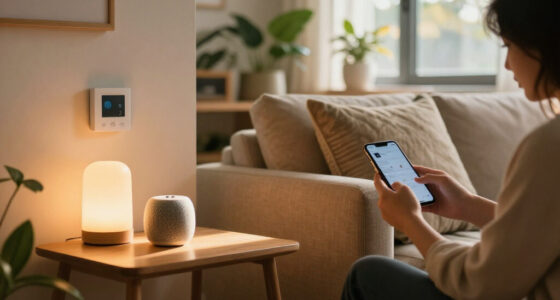
Your hallway light can switch on when you arrive home, then turn itself off after you leave. That small convenience is the appeal of smart home automation devices: they connect household equipment to apps, voice assistants, sensors, or platforms that can respond to your choices and daily routines.

Get the little things that make your day delivered free with Prime
- Fast, free delivery on millions of items
- Prime Video, Amazon Music and more included
- Member-only deals all year
This guide explains what these devices do, how to choose a first one, and what to check before you hand a camera, lock, or thermostat an internet connection. You’ll also see how Matter, Thread, Wi-Fi, privacy, and ongoing costs affect a setup, with practical examples you can use before you buy.
The best first device is usually the one that solves a recurring irritation. If you often wonder whether you left a lamp on, a smart plug or bulb may help. If you want the porch lit at dusk, a schedule or light sensor may be a better fit than another voice-controlled gadget.
Start with one recurring annoyance, then test one device and one automation before expanding.
Check the exact app, assistant, hub, device type, and features supported; a compatibility logo is not a promise that every function works.
Ask whether the device and its automations need the internet, router, or hub, then test outage behavior.
For cameras, locks, and sensors, review account security, updates, data handling, and backup plans.
Count hubs, subscriptions, batteries, installation, and replacement costs alongside any potential energy savings.
What smart home devices can actually do for you
Smart home automation devices connect household equipment to an app, voice assistant, sensor, or platform so you can control it remotely or set rules for it to follow. They can manage lights, heating, plugs, locks, cameras, appliances, and sensors; the useful part is choosing when those devices act without waiting for you to tap a button.
Remote control and automation are different. In a phone app, you can turn off a lamp from the couch; in an automation, the lamp turns off when everyone leaves or at a set time. For example, a renter might use a plug on a reading lamp to switch it on at sunset, then off at bedtime, without changing wiring. Automation saves attention when it reliably handles a decision you would otherwise repeat. It adds little value if the rule is hard to predict or needs frequent correction.
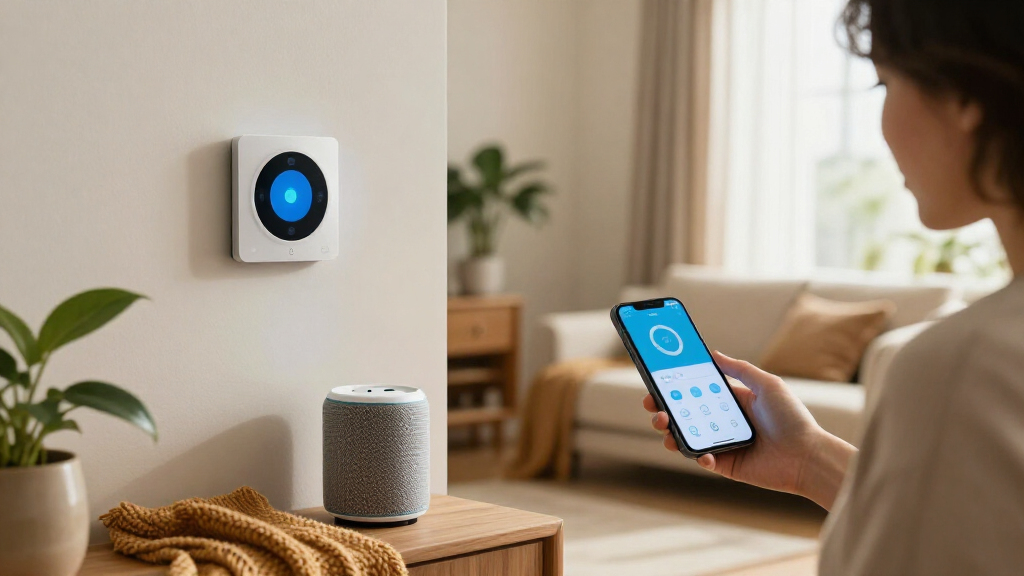
A typical setup includes the device, a network connection, and an app or platform that gives instructions. Some products also need a hub, which helps coordinate devices or connect protocols your router and phone do not handle directly. The devices connect household equipment to apps, but the exact connection varies by brand and model. That matters because each extra layer can add capabilities, such as coordinating sensors locally, while also adding another device to configure, power, and troubleshoot.
That variety explains why a smart home is not one unified system. A bulb may work with one assistant but offer fewer controls in another, while a sensor might need a specific hub. Before buying, check the functions you will use, not just a broad “works with” badge. A basic on/off command may be supported while color control, energy reporting, or a sensor’s detailed readings are not. The practical question is whether the feature you bought it for works through the app and controls your household already uses.
Imagine walking in with grocery bags. A motion sensor could turn on the entry light, while a door sensor could send an alert if the door stays open. The automation should make that moment easier; if it adds confusing app steps, it has missed the point. Consider how often the rule could misfire, too: a light that switches off while someone is reading may be more annoying than a manual switch. A useful routine fits the way people actually move through the home and leaves them a straightforward way to override it.
Choose a first device that solves one daily annoyance
Smart home automation devices work best as a small answer to a specific household need. Start with one pain point—forgetting lights, uneven room temperature, hard-to-reach switches, or a worry about a leak—and choose the simplest device that addresses it. A clear goal helps you judge whether the device earns its place. It also keeps you from paying for features that sound impressive but do not change the moment you want to improve.
For example, if you want a bedside lamp to turn off without reaching across the room, a smart bulb or plug may be enough. If you want ceiling lights to work with the existing wall switch, a smart switch may suit you better, though installation can involve wiring and may call for an electrician. Renters often favor bulbs and plugs because they are easier to remove when moving. There is a tradeoff: a smart bulb can lose app control if someone turns off its physical switch, while a smart switch usually keeps the familiar wall control but may be more involved to install.
Use this quick sequence before you buy:
- Name the irritation: Write down what happens and when, such as “I leave the kitchen light on after dinner.”
- Pick one device: Choose a bulb, switch, plug, thermostat, or sensor that can address that moment.
- Check fit: Confirm the app, assistant, hub, network, and device features you need.
- Try one routine: Set a simple schedule or sensor rule, then see whether it helps in ordinary life.
- Review the full cost: Include any hub, subscription, batteries, or installation.
That small trial can save you from buying a box of gadgets that each need a different app. It also reveals less obvious problems: a motion sensor might trigger too often, a schedule may not match changing routines, or a device may depend on an internet connection you assumed was optional. If the single kitchen-light routine feels reliable for a few weeks, you have real evidence that a larger setup might be useful. If it does not, you can adjust or remove one device instead of untangling a whole system.
Compare Wi-Fi, Thread, and hubs before your devices multiply
Smart home automation devices use different connections, and the right one depends on the product and your home. Wi-Fi is familiar and often lets devices connect directly to your router, while Thread, Zigbee, and Z-Wave can support low-power devices through a mesh network or hub. Bluetooth appears in some setups, often for nearby control or initial setup. These choices shape more than setup: they affect battery life, coverage, the equipment you need, and which functions keep working if a service or network is unavailable.
Wi-Fi can be convenient for a small setup because there may be no extra hub to buy. But each device joins the home network, and a large number can add setup and management overhead; some products also rely heavily on cloud services. Low-power mesh networks are often suited to sensors that need to run on batteries and communicate across rooms. Their tradeoff is the need for compatible coordinating equipment, and the benefits depend on how well the network is built and supported.
Thread devices can pass messages through a mesh, which may help small sensors and switches communicate around a home. A Thread border router is needed to connect that mesh to other networks; some smart speakers and hubs include one. If a product says it supports Thread, check whether you already have the required border router and whether your chosen platform supports the features you want. Owning the router is only part of compatibility: the device, controller, and app still need to support the particular functions you plan to use.
Matter is a connectivity standard designed to make compatible products easier to set up across supported ecosystems. Adoption has grown, but its logo does not promise that every feature appears in every app. Check the exact device type and functions—such as dimming, energy reporting, or sensor details—before committing. The benefit is a greater chance that a supported device can join more than one ecosystem; the limitation is that shared basic control does not necessarily mean identical settings, automations, or advanced features in each one.
| Connection or feature | What it can mean at home | What to check |
|---|---|---|
| Wi-Fi | Direct connection through your router | Internet dependence, network setup, and device support |
| Thread | Low-power mesh for supported devices | Whether you have a border router |
| Zigbee or Z-Wave | Often hub-based links for sensors and controls | Hub compatibility and platform support |
| Matter | A standard intended to ease cross-platform setup | Device type and features supported in your app |
For instance, a homeowner adding several door and temperature sensors might value a hub that coordinates them locally, while a person testing one smart plug may prefer a direct Wi-Fi model. Neither choice is universal; match the connection to your planned devices and your tolerance for extra equipment. Thinking about the next few devices now can prevent a collection of incompatible hubs later, but buying for a hypothetical future system can also waste money. Start from devices you expect to use and verify their requirements together.
Check what still works when the internet drops
Smart home automation devices do not all behave the same way during an internet, router, or hub outage. Some local automations can keep running inside the home, while cloud-dependent features may lose remote access, voice services, or advanced processing. Ask what happens in each kind of outage before you rely on a connected device for a daily routine. “Offline” can mean several different things: broadband may be down while the router still works, or the router or hub itself may have failed. Each interruption affects a different part of the setup.
A practical example: a motion sensor that tells a local hub to turn on a nearby light may keep working if the internet goes down, provided the hub and local network remain available. A camera that sends video to a cloud service may stop offering remote viewing if the broadband connection fails. The product’s app, support pages, and setup notes can help you distinguish these cases. This distinction matters most for routines you expect to happen automatically: local control can reduce delays and preserve basic functions, but it cannot protect against every failure in the network path.
Local control can improve speed and reduce dependence on outside services, but it does not automatically make every feature work offline. Voice assistants, remote access while away, notifications, and some AI features often rely on internet services. Think through the exact moment you care about: should a hallway light still turn on during an outage, or do you mainly want to check a camera while traveling? Then identify the dependencies for that moment. A light routine may need the sensor, hub, and home network to be available; remote camera viewing also needs an internet connection at home and wherever you are viewing it.
Before you trust an automation, test it with the internet disconnected. A five-minute check can show whether a light, lock, or sensor follows its local rule or depends on a cloud service. Test the routine you actually plan to rely on, and remember that unplugging the router or hub is a different test from disconnecting broadband.
For a household using a smart lock, keep a physical key or another access plan available. Connected controls can be convenient, but doors and alarms still need dependable everyday backups and maintained safety equipment. Backups matter because an outage is only one possible failure: a depleted battery, software change, or lost phone can also interrupt access. A fallback should be simple enough that everyone in the household knows how to use it.
Protect cameras, locks, and household data
Smart home privacy and security depend on the device, its account, its software updates, and your home network. Cameras, microphones, occupancy sensors, and connected locks may reveal when people are home, what they say, or how they move through a space. Treat those details as sensitive when you compare products. The risk is not limited to a stolen video: a timeline of activity can expose routines even when no one records a conversation.
Before you install a camera in a shared home, decide where it belongs and who can view its feed. Check how the manufacturer handles encryption, data retention, software updates, and account security. A camera pointed at the front path captures a different kind of information from one aimed at a bedroom or living room. These choices affect both exposure and trust among the people who share the space, so agree on placement and access before recording begins.
Use a strong, unique password for each account and turn on multifactor authentication when available. Keep devices and apps updated, and check whether the manufacturer describes how long it plans to provide updates. If a vendor ends cloud support, a device may lose remote features or become harder to rely on, so avoid making a safety plan depend on a product with unclear support. Updates matter because connected products can remain in use for years; a device that cannot receive fixes may leave known weaknesses unaddressed.
A smart lock can tell you whether a door is locked and may let you grant a temporary code to a visitor. It does not replace a sound physical lock or a plan for a dead battery, failed network, or forgotten code. Likewise, a connected smoke alarm can send an alert, but it should not replace a maintained alarm that works in the home. This is a useful boundary: connected features can improve awareness and convenience, while basic safety still needs to work when accounts, apps, or services do not.
For example, a family might use a leak sensor under the sink to get a phone alert while away. They should still test the sensor, replace its batteries as needed, and know who can shut off the water. Connected alerts add awareness; they do not guarantee a problem will be prevented. Choose the amount of data sharing that fits the benefit: if a simpler sensor gives the alert you need without a camera or microphone, it may be the more suitable option.
Budget for subscriptions, energy, and the people using the system
The real cost of smart home devices includes more than the price on the box. A hub, subscription, replacement batteries, installation, and device replacement can change the total over time. Check which features stay free and which depend on a monthly plan before choosing a camera, doorbell, or service-heavy platform. A low purchase price can be misleading if a feature you consider essential—such as saved video or a useful automation—requires a continuing fee.
Energy savings are possible with smart thermostats, lights, and plugs, but they depend on the home, your habits, settings, and local energy prices. A thermostat schedule that lowers heating while you are away may help, but a drafty home, an unpredictable routine, or expensive setup can affect the result. Monitoring energy use can be valuable even if the bill does not fall dramatically. Treat savings as a possible outcome to measure over time, rather than a reason to assume a device will pay for itself.
Ease of use matters just as much as the feature list. A routine that only one person can edit may frustrate everyone else. For instance, an older relative may prefer a physical switch that still works alongside an app, while someone with limited mobility may value voice control or a large, well-placed button. If the system is difficult for one person to use, they may work around it by disabling a switch or ignoring alerts, which can undermine the automation for the whole household.
Think about accessibility and household habits before you automate. Can a guest turn on the lights without an account? Can a child use the control safely? Does the app offer readable text and clear controls? A setup that supports several ways to act—switch, app, or voice—can feel more welcoming than one that demands a phone for every task. More options also offer resilience: if one person’s phone is unavailable or a voice service is down, a physical control can still provide a familiar way to operate the device.
Picture a family comparing two thermostats. The less expensive model might require a paid plan for the schedule they want, while a pricier model includes it and supports local control. Compare the likely costs and features over several years, then choose the one your household can comfortably operate. The best value is the setup that provides the needed routine without locking an essential function behind a cost or control method the household cannot sustain.
Frequently Asked Questions
What counts as a smart home automation device?
It is a connected device that you can control through an app, assistant, sensor, or platform, such as a bulb, thermostat, plug, lock, or leak sensor. Automation means it can follow a rule, like turning off a lamp when everyone leaves, rather than only responding to a manual tap.
Do I need a hub to start a smart home?
No. Some Wi-Fi products connect directly to your router and app, while Thread, Zigbee, or Z-Wave devices may need a hub or compatible border router. Check the device requirements and the features you want before you buy.
Will devices from different brands work together?
Sometimes, but compatibility depends on the device, supported standard, hub, app, and platform. Matter is designed to make setup across supported ecosystems easier, yet a Matter logo does not guarantee every feature works in every app, so verify the specific functions.
Will my smart home still work if the internet goes down?
Some local automations can continue if the hub and home network remain available, while cloud-based remote access, voice features, or notifications may stop. Check the manufacturer’s offline behavior and test the routine you rely on before an outage happens.
Can smart home devices lower my energy bills?
They can help you schedule heating, lighting, or plug use, but savings depend on your home, habits, settings, and local energy prices. Treat energy monitoring as useful information, not a guaranteed reduction in your bill.
Are smart locks and cameras enough to keep a home safe?
No connected device can guarantee safety. Use strong account security and updates, keep physical access or backup plans for locks, and maintain standard alarms and sound home security practices.
Conclusion
Choose one device for one everyday need, then check its compatibility, costs, privacy settings, and behavior during an outage. If it makes a real moment easier and the people in your home can use it comfortably, add the next device with the same care.
A good smart home should feel less like a wall of apps and more like a light that meets you at the door.
Popular right now

TCL 55-Inch T7 Series 4K QLED Smart Google TV, 55T7

De'Longhi Classic Signature Espresso Machine with Adjustable Milk Frother

VIZIO 65-Inch V-Series 4K HDR Smart TV
As an affiliate, we earn on qualifying purchases.