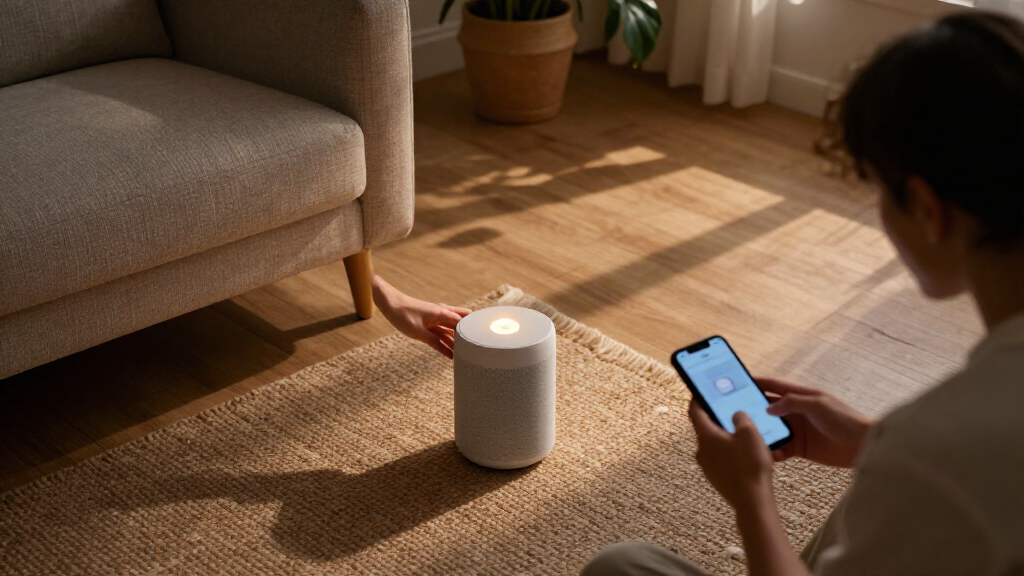

Amazon smart home devices range from simple Alexa speakers to displays and controls for lights, plugs, and temperature. I rank the Echo Show 8 as the best overall pick for its mix of a useful screen, spatial audio, and built-in smart home hub features. The Amazon Smart Plug is a simpler starting point for automating a lamp, while the Echo Hub better suits homes with several connected devices to manage. The main tradeoffs are whether you want voice control, a screen, or direct control of existing fixtures—and how much setup each requires. Read on for how all 12 options compare and which one fits your home.

Get the little things that make your day delivered free — and shop member deals
- Fast, free delivery on millions of items
- Access to Prime Big Deal Days deals on October 6–7
- Prime Video, Amazon Music and more included
Key Takeaways
The Echo Show 8 leads the lineup for buyers who want one device to combine a display, speaker, and smart home hub functions.
The Echo Dot (5th Gen) keeps Alexa access straightforward in a compact speaker, while the Echo Dot Max is the speaker-focused step up for buyers prioritizing a more capable audio device.
The Echo Hub serves a different purpose from Echo displays: it is a dedicated control panel for a connected home, so it makes more sense when device management matters more than general entertainment.
The Amazon Smart Plug and amazon.com/dp/B0C5DPSW5Y?tag=knowyourbest-20&ascsubtag=dc-1087395″ target=”_blank” rel=”nofollow sponsored noopener”>amazon.com/dp/B0D6SX8VLQ?tag=knowyourbest-20&ascsubtag=dc-1087395″ target=”_blank” rel=”nofollow sponsored noopener”>amazon.com/dp/B0CL9D9HM4?tag=knowyourbest-20&ascsubtag=dc-1087395″ target=”_blank” rel=”nofollow sponsored noopener”>amazon.com/dp/B0DC8ZMR1P?tag=knowyourbest-20&ascsubtag=dc-1087395″ target=”_blank” rel=”nofollow sponsored noopener”>amazon.com/dp/B09B93ZDG4?tag=knowyourbest-20&ascsubtag=dc-1087395″ target=”_blank” rel=”nofollow sponsored noopener”>amazon.com/dp/B095X911T8?tag=knowyourbest-20&ascsubtag=dc-1087395″ target=”_blank” rel=”nofollow sponsored noopener”>amazon.com/dp/B08J4C8871?tag=knowyourbest-20&ascsubtag=dc-1087395″ target=”_blank” rel=”nofollow sponsored noopener”>amazon.com/dp/B0D9C2V83V?tag=knowyourbest-20&ascsubtag=dc-1087395″ target=”_blank” rel=”nofollow sponsored noopener”>amazon.com/dp/B0BFC7WQ6R?tag=knowyourbest-20&ascsubtag=dc-1087395″ target=”_blank” rel=”nofollow sponsored noopener”>amazon.com/dp/B09B2SRGXH?tag=knowyourbest-20&ascsubtag=dc-1087395″ target=”_blank” rel=”nofollow sponsored noopener”>Amazon Basics Smart Plug multi-pack suit different scaling needs; check device compatibility and outlet access before choosing quantity.
Lighting and climate products demand more planning than plug-in devices: the Smart Light Switch depends on wiring and switch type, while the Smart Thermostat must match the home’s heating and cooling system.
| Amazon Echo Show 5 Smart Display, Cloud Blue |  | Best Compact Smart Display | Display: 5.5 inches | Camera: 2 MP | Voice Assistant: Alexa | VIEW LATEST PRICE | See Our Full Breakdown |
| Amazon Echo Spot (Newest Model) – Smart Alarm Clock with Alexa, Black |  | Best Smart Alarm Clock | Color: Black | Voice Assistant: Alexa | Display: Customizable clock face with time, weather, and song titles | VIEW LATEST PRICE | See Our Full Breakdown |
| Amazon Smart Plug (2-Pack) |  | Best Entry Point for Smart Home Beginners | Size: 3.2″ x 1.5″ x 2.2″ (80 mm x 38 mm x 57 mm) | Weight: 3.1 oz. (87 grams) | Input: 120VAC, 60Hz, 15A Max | VIEW LATEST PRICE | See Our Full Breakdown |
| Amazon Smart Thermostat |  | Best for Energy-Conscious Homes | Compatibility: Alexa and Ring | Installation: DIY guided by the Alexa app | Wiring Requirement: C-wire required | VIEW LATEST PRICE | See Our Full Breakdown |
| Amazon Basics Smart Light Switch, Single Pole, Works with Alexa |  | Best for Replacing a Wall Switch | Type: Single-pole smart light switch | Compatibility: Alexa only | Connectivity: 2.4 GHz Wi-Fi | VIEW LATEST PRICE | See Our Full Breakdown |
| Amazon Echo Dot (5th Gen) Smart Speaker, Deep Sea Blue |  | Best Compact Alexa Starter | Dimensions: 3.9 x 3.9 x 3.5 in (100 x 100 x 89 mm) | Weight: 10.7 oz (304 g) | Speaker: 1.6-inch full-range driver; mono | VIEW LATEST PRICE | See Our Full Breakdown |
| Amazon Echo Show 8 (Newest Model) – 8.7″ HD Smart Display with Spatial Audio, Smart Home Hub, Graphite |  | Best Smart Home Display | Display: 8.7-inch HD touchscreen, 800 x 1340 | Dimensions: 8.2 x 5 x 5.9 in (208 x 127 x 150 mm) | Weight: 37 oz (1049 g) | VIEW LATEST PRICE | See Our Full Breakdown |
| Amazon Basics Smart Plug, Works with Alexa, 4-Pack, White |  | Best for Adding Several Smart Outlets | Quantity: 4-pack | Connectivity: 2.4 GHz Wi-Fi | Compatibility: Alexa only | VIEW LATEST PRICE | See Our Full Breakdown |
| Amazon Echo Dot Max Alexa Speaker, Graphite |  | Best Premium Alexa Speaker Hub | Color: Graphite | Voice assistant: Alexa; designed to support Alexa+ | Audio: Room-filling sound; nearly 3x the bass of Echo Dot (2022 release) | VIEW LATEST PRICE | See Our Full Breakdown |
| Amazon Echo Show 15 (newest model), 15.6-inch Full HD smart display with Fire TV |  | Best for Family Organization | Display: 15.6-inch Full HD (1080p) | Built-in entertainment: Fire TV | Camera: Auto-framing, 3.3x zoom, wide field of view | VIEW LATEST PRICE | See Our Full Breakdown |
| Amazon Echo Hub Smart Home Control Panel, 8-inch |  | Best Dedicated Smart Home Controller | Display size: 8 inches | Connectivity: Wi-Fi, Bluetooth, Zigbee, Matter, Sidewalk, Thread | Mounting: Wall mount; compatible with separately sold tabletop stand | VIEW LATEST PRICE | See Our Full Breakdown |
| Amazon smart home device | Color |
|---|---|
| Amazon Echo Show 5 Smart Displ | Cloud Blue |
| Amazon Echo Spot | Black |
| Amazon Smart Plug | — |
| Amazon Smart Thermostat | — |
| Amazon Basics Smart Light Swit | White |
| Amazon Echo Dot | Deep Sea Blue |
| Amazon Echo Show 8 | — |
| Amazon Basics Smart Plug | White |
| Amazon Echo Dot Max Alexa Spea | Graphite |
| Amazon Echo Show 15 | — |
| Amazon Echo Hub Smart Home Con | — |
More Details on Our Top Picks
Amazon Echo Show 5 Smart Display, Cloud Blue
The Echo Show 5 earns its spot as the most sensible small-screen option in this lineup. Its 5.5-inch display handles weather, timers, and quick media glances without demanding much nightstand or desk space — something the larger Echo Show 8 and Echo Show 15 simply can’t offer. Compared with the Echo Spot, this pick trades a purely clock-focused interface for a proper touchscreen, which makes browsing camera feeds and controlling smart devices far more practical.
The tradeoff is screen real estate: anyone wanting a genuine kitchen command center should step up to the Show 8, which adds a built-in smart home hub. The 2 MP camera here is serviceable for video calls and drop-ins, but video calling only works with Alexa app contacts or screen-equipped Echo devices — a real limitation for households mixed on platforms.
Pros:- Compact size fits nightstands and desks easily
- Improved bass and clearer vocals for its size
- 2 MP camera supports video calls and home monitoring
- Physical mic-off button and built-in camera shutter
Cons:- Video calling limited to Alexa app contacts and screen-equipped Echo devices
- Several features depend on owning compatible smart home devices
Best for: Bedside or desk users who want a screen for glanceable info, video calls, and smart home control in a small footprint
Not ideal for: Households wanting a primary smart home dashboard — the screen is too small and it lacks the hub features of the Echo Show 8
- Display:5.5 inches
- Camera:2 MP
- Voice Assistant:Alexa
- Color:Cloud Blue
- Privacy Features:Mic and camera off button; built-in camera shutter
- Recycled Materials:100% recycled polyester fabric; 100% recycled aluminum
- Packaging:100% recyclable
Our verdict“The Echo Show 5 is the right call for buyers who want a screen without the footprint of the Show 8 or Show 15.”
Amazon Echo Spot (Newest Model) – Smart Alarm Clock with Alexa, Black
The Echo Spot is the strongest pick here for anyone whose smart home starts in the bedroom. Unlike the Echo Show 5, which spreads itself across media and camera duties, the Spot stays focused on being an excellent clock: customizable faces, weather at a glance, and gentle wake routines. What genuinely separates it from every other alarm form factor in this roundup is eero Built-in, extending mesh Wi-Fi coverage by up to 1,000 sq. ft. — effectively a free network upgrade disguised as a bedside speaker.
The audio is notably strong for its size, with clear vocals and real bass that outclass what most clock radios attempt. Tradeoffs exist, though: the small display limits it as a smart home control surface compared with the Echo Hub, and some routine and motion features assume compatible devices and extra setup.
Pros:- Big, vibrant sound with clear vocals and deep bass
- Built-in eero Wi-Fi extension adds up to 1,000 sq. ft. of coverage
- Customizable clock faces and display colors
- Mic-off button and in-app privacy controls
Cons:- Smart home routines require compatible devices
- Display features like motion detection depend on additional setup
Best for: Sleepers who want a stylish alarm clock that also strengthens Wi-Fi coverage in a dead-zone bedroom
Not ideal for: Buyers seeking a full smart home control panel — the small circular display can’t compete with the Echo Hub
- Color:Black
- Voice Assistant:Alexa
- Display:Customizable clock face with time, weather, and song titles
- Wi-Fi Extender Coverage:Up to 1,000 sq. ft. (eero Built-in)
- Recycled Materials:36%
- Privacy Features:Mic off button, in-app controls
Our verdict“The best bedside pick in this lineup, especially if weak Wi-Fi is part of your morning frustration.”
Amazon Smart Plug (2-Pack)
If you’re curious about smart home automation but don’t want to commit to a thermostat or control panel, the Amazon Smart Plug 2-Pack is the lowest-friction way in. There’s no hub, no wiring, no C-wire debate — plug it in, follow the Alexa app prompts, and a dumb lamp or coffee maker becomes voice-controllable in minutes. Compared with the Amazon Basics 4-Pack, this version offers fewer plugs but the same guided setup experience, making it the better first purchase while you figure out which devices you actually want to automate.
The compact body leaves the second outlet free, a detail cheaper plugs often fumble. The limitations are structural: it’s Alexa-only, won’t join Google or Apple ecosystems, and is restricted to 2.4 GHz networks, which can cause setup headaches on mesh systems that band-steer aggressively. It’s also indoor-only.
Pros:- Hub-free setup through the Alexa app in minutes
- Compact design leaves the second outlet usable
- Timers, schedules, and automated routines supported
- Automatically reconnects after power or Wi-Fi outages
Cons:- Alexa-only; no support for other voice assistants or smart hubs
- Limited to 2.4 GHz Wi-Fi networks
- Indoor use only
Best for: First-time automators who want to dip a toe in with lamps, fans, and coffee makers before buying bigger devices
Not ideal for: Households committed to Google Home or Apple HomeKit — these plugs won’t work outside the Alexa ecosystem
- Size:3.2″ x 1.5″ x 2.2″ (80 mm x 38 mm x 57 mm)
- Weight:3.1 oz. (87 grams)
- Input:120VAC, 60Hz, 15A Max
- Output:15A Max
- Network Connectivity:2.4 GHz only, 802.11 b/g/n
- Use:Indoor use only
- Voice Assistant Compatibility:Alexa only
- Warranty:1-year limited
- In the Box:2x single-socket 3-prong Wi-Fi plugs, Quick Start Guide
Our verdict“The cheapest, simplest on-ramp to Alexa automation — just confirm you’re staying in the Amazon ecosystem first.”
Amazon Smart Thermostat
The Amazon Smart Thermostat is the pick for buyers whose real goal is lowering heating and cooling costs rather than collecting gadgets. It’s ENERGY STAR certified and built on proven Honeywell Home technology, with home, away, and sleep schedules that quietly trim energy use. Compared with adding smart plugs or lamps, this is the device in the lineup with the clearest path to paying for itself — HVAC is the biggest energy load in most homes.
The DIY installation guidance through the Alexa app is genuinely helpful, but the C-wire requirement is the hurdle: older homes without one will need an electrician or an adapter, which erodes the value proposition. Comfort zones — automatic temperature adjustments based on room readings or presence — also demand select Alexa devices like an Echo or Ring sensor, so budget for those if you want the full feature set.
Pros:- Full temperature control and monitoring through the Alexa app
- Home, away, and sleep schedules for automatic savings
- Guided DIY installation in the Alexa app
- ENERGY STAR certified with Honeywell Home technology
Cons:- Requires a C-wire, which many older homes lack
- Comfort zone features require select Alexa devices
Best for: Homeowners with a C-wire who want scheduled, app-controlled heating and cooling that trims energy bills
Not ideal for: Owners of older homes without a C-wire — installation complications can wipe out the cost advantage
- Compatibility:Alexa and Ring
- Installation:DIY guided by the Alexa app
- Wiring Requirement:C-wire required
- Control Options:Alexa app, voice routines, and schedules
- Features:Home, away, and sleep schedules; comfort zones with select Alexa devices
- Technology:Honeywell Home thermostat technology
- Certification:ENERGY STAR
Our verdict“The smartest money-saving buy in this roundup, provided your wiring cooperates.”
Amazon Basics Smart Light Switch, Single Pole, Works with Alexa
I’d choose this switch when I want Alexa to control a room’s built-in lighting without adding a separate plug or hub. It connects over 2.4 GHz Wi-Fi and works with Alexa routines, so scheduled lighting can be part of the same system as devices such as the Amazon Basics Smart Plug. Compared with that plug, this switch controls compatible hardwired lights from the wall and by voice, but installation is more involved and requires a neutral wire. Its Alexa-only compatibility also narrows the choice for homes that use Google Home or HomeKit. The guided video and manual may help with setup, though this is still a wired installation rather than a quick outlet upgrade. I’d pick it for a single-pole circuit in an Alexa household.
Pros:- Connects over 2.4 GHz Wi-Fi without a hub
- Adds voice control and Alexa routine scheduling to hardwired lighting
- Guided installation video and manual are provided
Cons:- Works only with Alexa
- Requires a neutral wire and wired installation
Best for: Alexa households replacing a standard single-pole wall switch who want scheduled and voice control of hardwired lights
Not ideal for: Renters, homes without a neutral wire, or households using Google Home or Apple HomeKit
- Type:Single-pole smart light switch
- Compatibility:Alexa only
- Connectivity:2.4 GHz Wi-Fi
- Hub required:No
- Controls:Voice and schedule
- Color:White
Our verdict“Choose this switch for Alexa-controlled hardwired lights if your single-pole circuit has a neutral wire.”
Amazon Echo Dot (5th Gen) Smart Speaker, Deep Sea Blue
The Echo Dot (5th Gen) is a compact way to add Alexa voice control, everyday audio, and smart home routines to a room. Its 1.6-inch full-range driver plays music and podcasts, while compatibility with Matter and Bluetooth Low Energy Mesh gives it a wider smart home role than a simple voice remote. Compared with the Echo Show 8, it takes up less space and skips the screen and built-in hub, so it’s a better fit for bedside timers or a desk than for viewing recipes or managing hub-based devices directly. It can extend a compatible eero network, though that feature depends on having an eero router and completing setup. I’d pick it as an accessible Alexa entry point, with the understanding that its mono speaker is modest beside the Echo Dot Max.
Pros:- Compact speaker supports Alexa help, alarms, and smart home routines
- Works with Matter and Bluetooth Low Energy Mesh devices
- Supports Bluetooth audio and multi-room pairing
- Can extend a compatible eero network
Cons:- Mono audio and a 1.6-inch driver offer less presence than the Echo Dot Max
- Eero extension requires a compatible router, linked accounts, and app setup
Best for: People adding Alexa routines and a small music speaker to a bedroom, desk, or other compact space
Not ideal for: Buyers who want a display, a built-in smart home hub, or fuller room-filling sound
- Dimensions:3.9 x 3.9 x 3.5 in (100 x 100 x 89 mm)
- Weight:10.7 oz (304 g)
- Speaker:1.6-inch full-range driver; mono
- Audio bandwidth:62 Hz–19 kHz (volume 6)
- Wi-Fi:Dual-band 802.11a/b/g/n/ac, 2.4 and 5 GHz
- Smart home compatibility:Wi-Fi, Bluetooth Low Energy Mesh, and Matter
- Bluetooth:A2DP and AVRCP support
- Color:Deep Sea Blue
Our verdict“Pick the Echo Dot for compact Alexa control and everyday audio when a screen and built-in hub are unnecessary.”
Amazon Echo Show 8 (Newest Model) – 8.7″ HD Smart Display with Spatial Audio, Smart Home Hub, Graphite
I’d choose the Echo Show 8 when I want a screen to bring device control, video calls, and everyday tasks together. Its Zigbee, Matter, and Thread hub can connect supported devices directly, giving it a broader smart home role than the screenless Echo Dot (5th Gen). The 8.7-inch touchscreen, 13 MP auto-framing camera, and spatial audio also make it better suited to calls and viewing recipes than the Echo Hub, which is designed chiefly as a control panel. That range of functions takes more counter space, and the display’s usefulness depends on wanting a visual interface. Amazon Sidewalk is enabled by default, and some Alexa+ features may require a subscription. For households that want a central screen and hub in one device, it covers more ground than a speaker.
Pros:- Built-in Zigbee, Matter, and Thread hub connects supported smart home devices
- 8.7-inch HD touchscreen offers a larger visual interface than Echo Dot speakers
- 13 MP camera with auto framing supports video calls
- Mic and camera disable buttons provide direct privacy controls
Cons:- Larger footprint requires dedicated counter or shelf space
- Amazon Sidewalk is enabled by default and uses a portion of bandwidth
- Some Alexa+ features may require a subscription
Best for: Alexa households that want a central counter display for compatible smart home devices, video calls, and recipes
Not ideal for: Buyers with little counter space or those who only need voice control and audio
- Display:8.7-inch HD touchscreen, 800 x 1340
- Dimensions:8.2 x 5 x 5.9 in (208 x 127 x 150 mm)
- Weight:37 oz (1049 g)
- Camera:13 MP with auto framing and 3.3x zoom
- Audio:1 x 2.8-inch woofer and 2 full-range drivers
- Processor:AZ3 Pro with AI Accelerator
- Wi-Fi:Wi-Fi 6E (802.11ax)
- Smart home hub:Zigbee, Matter, and Thread Border Router
- Sensors:Ambient temperature, ambient light, presence detection, and camera
Our verdict“Choose the Echo Show 8 if you want a smart home hub, Alexa display, and video calling device in one.”
Amazon Basics Smart Plug, Works with Alexa, 4-Pack, White
This four-pack makes sense when I want to automate several plug-in lamps or small appliances around an Alexa home. Setup runs through the Alexa app, with no hub or third-party app, and schedules, routines, remote control, and sunrise or sunset triggers can make everyday devices easier to manage. Compared with the Amazon Basics Smart Light Switch, these plugs avoid wiring work and can move between outlets, but they control plug-in devices rather than built-in ceiling lights. Their compact design leaves adjacent outlets available, which helps when adding more than one smart device in a room. The main limitation is ecosystem and network choice: they work with Alexa only and need a 2.4 GHz Wi-Fi network. I’d choose this set for spreading simple outlet control across multiple rooms.
Pros:- Four plugs support automation in multiple outlets
- Setup uses the Alexa app without a hub or third-party app
- Compact design leaves adjacent outlets available
- Supports schedules, routines, remote control, and sunrise/sunset triggers
Cons:- Works only with Alexa
- Requires a 2.4 GHz Wi-Fi network
Best for: Alexa users automating plug-in lamps or small appliances in several rooms without wiring or a hub
Not ideal for: Households using another smart home ecosystem or devices that need 5 GHz-only Wi-Fi
- Quantity:4-pack
- Connectivity:2.4 GHz Wi-Fi
- Compatibility:Alexa only
- Hub required:No
- Controls:Voice, app, schedules, routines, remote control, and sunrise/sunset triggers
- Color:White
Our verdict“Choose this four-pack to add straightforward Alexa scheduling and voice control to plug-in devices across your home.”
Amazon Echo Dot Max Alexa Speaker, Graphite
The Echo Dot Max suits buyers who want a room-filling Alexa speaker that also plays a hands-on role in smart home routines. Its built-in hub and presence and temperature detection can support sensor-triggered automations, while its sound is designed to deliver nearly three times the bass of the 2022 Echo Dot. That makes it a stronger audio choice than the compact Echo Dot (5th Gen), and its hub adds direct smart home capability that the smaller Dot lacks. The tradeoff is that eero Wi-Fi extension only helps homes with an existing compatible eero network, and some pairing features depend on compatible devices. I’d place it above a basic speaker for rooms where sound and automation matter together, but the Echo Show 8 is a better fit if a screen is part of the plan.
Pros:- Room-filling sound with nearly three times the bass of the 2022 Echo Dot
- Built-in smart home hub supports routines and sensor-based control
- Presence and temperature detection can inform automations
- Can extend a compatible eero network and pair with supported Echo or Fire TV devices
Cons:- Eero extension requires an existing compatible eero network
- Some speaker and home theater pairing features require compatible devices
Best for: Alexa households seeking stronger room-filling audio alongside a built-in smart home hub and sensor-triggered routines
Not ideal for: Buyers who need a visual control screen or want Wi-Fi extension without a compatible eero network
- Color:Graphite
- Voice assistant:Alexa; designed to support Alexa+
- Audio:Room-filling sound; nearly 3x the bass of Echo Dot (2022 release)
- Smart home features:Built-in smart home hub, routines, presence detection, and temperature detection
- Wi-Fi extension:eero Built-in; up to 1,000 sq. ft. with an existing eero network
- Compatibility:Compatible Echo devices, Fire TV devices, and streaming services
Our verdict“Choose the Echo Dot Max for richer Alexa audio and built-in smart home automation without needing a display.”
Amazon Echo Show 15 (newest model), 15.6-inch Full HD smart display with Fire TV
The Echo Show 15 makes the most sense when one shared screen needs to handle household planning as well as smart home controls. Its 15.6-inch Full HD display gives calendars, customizable widgets, and camera feeds room to be seen at a glance, while Fire TV adds entertainment without another device. Compared with the smaller Echo Show 8, this model is better suited to a kitchen or family room where people view it from across the space; the tradeoff is that it takes more room and is less discreet. The auto-framing camera helps keep people in view during video calls, and the shutter and mic/camera-off button offer hands-on privacy controls. Some streaming content requires a subscription, so its entertainment value depends partly on the services your household already uses.
Pros:- Large Full HD screen gives shared calendars and camera feeds room to be read
- Customizable widgets support household planning
- Built-in Fire TV adds access to entertainment apps
- Auto-framing camera and physical privacy controls support video calls with more control
Cons:- Its large screen takes more space than the Echo Show 8
- Some streaming content requires a subscription
- A large display may be excessive for buyers who mainly want simple voice control
Best for: Households that want a shared wall or counter display for schedules, smart home controls, video calls, and streaming
Not ideal for: People who want a compact bedside display or mainly need a dedicated controller for a large smart home
- Display:15.6-inch Full HD (1080p)
- Built-in entertainment:Fire TV
- Camera:Auto-framing, 3.3x zoom, wide field of view
- Included accessory:Fire TV remote
- Privacy features:Mic/camera-off button and camera shutter
- Smart home controls:Compatible device controls and live camera feeds
Our verdict“Choose the Echo Show 15 if your household wants one prominent screen for shared schedules, entertainment, and smart home controls.”
Amazon Echo Hub Smart Home Control Panel, 8-inch
The Echo Hub is the more focused choice for someone who wants a central place to operate compatible devices, routines, and cameras. Its built-in smart home hub supports Wi-Fi, Bluetooth, Zigbee, Matter, Sidewalk, and Thread, giving it broader protocol coverage than a display aimed mainly at household organization, such as the Echo Show 15. The customizable dashboard can make frequently used controls easier to reach, while the 8-inch screen keeps the panel more compact. That smaller format is less suited to shared calendars or watching video across a room, and power-over-Ethernet parts, cable pass-throughs, and the tabletop stand are sold separately. It can be wall mounted, so it fits best when you want a fixed control point. Some Alexa+ and Ring camera features also depend on compatible subscriptions.
Pros:- Built-in hub supports Wi-Fi, Bluetooth, Zigbee, Matter, Sidewalk, and Thread
- Dashboard can be customized with device sections and resizing
- Controls compatible security devices, routines, cameras, and media
- Made with 27% recycled materials
Cons:- Power-over-Ethernet adapter, cable pass-throughs, and tabletop stand are sold separately
- Some Alexa+ and Ring camera features require compatible subscriptions
- Its 8-inch display offers less room for viewing schedules and entertainment than the Echo Show 15
Best for: Smart home owners who want a wall mounted control point for devices using several supported connectivity standards
Not ideal for: Buyers seeking a large screen for family schedules or entertainment, or anyone who needs a tabletop setup without buying an additional stand
- Display size:8 inches
- Connectivity:Wi-Fi, Bluetooth, Zigbee, Matter, Sidewalk, Thread
- Mounting:Wall mount; compatible with separately sold tabletop stand
- Smart home hub:Built in
- Recycled materials:27%
- Dashboard:Customizable device sections and resizing
- Controls:Compatible devices, cameras, routines, and media
Our verdict“Pick the Echo Hub if broad device compatibility and a dedicated control panel matter more than a large screen for entertainment or family planning.”
How We Picked
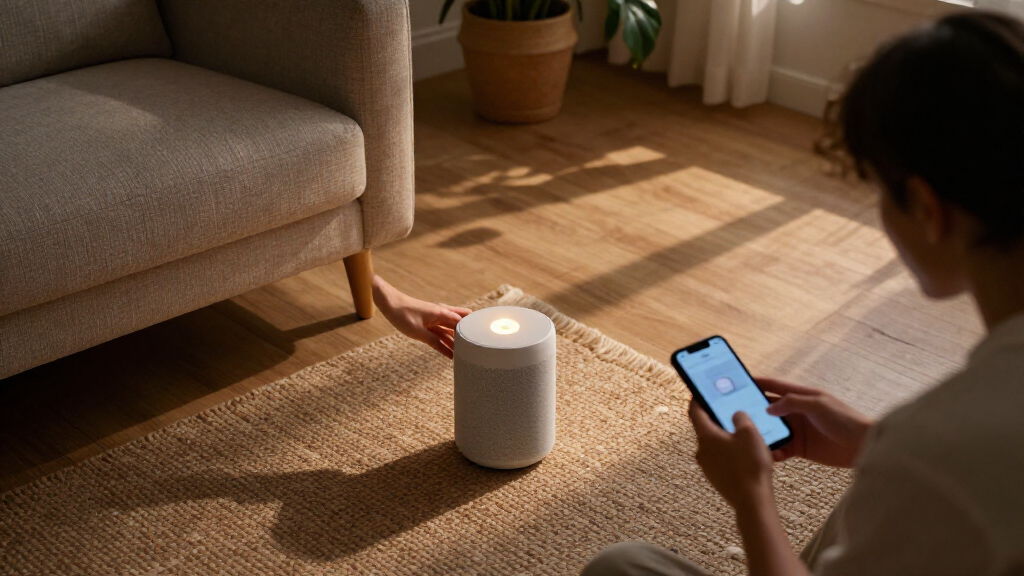
I ranked these Amazon smart home devices by the job they solve, how easily a typical buyer can put them to work, and how much capability they add to an Alexa-centered home. I weighed everyday usefulness, control options, integration potential, physical fit, setup demands, and whether a device serves one room or helps coordinate a broader system. I also considered the tradeoffs that can make a feature less useful in practice, such as needing compatible wiring or a suitable HVAC system.
The Echo Show 8 ranks first because its display, audio, and hub functions cover more common household needs in one device. The Echo Dot and Smart Plug follow as accessible ways to add voice control or automate a basic appliance; specialized devices rank higher for the buyers whose needs they directly address. Larger displays and dedicated panels can be more capable, but they take more space and make sense mainly when their added control or viewing area will be used. The rankings reflect these differences in versatility and setup, not a claim that one device suits every home.
| Amazon smart home device | Color |
|---|---|
| Amazon Echo Show 5 Smart Displ | Cloud Blue |
| Amazon Echo Spot | Black |
| Amazon Smart Plug | — |
| Amazon Smart Thermostat | — |
| Amazon Basics Smart Light Swit | White |
| Amazon Echo Dot | Deep Sea Blue |
| Amazon Echo Show 8 | — |
| Amazon Basics Smart Plug | White |
| Amazon Echo Dot Max Alexa Spea | Graphite |
| Amazon Echo Show 15 | — |
| Amazon Echo Hub Smart Home Con | — |
Factors to Consider When Choosing Amazon Smart Home Devices
Before choosing, I would map each device to a specific room and task, then check what your home already supports. A small setup can work well with a speaker and a plug; a more involved system may benefit from a display or dedicated panel. These broader checks can prevent buying a device that duplicates controls or cannot connect to the equipment you already own.
Choose the Control Style You Will Actually Use
Voice control is convenient for quick commands, but it is not the right interface for every task. A screen can make timers, routines, and visual information easier to scan, while a dedicated control panel can keep device controls available without asking Alexa aloud. Physical switches remain useful when someone in the household prefers a familiar control or does not have a phone nearby. Think about the rooms where you want control and who will use it, including guests and children. A common mistake is buying several screens when a speaker or switch would handle the routine more simply. Match the interface to the task before deciding how many devices to add.
Check Compatibility Before Buying Controls
Smart plugs, light switches, and thermostats connect to different kinds of equipment, so the word “smart” does not guarantee a fit. A plug generally works best with an appliance that resumes its prior state after power is restored; it cannot make every electronic device safely or usefully controllable. A wall switch requires the correct wiring and circuit type, and a thermostat must support the home’s heating and cooling setup. Check manufacturer compatibility details and your existing system before ordering. If you are unsure about household wiring or HVAC configuration, identify the model and system first. This small check can prevent a device from being unusable after installation.
Plan for the Home You Have, Not Just the Device Count
A speaker in one room and a plug in another may be enough for a modest setup, while multiple lights, sensors, and routines create a stronger case for a central display or control panel. Count the devices you want to manage and consider who needs access to them. A larger screen can be useful in a shared area, but it occupies wall or counter space and may duplicate controls already available on phones. A dedicated panel can organize a more involved setup, though it is less versatile for media and general tasks than an Echo display. Start with the rooms and routines that cause friction today. Add central controls when they simplify real daily use.
Decide Whether a Display Earns Its Space
Displays add glanceable information, video, and touch interaction, but they need a visible, convenient place to live. Measure the counter or wall area and consider viewing distance before choosing a screen size. A compact display may suit a bedside table, while a larger model can be easier to view in a shared room but is more conspicuous. Ask whether household members will use the screen for more than occasional timers or weather. If most interactions are spoken commands or music, a speaker may fit better and leave surfaces clear. Screen choice is a room-layout decision as much as a feature decision.
Spend More Only for a Clear Upgrade
Paying for a more capable speaker, larger display, or dedicated panel makes sense when its specific advantage will see regular use. Better audio matters more in a room where music is a priority than in a hallway used for quick commands. A large display earns its footprint when several people rely on it for shared information or entertainment. Extra controls can help manage a broader smart home, but they add little to a setup with one lamp and a speaker. Compare the device’s main role with the one you already own to avoid buying overlapping functions. A focused starter setup is often easier to expand after you learn which routines stick.
Frequently Asked Questions
Should I start an Alexa smart home with an Echo speaker or a smart plug?
Choose an Echo speaker if your first goal is voice access to Alexa, music, timers, or routines. Choose a smart plug if you already have an Alexa device and want to automate a compatible lamp or appliance. The plug does not replace a speaker or provide voice control by itself. Check whether the appliance behaves as expected after power is switched off and back on. For many homes, one speaker paired with one suitable plug gives a clearer starting point than buying several devices at once.
Do I need an Echo Hub if I already have an Echo Show?
Not necessarily; both can help you interact with a connected home, but they serve different priorities. An Echo Show combines a screen with Alexa and media functions, while the Echo Hub is designed around smart home control. If you mainly want a kitchen display or video calls, the Show may be the more useful single device. If you manage many compatible devices and want a control-focused panel, the Hub may fill a more specific role. Review the functions of your current Echo and the controls you use most before adding another screen.
Can I use an Amazon smart plug with any appliance?
No; a smart plug switches power, so the appliance must be suitable for that kind of on-and-off control. Devices with electronic controls may not resume their previous state when power returns, and some appliances need their own controls or safety protections. Check the plug’s supported load and the appliance’s instructions before connecting it. A lamp with a physical on switch is a common use case, while devices that heat, cool, or require supervised operation call for more caution. Confirm both compatibility and safe use for the exact appliance.
What should I check before replacing a wall switch or thermostat?
Identify the wiring, switch arrangement, and electrical setup before buying a smart light switch; the listed model may not suit every circuit. For a thermostat, check the existing HVAC system type, wiring, and compatibility requirements against the thermostat’s documentation. Do not assume that matching the brand or having Alexa is enough to guarantee compatibility. If the equipment details are unclear, record the model numbers or consult a qualified installer. These checks matter more than choosing between voice features because an incompatible control cannot perform its basic job.
Is a larger Echo display better for a shared family space?
A larger display can be easier to view from across a room and may suit shared information or media use. It also takes up more wall or counter space and can be excessive if the main tasks are voice commands, timers, and brief checks. Consider viewing distance, placement, and whether household members will use the screen regularly. A smaller display can be a better fit on a bedside table or crowded counter. The right size depends on where people will interact with it, not simply on having the largest screen available.
Conclusion
I recommend the Echo Show 8 as the best overall choice for buyers who want a balanced screen, speaker, and smart home hub in one device. For a straightforward way to automate a compatible lamp or appliance, the Amazon Smart Plug is my best value pick; beginners who want Alexa access without a screen can start with the Echo Dot (5th Gen). The Echo Dot Max is the premium speaker choice for homes where audio matters most, while the Echo Show 15 is better suited to buyers who want a large, shared display with Fire TV. Choose the Echo Hub for dedicated smart home control, the Glow for a child’s room, the Spot for a bedside clock, or the thermostat and switch only after checking system compatibility. Your best fit is the device that solves a specific household task without adding controls you will not use.
Fall Picks
fall essentials
As an affiliate, we earn on qualifying purchases.