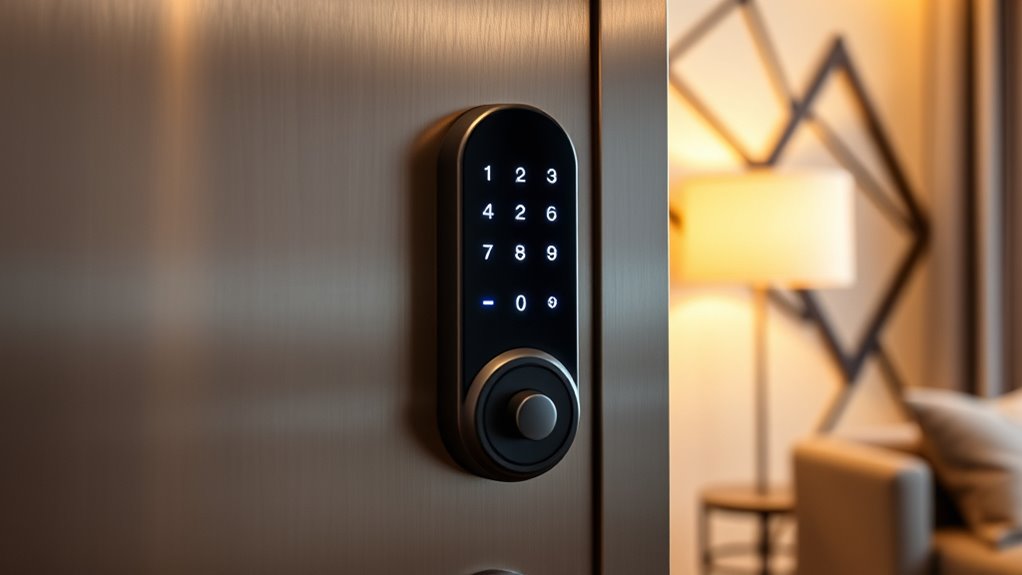

Finding the right smart lock for an apartment involves balancing security, convenience, and compatibility. The eufy Security Smart Lock C30 stands out as the best overall choice thanks to its reliable Wi-Fi connectivity and straightforward app control. For those prioritizing seamless integration, the August Wi-Fi Connected Smart Lock offers excellent compatibility with smart home systems. Meanwhile, the Yale Approach Smart Wi-Fi Deadbolt shines for anyone looking to retrofit an existing lock without replacing the entire mechanism. The main tradeoffs include choosing between advanced features like fingerprint access and ease of installation versus affordability. Keep reading to see how these options compare across key factors to help you pick the perfect fit for your apartment.
Key Takeaways
- Top-ranked locks combine Wi-Fi connectivity with user-friendly app control for seamless management.
- Compatibility with smart home ecosystems like Alexa and Google Assistant is a common feature among the best picks.
- Installation difficulty varies; retrofit models tend to be easier for renters without drilling or major changes.
- Biometric options such as fingerprint sensors are popular but often come at a higher price point and with potential reliability tradeoffs.
- Price ranges from budget-friendly to premium, with the most feature-rich options generally costing more.
| eufy Security Smart Lock C30, Keyless Entry Door Lock, Built-in Wi-Fi, App Control, Deadbolt, Black |  | Best Overall – Reliable, versatile, and easy to install | Model Number: T85D0 | Battery Life: Up to 5 months | Power: 4 AA batteries (not included) | VIEW ON AMAZON | See Our Full Breakdown |
| Tapo Smart Wi-Fi Deadbolt Door Lock, Keyless Tactile Buttons, DL100 |  | Best Value – Durable, feature-rich, and budget-friendly | Power: 4xAA batteries (included) | Battery Life: Up to 200 days in Wi-Fi mode | Weatherproof Rating: IP54 | VIEW ON AMAZON | See Our Full Breakdown |
| Philips Wi-Fi Smart Deadbolt Lock, Keyless Entry Door Lock with Code, Fingerprint, APP, Voice Control, Auto Lock |  | Best for Families – Multi-access flexibility with remote alerts | Connectivity: Wi-Fi (2.4GHz only) | Unlock Methods: App, passcode, fingerprint, voice | Auto Lock Timer: 10-180 seconds | VIEW ON AMAZON | See Our Full Breakdown |
| ULTRALOQ U-Bolt Pro WiFi Smart Lock with Door Sensor |  | Best Premium – Highest security and durability for outdoor use | Connectivity: 2.4GHz Wi-Fi (802.11 b/g/n) | Fingerprint Storage: Up to 100 fingerprints | Passcode Capacity: Up to 50 codes | VIEW ON AMAZON | See Our Full Breakdown |
| August Wi-Fi Connected Smart Keyless Entry Door Lock |  | Best for Seamless Integration – Upgrades existing deadbolt with smart features | Compatibility: Fits most single cylinder deadbolts | Connectivity: Wi-Fi (802.11 b/g/n) | App Compatibility: iOS and Android | VIEW ON AMAZON | See Our Full Breakdown |
| Fingerprint Smart Deadbolt with Keypad – Keyless Entry Lock for Home, Apartment, Office, Airbnb, Rental, Kids & Seniors, App & Code Access, Auto-Lock, Easy DIY Install, Compatible with Alexa & Google |  | Best Overall for Versatile Multi-Method Access | Fits Doors: Single & multi-family homes, apartments, rentals | Installation: Easy DIY, supports left & right doors | Unlock Methods: Fingerprint, keypad code, app, fob, physical key | VIEW ON AMAZON | See Our Full Breakdown |
| Smart Lock Ultra with Keypad, Fingerprint, App Control, WiFi, Alexa & Google Compatibility |  | Best for Long-Lasting, Secure Convenience | Compatibility: Most standard US apartment door locks | Battery Life: 12 months | Unlock Methods: Fingerprint, keypad, app, Alexa, Google Assistant | VIEW ON AMAZON | See Our Full Breakdown |
| Yale Approach Smart Wi-Fi Deadbolt Retrofit Smart Lock, Silver |  | Best Retrofit for Easy Inside-Only Upgrades | Recommended Uses: Entry Door, Front Door | Number of Pieces: 1 | Included Components: 4 AA batteries, DoorSense sensor, Lock adapter & mounting hardware, Yale Approach | VIEW ON AMAZON | See Our Full Breakdown |
| Holo Wi-Fi Smart Lock with Keypad, Keyless Entry Deadbolt Door Lock with App Remote Control, AutoLock & Anomaly Detection, Supports Alexa and Apple Home |  | Best for Multi-Ecosystem Security and Auto-Detection | Compatibility: Alexa, Apple HomeKit | Installation: Non-destructive, fits most single-cylinder deadbolts | Battery Life: 4-6 months | VIEW ON AMAZON | See Our Full Breakdown |
| eufy Security Smart Lock FamiLock C32 Fingerprint Keyless Lock with Handle |  | Best for Fast, Interior-Use Fingerprint Access | Fingerprint Recognition Speed: 0.3 seconds | Wi-Fi: Built-in 2.4 GHz | Battery Life: Over 5 months | VIEW ON AMAZON | See Our Full Breakdown |
| Wyze Auto-Lock Bolt v2 Fingerprint Keyless Entry Smart Lock |  | Best Overall for Versatile Convenience | Fingerprint Recognition: Yes | Wi-Fi Connectivity: Yes | Battery Life: 8 months | VIEW ON AMAZON | See Our Full Breakdown |
| Tapo Smart Wi-Fi Door Lock, Deadbolt with Keyless Entry and Fingerprint Recognition |  | Best for Long-Lasting Battery and Multiple Access Methods | Access Methods: Fingerprint, keypad passcodes, Wi-Fi, Bluetooth, in-app, backup keys | Battery Life: 1 year | Recognition Speed: 0.42 seconds | VIEW ON AMAZON | See Our Full Breakdown |
| Yale Approach Smart Wi-Fi Deadbolt Retrofit Smart Lock, Unlimited Virtual Keys, App Remote Control, Keyless Entry – Black |  | Best for Easy Retrofit and Unlimited Virtual Keys | Compatibility: Retrofit on existing deadbolt | Connectivity: Wi-Fi | Batteries: 4 AA (included) | VIEW ON AMAZON | See Our Full Breakdown |
| Smart Door Handle Lock with Keypad, Yamiry Fingerprint Knob for Front Door |  | Best for Easy, Reversible Installation and Outdoor Use | Recommended Uses: Indoor and outdoor | Number of Pieces: 1 | Included Components: Exterior and interior assemblies, key fobs, mechanical keys | VIEW ON AMAZON | See Our Full Breakdown |
| Fingerprint Smart Door Lock with Handle & Keypad |  | Best for DIY Installers and Family Homes | Unlock Methods: Fingerprint, keypad, app, FOB, key | Compatibility: Alexa, Google Assistant | Installation: DIY, reversible handle | VIEW ON AMAZON | See Our Full Breakdown |
| smart locks for apartment | Battery Life |
|---|---|
| eufy Security Smart Lock C30 | Up to 5 months |
| Tapo Smart Wi-Fi Deadbolt Door | Up to 200 days in Wi-Fi mode |
| Philips Wi-Fi Smart Deadbolt L | — |
| ULTRALOQ U-Bolt Pro WiFi Smart | Long-lasting |
| August Wi-Fi Connected Smart K | — |
| Fingerprint Smart Deadbolt wit | — |
| Smart Lock Ultra with Keypad | 12 months |
| Yale Approach Smart Wi-Fi Dead | — |
| Holo Wi-Fi Smart Lock with Key | 4-6 months |
| eufy Security Smart Lock FamiL | Over 5 months |
| Wyze Auto-Lock Bolt v2 Fingerp | 8 months |
| Tapo Smart Wi-Fi Door Lock | 1 year |
| Yale Approach Smart Wi-Fi Dead | — |
| Smart Door Handle Lock with Ke | — |
| Fingerprint Smart Door Lock wi | — |
More Details on Our Top Picks
eufy Security Smart Lock C30, Keyless Entry Door Lock, Built-in Wi-Fi, App Control, Deadbolt, Black
The eufy Security Smart Lock C30 stands out for its straightforward installation process and comprehensive remote management capabilities, making it a solid choice for most apartment dwellers. Compared to the ULTRALOQ U-Bolt Pro, it offers similar auto-lock features but with a simpler DIY setup. Its built-in Wi-Fi allows control from anywhere, yet it only supports BHMA Grade 3 security, which is less robust than higher-grade options. The lock’s durability and weather resistance are strong points, but reliance on four AA batteries that last just about five months can be inconvenient for heavy daily use. This lock makes the most sense for users who prioritize ease of setup and remote management without needing the highest security rating.
Pros:- Simple 15-minute DIY installation without drilling
- Remote control and management via app from anywhere
- Multiple unlocking options including keypad, physical key, and voice commands
- Auto-lock feature enhances security
Cons:- Requires 4 AA batteries (not included), lasting about 5 months
- Limited to BHMA Grade 3 security level
Best for: Renters or residents seeking a straightforward, Wi-Fi enabled lock with easy DIY installation
Not ideal for: Users requiring Grade 1 security or extended battery life for high-traffic access
- Model Number:T85D0
- Battery Life:Up to 5 months
- Power:4 AA batteries (not included)
- Temperature Range:-22℉ to 158℉ (-30℃ to 70℃)
- Waterproofing:IPX3
- Certification:BHMA Grade 3
Our verdict“Ideal for users who want an easy-to-install, remotely manageable lock with decent security for everyday apartment access.”
Tapo Smart Wi-Fi Deadbolt Door Lock, Keyless Tactile Buttons, DL100
The Tapo DL100 offers a compelling balance of features and affordability, making it a strong contender for renters who want multiple unlocking options—including keypad, Bluetooth, and app—without paying a premium. While it doesn’t match the ULTRALOQ U-Bolt Pro in terms of advanced features like fingerprint access, it compensates with weatherproofing and a longer battery life of up to 200 days in Wi-Fi mode. Its installation can be tricky on non-standard doors, which could be a hurdle for some. This lock suits those who need a durable, versatile option that works well outdoors and offers customizable access, but it may not be ideal for users with unique door setups or seeking the highest security certification.
Pros:- Multiple unlocking methods including keypad, Bluetooth, and app
- Weatherproof with IP54 rating for outdoor use
- Customizable access codes and real-time activity monitoring
- Long battery life in Wi-Fi mode
Cons:- Batteries need replacement every few months
- Installation may be complicated on non-standard doors
Best for: Budget-conscious renters wanting a weatherproof, multi-method lock with long battery life
Not ideal for: Users with non-standard door sizes or those needing Grade 1 security
- Power:4xAA batteries (included)
- Battery Life:Up to 200 days in Wi-Fi mode
- Weatherproof Rating:IP54
- Certification:BHMA Grade 3
- Door Compatibility:Standard door sizes 2-1/8” (54mm) and 1-1/2” (38mm)
- Connectivity:Wi-Fi, Bluetooth
Our verdict“A smart, weatherproof choice that balances features and affordability for outdoor apartment entries.”
Philips Wi-Fi Smart Deadbolt Lock, Keyless Entry Door Lock with Code, Fingerprint, APP, Voice Control, Auto Lock
The Philips Wi-Fi Smart Deadbolt excels for families or shared households needing multiple access options, including fingerprint, passcode, app, and voice commands. Its extensive features like remote access, real-time notifications, and customizable passcodes put it ahead of simpler locks like the Tapo DL100. However, it only supports 2.4GHz Wi-Fi, which can limit connectivity in some setups, and lacks a door sensor to confirm physical door status. While easy to install, its batteries are not included, adding a minor inconvenience. This lock is best suited for those seeking a highly flexible, remotely monitored lock with multiple user management options.
Pros:- Multiple unlocking options including fingerprint, passcode, app, and voice
- Remote access and real-time alerts for security
- Easy DIY installation on most doors
- Supports up to 100 passcodes
Cons:- Requires 2.4GHz Wi-Fi (not compatible with 5GHz)
- No door sensor for physical door status detection
Best for: Families or users managing multiple users and needing remote control with notifications
Not ideal for: Users with 5GHz Wi-Fi networks or those who prefer a lock with built-in sensors
- Connectivity:Wi-Fi (2.4GHz only)
- Unlock Methods:App, passcode, fingerprint, voice
- Auto Lock Timer:10-180 seconds
- Maximum Passcodes:100
- Compatibility:Doors 1-3/8″ to 2″ thick
- Additional Features:Remote access, real-time alerts, activity history
Our verdict“This lock provides extensive access management and remote monitoring ideal for busy households needing peace of mind.”
ULTRALOQ U-Bolt Pro WiFi Smart Lock with Door Sensor
The ULTRALOQ U-Bolt Pro stands out for its ANSI Grade 1 certification and weatherproof IP65 rating, making it ideal for outdoor apartments or high-traffic areas. Its support for multiple access methods—fingerprint, passcode, app, and voice—surpasses many competitors like the Tapo DL100, especially with the added door sensor for physical status monitoring. However, it’s less suitable for metal doors and is limited to 2.4GHz Wi-Fi, which can restrict connectivity in some setups. Installation is straightforward on most US standard doors, but its premium price reflects its higher security and durability. This lock makes the most sense for residents who need robust outdoor security and multiple access options without sacrificing smart features.
Pros:- Supports fingerprint, passcode, app, and voice control
- ANSI Grade 1 security certification
- Weatherproof IP65 rating for outdoor durability
- Door status monitoring with integrated sensor
Cons:- Not recommended for metal doors
- Limited to 2.4GHz Wi-Fi, not compatible with 5GHz networks
Best for: Residents seeking a highly secure, weatherproof lock with a door sensor and multiple access methods
Not ideal for: Users with metal doors or those on tight budgets, given its premium price
- Connectivity:2.4GHz Wi-Fi (802.11 b/g/n)
- Fingerprint Storage:Up to 100 fingerprints
- Passcode Capacity:Up to 50 codes
- Certification:ANSI Grade 1
- Weatherproof Rating:IP65
- Battery Life:Long-lasting
Our verdict“Best suited for users needing outdoor-grade security with multiple access options and physical door monitoring.”
August Wi-Fi Connected Smart Keyless Entry Door Lock
The August Wi-Fi Smart Lock offers a quick upgrade to existing deadbolts, making it ideal for renters who want smart features without replacing the entire lock. Its simple installation takes about 10 minutes, and it supports auto-lock, auto-unlock, and remote access sharing—features that elevate everyday convenience. Its compatibility with Apple HomeKit, Alexa, and Google Assistant makes it versatile within smart home ecosystems. However, full functionality depends on a Wi-Fi connection, and some features like keypad or biometric security are sold separately, which can increase total cost. This lock is best for those who want a quick, easy upgrade for existing hardware and integrated voice control, but less so for those seeking built-in keypads or biometric options.
Pros:- Quick and easy installation on most deadbolts
- Supports remote access sharing and smart home integration
- Auto-lock and auto-unlock features for convenience
- Compatible with Apple HomeKit, Alexa, Google
Cons:- Requires Wi-Fi for full functionality
- Additional keypad and biometric features are sold separately
Best for: Renters wanting a fast, easy smart upgrade compatible with major voice assistants
Not ideal for: Users seeking an all-in-one lock with integrated keypad or biometric security
- Compatibility:Fits most single cylinder deadbolts
- Connectivity:Wi-Fi (802.11 b/g/n)
- App Compatibility:iOS and Android
- Installation Time:Approximately 10 minutes
- Additional Features:Auto-Lock, Auto-Unlock, DoorSense
Our verdict“A fast, simple upgrade for existing deadbolts that integrates seamlessly with popular smart home systems.”
Fingerprint Smart Deadbolt with Keypad – Keyless Entry Lock for Home, Apartment, Office, Airbnb, Rental, Kids & Seniors, App & Code Access, Auto-Lock, Easy DIY Install, Compatible with Alexa & Google
This smart deadbolt stands out for its multiple unlocking options, including fingerprint, keypad, app, fob, and physical key, making it highly adaptable for families, renters, or anyone needing flexible access. Unlike the Yale Approach, which only allows inside-door installation, this lock offers a more comprehensive solution for diverse door types. The need for a Gateway for remote management with Alexa and Google is a minor inconvenience compared to its broad compatibility and user capacity — over 100 fingerprints and codes. The tradeoff is that the Gateway adds an extra step and cost, and battery life might be a concern if not monitored. This pick makes the most sense for those wanting a multi-access, easy-to-install solution with remote capabilities.
Pros:- Supports multiple unlocking methods including fingerprint and keypad
- Easy DIY installation suitable for most door types
- Remote management and scheduling via app
- Compatible with Alexa and Google Assistant with Gateway
Cons:- Gateway required for remote voice control adds cost and complexity
- Limited to specific smart home ecosystems
- Battery life may require frequent replacements
Best for: Families or property managers needing multiple access methods and remote control for rentals or busy households
Not ideal for: Users seeking a simple, single-method lock or those who prefer not to deal with additional hubs and gateways
- Fits Doors:Single & multi-family homes, apartments, rentals
- Installation:Easy DIY, supports left & right doors
- Unlock Methods:Fingerprint, keypad code, app, fob, physical key
- User Capacity:100+ fingerprints, 100+ codes
- Smart Control:App/web portal, remote management with Gateway
- Features:Auto-lock, privacy mode, passage mode, anti-peep code, low battery alerts
Our verdict“This versatile lock suits tech-savvy users needing multiple access options and remote management, despite the extra setup for smart home integration.”
Smart Lock Ultra with Keypad, Fingerprint, App Control, WiFi, Alexa & Google Compatibility
The Smart Lock Ultra excels with long battery life, offering up to 12 months of use with features like automatic locking and a comprehensive 6-layer security system. Compared to the FingerPrint Smart Deadbolt, which supports more unlocking methods but requires frequent battery replacements, this model emphasizes reliability and security. Its compatibility with Alexa, Google, and Apple HomeKit via SwitchBot Hub mini broadens its integration—though it does require an additional accessory for full smart home support. The lock is designed for standard US doors and includes DIY customization options, making it suitable for users seeking a high-security, low-maintenance solution. The main tradeoff involves additional accessories needed for some smart home ecosystems and limited European lock support.
Pros:- Long-lasting 12-month battery life
- Multiple secure unlocking options including fingerprint and keypad
- Compatible with Alexa, Google, and Apple HomeKit via SwitchBot Hub
- Easy to install and customizable with DIY stickers
Cons:- Requires additional accessories for European lock compatibility
- Support for Jimmy Proof and Mortise locks depends on extra parts
- Additional hub needed for full smart home features
Best for: Homeowners seeking a durable, secure smart lock with minimal battery fuss and broad ecosystem compatibility
Not ideal for: Users with European locks or those unwilling to purchase additional accessories for full integration
- Compatibility:Most standard US apartment door locks
- Battery Life:12 months
- Unlock Methods:Fingerprint, keypad, app, Alexa, Google Assistant
- Connectivity:WiFi, Matter, Apple HomeKit via SwitchBot Hub mini
- Security Features:6-layer security, magnetic automatic locking
- Support for European locksets:Requires EU mount/version, not directly compatible
Our verdict“Ideal for those prioritizing long-term security and broad smart home compatibility, accepting some extra setup and accessories.”
Yale Approach Smart Wi-Fi Deadbolt Retrofit Smart Lock, Silver
The Yale Approach makes a compelling case for renters or those who want to upgrade without replacing existing hardware, as it installs inside the door over the current deadbolt. This contrasts with the Fingerprint Smart Deadbolt, which requires full replacement and more extensive installation. The Yale lock relies on Wi-Fi and the Yale Access app to provide remote control, virtual key sharing, and auto-lock features—though it depends on Yale Connect for full remote capabilities, adding an extra component. Its inside-door mounting limits flexibility for front-door upgrades or external hardware. Nonetheless, it’s an excellent choice for those seeking a simple, non-invasive upgrade that integrates easily into Yale’s ecosystem and offers remote management.
Pros:- Easy installation over existing deadbolt
- Remote access and virtual key sharing via Yale Access app
- Auto-Unlock and Auto-Lock features for convenience
- No need to replace existing hardware
Cons:- Requires Yale Connect for remote features
- Limited to inside-door installation
- Dependent on Wi-Fi and app connectivity
Best for: Renters or residents who want a quick, non-destructive upgrade compatible with existing deadbolts
Not ideal for: Homeowners seeking external or front-door installation with more advanced features
- Recommended Uses:Entry Door, Front Door
- Number of Pieces:1
- Included Components:4 AA batteries, DoorSense sensor, Lock adapter & mounting hardware, Yale Approach
Our verdict“This retrofit lock works best for those who want a straightforward upgrade without replacing hardware, but it’s less flexible for external or front-door use.”
Holo Wi-Fi Smart Lock with Keypad, Keyless Entry Deadbolt Door Lock with App Remote Control, AutoLock & Anomaly Detection, Supports Alexa and Apple Home
The Holo Wi-Fi Smart Lock brings a blend of ease of installation and security features like anomaly detection, making it suitable for homeowners wanting an extra layer of security. It supports both Alexa and Apple HomeKit, providing flexibility for voice control and remote access. Compared to the eufy FamiLock, which offers rapid fingerprint unlocking, Holo emphasizes anomaly detection and remote control, although its battery life of 4-6 months might require more frequent replacements. Its non-destructive installation fits most single-cylinder deadbolts, but it lacks weatherproofing details, making it less ideal for outdoor use. This lock is a good choice for indoor or sheltered outdoor doors where multi-ecosystem support and security alerts matter most.
Pros:- Supports Alexa and Apple HomeKit ecosystems
- Auto-lock and anomaly detection for enhanced security
- Easy to install on most standard deadbolts
- Allows temporary passcodes and remote control
Cons:- Battery life may require frequent replacement
- No weatherproofing features mentioned
- Wi-Fi connection required for remote features
Best for: Homeowners prioritizing security alerts, anomaly detection, and multi-ecosystem voice control
Not ideal for: Users seeking long battery life or weather-resistant outdoor locks
- Compatibility:Alexa, Apple HomeKit
- Installation:Non-destructive, fits most single-cylinder deadbolts
- Battery Life:4-6 months
- Features:Auto-lock, anomaly detection, remote control, temporary passcodes
Our verdict“Best suited for indoor use or sheltered outdoor areas where advanced security features and multi-ecosystem support are valued, despite needing frequent battery changes.”
eufy Security Smart Lock FamiLock C32 Fingerprint Keyless Lock with Handle
The eufy FamiLock C32 is designed for quick, secure fingerprint unlocking in just 0.3 seconds, making it ideal for interior doors like bedrooms or offices. Its built-in Wi-Fi allows remote management, and compatibility with Alexa and Google Assistant offers voice control convenience. Compared to the Smart Lock Ultra, which features longer battery life and more security layers, this model emphasizes speed and ease of use for interior applications. The lack of rekeying support and limited to interior doors means it’s less suitable for exterior or front-door deployment. The need for batteries, which must be replaced periodically, is a common tradeoff for fast biometric access.
Pros:- Super fast 0.3-second fingerprint unlocking
- Remote management via built-in Wi-Fi
- Compatible with Alexa and Google Assistant
- Easy installation on interior doors
Cons:- Not suitable for front doors
- Rekey support not available
- Battery replacement required over time
Best for: Users needing rapid, reliable fingerprint entry on interior doors where security and quick access are priorities
Not ideal for: Those seeking a front-door lock or rekey support for security upgrades
- Fingerprint Recognition Speed:0.3 seconds
- Wi-Fi:Built-in 2.4 GHz
- Battery Life:Over 5 months
- Power Source:4 AA batteries
- Emergency Backup:USB-C with power bank
- Compatibility:Interior doors, standard fit
Our verdict“This lock is perfect for interior spaces where quick biometric access is needed, accepting its limited scope and rekeying limitations.”
Wyze Auto-Lock Bolt v2 Fingerprint Keyless Entry Smart Lock
This lock stands out for combining fast fingerprint recognition—unlocking in just 0.5 seconds—with multiple access methods like keypad, app, and backup keys, making it highly adaptable. Compared with the Yale Approach, it offers more flexible unlocking options, but its IP53 water resistance is less robust than some premium models. Its ability to learn from usage enhances recognition accuracy over time, though it relies on Wi-Fi for remote management, which could be a drawback in low-connectivity areas. The emergency USB-C backup adds peace of mind, but battery life may vary with heavy use. Overall, this pick makes sense for users who want a quick, reliable fingerprint experience combined with flexible control options and integrated smart home compatibility.
Pros:- Fast unlock in 0.5 seconds via fingerprint
- Learns from usage to improve accuracy
- Multiple unlocking options including keypad and backup keys
- Remote management via Wyze app
Cons:- Requires Wi-Fi for remote functions
- Battery life may fluctuate with usage
- Limited water resistance with IP53 rating
Best for: Tech-savvy homeowners who prioritize quick, multifaceted access and smart home integration
Not ideal for: Residents in areas with unreliable Wi-Fi or those needing high water resistance outdoors
- Fingerprint Recognition:Yes
- Wi-Fi Connectivity:Yes
- Battery Life:8 months
- Battery Type:8 AA batteries
- IP Rating:IP53
- Backlit Keypad:Yes
Our verdict“Best suited for users seeking a quick, versatile smart lock with fingerprint and app control, but with moderate water resistance.”
Tapo Smart Wi-Fi Door Lock, Deadbolt with Keyless Entry and Fingerprint Recognition
The Tapo lock excels in offering up to a year of battery life with a rechargeable battery, which outperforms many rivals like the Wyze lock that may need more frequent charging. Its six access methods, including fingerprint, keypad, Wi-Fi, Bluetooth, app, and backup keys, make it incredibly flexible for busy households or rental properties. Its fast recognition speed of 0.42 seconds ensures quick entry, though managing multiple access options can introduce setup complexity, especially for less tech-savvy users. Unlike the Yale retrofit, which is more about easy installation on existing deadbolts, this model’s extensive features demand a bit more initial configuration. Overall, it’s ideal for those who value long-term battery life combined with multiple ways to unlock and secure their home.
Pros:- Rechargeable battery lasts about a year
- Six secure access options including fingerprint and keypad
- Fast recognition at 0.42 seconds
- Manageable resident and guest codes with scheduling
Cons:- Requires Wi-Fi for remote management
- Setup may be complex for some
- Battery life depends on usage patterns
Best for: Property managers and families who need reliable, multi-access control with minimal maintenance
Not ideal for: Users seeking a simple, plug-and-play lock without many options or setup complexity
- Access Methods:Fingerprint, keypad passcodes, Wi-Fi, Bluetooth, in-app, backup keys
- Battery Life:1 year
- Recognition Speed:0.42 seconds
- Fingerprint Storage:up to 100
- Charging:USB-C
- Certification:BHMA Grade 2
Our verdict“Ideal for users wanting a comprehensive, long-lasting smart lock with quick access and multiple methods.”
Yale Approach Smart Wi-Fi Deadbolt Retrofit Smart Lock, Unlimited Virtual Keys, App Remote Control, Keyless Entry – Black
The Yale Approach provides a straightforward retrofit solution, allowing users to keep their existing deadbolt while adding smart features. Its app-controlled virtual keys make sharing access effortless, especially for renters or families managing multiple users. Compared with the Yamiry handle lock, it doesn’t require replacing the entire handle hardware, simplifying installation. However, its inside-only installation might not suit all doors, and reliance on 4 AA batteries means ongoing replacement. Its limited compatibility with other smart home platforms could be a drawback for those seeking broader automation. Nonetheless, for renters or those wanting a simple upgrade, this lock offers reliable remote control and activity tracking without major hardware changes.
Pros:- Easy retrofit installation
- Supports unlimited virtual keys
- Remote control and activity logs via app
- No need to replace existing deadbolt
Cons:- Requires 4 AA batteries which need replacement
- Installation limited to inside door
- Limited integration options
Best for: Renters or homeowners seeking an easy retrofit with virtual key sharing
Not ideal for: Homeowners seeking full hardware replacement or integration with broader smart home systems
- Compatibility:Retrofit on existing deadbolt
- Connectivity:Wi-Fi
- Batteries:4 AA (included)
- Control:App remote and virtual keys
- Installation:Inside door only
Our verdict“Best for renters or those wanting a simple upgrade that supports virtual keys and remote management.”
Smart Door Handle Lock with Keypad, Yamiry Fingerprint Knob for Front Door
This lock combines multiple unlocking methods—including fingerprint, app, passcodes, and keys—making it highly versatile for both indoor and outdoor doors. Its easy 10-minute DIY installation and reversible handle are major advantages for homeowners who want quick setup without professional help. The remote access via app adds convenience, but the need for a separate Wi-Fi gateway for voice control and occasional connectivity issues reported by users can be frustrating. Compared to the Fingerprint Smart Deadbolt, it offers a more traditional handle design suitable for outdoor environments, but it might lack some advanced smart home features. This lock makes sense for those who want a straightforward, adaptable, and weather-resistant smart handle lock.
Pros:- Quick 10-minute DIY installation
- Reversible handle fits both left/right doors
- Multiple unlocking options including fingerprint and app
- Suitable for outdoor use
Cons:- Requires separate Wi-Fi gateway for voice control
- Connectivity issues reported
- App interface can be complex
Best for: Homeowners or property managers needing an outdoor-capable, easy-to-install smart handle lock
Not ideal for: Users seeking integrated smart home systems or minimal setup complexity
- Recommended Uses:Indoor and outdoor
- Number of Pieces:1
- Included Components:Exterior and interior assemblies, key fobs, mechanical keys
- Model Number:Yamiry YR01
- Item Type:Smart deadbolt lock
Our verdict“Ideal for outdoor use with easy installation and multiple entry options, but requires additional components for voice control.”
Fingerprint Smart Door Lock with Handle & Keypad
This lock provides keyless access through multiple methods—fingerprint, keypad, app, FOB, or traditional key—making it flexible for families, Airbnb hosts, or rental properties. Its DIY-friendly installation is straightforward, fitting most standard doors, with a reversible handle for easy setup. The remote management via app enhances security, and compatibility with Alexa and Google Assistant broadens smart home integration. However, to access the lock remotely from anywhere, a WiFi Gateway is needed, and some users find the app interface less intuitive. Compared to the Yamiry handle lock, this model offers more advanced smart features geared toward family use. It’s best for those wanting extensive control options without professional installation.
Pros:- Multiple unlocking options including biometrics and keypad
- Easy DIY installation
- Remote app access and management
- Compatible with Alexa and Google Assistant
Cons:- Requires WiFi Gateway for remote access
- Setup can be complex for non-tech users
- App interface may be less intuitive
Best for: Families and hosts seeking flexible, DIY smart lock solutions with smart home compatibility
Not ideal for: Users who prefer plug-and-play simplicity without additional components or setup complexity
- Unlock Methods:Fingerprint, keypad, app, FOB, key
- Compatibility:Alexa, Google Assistant
- Installation:DIY, reversible handle
- Remote Access:Yes, via app
Our verdict“Best suited for families or renters wanting a versatile, smart, DIY lock with broad app and voice control.”

How We Picked
Our evaluation focused on key factors that matter most to apartment dwellers: reliability, ease of installation, security features, smart home integration, and value. We prioritized products with solid connection stability, simple DIY installation, and compatibility with popular voice assistants. Products were ranked based on feature set, user reviews, build quality, and overall affordability. We also considered the versatility of access options—such as codes, fingerprints, and app controls—and how well each lock suits renters who might need temporary or remote access. This approach ensures the list highlights options suitable for different needs while maintaining a high standard of security and usability.
Factors to Consider When Choosing Smart Locks For Apartments
Choosing a smart lock for an apartment involves weighing several important factors to find the best fit. While features like biometric access and auto-lock can boost convenience, they also come with potential tradeoffs in cost and complexity. Compatibility with your existing smart home setup can streamline daily use, but may limit your choices if you don’t already have certain systems. Ease of installation is especially critical for renters who want a no-fuss upgrade. Understanding these factors can help you avoid common pitfalls and select a lock that balances security, convenience, and affordability.Installation Ease and Retrofit Compatibility
Many apartment residents prefer locks that are easy to install without drilling or major modifications. Retrofit models are designed to fit onto existing deadbolts, making them ideal for renters who cannot alter doors. Look for locks with simple, DIY-friendly installation procedures and clear instructions. Avoid overly complex models that require electrical wiring or extensive door modifications, as these can be difficult or impossible in rental units. Keep in mind that some locks may need additional accessories or adapters to fit your door type, so verify compatibility beforehand.
Connectivity and Smart Home Integration
Smart locks with Wi-Fi or Bluetooth connectivity enable remote control and monitoring via smartphone apps. Compatibility with voice assistants like Alexa, Google Assistant, or Apple HomeKit can add hands-free convenience, especially for busy or tech-savvy residents. Be cautious of locks that rely solely on Bluetooth, which may require proximity to operate, or those with weak Wi-Fi signals. Ensuring your lock integrates smoothly with your existing smart home setup can prevent frustration and maximize functionality.
Security Features and Access Methods
Beyond basic keyless entry, consider locks with biometric options like fingerprint sensors or keypad codes for multiple users. Some models also offer temporary virtual keys or auto-lock features, enhancing security without sacrificing convenience. However, biometric sensors can sometimes be less reliable in certain conditions or with wear over time. Balance the desire for advanced access methods with the potential for false rejections or additional maintenance. Opt for reputable brands with positive reviews on security performance.
Price and Value
Smart locks vary widely in price, with basic models offering essential features and premium options providing advanced integrations and biometrics. Decide on your budget but also consider long-term value—investment in a reliable, feature-rich lock can save headaches and increase security. Cheaper models may lack durability or seamless app integration, so read user reviews carefully. Sometimes, paying a bit more for a well-built, widely compatible lock translates into better reliability and peace of mind.
Battery Life and Power Options
Battery life is a critical factor, especially for locks with features like auto-unlock or biometric sensors that consume more power. Many locks use standard batteries, but some offer low-battery alerts or backup power options. Check how easy it is to replace batteries and whether the lock has a backup key option for emergencies. A lock with poor battery life can become a source of inconvenience or security risk if not monitored properly.
Frequently Asked Questions
Can I install a smart lock in an apartment without damaging the door?
Yes, many smart locks are designed for renters and can be installed without damaging your door. Retrofit models attach directly to your existing deadbolt, often using just a screwdriver, and can be removed easily when you move. These options are ideal for those who cannot make permanent modifications or do not want to risk losing their security deposit. Always verify the compatibility with your door type and any building regulations before installation.
Are smart locks secure enough for apartment use?
Reputable smart locks incorporate multiple security features such as encrypted communication, tamper alerts, and multi-factor access options. When chosen carefully, they can be as secure as traditional locks, especially if combined with strong passwords and biometric security. However, no lock is entirely foolproof; it’s important to choose a brand with positive reviews and proven security standards. Regular firmware updates and proper maintenance also help maintain security over time.
What should I do if my Wi-Fi smart lock loses connection often?
Frequent disconnections usually indicate network issues or weak Wi-Fi signals. To improve stability, consider positioning your router closer to the lock or using a Wi-Fi extender. Some locks also offer Bluetooth control as a fallback, which doesn’t require Wi-Fi. Ensuring your network is stable and that your lock’s firmware is up-to-date can prevent many connectivity problems, maintaining reliable remote access.
Do smart locks require a lot of maintenance?
Smart locks generally require minimal maintenance, mostly limited to replacing batteries and occasional software updates. Regularly check battery levels through the app or notifications to prevent lockouts. Keep the lock’s mechanism clean and free of debris to ensure smooth operation. Choosing a model with good battery life and low power consumption can reduce the frequency of maintenance tasks.
Are biometric smart locks reliable in cold or humid climates?
Biometric sensors, such as fingerprint scanners, can sometimes be less reliable in extreme weather conditions due to moisture or cold affecting sensor performance. Many reputable models include safeguards or alternative access methods like codes or app control to mitigate this issue. If you live in a climate with harsh weather, look for locks with reviews specifically mentioning cold and humidity performance, and consider models with robust sensors designed for outdoor use.
Conclusion
For most apartment residents, the eufy Security Smart Lock C30 offers a balanced mix of reliability, convenience, and smart features, making it the best overall choice. Budget-conscious renters should consider models like the Tapo Smart Wi-Fi Deadbolt, which provides essential features at a lower price. Those seeking a premium, seamless smart home experience might prefer the Yale Approach Smart Wi-Fi Deadbolt for its advanced compatibility and retrofit design. Beginners or renters wary of complicated installation should focus on easy-to-install, retrofit options, while security-conscious residents might prioritize biometric or multi-factor access. Selecting the right lock depends on your specific needs, budget, and existing smart home setup—use this guide to make an informed decision tailored to your lifestyle.