
When choosing a video conferencing kit, focus on a high-quality camera that captures sharp images and performs well in low light. Make sure it offers features like autofocus and wide-angle views to keep everyone centered. Check for good audio quality with noise cancellation, and consider external microphones or headsets for clarity. Ease of setup and reliable connectivity are key for smooth meetings. For all these details and more tips, keep exploring what makes the perfect conference kit.
Key Takeaways
- High-quality camera with autofocus and wide-angle lens for clear, professional images in various lighting conditions.
- Reliable microphone and audio setup, preferably noise-canceling, for crisp, clear communication.
- Virtual background options to maintain professionalism and hide distractions easily.
- Easy-to-use, plug-and-play connectivity compatible with common conferencing platforms.
- Testing your setup beforehand to ensure all components function correctly and meet your environment’s needs.

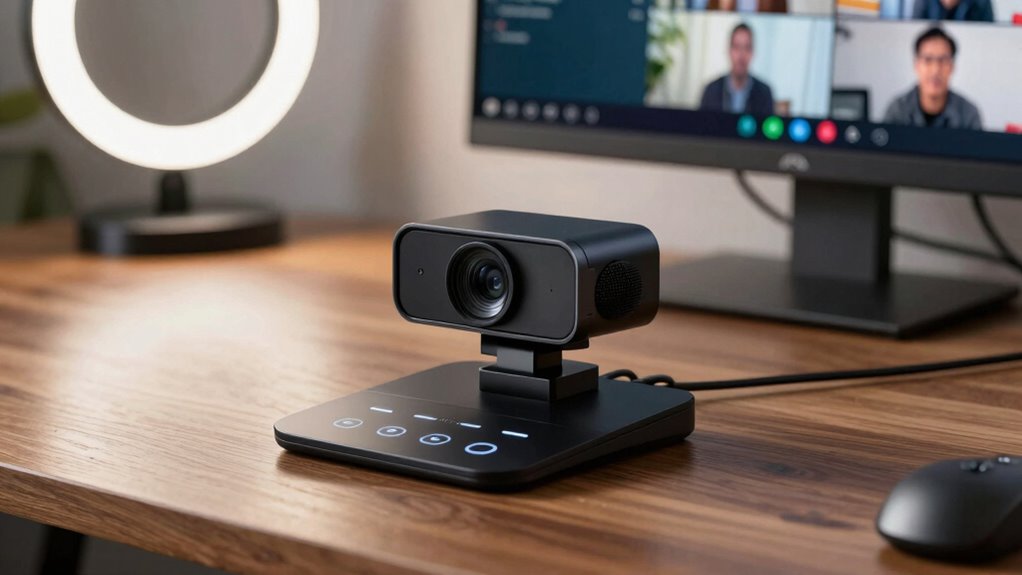
Are you looking to improve your remote meetings and boost collaboration? If so, selecting the right video conferencing kit becomes essential. The first thing to factor in is your setup’s overall quality, which directly impacts how your team perceives your professionalism and engagement. A good kit should include a high-quality camera that delivers clear, sharp images, ensuring your face is visible even in less-than-ideal lighting conditions. Many modern cameras also support features like autofocus and wide-angle views, making it easier to stay centered and capture everyone on the call.
Next, pay close attention to your virtual background options. A versatile virtual background can help you maintain a professional appearance, hide distractions, or add a bit of personality to your meetings. Look for a kit that supports easy background customization, preferably with good software integration that allows you to set or change backgrounds on the fly. This feature is especially useful if you often work from different locations or want to create a consistent brand presence during meetings.
Microphone quality is another critical aspect to factor in. Even the best camera won’t matter if your audio isn’t clear. A high-quality microphone ensures your voice is crisp and free from background noise or muffling, which keeps communication smooth and effective. Some kits include built-in microphones, but if you want superior sound, consider investing in an external microphone or headset with noise-canceling capabilities. This way, your team members won’t have to strain to hear you, and you’ll avoid misunderstandings or the need for repeated explanations.
Ease of use also plays a big role. Choose a kit that’s simple to set up and compatible with your preferred conferencing platform. Look for plug-and-play options or devices with intuitive controls, so you don’t waste time troubleshooting during critical meetings. Connectivity options matter too; ensure your kit includes reliable cables or wireless solutions that don’t interfere with your network or cause lag. Additionally, understanding the importance of contrast ratio can help you appreciate how visual clarity and screen quality influence your overall presentation during video calls. Incorporating user-friendly features can further streamline your setup process and minimize technical difficulties, especially for less tech-savvy users. To ensure consistent performance, consider testing your setup beforehand to identify and resolve potential issues. Moreover, paying attention to emerging technology trends can help you stay ahead and upgrade your equipment as new solutions become available. Finally, contemplate the overall value of the kit. While it’s tempting to go for the most advanced equipment, sometimes a balanced combination of good video, clear audio, and user-friendly features provides the best return on investment. Think about your typical meeting environment, the number of participants, and your specific needs. Making an informed choice will help you create a seamless, professional, and engaging remote meeting experience that encourages collaboration and keeps your team connected.
Frequently Asked Questions
Can I Upgrade Individual Components Later?
Yes, you can upgrade individual components later thanks to modular design, which allows you to replace or add parts without overhauling the entire system. This flexibility helps with future proofing your setup, ensuring it stays current as technology advances. You simply identify the component you want to improve, select an upgraded version, and swap it out. This approach saves money and keeps your video conferencing kit up-to-date.
What Is the Ideal Kit for Small Teams?
For small teams, a simple, stylish, and seamless kit works best. Focus on fostering smooth remote collaboration with a compact camera, clear microphone, and easy-to-use hardware integration. Opt for a kit that’s versatile and lightweight, enabling quick setup and straightforward operation. This guarantees your team stays connected, communicating clearly and confidently, without overwhelming your workspace or complicating your technology. Keep it simple, smart, and synchronized.
Are Wireless Options Available in Conferencing Kits?
Yes, wireless options are available in conferencing kits, offering greater flexibility. You can find kits with wireless connectivity that eliminate the need for cumbersome cables, making setup easier. Many include battery-powered devices like wireless microphones and speakers, which enhance mobility and convenience. This setup is perfect if you want a clutter-free space or need to move around during meetings. Just make certain the wireless devices have reliable connectivity to avoid disruptions.
How Do I Ensure Compatibility With Existing Software?
To guarantee compatibility with your existing software, you should prioritize kits that support seamless software integration. Check the product specifications for compatibility testing details, confirming it works with platforms like Zoom, Microsoft Teams, or others you use. You can also consult user reviews or vendor support to verify integration performance. This proactive approach helps prevent technical issues during meetings and ensures your conferencing setup runs smoothly with your current software ecosystem.
What Is the Average Lifespan of a Video Conferencing Kit?
Think of your video conferencing kit as a reliable partner in communication—on average, it lasts about 3 to 5 years. Its lifespan depends on hardware durability and how well you handle maintenance requirements. Regular updates and gentle handling can extend its life, keeping your meetings smooth. Invest in quality gear, and you’ll enjoy clear connections and fewer replacements, making every conversation count.
Conclusion
When you pick your video conferencing kit, think of it as assembling your own digital bridge to the world. Every camera angle, microphone, and speaker is a brick in your communication castle—strengthening your connection and clarity. Choose wisely, and your setup will become a trusty vessel sailing smoothly through virtual seas. With the right gear in hand, you’ll turn every meeting into a seamless dance of ideas, leaving behind the static and sailing toward success.