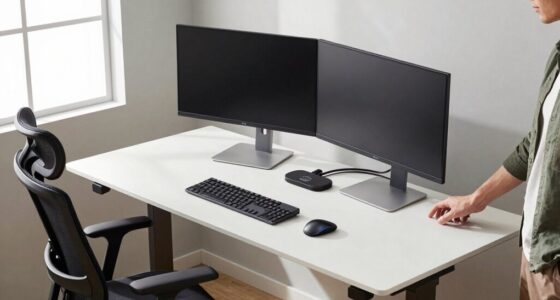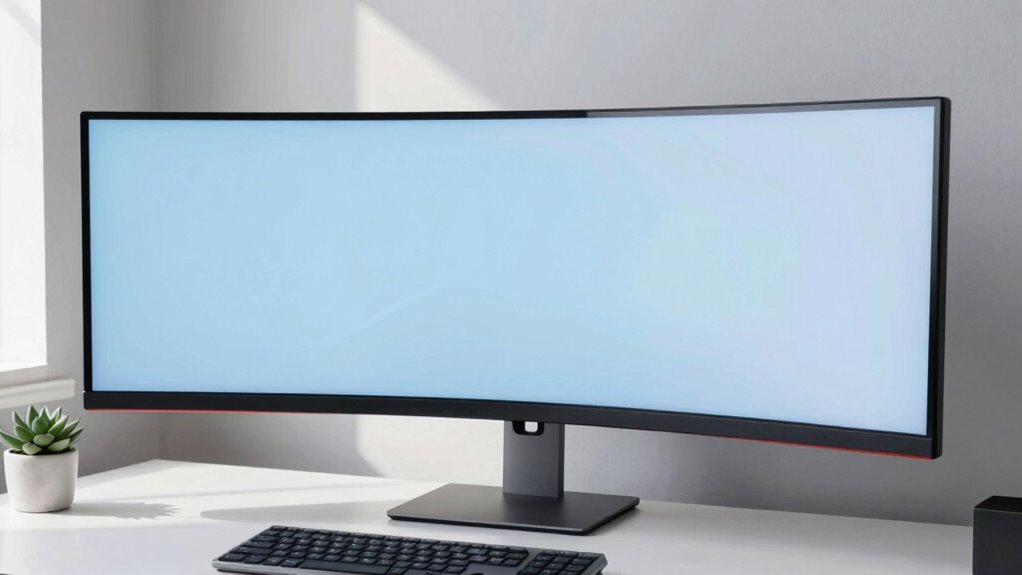
Ultrawide monitors help reduce distractions by giving you one expansive screen, so you won’t keep switching between windows or tabs. They let you view multiple tasks side-by-side, making it easier to stay focused and manage your work efficiently. With fewer interruptions from clutter or tiny screens, you can maintain better attention and produce higher quality results. Keep exploring how these monitors can transform your workspace and boost your productivity.
Key Takeaways
- Ultrawide monitors reduce window switching, minimizing distractions and keeping focus on a single, expansive workspace.
- They enable side-by-side multitasking, decreasing the need to toggle between multiple tabs or applications.
- The large, continuous display helps maintain attention and promotes longer periods of deep work.
- Features like adjustable brightness and curvature enhance ergonomic comfort, reducing eye strain and physical distractions.
- An immersive, clutter-free environment fosters better concentration and enhances overall workflow efficiency.

Many people find that switching to an ultrawide monitor can substantially reduce distractions and improve focus. With a broader screen space, you’re less likely to toggle between multiple windows or get sidetracked by unrelated tabs, allowing you to concentrate more deeply on your tasks. This setup enhances multitasking efficiency because you can view several documents, applications, or tools side by side without the clutter of overlapping windows. Instead of constantly switching contexts, you can manage multiple processes seamlessly, boosting your productivity and reducing the mental fatigue that comes with constant window juggling.
An ultrawide monitor reduces distractions, boosts multitasking, and helps you focus more deeply on your work.
Beyond multitasking, the visual immersion offered by an ultrawide monitor heightens your engagement with your work. The expansive display draws you into the content, making tasks like editing videos, designing graphics, or analyzing data more intuitive and less fragmented. You don’t have to squint at tiny screens or switch between multiple monitors; everything is within your peripheral vision, which fosters a smoother workflow. The increased real estate means you can dedicate specific zones for different tasks or references, simplifying your workflow and minimizing interruptions caused by window management.
This heightened visual immersion also helps you maintain focus for longer periods. When your environment feels more natural and less segmented, your mind doesn’t have to work as hard to switch attention or process fragmented information. You become more absorbed in your work, which can lead to higher quality output and greater efficiency. Moreover, the immersive experience reduces the temptation to check social media or other distractions since your focus remains anchored on the task at hand, thanks to the continuous and expansive display. A larger screen area can also support visual ergonomics by reducing the need for excessive head or eye movement, which contributes to overall comfort during long work sessions.
In addition, ultrawide monitors often come with features that additionally support your concentration—like adjustable brightness, color calibration, and curved screens that align with your natural field of view. These features contribute to a more comfortable viewing experience, reducing eye strain and fatigue over long work sessions. When you’re comfortable, you’re more likely to stay engaged and productive, capitalizing on the benefits of improved multitasking efficiency and enhanced visual immersion. Additionally, larger screen real estate can positively influence your overall workflow by providing a more natural and integrated viewing experience. This can help in creating a focused workspace free from common interruptions and distractions, further improving your concentration. A well-designed setup that considers ergonomics can further enhance your focus and reduce physical discomfort during extended work periods.
Frequently Asked Questions
Do Ultrawide Monitors Improve Multitasking Efficiency?
Yes, ultrawide monitors improve your multitasking productivity by providing more screen real estate, allowing you to view multiple windows simultaneously without constant switching. With a wider display, you can organize your tasks more efficiently, reducing clutter and distractions. This setup helps you stay focused, complete tasks faster, and manage workflows seamlessly, making ultrawide monitors a valuable tool for enhancing overall multitasking effectiveness.
Are Ultrawide Monitors Suitable for Gaming?
Yes, ultrawide monitors are great for gaming because they enhance visual immersion and create a more engaging experience. The screen curvature wraps around your field of view, making you feel like you’re part of the action. This setup reduces distractions by providing a seamless, expansive display, so you can focus on gameplay without interruptions. If you enjoy immersive gaming, ultrawide monitors are a fantastic choice.
How Do Ultrawide Monitors Impact Workspace Ergonomics?
Ironically, ultrawide monitors promise to streamline your workspace, yet they often challenge your ergonomic posture. You might find yourself stretching your neck or hunching forward to see the entire screen. While they maximize desk space utilization, they can also cause discomfort if you don’t adjust your chair or monitor height properly. Ultimately, they demand careful setup to make certain your workspace remains comfortable and productive.
What Are the Cost Differences Compared to Traditional Monitors?
Ultrawide monitors typically cost more than traditional monitors, often due to their larger size and advanced features. When you do a price comparison, you’ll find that ultrawide models can range from slightly above standard monitors to markedly higher prices. If budget considerations are important, you might want to weigh the benefits of increased screen real estate against the extra expense. However, investing in an ultrawide could boost productivity and reduce the need for multiple screens.
Can Ultrawide Monitors Reduce Eye Strain During Prolonged Use?
Think of ultrawide monitors as a cozy, curved arm around your vision. They can reduce eye strain during long use by minimizing flickering and glare, thanks to their screen curvature. Plus, their better color accuracy helps your eyes focus easily without constant refocusing. This design encourages a more natural viewing angle, ultimately making your extended work or gaming sessions more comfortable and less tiring.
Conclusion
Imagine sitting at your desk with an ultrawide monitor, like a captain steering a ship through calm waters. Instead of constantly shifting your gaze, you focus on one expansive view, reducing distractions. Studies show that such setups can boost productivity by up to 20%. Just like a captain relies on a clear horizon, you’ll find your work flows smoother and more focused, making the promise of fewer distractions not just a hope, but a reality.