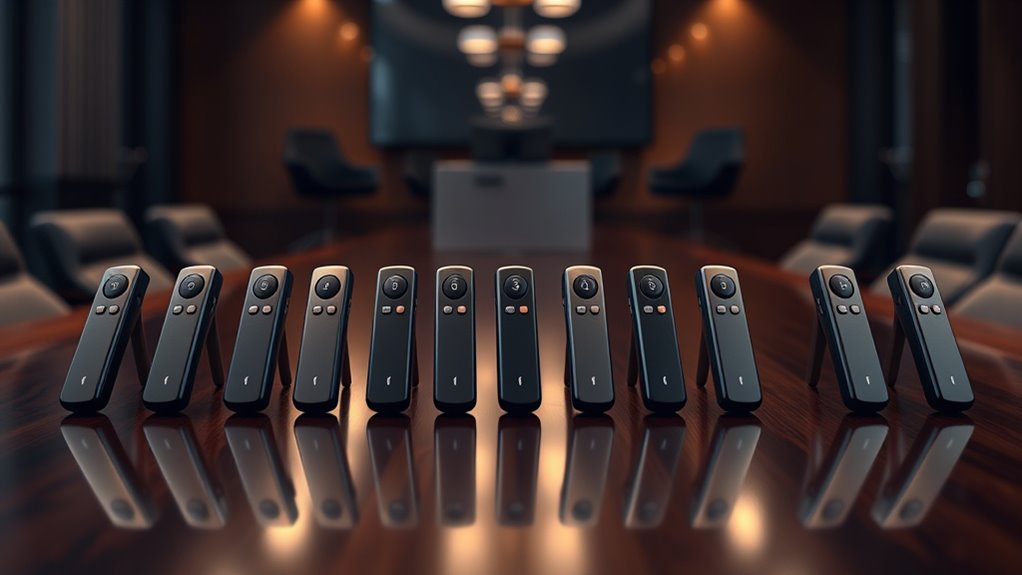

For most presenters, the Logitech R500s is the best overall wireless presentation clicker in this lineup, while the Logitech R800 stands out for its green laser and the USB-A and USB-C models for newer laptop compatibility. The key choice is between a simple slide remote, a visible pointer, and extra controls such as volume or hyperlinks. Receiver type, operating range, and how often you present away from your own computer can matter as much as the laser. I compare all 14 options by their presentation features and tradeoffs below. Read on for the full breakdown and guidance by buyer type.

Get the little things that make your day delivered free with Prime
- Fast, free delivery on millions of items
- Prime Video, Amazon Music and more included
- Member-only deals all year
Key Takeaways
- The Logitech R500s is the strongest all-around fit: it pairs a familiar presentation remote format with a laser pointer, while the R800 is the more specialized choice for green-laser visibility.
- Green and red lasers serve different rooms: a green pointer can be easier to see in a bright or large space, while red-laser models cover common presentation needs with fewer specialized demands.
- Receiver flexibility separates several generic options: USB-A and USB-C receivers can reduce adapter hassles when switching between older and newer laptops.
- Extra controls are useful only when they match your setup: volume and hyperlink buttons may simplify a talk, but they matter less than reliable slide control for many presenters.
- Portability varies beyond the remote itself: a storage case can help protect a clicker in a work bag, while a compact receiver is easier to keep ready between venues.
| Wireless Presentation Clicker with Red Pointer and Volume Control |  | Best for Built-In Presentation Controls | Connectivity: 2.4 GHz wireless | Wireless range: Up to 100 feet | Pointer: Red light | VIEW ON AMAZON | See Our Full Breakdown |
| Wireless Presentation Remote with USB-A and USB-C Receiver |  | Best for Mixed Laptop Ports | Connectivity: 2.4 GHz wireless | Receiver: Built-in USB-A and USB-C | Wireless range: Up to 30 m (100 ft) | VIEW ON AMAZON | See Our Full Breakdown |
| QUI Wireless Presentation Clicker with Volume Control and Red Laser Pointer |  | Best for Large Rooms | Wireless range: 328 ft | Compatibility: Mac OS, Windows | Supported software: PowerPoint, Keynote, Google Slides, Excel, ACDSee, Prezi | VIEW ON AMAZON | See Our Full Breakdown |
| Wireless Presentation Clicker with Red Laser Pointer and Storage Case |  | Best Ready-to-Present Kit | Control range: 98 ft (30 m) | Laser range: 328 ft (100 m) | Laser color: Red | VIEW ON AMAZON | See Our Full Breakdown |
| Wireless Presentation Remote Clicker with USB A & USB C, RF 2.4GHz Slide Advancer |  | Best Compact Pick | Connectivity: RF 2.4 GHz wireless | Wireless range: Up to 49 feet | Pointer: Bright red light | VIEW ON AMAZON | See Our Full Breakdown |
| QUI Wireless Presentation Clicker with Volume Control and Red Laser Pointer |  | Best for Extra Controls | Wireless range: Up to 328 ft | Pointer light: Red | Controls: Page navigation, hyperlinks, volume, power, full screen, and black screen | VIEW ON AMAZON | See Our Full Breakdown |
| Logitech R400 Wireless Presenter with Red Laser Pointer |  | Best for Straightforward Slide Control | Wireless range: Up to 50 feet | Wireless technology: 2.4 GHz RF | Laser pointer: Class 2 red laser | VIEW ON AMAZON | See Our Full Breakdown |
| Wireless Presentation Clicker with Red Laser Pointer |  | Best for USB-A and USB-C Flexibility | Control range: 98 ft (30 m) | Laser pointer range: 328 ft (100 m) | Receiver: USB-A and USB-C | VIEW ON AMAZON | See Our Full Breakdown |
| Logitech R800 Wireless Presenter with Green Laser |  | Best for Bright Rooms and Presentation Timing | Wireless range: Up to 100 feet (30 meters) | Laser: Green | Display: LCD with timer | VIEW ON AMAZON | See Our Full Breakdown |
| CLIKBUTM Wireless Presentation Clicker with Red Laser Pointer |  | Best Compact Cross-Platform Pick | Weight: 38 g (battery included) | Length: 109 mm | Control distance: 98 ft (30 m) | VIEW ON AMAZON | See Our Full Breakdown |
| Wireless Presentation Clicker with USB Receiver |  | Best for Broad Software Compatibility | Wireless technology: 2.4 GHz radio frequency | Wireless control range: Up to 50 feet | Display range: Up to 300 feet | VIEW ON AMAZON | See Our Full Breakdown |
| Logitech R500s Wireless Presenter with Laser Pointer |  | Best for Long Sessions and Bluetooth Flexibility | Operating range: Up to 20 meters (65 feet) | Connectivity: USB receiver or Bluetooth Low Energy | Battery: One AAA battery | VIEW ON AMAZON | See Our Full Breakdown |
| Wireless Presenter Remote with Hyperlink and Volume Controls |  | Best for Advanced On-Screen Controls | Control range: Up to 100 m (328 ft) | Red light range: Up to 200 m (656 ft) | Pointer color: Red | VIEW ON AMAZON | See Our Full Breakdown |
| Wireless Presentation Clicker with Laser Pointer |  | Best for Ready-to-Use Laser Presenting | Control range: 98 ft (30 m) | Laser pointer range: 328 ft (100 m) | Connectivity: Radio frequency via USB receiver | VIEW ON AMAZON | See Our Full Breakdown |
| wireless presentation clicker | Connectivity | Compatibility | Supported software | Wireless range |
|---|---|---|---|---|
| Wireless Presentation Clicker | 2.4 GHz wireless | — | — | Up to 100 feet |
| Wireless Presentation Remote w | 2.4 GHz wireless | Mac OS, Windows, Linux | PowerPoint, Keynote, Google Slides, Prezi | Up to 30 m (100 ft) |
| QUI Wireless Presentation Clic | USB receiver, plug and play | Mac OS, Windows | PowerPoint, Keynote, Google Slides, Excel, ACDSee, Prezi | 328 ft |
| Wireless Presentation Clicker | USB receiver, plug and play | Windows 2003, XP, Vista, 7, 8, 10; Mac OS; Linux | — | — |
| Wireless Presentation Remote C | RF 2.4 GHz wireless | Windows, Linux, Android, Mac | PowerPoint, Keynote, Google Slides, Prezi, Word, Excel, ACD See, websites | Up to 49 feet |
| QUI Wireless Presentation Clic | — | Mac OS and Windows | PowerPoint, Keynote, Google Slides, Excel, ACDSee, and Prezi | Up to 328 ft |
| Logitech R400 Wireless Present | USB receiver | Windows XP and Windows Vista listed | — | Up to 50 feet |
| Wireless Presentation Clicker | — | Windows, Mac OS, and Linux | Google Slides, MS Word, Excel, and PowerPoint | — |
| Logitech R800 Wireless Present | — | — | — | Up to 100 feet (30 meters) |
| CLIKBUTM Wireless Presentation | Plug-and-play wireless USB dongle | — | Keynote, Google Slides, MS Word, Excel, PowerPoint, websites, and PDF | — |
| Wireless Presentation Clicker | USB receiver | Windows, macOS, Chromebook, Linux, Android, PowerPoint, Google Slides, Keynote, and others | — | — |
| Logitech R500s Wireless Presen | USB receiver or Bluetooth Low Energy | Windows, Mac OS, iOS, and Android | PowerPoint, Keynote, PDF, Google Slides, and Prezi | — |
| Wireless Presenter Remote with | — | — | — | — |
| Wireless Presentation Clicker | Radio frequency via USB receiver | — | PowerPoint/PPT, Google Slides, MS Word, and Excel | — |
More Details on Our Top Picks
Wireless Presentation Clicker with Red Pointer and Volume Control
This is a practical pick for presenters who want more than slide advance from a compact remote. Along with forward and back controls, it can adjust volume, open hyperlinks, switch windows, and toggle full or black screen, which can reduce trips to the laptop during a talk. Its USB receiver setup needs no software, and the stated 100-foot range suits many classrooms and meeting rooms. Compared with the Wireless Presentation Remote with USB-A and USB-C Receiver, it has a simpler receiver arrangement but adds explicit hyperlink control. The tradeoff is its red pointer: the product data warns against using it on LCD, LED, or TV screens. It also takes a AAA battery that is not included, so plan for a separate battery.
Pros:- Plug-and-play USB receiver requires no software installation
- Volume, hyperlink, window-switching, and screen controls cover common presentation tasks
- Stated wireless range reaches up to 100 feet
- Compact body includes soft rubber buttons, magnetic USB storage, and auto-sleep
Cons:- Red pointer is not recommended for LCD, LED, or TV screens
- AAA battery is not included
Best for: Presenters using a projector who want volume, hyperlink, and window controls on one small remote
Not ideal for: People presenting on LCD, LED, or TV screens, or anyone who needs a pointer suitable for those displays
- Connectivity:2.4 GHz wireless
- Wireless range:Up to 100 feet
- Pointer:Red light
- Functions:Page forward/backward, volume, hyperlinks, window switching, full screen, black screen
- Power:1 AAA battery, not included
- Receiver storage:Magnetic USB storage
Our verdict“Choose this if you want broad presentation controls for projector use and can work around its screen-specific pointer limitation.”
Wireless Presentation Remote with USB-A and USB-C Receiver
For presenters who move between newer USB-C laptops and older USB-A machines, this remote’s built-in dual receiver connectors are its clearest advantage. It works with Mac, Windows, and Linux without software installation, and combines slide, volume, window, and screen controls with a red laser. Its stated 30 m control range is comparable to the first clicker here, while the 100 m pointer distance is a separate laser specification rather than extra remote range. Compared with the Wireless Presentation Clicker with Red Pointer and Volume Control, this model offers broader port flexibility but requires two AAA batteries instead of one. At 55 g, it is light enough for frequent carrying, though buyers who need a pointer for LCD, LED, or TV screens should check that a red laser suits their setup.
Pros:- Built-in USB-A and USB-C receivers fit a wider range of computers
- Works with Mac, Windows, and Linux without software installation
- Includes slide, volume, full-screen, black-screen, and window controls
- Lightweight 55 g design with magnetic receiver storage
Cons:- Requires two AAA batteries, which are not included
- Red laser may not suit LCD, LED, or TV presentation screens
Best for: Presenters who switch between USB-A and USB-C computers and want one remote for both
Not ideal for: Users who need rechargeable power or a pointer intended for LCD, LED, or TV screens
- Connectivity:2.4 GHz wireless
- Receiver:Built-in USB-A and USB-C
- Wireless range:Up to 30 m (100 ft)
- Pointer distance:Up to 100 m
- Compatibility:Mac OS, Windows, Linux
- Supported software:PowerPoint, Keynote, Google Slides, Prezi
- Power:2 AAA batteries, not included
- Weight:55 g
Our verdict“Pick this for flexible USB-A and USB-C connections across multiple computers, provided its red laser fits your display setup.”
QUI Wireless Presentation Clicker with Volume Control and Red Laser Pointer
The QUI stands out for its stated 328-foot wireless range, making it the strongest fit here for speakers who need to roam a large room. It also covers useful basics—slide navigation, hyperlinks, volume, and screen switching—and lists compatibility with both Mac and Windows and several presentation programs. Compared with the Wireless Presentation Remote with USB-A and USB-C Receiver, the QUI has the longer stated control range, while the other model offers USB-C and USB-A connectors and a lighter specified weight. The QUI uses a single AAA battery and includes a carrying clip, but the battery is not supplied. Its feature set remains straightforward: unlike premium clickers with timer or vibration alerts, it does not provide those cues. That makes it a better match for range-conscious speakers than for presenters seeking pacing aids.
Pros:- Stated wireless control range of 328 feet supports broad movement around a room
- Red laser pointer is described as visible in large rooms
- Supports page, hyperlink, volume, and screen controls
- Includes a clip for pocket or notebook carrying
Cons:- AAA battery is not included
- Does not include timer or vibration alerts found on some premium clickers
Best for: Speakers who roam large conference rooms and need a long stated wireless control range
Not ideal for: Presenters who want a built-in timer, vibration alerts, or supplied batteries
- Wireless range:328 ft
- Compatibility:Mac OS, Windows
- Supported software:PowerPoint, Keynote, Google Slides, Excel, ACDSee, Prezi
- Connectivity:USB receiver, plug and play
- Power:1 AAA battery, not included
- Controls:Page up/down, hyperlink navigation, volume, full-screen/black-screen switching
- Pointer:Red laser
- Carrying feature:Clip for pocket or notebook
Our verdict“Choose the QUI when roaming range matters more than advanced timing features or a dual-connector receiver.”
Wireless Presentation Clicker with Red Laser Pointer and Storage Case
This bundle is a sensible choice for someone who wants the basic kit assembled before a presentation: it includes two AAA batteries, a USB receiver, and a drawstring storage bag. The remote advances and reverses slides, toggles black screen, and controls the red laser, keeping its button set simpler than the Wireless Presentation Clicker with Red Pointer and Volume Control, which also offers volume, hyperlink, and window controls. Its stated control range is 98 feet, with a separate laser range of 328 feet; those figures serve different functions. Windows, Mac OS, and Linux are listed, although the Windows versions named are older. This is less compelling for presenters who need richer on-remote controls, but the included batteries and bag make it a straightforward option to pack and use.
Pros:- Two AAA batteries and a drawstring storage bag are included
- USB receiver stores inside the remote
- Plug-and-play operation requires no software installation
- Lists Windows, Mac OS, and Linux compatibility
Cons:- Control set is limited compared with remotes that add volume or hyperlink controls
- Uses AAA batteries rather than rechargeable power
- Listed Windows compatibility focuses on older versions
Best for: Occasional presenters who want batteries and a storage bag included with a simple slide remote
Not ideal for: Presenters who need volume, hyperlink, or window-switching controls on the remote
- Control range:98 ft (30 m)
- Laser range:328 ft (100 m)
- Laser color:Red
- Controls:Page up/down, black screen on/off, laser pointer on/off
- Connectivity:USB receiver, plug and play
- Compatibility:Windows 2003, XP, Vista, 7, 8, 10; Mac OS; Linux
- Power:2 AAA batteries, included
- Included accessories:USB receiver, drawstring storage bag
Our verdict“Pick this as a simple, packable presentation kit if included batteries matter more than extra controls.”
Wireless Presentation Remote Clicker with USB A & USB C, RF 2.4GHz Slide Advancer
This pocket-sized remote favors easy carrying and broad device compatibility over room-filling range or a long list of controls. Its USB-A and USB-C receiver stores under the battery cover, so there is less chance of misplacing it between meetings. Plug-and-play operation is listed for Windows, Linux, Android, and Mac, with the note that Mac may require initial setup. Compared with the Wireless Presentation Remote with USB-A and USB-C Receiver, it shares the dual-connector convenience but has a shorter stated range of 49 feet and fewer listed controls: page navigation and full- or black-screen switching. The red pointer is also not recommended for TV, LED, or LCD screens. This makes it a practical travel choice for projector presentations, but less suitable for large rooms or presenters who rely on volume and window controls.
Pros:- Compact ergonomic design fits in a pocket
- USB-A and USB-C receiver stores under the battery cover
- Lists compatibility with Windows, Linux, Android, and Mac
- Plug-and-play setup avoids software downloads
Cons:- Stated wireless range is limited to 49 feet
- Red pointer is not recommended for TV, LED, or LCD screens
- Mac may require an initial setup
Best for: Traveling presenters who want a pocketable remote with USB-A and USB-C receiver options
Not ideal for: Speakers in large rooms or presenters who need volume, hyperlink, or window controls
- Connectivity:RF 2.4 GHz wireless
- Wireless range:Up to 49 feet
- Pointer:Bright red light
- Compatibility:Windows, Linux, Android, Mac
- Supported software:PowerPoint, Keynote, Google Slides, Prezi, Word, Excel, ACD See, websites
- Receiver:USB-A and USB-C, stored under battery cover
- Setup:Plug and play; Mac may require simple initial setup
- Controls:Page forward/backward, full-screen and black-screen controls
Our verdict“Choose this for compact travel and dual USB connector support when its shorter range and basic controls are enough.”
QUI Wireless Presentation Clicker with Volume Control and Red Laser Pointer
The QUI combines slide navigation with volume, hyperlink, and screen controls, making it a useful fit for presenters who switch between slides and media without returning to the computer. Its listed 328-foot wireless range gives it more room to roam than the Logitech R400’s 50-foot range, though buyers should distinguish that figure from a typical room’s practical needs. Setup is simple: the USB receiver works without software, and a clip helps keep the remote close at hand. The tradeoff is a red pointer, which may be harder to see on some bright or reflective displays than the green laser on the Logitech R800. It also needs an AAA battery that is not included, so it is not ready to use straight out of the box.
Pros:- Volume, hyperlink, power, full-screen, and black-screen controls add functions beyond slide advancement.
- Listed wireless range reaches up to 328 feet.
- Plug-and-play USB receiver needs no software or driver.
- Works with Mac and Windows and several presentation programs.
Cons:- AAA battery is not included.
- Red pointer may be less visible than the Logitech R800’s green laser on bright displays.
Best for: Presenters who control embedded audio or screen states and want to move around a large room.
Not ideal for: People who need a pointer that stands out on bright displays or want a clicker ready to use without buying a battery.
- Wireless range:Up to 328 ft
- Pointer light:Red
- Controls:Page navigation, hyperlinks, volume, power, full screen, and black screen
- Compatibility:Mac OS and Windows
- Supported software:PowerPoint, Keynote, Google Slides, Excel, ACDSee, and Prezi
- Battery:One AAA battery, not included
- USB receiver:Plug and play; no software or driver required
- Portability:Clip attaches to a notebook or pocket
Our verdict“Choose the QUI if media and screen controls matter more than having a green pointer or an included battery.”
Logitech R400 Wireless Presenter with Red Laser Pointer
The Logitech R400 keeps its job simple: tactile slideshow buttons, a red laser, and a receiver that tucks inside the remote. That straightforward layout may suit presenters who want familiar controls and fewer extras to manage. Its 50-foot range is shorter than the QUI’s listed 328 feet and the CLIKBUTM’s 98-foot control range, but it is enough for many classroom and meeting-room setups. The built-in receiver bay also makes it easier to keep the small USB piece with the clicker between sessions. The main limitation is compatibility information: the supplied system requirements name only Windows XP and Windows Vista, leaving current systems unconfirmed in this product data. It also lacks the R800’s timer and vibrating alerts, so it is a basic remote rather than a presentation pacing tool.
Pros:- Intuitive tactile slideshow controls.
- Receiver stores inside the presenter to reduce the chance of losing it.
- USB receiver works without software installation.
- Provides up to 50 feet of wireless range.
Cons:- Listed system requirements mention only Windows XP and Windows Vista.
- Shorter stated range than the QUI and CLIKBUTM models in this batch.
- Requires AAA batteries.
Best for: Presenters with a compatible Windows setup who want simple tactile slide controls and a receiver stored in the remote.
Not ideal for: Mac users or buyers who need confirmed support for current operating systems, longer range, or timing features.
- Wireless range:Up to 50 feet
- Wireless technology:2.4 GHz RF
- Laser pointer:Class 2 red laser
- Battery:AAA batteries
- Connectivity:USB receiver
- Compatibility:Windows XP and Windows Vista listed
- Additional features:Battery indicator and receiver storage bay
Our verdict“Pick the R400 for uncomplicated slide control when its older listed Windows compatibility fits your setup.”
Wireless Presentation Clicker with Red Laser Pointer
This clicker’s strongest practical advantage is its USB-A and USB-C receiver, which can make it easier to connect across newer laptops and computers with older ports. Its 98-foot control range is shorter than the QUI’s stated 328 feet, but it exceeds the R400’s 50-foot range and should cover many presentation spaces. The remote also includes two AAA batteries, avoiding the separate purchase needed for the QUI or Logitech R400. Windows, Mac, and Linux support gives it broader stated system coverage than the R400’s listed Windows XP and Vista requirements. The tradeoffs are a red pointer rather than the R800’s green one, and support for just one device. Choose it for port flexibility and a ready-to-use package, not for switching between multiple connected computers.
Pros:- USB-A and USB-C receiver supports computers with either port type.
- Works with Windows, Mac OS, and Linux.
- Includes two AAA batteries.
- Plug-and-play setup requires no installation.
Cons:- Supports a maximum of one device.
- Red pointer may be less visible on bright displays than the R800’s green laser.
- Control range is shorter than the QUI’s stated range.
Best for: Presenters who move between USB-A and USB-C computers and want stated Windows, Mac, and Linux compatibility.
Not ideal for: People who need to control multiple devices or want a green pointer for bright displays.
- Control range:98 ft (30 m)
- Laser pointer range:328 ft (100 m)
- Receiver:USB-A and USB-C
- Compatibility:Windows, Mac OS, and Linux
- Supported software:Google Slides, MS Word, Excel, and PowerPoint
- Batteries:Two AAA batteries included
- Maximum supported devices:One
- Weight:58 g
Our verdict“Choose this model when receiver port options and broad listed operating system support matter most.”
Logitech R800 Wireless Presenter with Green Laser
The Logitech R800 is the specialist in this group for presenters who need to point clearly and watch the clock. Its green laser is described as visible on LCD and plasma displays, including in bright rooms, where the red pointers on the R400 and CLIKBUTM may be less conspicuous. The built-in LCD timer and silent vibrating alerts can help a speaker keep a session moving without glancing at a phone or interrupting the room. Its 100-foot range also goes beyond the R400’s 50 feet, though it falls short of the QUI’s stated 328 feet. The receiver stores inside the presenter and requires no software. This feature set makes the R800 more suited to timed talks than basic slide advancement, but the supplied data does not specify battery type or list operating system compatibility.
Pros:- Green laser is described as visible on LCD and plasma displays in bright rooms.
- LCD timer and silent vibrating alerts support presentation pacing.
- Up to 100 feet of wireless range.
- Plug-and-play receiver stores inside the presenter.
Cons:- Wireless range is shorter than the QUI’s listed 328 feet.
- Supplied product data does not specify battery type.
- Supplied product data does not list operating system compatibility.
Best for: Speakers presenting in bright rooms who need discreet timing cues during a talk.
Not ideal for: Buyers who need confirmed operating system compatibility, detailed battery information, or the longest stated wireless range.
- Wireless range:Up to 100 feet (30 meters)
- Laser:Green
- Display:LCD with timer
- Alerts:Silent vibrating alerts
- Receiver:Plug-and-play USB receiver; stores inside presenter
- Software required:None
Our verdict“Choose the R800 when a visible green pointer and quiet timing alerts matter more than maximum range or broad compatibility detail.”
CLIKBUTM Wireless Presentation Clicker with Red Laser Pointer
At 38 g with its battery included, the CLIKBUTM is a compact choice for presenters who carry a remote between rooms or travel with a laptop. Its receiver stores in the battery compartment, so the USB dongle has a designated place when the clicker is packed away. The stated 98-foot control range is longer than the Logitech R400’s 50 feet, while the QUI claims greater reach at up to 328 feet and adds volume and screen controls. CLIKBUTM instead focuses on core presentation use, with listed support for Windows, Mac, and Linux plus common software and PDFs. The red pointer and single AAA battery keep things simple, but there is no timer or vibration alert like the Logitech R800 offers. The battery is also not ready for first use until its protective film is removed.
Pros:- Lightweight at 38 g with the battery included.
- Receiver stores inside the battery compartment.
- Listed compatibility covers Windows, Mac OS, and Linux.
- Uses a common AAA battery and offers a 98-foot control range.
Cons:- Lacks the timer and vibration alerts found on the Logitech R800.
- Does not include the QUI’s volume and screen controls.
- Battery protective film must be removed before first use.
Best for: Mobile presenters who want a light remote with internal receiver storage and listed support across Windows, Mac, and Linux.
Not ideal for: Speakers who need a green laser, pacing alerts, or added controls for volume and screen state.
- Weight:38 g (battery included)
- Length:109 mm
- Control distance:98 ft (30 m)
- Laser range:328 ft (100 m)
- Power source:One AAA battery; approximate two-month battery life
- Connectivity:Plug-and-play wireless USB dongle
- Compatible systems:Windows, Mac OS, and Linux
- Supported software:Keynote, Google Slides, MS Word, Excel, PowerPoint, websites, and PDF
- Laser color:Red
Our verdict“Pick CLIKBUTM for a light, easy-to-pack remote with broad listed system support and core slide controls.”
Wireless Presentation Clicker with USB Receiver
Broad compatibility is the main reason to choose this simple 2.4 GHz clicker: it supports Windows, macOS, Chromebook, Linux, and Android, along with familiar presentation apps. Its USB receiver makes setup straightforward on computers with a compatible port, and the receiver stores under the battery cover when it is time to pack up. The stated 50-foot control range suits most classrooms and meeting rooms, though the Logitech R500s reaches farther and also offers Bluetooth. This model keeps to three buttons for basic slide and screen control, so buyers looking for extra window or hyperlink commands should look at the Hyperlink and Volume Controls remote instead. The tradeoffs are a separate AAA battery and a highlighting feature that is not recommended for TV, LED, or LCD screens; Mac users may also need a simple setup step.
Pros:- Supports a wide range of operating systems and common presentation software
- Plug-and-play USB receiver stores beneath the battery cover
- Up to 50 feet of wireless control suits typical rooms
- Lightweight design at 25.54 g
Cons:- AAA battery is not included
- Highlighting feature is not recommended for TV, LED, or LCD screens
- Mac may require a setup step
Best for: Presenters who switch among operating systems and want a compact USB-receiver remote for basic slide control
Not ideal for: Mac users who need instant setup, or presenters who rely on highlighting content on TV, LED, or LCD screens
- Wireless technology:2.4 GHz radio frequency
- Wireless control range:Up to 50 feet
- Display range:Up to 300 feet
- Buttons:3
- Battery:1 AAA battery, not included
- Connectivity:USB receiver
- Compatibility:Windows, macOS, Chromebook, Linux, Android, PowerPoint, Google Slides, Keynote, and others
- Weight:25.54 g
- Dimensions:5.1 × 3.5 × 1.6 inches
Our verdict“Choose this compact clicker if broad software compatibility and simple USB slide control matter more than Bluetooth or advanced controls.”
Logitech R500s Wireless Presenter with Laser Pointer
The Logitech R500s stands out for presenters who want a longer stated control range and a choice of USB receiver or Bluetooth Low Energy. At up to 65 feet, it gives more room to move than the 50-foot Wireless Presentation Clicker with USB Receiver, while its companion app adds button customization, battery checks, and a timer on compatible computers. Its up to 12-month battery life from one AAA battery also suits frequent presenters who would rather replace batteries infrequently. That estimate varies with use and computing conditions, and app features require software on a compatible Mac or PC. Compared with the Hyperlink and Volume Controls remote, the R500s focuses on configurable presentation controls rather than a longer list of dedicated window commands. The laser power-saving mode can disable the laser when the battery runs low.
Pros:- Connects through either a USB receiver or Bluetooth Low Energy
- Up to 65 feet of operating range
- Companion app offers button customization, battery checks, and a timer
- Up to 12 months of battery life from one AAA battery
Cons:- Battery life varies with usage and computing conditions
- Some app features require software installation on a compatible computer
Best for: Frequent presenters who want Bluetooth or USB connectivity, a long control range, and app-based button customization
Not ideal for: Presenters who need dedicated hyperlink and window controls or want every feature to work without installing companion software
- Operating range:Up to 20 meters (65 feet)
- Connectivity:USB receiver or Bluetooth Low Energy
- Battery:One AAA battery
- Battery life:Up to 12 months
- Compatibility:Windows, Mac OS, iOS, and Android
- Supported software:PowerPoint, Keynote, PDF, Google Slides, and Prezi
- App compatibility:Logitech Presentation software for Windows 7 or later and Mac OS X 10.12 or later
Our verdict“Pick the R500s if Bluetooth flexibility and customizable controls are more useful to you than a larger set of dedicated commands.”
Wireless Presenter Remote with Hyperlink and Volume Controls
For slide decks that involve more than moving forward and back, this remote’s hyperlink, window-switching, full-screen, and black-screen controls can reduce trips to a keyboard. That makes it a more command-focused choice than the three-button Wireless Presentation Clicker with USB Receiver. It also includes a red pointer and lists compatibility with Windows, Mac, Linux, and Android, plus software such as PowerPoint, Keynote, and Prezi. The stated control range of up to 100 meters is much longer than the Logitech R500s’s 20-meter range, though buyers should check whether that reach fits their room and setup. This feature set brings a learning curve, and Mac may require setup. It runs on one AAA battery, so presenters must supply and replace batteries rather than recharge the remote.
Pros:- Dedicated hyperlink and window-switching controls
- Full-screen and black-screen commands can help manage live presentations
- Compatible with several operating systems and presentation applications
- Red pointer and stated control range up to 100 meters
Cons:- Requires one AAA battery
- Mac may require setup
- Extra controls may be unnecessary for presenters who only advance slides
Best for: Presenters who use hyperlinks, switch between windows, or need quick full-screen and black-screen commands during a talk
Not ideal for: Buyers who want the simplest possible slide remote or prefer rechargeable devices over AAA batteries
- Control range:Up to 100 m (328 ft)
- Red light range:Up to 200 m (656 ft)
- Pointer color:Red
- Power source:1 AAA battery
- Compatible operating systems:Windows, Mac OS, Linux, and Android
- Compatible software:PowerPoint, Keynote, Prezi, Word, Excel, ACDSee, and iWork
- Controls:Hyperlinks, window switching, slide navigation, full-screen, and black-screen modes
Our verdict“Choose this remote if its extra window and screen commands will simplify your presentations enough to justify the additional controls.”
Wireless Presentation Clicker with Laser Pointer
This is the practical pick for buyers who want a laser pointer and included batteries in a straightforward USB-receiver remote. Its stated 98-foot control range gives it more reach than the Wireless Presentation Clicker with USB Receiver, and the on/off switch lets presenters cut power between talks. The ergonomic design and large buttons are intended to help reduce mis-clicks while moving through a deck. Compatibility covers Windows, Mac, and Linux, with support for common tools including PowerPoint and Google Slides. Compared with the Logitech R500s, this model does not offer Bluetooth or app-based customization; its appeal is a simpler, plug-and-play setup with no installation required. It uses two AAA batteries rather than a rechargeable battery, and the listed laser range may still fall short in very large venues.
Pros:- Plug-and-play USB connectivity requires no installation
- Up to 98 feet of stated control range
- Two AAA batteries are included, and an on/off switch helps conserve power
- Large buttons and ergonomic design are intended to reduce mis-clicks
Cons:- Uses replaceable AAA batteries rather than rechargeable power
- Laser range may be limited for very large venues
- No Bluetooth connectivity or companion app features
Best for: Presenters who want an included-battery USB laser remote with large buttons for familiar desktop presentation software
Not ideal for: Bluetooth users, presenters who want rechargeable power, or speakers addressing very large venues
- Control range:98 ft (30 m)
- Laser pointer range:328 ft (100 m)
- Connectivity:Radio frequency via USB receiver
- Supported systems:Windows 2003, XP, Vista, 7, 8, 10, Mac OS, and Linux
- Supported software:PowerPoint/PPT, Google Slides, MS Word, and Excel
- Batteries:2 AAA batteries, included
- Weight:70 g
- Warranty:1 year
Our verdict“Choose this model for a simple USB laser clicker that is ready to use with included batteries and familiar desktop software.”

How We Picked
I compared the 14 listed clickers on the features that affect a live presentation: slide control, pointer type, receiver connection, extra buttons, and portability. I gave more weight to practical compatibility and clear role-specific benefits than to a long feature list. A remote with both USB-A and USB-C has an advantage for presenters who change computers, while a green laser serves a more specific visibility need than a standard red pointer. I also treated a storage case, volume controls, and hyperlink buttons as useful only when they solve a real workflow problem.
The ranking separates broad-use choices from specialist picks. The Logitech R500s leads as a versatile named option; the R800 follows for presenters who prioritize pointer visibility. Options with dual connectors or added controls rank well for those particular needs, while basic clickers remain sensible for straightforward slide advancement. Several listings have similar or repeated names, including two QUI models, so buyers should verify the exact receiver and control set on the product listing before choosing.
Factors to Consider When Choosing Wireless Presentation Clickers
Before choosing a wireless presentation clicker, match it to the rooms, computers, and presentation habits you actually have. A remote that works smoothly with your usual laptop may be inconvenient when a venue supplies a different one. These broader checks can help you avoid paying attention to features that will rarely improve your talks.
Match the Pointer to the Room
Pointer visibility depends on room brightness, screen size, and where you stand, so the same laser can feel very different across venues. A green laser, such as the one listed on the Logitech R800, may be easier for an audience to spot in some settings than a red laser. That advantage does not automatically make it the right pick for every presenter. If you mostly advance slides on a laptop or present in small rooms, a pointer may see little use. Check the venue’s rules before relying on a laser, since some organizations restrict them. Choose based on the rooms you present in most often, not the largest room you might encounter once.
Check the Receiver Before You Buy
Many clickers connect through a USB receiver, so the computer’s ports can determine whether the remote is ready to use. A USB-A-only receiver may require an adapter with a laptop that has only USB-C ports. Dual USB-A and USB-C receiver options can make switching between personal and venue computers simpler. Do not assume that a USB-C connector guarantees compatibility with every presentation device; confirm operating system and connection details in the listing. If you present from tablets or devices without standard USB ports, check compatibility carefully before buying. Keeping a small adapter in your presentation kit can also be more reliable than choosing a remote based on connector type alone.
Prioritize the Controls You Will Use
Extra buttons can reduce the need to reach for a keyboard, but every added control is useful only if it fits your software and habits. Volume buttons help when you play audio during a talk, while hyperlink controls may help presenters who jump between resources. For a lecture built around linear slides, dependable next and previous controls may matter more. Consider whether you can operate the buttons by touch while looking at your audience; awkward control placement can interrupt your delivery. Avoid choosing a remote solely because its feature list is longer. A simpler layout can be easier to learn and less distracting during a live presentation.
Think About Range and Room Layout
Wireless range matters most when you leave the lectern, move around a stage, or present in a large room. A quoted maximum range is a best-case figure and may not reflect interference or obstacles at a particular venue. Check the manufacturer’s stated range and whether the remote relies on a receiver with a clear connection to the computer. If you usually stand beside your laptop, extra range may add little practical value. For frequent events, test the clicker in the actual presentation space before relying on it for an important talk. Keep a keyboard or another slide-control method available when a venue’s wireless environment is unfamiliar.
Choose Portability for Your Routine
A presenter who travels between offices has different needs from someone who keeps a remote at a classroom lectern. A storage case can protect the clicker and receiver from getting lost among cables, while a small receiver is easier to leave plugged into a laptop. Check whether the receiver stores inside the remote and how the product handles battery replacement or charging. Those details affect readiness over months of occasional use more than a long feature list might. If the remote lives in one room, a case may be unnecessary. For a mobile setup, make a habit of packing the receiver with the clicker so the two do not become separated.
Pay for a Specific Advantage
Extra spending makes sense when a feature addresses a recurring problem, such as pointer visibility in a bright hall or receiver compatibility across several laptops. A premium model’s specialized pointer may offer less value to someone who presents in small rooms and rarely points at the screen. At the other end, the simplest clicker can be enough when all you need is slide advancement. Compare the controls and included accessories rather than treating a brand name or feature count as a shortcut to fit. Also check what is included in the exact listing, since similarly named products can have different receiver and control configurations. Set your priorities before comparing models to keep rare-use features from steering the choice.
Frequently Asked Questions
Should I choose a green laser or a red laser for presentations?
A green laser can be easier to see in some bright rooms or across a large audience, which is why the Logitech R800 is the specialist pick here. A red laser can be sufficient for many smaller or dimmer rooms and is available on several options in this lineup. The screen, ambient light, and venue rules all affect whether a laser is useful. If you mostly advance slides without pointing, laser color may not be a deciding factor. Check local or organizational restrictions before planning to use any laser pointer.
Will a USB-A presentation clicker work with my USB-C-only laptop?
A USB-A receiver generally needs a compatible adapter to connect to a laptop with only USB-C ports. Some listed models include both USB-A and USB-C receiver options, which can be more convenient if you use different computers. Confirm which receiver configuration is included in the exact listing, since similar product names may describe different bundles. Also check operating system compatibility and whether the receiver requires software. If you present on venue computers, keeping a tested adapter with your clicker is a useful backup.
Do I need volume or hyperlink buttons on a presentation remote?
These controls help when your talk regularly includes audio playback or links you need to open without returning to the computer. For a presentation that follows a simple slide sequence, they may add little beyond extra buttons to learn. Consider whether the software you use supports the actions and whether the buttons are easy to identify by touch. The QUI clickers and a hyperlink-and-volume model in this lineup target presenters who want more control from the remote. If you rarely use those actions, prioritize familiar slide controls and compatibility instead.
How much wireless range do I need in a presentation clicker?
Choose enough range to reach your usual speaking position from the computer, with some allowance for room layout and wireless interference. Presenters who remain near a lectern usually need less range than speakers who move across a stage. Manufacturer range figures describe stated capability, not a guarantee for every building. Receiver placement and obstacles can affect the connection, so check the specifications and test the setup when possible. A backup way to advance slides is sensible for high-stakes talks in unfamiliar venues.
Is a storage case worth choosing over extra remote controls?
A case is useful when the clicker travels in a bag with other equipment or when small receivers are easy to misplace. Extra controls are more valuable when you regularly adjust audio or follow links during a talk. Think about which problem has interrupted your presentations: lost accessories, or needing to return to the laptop for an action. The storage-case model in this lineup suits mobile organization, while control-rich models better fit specific presentation workflows. Neither feature improves slide advancement by itself, so make the choice around your routine.
Conclusion
For the best overall balance, I recommend the Logitech R500s; for a more specialized visibility need, choose the Logitech R800 with its green laser. The best value depends on the exact listing, but a basic red-laser clicker is a sensible fit when you mainly need slide advancement, while a dual USB-A and USB-C model can pay off if you switch computers often. Beginners can start with a straightforward remote whose controls are easy to learn, such as a basic USB receiver model. Choose the storage-case option if you carry presentation gear between venues, or a volume and hyperlink model if those controls match your talks. Before ordering, verify the precise receiver, included accessories, and compatibility for the product listing you plan to buy.
Halloween Picks
halloween
As an affiliate, we earn on qualifying purchases.