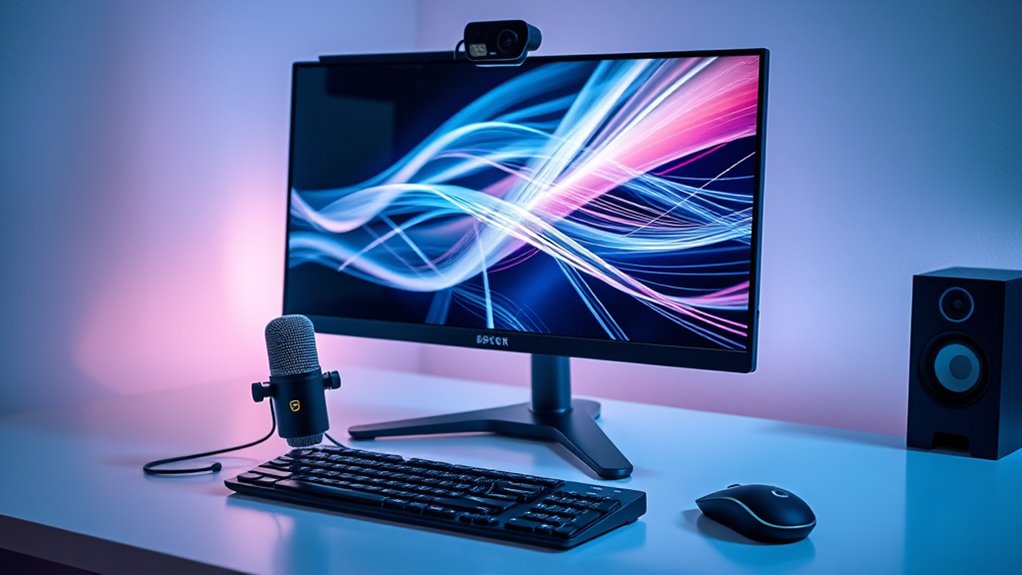

If you’re looking for the best webcams for streaming in 2026, you’re probably facing a choice between high-resolution models, smooth frame rates, and versatile features. The Logitech StreamCam stands out as the overall top pick for its reliable performance and user-friendly design. For those prioritizing ultra HD quality, the EMEET NOVA 4K offers impressive clarity and autofocus, while the Acer A640 provides excellent value with 4K recording and AI noise cancellation. Each option balances performance with tradeoffs like price or complexity. Continue reading for a detailed breakdown of these webcams and how to find the best fit for your streaming needs.

Get the little things that make your day delivered free with Prime
- Fast, free delivery on millions of items
- Prime Video, Amazon Music and more included
- Member-only deals all year
Complete the kit


Key Takeaways
- High-resolution webcams like the EMEET NOVA 4K and Acer A640 excel for professional-quality streams but come at higher costs.
- Frame rate matters for smooth motion; models like the NexiGo N60 and Logitech StreamCam deliver 60 fps, ideal for fast-paced content.
- Built-in microphones vary significantly in quality; dual-mic setups often outperform single-mic options for clearer audio.
- Features like AI tracking or auto light correction add convenience but may increase complexity or price.
- Compatibility and ease of use often weigh heavily in decision-making; plug-and-play models are more accessible for beginners.


| webcams for streaming | Resolution | Sensor |
|---|---|---|
| NexiGo N60 1080P Webcam with M | 1920 x 1080 at 30fps | — |
| EMEET 1080P Webcam with Microp | 1920 x 1080p | — |
| AOC 4K Webcam for PC | 4K (2160P) | IMX363 |
| EMEET NOVA 4K Webcam for PC | 4K | — |
| Insta360 Link 2 Pro 4K PTZ Web | 4K | 1/1.3 inch |
| EMEET S600 4K Webcam for Strea | — | Sony 1/2.55” |
| Logitech StreamCam Premium Web | Full HD 1080p at 60 fps | — |
| Logitech MX Brio Ultra HD 4K W | 4K at 30fps, 1080p at 60fps | Large sensor with AI enhancements |
| NexiGo N680E Pro 4K Webcam wit | 1080p at 60FPS | Sony 1/2.5" 4K sensor |
| EMEET C960 1080P Webcam with M | 1920x1080p | — |
| EMEET C60E Dual-Camera 4K Webc | — | 1/2.8" CMOS 4K |
| Insta360 Link 2C 4K Webcam for | — | 1/2" |
| Logitech Brio 101 Full HD 1080 | 1080p Full HD | — |
| Insta360 Link 2 | — | — |
| Acer A640 4K Webcam for PC wit | 4K at 30fps, 2K/1080p at 60fps | Sony 1/2.8-inch |
More Details on Our Top Picks
NexiGo N60 1080P Webcam with Microphone, Privacy Cover, USB HD Computer Web Camera for Video Conferencing and Streaming
The NexiGo N60 stands out for its reliable 1080p video quality combined with a noise-canceling microphone, making it a solid choice for streamers who prioritize clear visuals and audio. Compared with the EMEET NOVA 4K, the N60 offers more straightforward plug-and-play compatibility without needing extra software, but it lacks the ultra-high resolution for those demanding 4K. Its privacy cover adds security, yet it doesn’t support advanced features like AI tracking. This webcam offers a good balance for users seeking simplicity and dependable performance without the complexities of premium models.
Pros:- High-definition 1080p video quality suitable for most streaming platforms
- Built-in noise-canceling microphone for clearer audio
- Privacy cover enhances security during off-use periods
- Plug and play with broad OS compatibility
Cons:- Not compatible with gaming consoles like Xbox or PlayStation
- Firmware updates may be required for optimal audio sync
Best for: Streamers and remote workers who want a reliable, easy-to-use webcam with solid HD quality and built-in privacy features.
Not ideal for: Professional content creators needing 4K resolution or advanced tracking features, as the N60 is limited to 1080p and basic functionality.
- Resolution:1920 x 1080 at 30fps
- Lens:3.6mm glass lens
- Microphone:Built-in noise-canceling microphone
- Compatibility:USB 2.0/3.0, Mac OS X 10.7+, Windows 7/8/10/11, Linux
- Privacy Cover:Yes
Our verdict“This webcam makes the most sense for users seeking dependable HD streaming and straightforward setup without extra bells and whistles.”
EMEET 1080P Webcam with Microphone, C960 Web Camera, 90°FOV, Plug and Play USB for Online Calls and Streaming
The EMEET C960 offers a 90-degree wide-angle view that makes it ideal for group streams or multi-person setups, surpassing the narrower FOV of the AOC 4K Webcam. Its automatic low-light correction ensures decent performance even in dim environments, but it falls short of the ultra-sharp 4K clarity found in higher-end models. The microphone setup is robust for casual streams, though it lacks advanced features like AI tracking. This webcam is well-suited for users who need broad coverage without extra fuss or complexity.
Pros:- Wide 90-degree field of view for inclusive framing
- Automatic low-light correction improves image clarity in poor lighting
- Built-in noise reduction microphones for clearer communication
- Plug-and-play compatibility across major OS
Cons:- Incompatible with Windows Hello facial recognition
- No built-in privacy shutter, only a removable cover
Best for: Home streamers and online educators needing a wide-angle view and easy setup for frequent calls or presentations.
Not ideal for: Content creators requiring 4K resolution or detailed autofocus features for professional productions, as it primarily targets 1080p with wide-angle benefits.
- Resolution:1920 x 1080p
- Field of View:90 degrees
- Microphones:2 omnidirectional noise reduction mics
- Light Correction:Automatic low-light correction
- Compatibility:Windows 10/11, MacOS 10.14+, Linux
Our verdict“This camera suits users who want broad coverage and reliable HD quality without complex features or high costs.”
AOC 4K Webcam for PC, Sony Sensor, 1080P 60FPS Streaming Camera with Privacy Cover, Tripod, USB A-C Adapter
The AOC AC410 is a standout for its 4K resolution and 60FPS smooth streaming, ideal for professional broadcasters and content creators aiming for studio-quality visuals. Its Sony sensor and PDAF autofocus ensure sharp, detailed images, even in quick scenes. However, its wired-only connection and lack of wireless options limit flexibility, especially compared with the Insta360 Link 2 Pro‘s remote capabilities. For those committed to ultra-high-definition streaming, the AC410 provides a significant upgrade, but users should be prepared for physical setup and no wireless convenience.
Pros:- High-quality 4K resolution with crisp detail
- Smooth 1080P at 60FPS for fluid motion
- Instant PDAF autofocus for sharp close-ups
- Includes tripod and USB A-C adapter for versatile mounting
Cons:- Limited to wired USB connection, no wireless option
- No built-in stereo microphone, only a noise-canceling mic
Best for: Professional streamers and videographers who prioritize ultra-high-definition quality and fast autofocus for studio-grade content.
Not ideal for: Casual users or those requiring wireless setup, as the webcam is limited to wired connections and lacks mobility features.
- Sensor:IMX363
- Resolution:4K (2160P)
- Frame Rate:1080P at 60FPS
- Field of View:75°
- Focus:PDAF
- Connectivity:USB A-C
Our verdict“This webcam is best for professionals demanding top-tier resolution and autofocus, accepting the tradeoff of wired-only setup.”
EMEET NOVA 4K Webcam for PC, Ultra HD, PDAF Autofocus, Dual Mics, Privacy Cover, 73° FOV, Auto Light Correction, USB-A
The EMEET NOVA 4K combines 4K resolution with advanced PDAF autofocus and dual microphones, making it suitable for high-quality streaming, online education, and professional meetings. Its 73° FOV strikes a balance between wide coverage and detail, outperforming many 1080p webcams in clarity. Compared to the Insta360 Link 2 Pro, it offers a simpler USB-A connection and more straightforward setup, but lacks AI tracking and remote control features. This camera is ideal for users who need crisp, detailed images with professional-grade audio without the complexity of extra features.
Pros:- Sharp 4K video with 30fps for high-detail streaming
- PDAF autofocus ensures fast, accurate focus
- Dual omnidirectional microphones for clear sound
- Automatic light correction improves image quality
Cons:- Requires software to switch to 4K from default 1080p
- Limited to USB-A connection without wireless support
- No facial tracking or FOV adjustment
Best for: Content creators and educators who want high-resolution video with reliable autofocus and good audio quality, but prefer wired simplicity.
Not ideal for: Streamers seeking AI-powered tracking or wireless operation, as the NOVA 4K is wired-only and lacks intelligent framing features.
- Sensor Type:CMOS
- Resolution:4K
- Video Frame Rate:30fps
- Field of View:73 degrees
- Focus:PDAF
- Connectivity:USB-A
Our verdict“This webcam balances high-resolution quality with straightforward wired operation, suitable for professional use without extra frills.”
Insta360 Link 2 Pro 4K PTZ Webcam for PC/Mac
The Insta360 Link 2 Pro excels with its large 1/1.3” sensor, delivering excellent low-light performance and sharp 4K video. Its standout feature is AI tracking, allowing for hands-free framing, which is particularly useful for streamers and educators who need to move freely. The directional microphones and multiple modes, including Whiteboard and Portrait, elevate it above typical webcams like the EMEET NOVA. However, it relies on a USB-C connection and may require adapters depending on the device, and it’s incompatible with ARM-based Windows systems. For creators wanting professional features and advanced automation, this pick offers significant value despite some setup complexities.
Pros:- Excellent 4K video with great low-light handling
- AI tracking for automatic framing and movement
- Multiple modes like Whiteboard and Portrait for varied content
- Directional microphones for professional audio quality
Cons:- Requires USB-C connection, may need adapters
- Incompatible with Windows Hello face recognition
- More complex setup compared to plug-and-play models
Best for: Content creators, streamers, and educators who want AI-driven framing, versatile modes, and high-quality low-light performance.
Not ideal for: Casual users or those on a limited budget who do not need advanced tracking or are limited to USB-A ports, as it requires USB-C and setup may be more involved.
- Sensor:1/1.3 inch
- Resolution:4K
- Video Resolution:4K
- Features:AI tracking, HDR, gesture control
- Microphones:Directional noise-canceling
- Compatibility:Windows, macOS, Chrome OS, Linux
Our verdict“This webcam is best suited for serious content creators and professionals who want AI-powered automation and versatile modes despite the need for compatible ports.”
EMEET S600 4K Webcam for Streaming, Sony 1/2.55” Sensor, PDAF Autofocus, 1080P@60FPS, Noise Reduction Mics, Privacy Cover, 73° FOV
The EMEET S600 stands out for delivering crisp 4K video with Sony’s sensor, making it an excellent choice for streamers who prioritize image quality. Its PDAF autofocus ensures sharp focus across different scenes, outperforming many 1080p options like the Logitech C960. While the 73° FOV at 4K may feel slightly limited compared to wider angles, this tradeoff results in more detailed visuals. The built-in privacy cover adds security, but the resolution can depend on software settings, and its limited field of view means it’s best suited for focused shots rather than wide group streams. Overall, this model is perfect for creators who want high detail and reliability but are okay with a narrower scene.
Pros:- Exceptional 4K image clarity with Sony sensor
- Advanced PDAF autofocus maintains sharp focus
- Built-in privacy cover enhances security
- Plug-and-play setup for quick deployment
Cons:- Video resolution can depend on software configurations
- Limited 73° field of view at 4K
Best for: Content creators and streamers requiring crisp 4K resolution with reliable autofocus.
Not ideal for: Streamers needing ultra-wide shots or those on a tight budget, as it’s relatively pricey and has a narrower field of view.
- Sensor:Sony 1/2.55”
- Video Resolution:4K at 30FPS, 1080P at 60FPS
- Field of View:73° at 4K, 40°-73° at 1080P
- Autofocus:PDAF
- Microphones:Noise reduction, dual microphones
- Connectivity:USB 2.0/3.0
Our verdict“Ideal for streamers who prioritize high-resolution, detailed visuals over wide-angle coverage.”
Logitech StreamCam Premium Webcam for Streaming and Content Creation, Full HD 1080p 60 fps, Compatible with Microsoft Teams, Google Meet, Zoom, Nintendo Switch 2, PC, Mac
The Logitech StreamCam makes a strong case for streamers seeking seamless 1080p at 60 fps, offering smoother motion than the 4K models like the EMEET S600. Its smart autofocus and auto-framing help maintain a professional look without constant adjustments, making it ideal for live sessions or content where motion is frequent. The versatile mounting options allow flexible placement, but the requirement for a USB-C port can be a barrier for users on older systems. While its premium features improve quality, they come with a higher price tag, and some setup steps may seem complex for beginners. This webcam is best suited for creators who need high frame rates and reliable auto features for dynamic streams.
Pros:- Smooth 1080p at 60 fps for fluid motion
- Smart autofocus and auto-framing for a professional look
- Flexible mounting options including monitor and tripod
- Optimized for major streaming platforms
Cons:- Requires USB-C port for full performance
- Higher price point compared to basic webcams
Best for: Streamers and professionals needing stable, high-quality 1080p60 video with auto-framing features.
Not ideal for: Casual users or those with older computers lacking USB-C ports, as it may require additional adapters or upgrades.
- Resolution:Full HD 1080p at 60 fps
- Lens:Premium glass with smart autofocus
- Auto-framing:Yes
- Connectivity:USB Type-C
- Mounting Options:Landscape, portrait, monitor, tripod
Our verdict“Best suited for streamers who demand professional-quality 1080p60 video with smart auto features and flexible mounting options.”
Logitech MX Brio Ultra HD 4K Webcam – Graphite
The Logitech MX Brio offers a versatile option for streamers who want 4K clarity combined with AI-driven enhancements, making it stand out against basic 1080p models like the EMEET C960. Its adjustable lighting controls and intelligent white balance help optimize image quality in varying conditions, though the high price and complex controls may overwhelm casual users. With a large sensor and dual noise-reducing microphones, it excels in delivering sharp, clear video and audio for professional-grade streams. However, the premium cost and need for USB-C can be limiting for some, and the advanced features may require extra setup time. This camera makes the most sense for serious streamers or professionals who want top-tier quality and AI features.
Pros:- High-quality 4K video with AI-enhanced clarity
- Adjustable lighting and white balance
- Compatibility across multiple operating systems and platforms
- Built-in privacy cover for security
Cons:- Premium price may be prohibitive for some
- Requires USB-C port for optimal use
- Complex controls can be overwhelming for casual users
Best for: Power users and professionals seeking high-resolution, AI-enhanced streaming with versatile controls.
Not ideal for: Budget-conscious streamers or casual users who prefer simple setups, due to its high price and complex controls.
- Resolution:4K at 30fps, 1080p at 60fps
- Sensor:Large sensor with AI enhancements
- Features:Show Mode, AI image processing
- Microphones:Dual beamforming noise-reducing
- Compatibility:Windows, macOS, Chrome OS, Linux
Our verdict“Best suited for advanced users who want top-tier 4K quality combined with AI features and extensive control options.”
NexiGo N680E Pro 4K Webcam with Ring Light, Autofocus, 1080p 60FPS, Dual Mics, Privacy Shutter, USB Plug-and-Play
The NexiGo N680E Pro combines 4K clarity with a built-in tri-tone ring light, making it a strong contender for streamers who want control over lighting and sharp video. Its PDAF autofocus and dual noise-canceling microphones ensure clarity both visually and audibly, outperforming basic webcams like the EMEET C960 in dynamic environments. The adjustable ring light and privacy shutter add convenience, but the reliance on USB-A may require adapters for newer systems, and output resolution can depend on software. Its 80° FOV strikes a balance between focus and context, making it suitable for solo streams or small groups. This webcam is a smart pick for content creators who want versatile features in a compact package.
Pros:- Sharp 4K video with smooth 1080p at 60fps
- Effective PDAF autofocus and dual microphones
- Tri-tone adjustable ring light for perfect illumination
- Built-in privacy shutter for security
Cons:- Output resolution depends on software settings
- Requires USB-A port, may need adapters
Best for: Streamers and professionals needing high-quality video with adjustable lighting and privacy features.
Not ideal for: Users with systems lacking USB-A ports or those seeking ultra-wide angles, as the FOV is moderate.
- Sensor:Sony 1/2.5″ 4K sensor
- Resolution:1080p at 60FPS
- Autofocus:PDAF
- Ring Light:Tri-tone, stepless brightness
- FOV:80°
Our verdict“Ideal for streamers who want a versatile webcam with lighting control and high-resolution clarity in a compact design.”
EMEET C960 1080P Webcam with Microphone, 2 Mics, 90° FOV, USB Plug&Play for Video Calls
The EMEET C960 offers a straightforward, reliable 1080p experience for users who want decent video without extra frills. Its wide 90° FOV makes it suitable for small group calls or basic streaming, outperforming simpler webcams in terms of field of view and dual microphone clarity. However, its fixed focus might not be ideal for close-up shots, and it lacks advanced features like auto-framing or AI enhancements found on higher-end models like the Logitech MX Brio. The plug-and-play design ensures simplicity, but for more dynamic or professional streams, this camera might feel limited. This pick fits best for casual users or those starting out on a budget.
Pros:- Reliable 1080p video quality
- Wide 90° FOV captures more participants
- Dual omnidirectional microphones for clear audio
- Plug-and-play USB setup
Cons:- Fixed focus limits close-up use
- Lacks advanced auto features
Best for: Casual streamers and professionals needing a dependable, affordable webcam for routine meetings and calls.
Not ideal for: Content creators requiring high frame rates or auto-focus features for lively streams or close-up shots, as this model has fixed focus and no auto-framing.
- Resolution:1920x1080p
- FOV:90°
- Microphone:2 omnidirectional
- Connectivity:USB Type-A & A-to-C adapter
- Focus:Fixed
Our verdict“Best suited for users seeking a budget-friendly, easy-to-use webcam for routine video calls and casual streaming.”
EMEET C60E Dual-Camera 4K Webcam for Streaming with Wide-Angle & Telephoto Lenses
The EMEET C60E stands out for its dual-camera setup, offering both wide-angle and telephoto perspectives, making it ideal for streamers who want dynamic, multi-view content. Its up to 11X hybrid zoom and PDAF autofocus enable close-ups without sacrificing clarity, though zoom isn’t supported in 4K or 60FPS modes, which can limit high-quality zoomed-in shots. Compared with the Insta360 Link 2, it doesn’t include AI tracking or gesture controls, but it’s a solid choice for those prioritizing multiple perspectives. The RGB lighting adds aesthetic appeal, but its low-light performance remains untested, a potential concern for dim environments. This webcam suits streamers needing flexible framing, but those who require high-performance low-light capabilities may find it lacking.Pros:- Dual-camera setup provides versatile wide-angle and telephoto views
- Smooth 11X hybrid zoom with PDAF autofocus ensures clear close-ups
- RGB lighting enhances aesthetics and visibility
Cons:- Zoom not supported in 4K, 60FPS, or YUY2 modes, limiting high-quality zooming
- Requires USB 2.0 connection, which may restrict bandwidth and quality
- Limited details on low-light performance
Best for: Streamers and content creators who want multiple perspectives and smooth zoom capabilities
Not ideal for: Streamers who need excellent low-light performance or advanced AI tracking for auto-framing
- Sensor:1/2.8″ CMOS 4K
- Zoom:up to 11X hybrid zoom
- Autofocus:PDAF
- Lighting:RGB lighting
- Microphones:2 omnidirectional microphones
- Compatibility:Windows 10/11, macOS 10.14+
Our verdict“This webcam is ideal for streamers who want multiple views and flexible framing but can compromise on low-light performance and high-quality zoom in some modes.”
Insta360 Link 2C 4K Webcam for PC/Mac
The Insta360 Link 2C excels in delivering sharp 4K HDR video with excellent low-light performance, making it a top choice for streamers who need high visual fidelity. Its auto framing and AI noise-canceling microphone simplify setup and ensure clear audio, especially compared to basic webcams like the Logitech Brio 101. However, it’s incompatible with ARM-based Windows systems and doesn’t support Windows Hello Face Recognition, which could be a drawback for some users. Its specialized modes like Whiteboard and DeskView provide creative flexibility, but some features require software setup, adding complexity for beginners. This pick makes the most sense for streamers seeking professional-quality visuals and smart auto-framing, but less so for those with limited system compatibility or seeking plug-and-play simplicity.Pros:- High-quality 4K HDR video with excellent low-light handling
- AI auto framing and gesture control for ease of use
- Specialized modes like Whiteboard and DeskView for creative content
Cons:- Incompatibility with ARM Windows systems limits versatility
- No support for Windows Hello Face Recognition, reducing convenience for some
Best for: Content creators and streamers who prioritize high-quality visuals and smart auto-framing features
Not ideal for: Users with ARM-based Windows devices or those seeking straightforward, software-free use
- Sensor:1/2″
- Video Resolution:4K
- HDR:Yes
- Auto Framing:Yes
- AI Noise-Canceling Mic:Yes
- Compatibility:PC, Mac, Windows, Zoom, Teams, Twitch
Our verdict“This webcam is perfect for streamers who want professional 4K quality with AI-driven auto framing and versatile modes, but it’s less suitable for users on ARM systems or seeking plug-and-play simplicity.”
Logitech Brio 101 Full HD 1080p Webcam for Streaming and Meetings – Black
The Logitech Brio 101 offers reliable 1080p full HD video with auto-light correction, making it a practical choice for casual streamers and professionals alike. Its privacy shutter enhances security, while its plug-and-play setup ensures quick connectivity across most platforms, including Teams, Zoom, and even Nintendo Switch in GameChat mode. Compared with higher-end 4K options like the Acer A640, it sacrifices resolution but remains accessible for those on a budget. Its limited zoom and framing controls mean it’s less suited for creators who want more customization without extra software. This model makes sense for users seeking straightforward, dependable streaming quality with minimal fuss, but it’s not the best choice for high-resolution content or advanced framing.Pros:- High-quality 1080p video with auto-light correction
- Privacy shutter for added security
- Easy to set up with most platforms
Cons:- Limited zoom and framing adjustments without additional software
- No 4K or higher resolution options
- Requires USB-A connection, possibly needing adapters for newer devices
Best for: Casual streamers or professionals needing reliable 1080p video for meetings and casual content
Not ideal for: Streamers requiring 4K resolution or advanced framing/zoom controls
- Resolution:1080p Full HD
- Auto-Light Correction:Yes
- Built-in Microphone:Yes
- Privacy Shutter:Yes
- Connection:USB-A
Our verdict“This webcam is a solid choice for those seeking simple, dependable 1080p streaming and video calls without the need for advanced features or high resolution.”
Insta360 Link 2 – 4K Webcam with AI Tracking, HDR, Noise-Canceling Mic, Gesture Control for Streaming & Video Calls
The Insta360 Link 2 offers exceptional 4K HDR video quality combined with AI tracking and a suite of creative modes like DeskView and Whiteboard, making it ideal for streamers and professionals who want dynamic, engaging content. Its auto-focus and gesture control enable hands-free operation, providing a level of interactivity that surpasses basic webcams like the Brio 101. However, it requires a 9V battery for operation, adding a small inconvenience, and some advanced features need additional software setup. Its compatibility is broad, but some users may find the need for extra hardware or configuration a barrier. This webcam is well-suited for content creators who want to incorporate AI tracking and versatile modes into their streams, though casual users or those seeking plug-and-play simplicity might find it overly complex.Pros:- High-quality 4K HDR video with excellent low-light handling
- AI auto-tracking and gesture control for dynamic content
- Versatile modes including DeskView and Whiteboard
Cons:- Requires a 9V battery, adding inconvenience
- Additional software setup needed for some features
- Some advanced features may be complex for beginners
Best for: Streamers and professionals wanting AI tracking, creative modes, and high-quality video
Not ideal for: Users seeking a straightforward webcam without additional hardware or setup complexity
- Sensor Type:CMOS
- Sensor Size:1/2-inch
- Video Resolution:4K
- Special Features:DeskView, Whiteboard, 4K Portrait Mode
- AI Tracking:Yes
- Compatibility:Major platforms like Zoom, Teams, Twitch
Our verdict“This webcam is perfect for content creators who demand AI tracking and creative flexibility but less suitable for users wanting simple, battery-free plug-and-play operation.”
Acer A640 4K Webcam for PC with Sony Sensor, Autofocus, AI Noise Canceling Mic, 2K/1080P/60fps, USB-C Adapter, Compatible with Gaming, Streaming, Meetings
The Acer A640 leverages a Sony sensor to deliver sharp 4K video at 30fps and smooth 2K/1080p at 60fps, making it a versatile choice for both streaming and gaming. Its autofocus and AI noise-canceling microphone ensure clear visuals and audio, even in fast-paced environments. Unlike the Brio 101, it supports higher resolutions and frame rates, though it relies on a USB-C adapter for some devices, which could limit compatibility. Its privacy shutter and automatic low-light correction add to its appeal, but limited details are available on its performance in very dark settings. Overall, this webcam makes sense for gamers and streamers who want high resolution and smooth video at a professional level, but those on older systems may face compatibility hurdles.Pros:- High-quality 4K video with sharp clarity
- Autofocus and AI noise cancellation Mic ensure crisp visuals and audio
- Supports 60fps for smooth motion
Cons:- Requires USB-C adapter, limiting compatibility for some devices
- Limited details on low-light performance in very dark environments
Best for: Gamers and streamers seeking high-resolution, smooth-framed video with versatile features
Not ideal for: Users with older computers or those who don’t want to deal with USB-C adapters
- Sensor:Sony 1/2.8-inch
- Resolution:4K at 30fps, 2K/1080p at 60fps
- Autofocus:Phase Detection
- Microphone:AI Noise Canceling
- Connectivity:USB-C Adapter
Our verdict“This webcam is well-suited for gamers and streamers who prioritize high resolution and smooth video, but may present compatibility issues for older systems.”
How We Picked
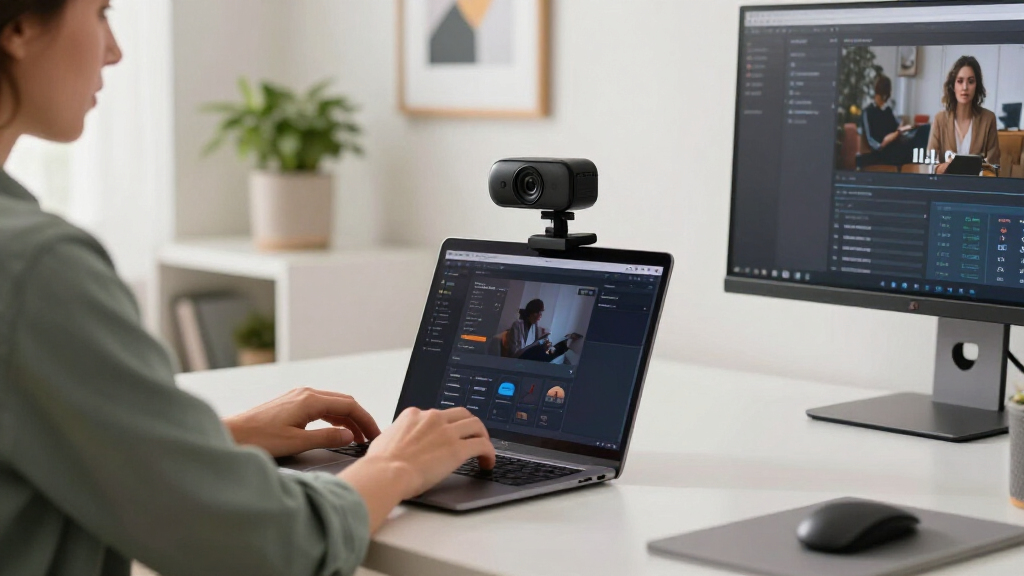
Our evaluation focused on key factors that matter most for streaming quality and usability. Performance criteria included resolution, frame rate, autofocus, and low-light capabilities, which directly impact video clarity and smoothness. Usability considerations involved ease of setup, compatibility with popular streaming platforms, and microphone quality, since clear audio is crucial. Build quality and additional features like privacy covers or AI tracking were also assessed for durability and convenience. We prioritized models that offered a strong balance of these factors, ranking higher those that combined high performance with practical usability, especially for streamers seeking reliability and ease of use.Factors to Consider When Choosing Webcams For Streaming
Choosing the right webcam for streaming involves more than just resolution. Consider your specific needs—whether it’s professional quality, ease of use, or budget—and how each feature impacts your streaming experience. Understanding the tradeoffs between price, performance, and additional features can help you make a more informed decision and avoid common pitfalls like underpowered microphones or poor low-light performance.Resolution and Frame Rate
Higher resolution webcams, like 4K models, deliver sharper images that look professional, but they often require more powerful computers and faster internet. If your streaming platform or audience prioritizes clarity, investing in 1080p or 4K can be worthwhile. Frame rate is equally important for smooth motion; 60 fps is ideal for fast-paced content such as gaming or sports, while 30 fps may suffice for casual streams. Balance your needs with your hardware capabilities to choose a model that maintains quality without overloading your system.
Autofocus and Low-Light Performance
Autofocus ensures your face remains sharp even if you move around, which is essential for dynamic streams. Models with PDAF (Phase Detection Autofocus) tend to be faster and more reliable. Low-light performance is another key factor, especially if you stream in variable lighting conditions; features like auto light correction or HDR can make your image clearer without additional lighting gear. Skipping these features might result in grainy or blurry video, diminishing the professionalism of your stream.
Microphone Quality
Many webcams include built-in microphones, but their quality varies widely. Dual-mic setups with noise reduction are better at capturing clear voice and filtering out background noise. If audio quality is a priority, consider models with dedicated or higher-quality microphones rather than relying solely on built-in ones. External mics can sometimes be a better investment, but a good integrated mic simplifies your setup and reduces clutter.
Ease of Use and Compatibility
Plug-and-play webcams that work seamlessly with popular streaming and conferencing platforms save time and frustration. Compatibility with software like OBS, Zoom, or Streamlabs is essential for smooth operation. Consider whether the webcam supports features like auto framing, gesture control, or AI tracking if those are important to your streaming style. Durability and build quality also impact long-term usability—cheaper models may break or become unreliable over time.
Additional Features and Price
Extra features such as privacy covers, ring lights, or adjustable mounts can enhance your experience but often add to the cost. Decide which features are essential for your setup—investing in a model with AI tracking might be worthwhile for gaming streamers, while a simple, reliable camera may suit casual or professional conference use better. Always weigh the feature set against your budget to find the best value without sacrificing core performance needs.
Frequently Asked Questions
Do I need a 4K webcam for streaming?
While 4K webcams offer higher image resolution, they also demand more from your computer and internet connection. For most streamers, 1080p at 60 fps provides a good balance of quality and performance, especially if you stream regularly or in real-time. If you produce content that benefits from ultra-sharp detail, or if your audience demands the highest quality, then a 4K model is worth considering. Otherwise, investing in a reliable 1080p camera might be the smarter choice.
Is a built-in microphone sufficient for streaming?
Built-in microphones on webcams are generally convenient but often fall short in quality, especially for professional or semi-professional streams. They tend to pick up background noise and may produce muffled sound. For clearer audio, a dedicated microphone or a model with high-quality dual microphones and noise reduction features is advisable. Good audio can significantly improve viewer engagement, so don’t overlook microphone quality when choosing your webcam.
How important is autofocus for streaming?
Autofocus ensures your face remains sharp even if you move around during your stream, which is particularly important for dynamic content like gaming, tutorials, or interviews. A camera with fast and reliable PDAF reduces the need for manual adjustments, making your stream look more polished. If you tend to shift position or want to avoid constant manual focus tweaks, prioritizing autofocus features is a wise choice. However, autofocus can sometimes hunt or be slow in low-light conditions, so consider your typical environment as well.
Should I prefer a webcam with AI tracking or auto framing?
AI tracking and auto framing features can make your streaming setup more professional by keeping you centered even if you move around. These features are especially useful for solo streamers or those doing interviews, as they eliminate the need for manual camera adjustments. However, they tend to increase the cost and sometimes introduce latency or errors. If you don’t need this level of automation, a standard webcam with good image quality may be more cost-effective and reliable.
What is the best budget-friendly webcam for streaming?
Budget-friendly webcams like the NexiGo N60 or EMEET C960 offer decent 1080p video quality at a lower price point, making them suitable for newcomers or casual streamers. They often include basic microphones and simple plug-and-play operation, which is ideal if you’re just starting out. Keep in mind that cheaper models may lack advanced features like high frame rates or excellent low-light performance, so if you want a more polished stream, investing slightly more can be beneficial for long-term quality and reliability.
Conclusion
For those seeking a reliable, all-around performer, the Logitech StreamCam offers excellent balance of quality and ease of use, making it ideal for most streamers. If budget is a concern but quality remains a priority, the NexiGo N60 provides good 1080p video at a lower price, perfect for beginners. Content creators looking for ultra-high definition should consider the EMEET NOVA 4K or the Acer A640, though these come with a higher price tag. Gamers and tech-savvy streamers might benefit from models with AI tracking like the Insta360 Link 2. Ultimately, your choice depends on your specific streaming style, environment, and budget—consider these factors carefully to find the best fit.
As an affiliate, we earn on qualifying purchases.Fall Picks
fall essentials