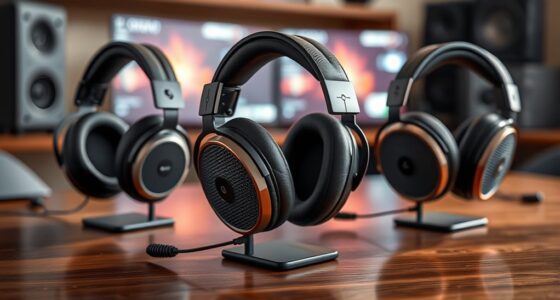
For most PC VR buyers, I would start with the Meta Quest 3: its pancake lenses and wireless PC streaming make it a more flexible all-rounder than older designs. The Pimax Crystal Light suits sim players who put visual detail ahead of convenience, while the Valve Index remains a PC-focused option for buyers who value its tracking ecosystem. The main tradeoffs are image clarity, connection and tracking setup, comfort, and how much headset you need for your games. Read on for how all 10 options compare, including standalone-first, renewed, and premium headsets.

Get the little things that make your day delivered free with Prime
- Fast, free delivery on millions of items
- Prime Video, Amazon Music and more included
- Member-only deals all year
Complete the kit


Key Takeaways
- Quest 3 is the most balanced pick: pancake lenses and wireless PC streaming give it broader use than a headset built only around a wired PC setup.
- Pimax splits the premium end by purpose: Crystal Light targets PC sim players, while Crystal Super prioritizes very high per-eye resolution and demands a more capable setup.
- Quest 3S trades optics for accessibility: it offers a lower-complexity route into VR, but its Fresnel lenses are a meaningful step down from Quest 3’s edge-to-edge clarity.
- HTC’s two options serve different setups: Focus Vision emphasizes mixed reality and PC VR, while Vive XR Elite pairs PC access with a more compact mixed-reality design.
- Renewed listings need extra scrutiny: Quest 3, Quest 3S, and Valve Index renewed variants make condition, included accessories, and return terms part of the buying decision.
| Meta Quest 3 512GB VR Headset with Gorilla Tag Bundle |  | Best Overall for Wireless PC VR | Storage: 512GB | Memory: 8GB RAM | Processor: Snapdragon XR2 Gen 2 | VIEW ON AMAZON | See Our Full Breakdown |
| Meta Quest 3S 128GB VR Headset (Renewed Premium) |  | Best Entry Point for Wireless PC VR | Storage: 128GB | Processor: Snapdragon XR2 Gen 2 | Memory: 8GB RAM | VIEW ON AMAZON | See Our Full Breakdown |
| HTC VIVE Focus Vision Mixed Reality and PC VR Headset with Controllers |  | Best for Flexible Wired and Wireless PC VR | Resolution: 2448 × 2448 pixels per eye | Field of view: Up to 120° | Refresh rate: 90Hz | VIEW ON AMAZON | See Our Full Breakdown |
| Pimax Crystal Light PC VR Headset |  | Best for High-Detail PC Simulations | Resolution: 2880 × 2880 per eye | Display: QLED with local dimming and HDR | Refresh rate: Up to 120Hz | VIEW ON AMAZON | See Our Full Breakdown |
| Valve Index VR Headset for PC and SteamVR (Renewed) |  | Best for Existing SteamVR Setups | Platform: PC and SteamVR | Display: High-resolution displays with optimized optics | Fit: Adjustable head strap and face gasket | VIEW ON AMAZON | See Our Full Breakdown |
| Meta Quest 3S 128GB VR Headset with Gorilla Tag Bundle |  | Best for Untethered PC VR Beginners | Storage: 128GB | Processor: Snapdragon XR2 Gen 2 | Memory: 8GB RAM | VIEW ON AMAZON | See Our Full Breakdown |
| Meta Quest 3 512GB VR Headset, Renewed Premium |  | Best for a Large Wireless Game Library | Storage: 512GB | Processor: Snapdragon XR2 Gen 2 | Memory: 8GB RAM | VIEW ON AMAZON | See Our Full Breakdown |
| Meta Quest Pro 256 GB VR Headset with VR Field Trips Subscription |  | Best for Mixed Reality and Multitasking | Storage: 256 GB | RAM: 12 GB | Sensors: 10 VR/MR sensors | VIEW ON AMAZON | See Our Full Breakdown |
| Pimax Crystal Super PC VR Headset, 3840 × 3840 Resolution per Eye |  | Best for High-Detail PC Simulation | Resolution: 3840 × 3840 per eye | Field of view: 140° | Display type: QLED with Mini-LED local dimming | VIEW ON AMAZON | See Our Full Breakdown |
| HTC Vive XR Elite Mixed Reality and PC VR Headset with Deluxe Pack |  | Best Hybrid for Standalone and PC VR | Resolution: 3840 × 1920 combined | Field of view: Up to 110° | Refresh rate: 90 Hz | VIEW ON AMAZON | See Our Full Breakdown |
| vr headsets for pc | Storage | Memory | Display | Battery life |
|---|---|---|---|---|
| Meta Quest 3 512GB VR Headset | 512GB | 8GB RAM | 4K+ Infinite Display | Over 2 hours |
| Meta Quest 3S 128GB VR Headset | 128GB | 8GB RAM | LCD | Up to 3 hours |
| HTC VIVE Focus Vision Mixed Re | — | 12GB RAM | — | — |
| Pimax Crystal Light PC VR Head | — | — | QLED with local dimming and HDR | — |
| Valve Index VR Headset for PC | — | — | High-resolution displays with optimized optics | — |
| Meta Quest 3S 128GB VR Headset | 128GB | 8GB RAM | — | More than 2 hours |
| Meta Quest 3 512GB VR Headset | 512GB | 8GB RAM | 4K Infinite Display | 2+ hours |
| Meta Quest Pro 256 GB VR Heads | 256 GB | — | — | — |
| Pimax Crystal Super PC VR Head | — | — | — | — |
| HTC Vive XR Elite Mixed Realit | — | — | — | Up to 2 hours |
More Details on Our Top Picks
Meta Quest 3 512GB VR Headset with Gorilla Tag Bundle
The Meta Quest 3 makes the most sense for PC VR buyers who also want a capable standalone headset. Its Snapdragon XR2 Gen 2 processor, 8GB of RAM, and color passthrough support games away from the PC, while wireless PC VR keeps the play area free of a headset cable. The 512GB storage gives more room for standalone games than the 128GB Meta Quest 3S, and the Quest 3 is the stronger pick when display clarity is a priority. Its tradeoffs are a battery rated for just over two hours and reliance on wireless for untethered play. Buyers seeking a direct PC connection or richer PC-focused display features may prefer the HTC VIVE Focus Vision. The Gorilla Tag items add a game-specific bonus, but do not change the headset’s PC VR capabilities.
Pros:- Wireless design supports untethered standalone play and wireless PC VR
- 512GB storage leaves more room for standalone games than the 128GB Quest 3S
- Color passthrough supports mixed-reality experiences
- Includes Gorilla Tag items
Cons:- Battery life is listed as just over two hours
- Wireless PC VR depends on a suitable network connection
- The Gorilla Tag bundle offers little value to buyers who do not play that game
Best for: PC VR newcomers who also want a high-storage wireless headset for standalone games and mixed-reality use
Not ideal for: Long-session sim players who want a wired PC connection and a battery-free headset experience
- Storage:512GB
- Memory:8GB RAM
- Processor:Snapdragon XR2 Gen 2
- Display:4K+ Infinite Display
- Cameras:Dual RGB color cameras
- Battery life:Over 2 hours
- Connectivity:Wireless
- Bundle:Gorilla Tag suit, helmet, and 2,000 Shiny Rocks
Our verdict“Choose the Quest 3 if you want one headset for wireless PC VR, standalone games, and mixed reality, and can work around its short battery life.”
Meta Quest 3S 128GB VR Headset (Renewed Premium)
The Meta Quest 3S is a lower-storage route into wireless PC VR for buyers who also want standalone play. Its Snapdragon XR2 Gen 2 chip and 8GB of RAM match the core processing figures of the Meta Quest 3, while its LCD display and 128GB capacity make it a more basic fit for a large standalone library. The Quest 3 offers a 4K+ display and 512GB, so it suits buyers who value more storage and display detail. This 3S is also Renewed Premium, which may appeal to someone comfortable buying a renewed device, but is a meaningful distinction from a new headset. Battery life is rated for up to three hours, still a constraint for longer sessions. For a direct PC setup with DisplayPort support, the HTC VIVE Focus Vision is a different kind of choice.
Pros:- Wireless design supports untethered use
- Snapdragon XR2 Gen 2 processor and 8GB RAM
- Dual RGB cameras enable full-color passthrough
- Hand tracking and Touch Controllers support multiple control styles
Cons:- 128GB storage can limit the size of a standalone game library
- LCD display is less ambitious than the Quest 3’s listed 4K+ Infinite Display
- Renewed Premium condition may not suit buyers who want a new device
Best for: Budget-conscious PC VR buyers who want wireless standalone use, hand tracking, and are comfortable with a renewed headset
Not ideal for: Buyers who want a new headset, a large standalone game library, or the sharper display listed for the Quest 3
- Storage:128GB
- Processor:Snapdragon XR2 Gen 2
- Memory:8GB RAM
- Display:LCD
- Maximum resolution:2064 × 2208 pixels
- Refresh rate:90Hz
- Field of view:96 degrees
- Battery life:Up to 3 hours
- Condition:Renewed Premium
Our verdict“Pick the renewed Quest 3S for an entry-level wireless PC VR and standalone setup if its limited storage and renewed condition suit you.”
HTC VIVE Focus Vision Mixed Reality and PC VR Headset with Controllers
The HTC VIVE Focus Vision stands apart from the Quest models by supporting both standalone use and PC VR through DisplayPort streaming or Wi-Fi streaming. DisplayPort gives PC-focused buyers a direct connection option, while its 2448 × 2448 pixels per eye and field of view up to 120° suit detailed, wide-view experiences. Compared with the Pimax Crystal Light, it adds standalone mixed reality, eye and hand tracking, and a hot-swappable battery, although the Pimax is purpose-built around high-resolution PC VR. VIVE’s wireless PC streaming has a specific network requirement: the PC must connect directly to the router by Ethernet. Some tracking features also rely on compatible add-on trackers. This is the more versatile choice for buyers who want PC flexibility alongside standalone use.
Pros:- Supports PC VR over DisplayPort or Wi-Fi
- 2448 × 2448 resolution per eye and up to 120° field of view
- Built-in eye and hand tracking
- Hot-swappable battery and microSD expansion up to 2TB
Cons:- Wireless PC VR requires the PC to connect directly to the router by Ethernet
- Some face and body tracking features require compatible add-on trackers
- Its extra PC and standalone options add setup complexity compared with the Quest 3
Best for: PC VR users who want both DisplayPort and wireless streaming options, plus standalone mixed-reality features
Not ideal for: Buyers who want a simple wireless setup without a PC-to-router Ethernet connection or add-on tracking hardware
- Resolution:2448 × 2448 pixels per eye
- Field of view:Up to 120°
- Refresh rate:90Hz
- Memory:12GB RAM
- Storage expansion:Up to 2TB via microSD
- Tracking:Built-in eye and hand tracking; supports face and body trackers
- Audio:Open-back dual-driver speakers and noise- and echo-cancelling microphones
- Battery:Hot-swappable main battery with reserve front battery
- PC connectivity:DisplayPort streaming and Wi-Fi PC VR streaming
Our verdict“Choose the VIVE Focus Vision if you want a PC headset with both direct DisplayPort and wireless streaming, and will use its standalone features too.”
Pimax Crystal Light PC VR Headset
The Pimax Crystal Light is the PC-first pick for buyers who care more about detailed cockpit views than standalone flexibility. Its 2880 × 2880 resolution per eye, QLED panels with local dimming, and aspheric glass lenses target readable instrument panels and strong image contrast; refresh rates reach 120Hz. Compared with the HTC VIVE Focus Vision, this headset is more focused on PC VR and SteamVR, while the VIVE adds standalone play and DisplayPort or wireless PC options. The Pimax’s inside-out tracking avoids the need for external base stations, and eye tracking with fixed foveated rendering adds another PC-oriented feature. Its approximately 815g weight may become noticeable in long sessions, and it requires a compatible PC setup. Buyers wanting a more flexible all-in-one headset should look at the VIVE or Quest 3.
Pros:- 2880 × 2880 resolution per eye supports detailed PC visuals
- QLED display includes local dimming and HDR support
- Refresh rates reach 120Hz
- Inside-out tracking and SteamVR compatibility
Cons:- Approximately 815g may feel heavy during extended sessions
- Requires a compatible PC VR setup
- PC-focused design lacks the standalone flexibility of the VIVE Focus Vision or Quest 3
Best for: Flight simulator and racing sim players with a compatible PC who prioritize high-resolution visuals and SteamVR support
Not ideal for: Buyers seeking a lightweight headset, standalone games, or a simple wireless setup
- Resolution:2880 × 2880 per eye
- Display:QLED with local dimming and HDR
- Refresh rate:Up to 120Hz
- Lens technology:Aspheric glass
- Tracking:Inside-out camera tracking
- Compatibility:PC VR and SteamVR
- Connectivity:HDMI
- Weight:Approximately 815g (28oz)
- Additional features:Adjustable headband, eye tracking, and fixed foveated rendering
Our verdict“Choose the Crystal Light for high-detail PC simulation play if you have the PC setup and can accept its weight.”
Valve Index VR Headset for PC and SteamVR (Renewed)
The Valve Index is a straightforward fit for PC buyers already committed to SteamVR and looking for an adjustable headset with optimized optics. Unlike the Meta Quest 3, it is presented as a PC-connected headset rather than a wireless standalone device, so it does not cover play away from the PC. The available product details describe its displays only as high-resolution and do not provide a resolution figure, making direct image comparisons with the Pimax Crystal Light difficult. The Index’s adjustable head strap and face gasket can help buyers tune the fit for longer sessions, while the included CPS one-year warranty offers a defined coverage period for this renewed unit. Its renewed condition and limited published specifications make it a less clear choice for first-time buyers comparing technical performance.
Pros:- Designed for PC and SteamVR
- High-resolution displays with optimized optics
- Adjustable head strap and face gasket
- Includes a CPS one-year warranty
Cons:- Renewed condition may not suit buyers seeking a new headset
- Product data does not specify display resolution or refresh rate
- PC-focused setup does not offer the wireless standalone use of the Quest 3
Best for: PC VR owners with a SteamVR setup who value adjustable fit and are comfortable buying renewed hardware
Not ideal for: First-time VR buyers who need detailed display specifications or want wireless and standalone play
- Platform:PC and SteamVR
- Display:High-resolution displays with optimized optics
- Fit:Adjustable head strap and face gasket
- Condition:Renewed
- Warranty:CPS one year
- PC use:Connects to a PC for SteamVR games and applications
Our verdict“Consider the renewed Index if you already use SteamVR and want an adjustable PC headset with a stated one-year warranty.”
Meta Quest 3S 128GB VR Headset with Gorilla Tag Bundle
The Quest 3S is the approachable pick for buyers who want wireless VR first and occasional PC play as an option. Its Snapdragon XR2 Gen 2 chip and 8GB of RAM power standalone experiences, while the Gorilla Tag bundle adds game-specific items for players already drawn to that social game. Compared with the Meta Quest 3 512GB Renewed Premium, this model has less storage and lacks the listed 4K Infinite Display, so it is a more limited fit for a large PC VR library. Its full-color passthrough helps blend VR with the room, but battery life is only listed as more than two hours. I’d choose it for flexible, cable-free play rather than long sessions or a PC-first setup.
Pros:- Wireless design allows movement without a headset cable
- Snapdragon XR2 Gen 2 processor and 8GB RAM support standalone VR
- Dual RGB cameras provide full-color passthrough
- Gorilla Tag bundle includes game items and 2,000 Shiny Rocks
Cons:- 128GB storage limits room for a large collection of installed games
- Battery life is listed as more than two hours, which may constrain longer sessions
- Less compelling for display-focused PC VR than the listed Quest 3 512GB model
Best for: New VR buyers who want a wireless headset for casual standalone play, Gorilla Tag, and occasional PC VR.
Not ideal for: PC VR players planning long sessions or a large installed library, since the listed battery life is short and storage is 128GB.
- Storage:128GB
- Processor:Snapdragon XR2 Gen 2
- Memory:8GB RAM
- Battery life:More than 2 hours
- Cameras:Dual RGB color cameras
- Connectivity:Wireless
- Bundle:Gorilla Tag items and 2,000 Shiny Rocks
Our verdict“Choose the Quest 3S if you want a flexible wireless starter headset and the Gorilla Tag bundle matters more than storage or extended play time.”
Meta Quest 3 512GB VR Headset, Renewed Premium
For buyers who want room to keep more games installed, the 512GB storage is the clearest reason to pick this Quest 3 over the Meta Quest 3S 128GB. The listing also specifies a 4K Infinite Display, full-color passthrough, and the same Snapdragon XR2 Gen 2 processor and 8GB RAM, giving it a stronger display-oriented case for PC-connected play and mixed reality. It remains a wireless standalone headset, so it suits people who want one device for both modes. The tradeoffs are its renewed condition and battery life listed at just over two hours; neither makes it an obvious choice for buyers who prioritize a new unit or extended sessions. I’d favor it over the 3S when storage and the listed display are the deciding factors.
Pros:- 512GB storage gives more room for installed games than the Quest 3S 128GB
- 4K Infinite Display is specified in the listing
- Snapdragon XR2 Gen 2 processor with 8GB RAM
- Wireless standalone play with full-color mixed reality passthrough
Cons:- Renewed Premium condition may not suit buyers seeking a new unit
- Battery life is listed as just over two hours
- The listing’s game catalog trial has eligibility terms
Best for: Wireless VR players who want to keep a broad game library installed and also use the headset for PC VR.
Not ideal for: Buyers who require a new headset or expect long sessions away from charging, given the renewed listing and stated battery life.
- Storage:512GB
- Processor:Snapdragon XR2 Gen 2
- Memory:8GB RAM
- Display:4K Infinite Display
- Cameras:Dual RGB color cameras
- Battery life:2+ hours
- Connectivity:Wireless
Our verdict“Pick this renewed Quest 3 if storage and its specified 4K display matter more to you than new condition or longer battery life.”
Meta Quest Pro 256 GB VR Headset with VR Field Trips Subscription
The Quest Pro takes a more work-and-social focused route than the Meta Quest 3 512GB Renewed Premium. Its 12GB RAM, full-color passthrough, and ability to use multiple resizable screens suit buyers who want mixed reality and multitasking alongside VR. The Touch Pro controllers add self-tracking cameras and haptic feedback, which may appeal to people who value detailed input without relying on external base stations. For PC VR, though, the listing gives no display resolution, battery life, or headset weight, making it harder to judge fit for long gaming sessions. Its 256GB storage also sits below the Quest 3’s 512GB. I’d pick it for the stated multitasking and controller features, while treating the field trip subscription duration as unclear because the listing gives conflicting terms.
Pros:- Full-color passthrough supports mixed reality use
- Touch Pro controllers include self-tracking cameras and haptic feedback
- 12GB RAM and 10 VR/MR sensors are specified
- Multiple resizable screens support multitasking
Cons:- 256GB storage is less than the Quest 3 512GB model
- Listing provides no battery-life or headset-weight details
- VR field trips subscription duration is stated inconsistently
Best for: Mixed reality users who want multiple resizable screens, detailed controller input, and educational VR content.
Not ideal for: PC VR buyers comparing display clarity, comfort for long sessions, or battery endurance, since those details are not provided.
- Storage:256 GB
- RAM:12 GB
- Sensors:10 VR/MR sensors
- Audio:Spatial audio
- Controllers:Meta Quest Touch Pro controllers with self-tracking cameras and haptic feedback
- Passthrough:Full-color
- Subscription:VR field trips; duration stated as both one month and 12 months
Our verdict“Choose the Quest Pro for its mixed reality multitasking and Touch Pro input, provided the missing endurance and display details are acceptable.”
Pimax Crystal Super PC VR Headset, 3840 × 3840 Resolution per Eye
The Pimax Crystal Super is the most clearly PC-centered option here: it connects by DisplayPort and USB, and its 3840 × 3840 resolution per eye is aimed at buyers who want fine visual detail in simulations. QLED Mini-LED panels with local dimming and a 140° field of view give it a different priority from the wireless HTC Vive XR Elite, which offers standalone use and hand tracking but a lower specified combined resolution. Eye tracking and inside-out tracking add flexibility without requiring base stations. The cost of that visual ambition is a capable PC; driving this resolution may demand substantial GPU performance. I’d put it ahead of the wireless options for a powerful simulation rig, but not for casual or mobile VR.
Pros:- 3840 × 3840 resolution per eye with 50 PPD
- QLED Mini-LED displays include local dimming
- 140° field of view and up to 90 Hz refresh rate
- Eye tracking and inside-out tracking are specified
Cons:- Requires a wired PC connection through DisplayPort and USB
- High resolution may demand substantial GPU performance
- Windows 10 compatibility is specified, limiting the listed compatibility detail
Best for: PC simulation players with a high-performance Windows rig who prioritize sharp visuals and a wide field of view.
Not ideal for: Buyers who want standalone wireless play or whose PC cannot comfortably drive high-resolution VR.
- Resolution:3840 × 3840 per eye
- Field of view:140°
- Display type:QLED with Mini-LED local dimming
- Refresh rate:Up to 90 Hz
- Lens technology:Aspherical
- Pixel density:50 PPD
- Tracking:Inside-out tracking and eye tracking
- Connectivity:DisplayPort and USB
- Compatibility:PC, Windows 10
Our verdict“Choose the Crystal Super for detail-heavy PC simulation if your computer can handle its resolution and you do not need standalone play.”
HTC Vive XR Elite Mixed Reality and PC VR Headset with Deluxe Pack
The Vive XR Elite is the most adaptable pick for someone who wants standalone mixed reality at times and PC VR at others. Its color passthrough and hand tracking make room-scale MR possible without the base stations required by some PC-focused setups. Compared with the Pimax Crystal Super, it gives up the Pimax’s far higher per-eye resolution and wider field of view, but gains standalone use and stepless IPD and diopter adjustments that can help accommodate different vision needs. The Deluxe Pack adds a face gasket, strap, temple clips, and MR gasket, while the stated battery life is up to two hours. For PC use, note that the VIVE USB Streaming Cable is sold separately. I’d choose this for mode flexibility, not maximum visual detail.
Pros:- Supports both standalone mixed reality and PC VR
- Color passthrough and hand tracking support mixed reality use
- Stepless IPD and diopter adjustment
- Deluxe Pack includes four fit and mixed reality accessories
Cons:- Battery life is listed as up to two hours
- VIVE USB Streaming Cable is sold separately
- Combined 3840 × 1920 resolution is far below the Crystal Super’s per-eye specification
Best for: Buyers who want one headset for standalone mixed reality and PC VR, with adjustable optics and included fit accessories.
Not ideal for: Simulation enthusiasts chasing maximum resolution or buyers who need long untethered sessions, given its lower listed resolution and up-to-two-hour battery life.
- Resolution:3840 × 1920 combined
- Field of view:Up to 110°
- Refresh rate:90 Hz
- Tracking:Four wide field-of-view tracking cameras; no base stations required
- Adjustments:Stepless IPD and diopter adjustment
- Battery life:Up to 2 hours
- Audio:Built-in speakers
- Included accessories:VIVE Face Gasket 2.0, VIVE Deluxe Strap, VIVE Temple Clips, VIVE MR Gasket
Our verdict“Pick the Vive XR Elite if switching between standalone mixed reality and PC VR matters more than maximum resolution or long battery sessions.”

How We Picked
I ranked these headsets for PC VR use, weighing image clarity, lens design, tracking, connection options, comfort, and how much setup each asks of the buyer. A headset can have impressive specifications and still be a poor PC choice if it needs demanding hardware, depends on a finicky wireless network, or lacks the tracking approach a player’s games require. I also considered versatility: standalone and mixed-reality features matter when they add useful options without making PC play harder to set up.
The order favors balanced performance and practical usability first. That puts Quest 3 ahead as the broadest fit, while Pimax’s specialized high-resolution headsets rank higher for sim players willing to trade convenience for detail. Quest 3S sits below Quest 3 because its optics are less refined, and renewed models rank with added uncertainty around condition and accessories. The Valve Index remains relevant for PC-focused tracking and controllers, but its older display design makes it a less rounded choice today.
| vr headsets for pc | Connectivity |
|---|---|
| Meta Quest 3 512GB VR Headset | Wireless |
| Meta Quest 3S 128GB VR Headset | — |
| HTC VIVE Focus Vision Mixed Re | — |
| Pimax Crystal Light PC VR Head | HDMI |
| Valve Index VR Headset for PC | — |
| Meta Quest 3S 128GB VR Headset | Wireless |
| Meta Quest 3 512GB VR Headset | Wireless |
| Meta Quest Pro 256 GB VR Heads | — |
| Pimax Crystal Super PC VR Head | DisplayPort and USB |
| HTC Vive XR Elite Mixed Realit | — |
Factors to Consider When Choosing Vr Headsets For Pc
Before choosing a headset, I would match its strengths to the games and space you actually have. These broader checks can prevent a strong specification sheet from turning into an awkward PC setup.
Check Your PC Before Chasing Resolution
Higher headset resolution asks more from your graphics card, especially in demanding simulators where the PC must render a separate view for each eye. A display can look sharp on paper yet require lowered render settings or reprojection to keep motion smooth. Check the headset’s PC requirements against the games you play, rather than relying only on minimum specifications. If your system is midrange, a balanced headset may deliver a better experience than a headset whose clarity you cannot drive consistently. Reserve the most demanding options for a PC built to feed them.
Choose Connection Around Your Play Space
Wired play offers a predictable link and avoids relying on home network conditions, but the cable can pull during movement and may need careful routing. Wireless PC streaming frees up the room, though it depends on a strong, low-latency network and can add compression. A dedicated router near the play area often matters more than a fast internet connection, since PC streaming runs over the local network. Buyers who play seated sims may prefer a cable’s consistency, while room-scale players may value wireless freedom. Decide where the PC and router will sit before choosing a connection style.
Treat Lens Design as a Comfort and Clarity Choice
Lens design affects how much of the image stays clear when your eyes move instead of your head. Pancake lenses generally offer a broader clear area in a slimmer headset, while Fresnel lenses can show more glare and require more precise positioning. That difference is easy to underestimate if you compare only resolution numbers. Try to account for glasses, face shape, and whether you can adjust eye relief or fit. A headset with slightly lower resolution may be more pleasant for long sessions if its lenses stay clear across your natural viewing area.
Match Tracking to Your Games and Room
Inside-out tracking uses cameras on the headset, which reduces room setup and suits many general VR games. Lighthouse tracking uses external base stations and can provide a dependable setup for compatible controllers, but it adds hardware placement and calibration. The controller system matters as much as the headset: flight and driving sims may rely mainly on a wheel, HOTAS, or gamepad, while action games ask more of hand tracking. Measure your usable space and check whether furniture or reflective surfaces could interfere with tracking. Avoid paying for a tracking ecosystem you do not expect to use.
Compare the Full Cost of Ownership
A headset’s listed package may not include every accessory that makes PC play comfortable or complete. Check whether controllers, tracking hardware, cables, face interfaces, and charging equipment are included, especially with renewed or bundle listings. For a renewed unit, look for clear condition grades, a return window, and confirmation that essential parts are present. Replacement facial interfaces and prescription lens inserts can also affect fit and ongoing upkeep. Comparing complete setups gives a fairer picture than comparing headset specifications alone.
Pay for Features Your PC Games Can Use
Standalone apps, mixed reality, eye tracking, and high-resolution displays can be valuable, but only when they fit your routine. A PC-only sim player may gain more from clarity and stable connection than from standalone content. Someone who wants one device for travel, standalone games, and PC VR may reasonably favor versatility. Check game support for specialized features before treating them as a deciding factor. The best upgrade is the one that removes a real limit in your setup, not the one with the longest feature list.
Frequently Asked Questions
Is a wireless headset a good choice for PC VR?
It can be, if your home network can support stable local streaming and you value moving without a cable. Wireless PC VR depends on the link between your PC and headset, so internet speed by itself does not answer the question. A congested network or distant router can introduce latency or image compression that is distracting in fast games. For seated simulators or buyers who want a steady connection, wired play may be simpler. Consider testing your network layout before choosing wireless as the main way you play.
Should I choose a higher-resolution headset if I play flight or racing sims?
Higher resolution can make cockpit labels and distant details easier to read, which is useful in sims with long viewing distances. The benefit depends on whether your graphics card can render those pixels at a smooth frame rate in the games you play. If you need to reduce settings heavily, the extra detail may come with more visual judder or softness from scaling. Check real game requirements and your PC’s graphics capability before prioritizing resolution. Sim players should also weigh comfort during long seated sessions and whether their controls work cleanly with the headset.
Is a renewed VR headset a sensible first headset?
A renewed headset can make sense if the seller clearly states its condition, includes the essential accessories, and offers a usable return period. For a first headset, missing controllers, worn facial padding, or a damaged cable can turn a seemingly simple purchase into extra setup and expense. Check whether lenses are free of scratches and whether the product listing identifies the exact model and storage configuration. A new entry-level headset may be easier if you want predictable condition and straightforward support. Renewed is most appealing when you know what is included and can inspect the unit promptly.
Do I need external base stations for PC VR?
No. Many current headsets use cameras on the headset to track movement, which avoids mounting sensors around the room. External base stations are part of a different tracking approach and can be useful for compatible controllers and demanding room-scale play. They add placement, power, and calibration steps, so they are worthwhile mainly when their tracking ecosystem matches your games and space. Seated sim players often have less reason to add them than players who move widely and use tracked controllers. Confirm what tracking hardware is included before buying.
What should I prioritize if I want one headset for PC VR and standalone use?
Look for a headset that supports the standalone apps you want and offers a practical route to PC play, whether wired or streamed. Standalone performance and PC performance are separate: connecting to a computer does not automatically improve every aspect of the headset’s optics or tracking. Consider how often you will use each mode, since a PC-first buyer may prefer a sharper display while a frequent traveler may value reduced setup. Storage capacity matters for locally installed apps, while network quality matters for wireless PC streaming. Make a short list of your main games and check that they run in the mode you intend to use.
Conclusion
I would choose the Meta Quest 3 as the best overall for its mix of clear pancake optics and flexible PC connection. For best value and a first step into VR, Quest 3S is the simpler pick if its Fresnel lens tradeoff is acceptable; the renewed listings call for careful checks of condition and included parts. Pimax Crystal Super is the best premium choice for buyers with a powerful PC who prioritize fine detail, while Crystal Light makes more sense for a focused PC sim setup. Choose HTC Vive XR Elite for compact mixed-reality use, Focus Vision if its broader PC and mixed-reality feature set fits your needs, or Valve Index if its PC-focused tracking ecosystem is your priority. Start with your PC’s capability and the games you play, then select the headset whose tradeoffs you can live with.