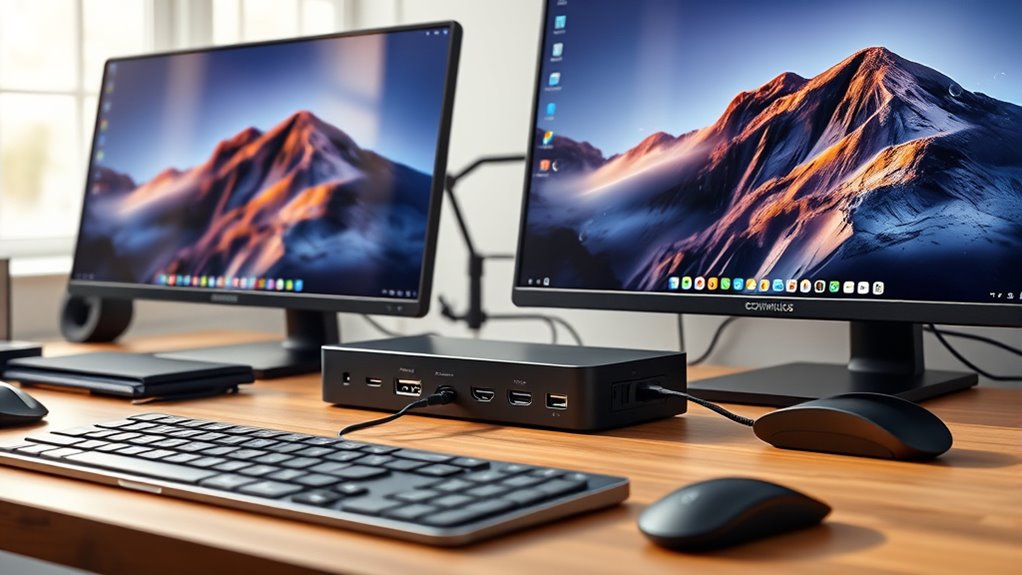

For users seeking seamless dual 4K display support through their USB-C docks, the options can be overwhelming. The UGREEN USB C Docking Station Dual Monitor stands out for its reliable performance and broad compatibility, making it a top overall pick. The Anker Prime Docking Station offers a feature-rich experience with 14-in-1 connectivity, ideal for heavy multitaskers. Meanwhile, the Plugable Thunderbolt 4 Dock provides ultra-fast data speeds and future-proofing for demanding setups. However, tradeoffs often come in the form of higher prices or larger footprints. Keep reading to explore how each option matches different needs and budgets.
Key Takeaways
- Dual 4K support at 60Hz is common among high-quality docks, but not all support 4K at 60Hz across both displays simultaneously.
- Power delivery capacity varies, with many docks offering 85W to 100W, which is essential for charging high-power laptops during use.
- Compatibility with a broad range of laptops, including MacBooks and Windows devices, is a key factor influencing performance and ease of use.
- Additional ports like Ethernet, SD card readers, and multiple USB-A/C ports add versatility but can impact dock size and price.
- Price points vary significantly, with more feature-rich, premium docks costing more but offering better future-proofing and expandability.


More Details on Our Top Picks
UGREEN USB C Docking Station Dual Monitor, 7-in-1 Aluminum Dock with 2 HDMI, Dual 4K@60Hz, 4x10Gbps USB-A&C Ports, 100W PD, Compatible with HP, Thinkpad, Dell
The UGREEN USB C Docking Station stands out for combining dual 4K@60Hz HDMI outputs with high-speed data transfer and 100W charging, making it a strong all-rounder for professionals needing crisp visuals and fast connectivity. Compared with the Anker Prime, it offers more USB ports and a lighter design, but falls short on macOS extended display support, which can limit multitasking flexibility. Its mirror-only mode on Mac may frustrate users expecting extended desktops. This model is ideal for Windows users who prioritize high-resolution displays and quick data transfer in a portable form factor. Its main tradeoff is the limited display options for Mac, which could be a dealbreaker for Apple-centric setups. Pros include dual 4K@60Hz support, multiple high-speed USB ports, and 100W power delivery. Cons involve macOS display limitations and the need for compatible USB-C or Thunderbolt 3/4 ports for full functionality. Verdict: This dock makes the most sense for Windows users seeking a reliable, versatile dual 4K docking station with fast charging and broad compatibility.- Number of HDMI ports:2
- HDMI resolution:4K@60Hz
- USB-A ports:2
- USB-C ports:2
- Power Delivery:100W
- Compatibility:ThinkPad X1, ZenBook, Chromebook, Surface
UGREEN USB C Docking Station Dual Monitor 10-in-1 Laptop Dock with HDMI, Ethernet, USB-A/C, SD/TF Card Reader
This 10-in-1 dock excels by supporting dual 4K@60Hz displays or an 8K@30Hz single, offering notable flexibility at a compelling price point. Unlike the more premium Anker Prime, it provides a broader array of ports, including Ethernet and SD/TF readers, making it perfect for content creators and productivity-focused users. However, all displays mirror on macOS and the USB-C port only charges, limiting data transfer and extended display options. It’s best suited for Windows users needing multiple peripherals and high-quality visuals without breaking the bank. The main tradeoff is the inability to extend displays via macOS and limited port versatility for some configurations. Pros include support for dual 4K visuals, high-speed data transfer, and 100W charging. Cons involve limited compatibility with macOS extended mode and some ports supporting only charging or data, not both. Verdict: This dock offers excellent value for Windows users seeking multi-port connectivity and high-res display support on a budget.- Number of HDMI ports:2
- HDMI resolution:Dual 4K@60Hz / Single 8K@30Hz
- Power Delivery:100W
- Ethernet:1Gbps
- USB Ports:2x USB-A 3.0, 2x USB-A 2.0, 1x USB-C 5Gbps
- Material:Revodok Pro Aluminum
Anker Prime Docking Station, 14-in-1 Laptop Dock with Dual 4K HDMI, 160W Power, 10Gbps Data Transfer, Ethernet, Audio, for Dell, HP, Lenovo
The Anker Prime Docking Station provides a comprehensive 14-in-1 setup with dual 4K HDMI outputs, powerful 160W charging, and multiple ports for data, audio, and Ethernet, making it ideal for demanding multi-device environments. Compared to the Acer Dock, it offers higher power output and more versatile port options, fitting well into professional workspaces. Its support for dual 4K displays is slightly limited to 60Hz, and it doesn’t support 5120×1440 resolutions, which can matter for specialized workflows. Its broad compatibility with Windows, ChromeOS, and Thunderbolt makes it a go-to choice for high-end setups. The main tradeoff is its limited Linux support and the absence of support for macOS extended desktops, which could restrict some users. Pros include high power delivery, multiple USB-C ports, and extensive device management options. Cons involve resolution limitations and compatibility gaps with Linux. Verdict: This premium station is best for power users who need maximum device support and high wattage charging for complex setups.- Connectivity:14-in-1
- Power Output:160W
- Display Support:Dual 4K HDMI, up to 2K@60Hz
- Data Transfer Speed:10Gbps
- USB Ports:3 USB-C (100W each), 1 USB-A (12W)
Acer USB-C Docking Station Dual Monitor, 9-in-1 Laptop Dock with 2 HDMI, 4K@60Hz, USB A&C 3.0, SD/Micro SD, 100W PD, Compatible with Acer, Dell XPS, HP, Mac
The Acer USB-C Docking Station offers a balanced mix of dual 4K@60Hz HDMI outputs, multiple USB ports, and SD/MicroSD slots, all powered by 100W PD. It’s a versatile choice for users who need reliable visuals and peripheral connectivity, especially with Windows and some Mac setups. Compared to the Plugable USB-C Dock, it provides a more compact form factor and additional SD card support, but it restricts Mac users to mirroring displays rather than extending desktops, which may limit multitasking. Its power adapter is not included, adding to setup complexity. This dock is ideal for users with full-featured USB-C ports seeking high-resolution visuals and peripheral expansion in a sleek package. The main tradeoff is the lack of extended display support on Mac and absence of included power supply, which can frustrate those with portable needs. Pros include dual 4K display support, multiple USB ports, and SD card slots. Cons are Mac display limitations and the need for compatible cables and power supply. Verdict: Perfect for Windows users looking for a versatile, space-efficient docking station with broad peripheral support.- Number of HDMI ports:2
- HDMI resolution:4K@60Hz
- USB-A ports:3
- SD/MicroSD:Yes
- Power Delivery:100W
USB C Laptop Docking Station Dual Monitor HDMI USB C Hub Multiport Adapter 14-in-1
This 14-in-1 USB C Docking Station supports dual HDMI and DisplayPort outputs at 4K@60Hz, along with a range of USB and audio options, making it ideal for users who want to set up multi-monitor configurations including triple displays. Compared with the Anker Prime, it offers more video output options but has compatibility limitations, especially with MacBook models that only mirror displays. Its lack of included power supply and limited support for some USB-C devices can restrict its use. It’s best suited for Windows users who need extensive display options and multiple high-speed data ports. The main drawback is that some devices may not support all features without additional adapters, and it’s not fully compatible with all MacBooks for extended desktops. Pros include multi-display support with HDMI and DisplayPort, high data transfer speeds, and 100W charging support. Cons involve compatibility issues and missing accessories. Verdict: This dock is ideal for Windows users wanting flexible multi-monitor setups and robust data connectivity with high resolutions.- Number of Ports:14
- HDMI Ports:2 (4K)
- DisplayPort:1 (4K)
- USB C Power Delivery:100W
- Supported Resolutions:4K@60Hz (HDMI), 4K@30Hz (DisplayPort)
Anker Nano 8-in-1 USB-C Hub with Dual 4K HDMI, Dual Monitor Support, 85W Power Delivery
This Anker hub excels as a comprehensive solution for users needing dual 4K displays and a variety of ports. Its support for dual 4K@60Hz outputs surpasses many competitors like the Plugable Dock, which often limits users to 4K@30Hz on dual screens. The compact aluminum design adds durability, and 85W power delivery keeps laptops charged while multitasking. However, to fully utilize the 85W charging, a 100W PD charger is required—no included—and macOS users face mirror-only display modes, which could limit extended desktop use. Compared to larger docks, it prioritizes portability without sacrificing high-resolution output, but missing an Ethernet port may inconvenience wired network users.
Pros:- Supports dual 4K@60Hz for smooth multitasking
- Includes multiple USB ports and SD/TF readers
- Provides 85W pass-through charging
Cons:- Requires a 100W charger not included for full charging capacity
- On Mac, only mirror mode for external displays
Best for: Professionals who need a compact, powerful hub supporting dual 4K displays and multiple peripherals on the go.
Not ideal for: Users who require wired Ethernet connectivity or plan to extend displays on macOS without mirroring, as these features are limited or absent.
- Hardware Interface:HDMI, MicroSD, USB, USB Type C
- Additional Features:10 Gbps Max Data Transfer, 85W Max Charging, Dual 4K Support
- Total USB Ports:4
- Data Transfer Rate:10 Gbps
- Operating System:Chrome OS, Windows 10, macOS
- Enclosure Material:Aluminum
Our verdict“Best suited for users seeking a portable, all-in-one hub with dual high-resolution display support and fast data transfer.”
Plugable USB-C Triple Display Docking Station with 100W Power Delivery
This docking station stands out for supporting up to three HDMI monitors, including 4K resolution, making it ideal for users who need extensive visual workspace. Unlike the Anker hub, which is limited to two displays, this station’s triple HDMI output provides greater flexibility for complex workflows. Its 100W power delivery ensures continuous laptop charging, but it’s incompatible with Linux systems and requires driver installation on macOS, which may complicate setup. The dock’s size is larger, which may be a drawback for portability, but it compensates with broad compatibility and high monitor capacity. If your priority is a multi-monitor setup with robust power support, this is a strong choice.
Pros:- Supports three HDMI monitors, including 4K
- Provides 100W Power Delivery for continuous charging
- Compatible with a wide range of Windows, macOS, and Thunderbolt systems
Cons:- Not compatible with Linux systems
- Requires driver installation on macOS
Best for: Creative professionals and power users who rely on three external monitors and need reliable, high-wattage charging.
Not ideal for: Linux users or those seeking a lightweight, portable dock, as compatibility issues may arise and size is less travel-friendly.
- Hardware Interface:USB Type C
- Supports:full-featured USB-C, USB4, Thunderbolt
- Total HDMI Ports:3
- Wattage:100W
- Dimensions:7.87″L x 3.3″W x 1.2″H
- Compatibility:Windows 10/11, macOS 11+, ChromeOS v100+, Thunderbolt 3
Our verdict“Best for users who prioritize multi-monitor setups and high wattage charging over portability or Linux compatibility.”
13-in-1 Dual Monitor 4K USB-C Docking Station for Laptop and Mac
This 13-in-1 dock offers a broad array of ports, including dual 4K HDMI and DisplayPort outputs, making it highly versatile for users with demanding peripheral needs. Its support for dual 4K@60Hz displays surpasses many single-display docks like the Plugable USB-C Dock, which often limits users to 4K@30Hz. The inclusion of multiple USB ports and gigabit Ethernet makes it suitable for professional environments. However, its compatibility with Mac in extend mode is limited, and Windows is needed for full MST support—an important consideration for Mac users. Its large size and 13W power draw mean it’s less portable and may reduce laptop charging wattage, limiting use for mobile professionals.
Pros:- Supports dual 4K@60Hz displays with DisplayPort and HDMI
- Includes multiple USB ports and gigabit Ethernet
- Supports high data transfer rates and 100W charging
Cons:- Limited extend mode support on Mac
- Consumes 13W, reducing laptop charging capacity
Best for: Power users who need extensive port options and dual 4K displays for complex workflows on both Windows and Mac systems.
Not ideal for: Travelers seeking a lightweight, portable dock or Mac users who need full extended desktop support without limitations.
- Number of Ports:13
- Display Outputs:2 HDMI, 1 DisplayPort
- Max Resolution:4K@60Hz
- Power Delivery:100W
- Compatibility:Windows, Mac
- Ethernet:Gigabit Ethernet
Our verdict“Best for professionals needing extensive connectivity and dual 4K support across multiple interfaces, with some limitations on Mac extended mode.”
Plugable USB-C Docking Station Dual Monitor 4K 60Hz (2×HDMI), 65W Charging, Gigabit Ethernet, USB-C & 3×USB-A 5Gbps, Audio, Driverless for Windows/ChromeOS
This Plugable dock offers a straightforward setup for dual 4K@60Hz monitors, matching the performance of the Anker hub but with the advantage of driverless operation on supported Windows and ChromeOS systems. Its 65W charging is sufficient for many ultrabooks, but less powerful than docks offering 85W or 100W, which could limit charging on high-wattage laptops. Its simplicity is appealing, yet limited compatibility with macOS and the reliance on host system support for DisplayPort Alt Mode may restrict some users. Compared to the Anker hub, it lacks SD/TF readers but shines in ease of use and seamless operation, making it well-suited for professionals who prioritize quick setup and dual high-res displays.
Pros:- Supports dual 4K@60Hz displays with plug-and-play setup
- Includes Ethernet, audio, and multiple USB ports
- Driverless on Windows and ChromeOS for quick deployment
Cons:- Limited to 65W charging, less suitable for high-power laptops
- Not fully compatible with macOS for extended display modes
Best for: Business users and students who want a reliable, driverless dual 4K solution for Windows and ChromeOS platforms.
Not ideal for: Mac users needing extended desktop modes or higher charging wattage for power-intensive laptops.
- Monitor Support:Dual HDMI up to 4K 60Hz
- Power Delivery:65W
- Connectivity:USB-C, USB-A 3.0, Ethernet, Audio
- Driver Support:Driverless on Windows/ChromeOS
- Dimensions:Not specified
- Weight:Not specified
Our verdict“Ideal for users seeking a simple, reliable dual 4K display solution with minimal setup on Windows or ChromeOS devices.”
Anker 8-in-1 USB-C Hub with Dual 4K HDMI, Ethernet, SD/TF Card Reader, and 85W Power Delivery
This Anker hub offers a balanced mix of dual 4K HDMI support, Ethernet, and card readers, making it a well-rounded choice for users who want reliable high-res display output alongside peripheral connectivity. While it shares the same dual 4K@60Hz capability as the Plugable dock, it distinguishes itself with a more streamlined, portable design suitable for mobile professionals. The 85W power delivery is a plus, but like the other Anker model, a 100W charger is necessary for full charging performance—charger not included. Mac users may find mirror mode on external displays limiting, and the device’s size may be less suitable for tight portable setups.
Pros:- Supports dual 4K@60Hz for clear, smooth visuals
- Includes Ethernet, SD/TF card readers, and multiple USB ports
- Compact and durable aluminum design
Cons:- Requires a 100W charger for full charging capacity
- MacOS external displays are limited to mirror mode
Best for: Travelers and mobile workers who need a compact hub supporting dual 4K displays and multiple peripherals without sacrificing portability.
Not ideal for: Power users with high-power laptops that require more than 85W charging or those seeking extended display modes on macOS.
- Number of HDMI ports:2
- Maximum resolution:4K@60Hz
- Power Delivery:85W
- Ethernet:1Gbps
- SD/TF Card Reader:Yes
- Dimensions:5.5″L x 1.9″W x 0.6″H
Our verdict“Best for mobile professionals who need a portable dual 4K hub with versatile port options and reliable performance.”
Plugable USB C Laptop Docking Station, Dual 4K 60Hz Monitors, 14-in-1 with HDMI, DisplayPort, 100W Charging for MacBook and Windows Laptops
This docking station stands out for delivering reliable dual 4K support at 60Hz, making it ideal for professionals who require crisp visuals and multiple peripherals. Compared to the Plugable Thunderbolt 4 Dock, it offers broader compatibility with Windows and macOS without the need for Thunderbolt-specific hardware. However, it does require driver installation for full functionality, which can be a hassle for some users. Its versatility with HDMI and DisplayPort outputs, along with 100W charging, makes it a well-rounded choice for those seeking a balanced mix of performance and compatibility. The main tradeoff is that it doesn’t support HDCP on all Macs, which could impact users working with protected content.
Pros:- Supports dual 4K monitors at 60Hz for smooth visuals
- Multiple ports including USB, SD, Ethernet for expanded connectivity
- Compatible with both macOS and Windows systems, including M1-M5 Macs
Cons:- Requires driver installation, adding setup complexity
- HDCP not supported on some Macs, limiting protected content use
Best for: Creative professionals and office workers needing a dependable dual 4K setup with broad system support
Not ideal for: Users seeking a plug-and-play experience without driver installation or requiring HDCP support for protected content
- Number of Ports:14-in-1
- Monitor Support:2x 4K at 60Hz
- Video Outputs:HDMI, DisplayPort
- Charging Power:100W
- Compatibility:macOS 11+, Windows 10+, ChromeOS
- Additional Features:USB 3.0 ports, SD/microSD card readers, Ethernet
Our verdict“This pick is best for users who prioritize broad system compatibility and reliable dual 4K output without needing Thunderbolt speeds.”
Plugable Thunderbolt 4 Dock, 100W Charging, Dual HDMI, 13 Ports
This Thunderbolt 4 dock excels for users with compatible Thunderbolt 4 systems who need high-speed data transfer and dual 4K or 8K display support. Its 40Gbps bandwidth surpasses the standard USB-C offerings, making it ideal for data-heavy tasks and demanding workflows. Compared to the Plugable USB C Laptop Docking Station, it provides faster data speeds and supports an 8K display, but it comes with a larger, heavier design that’s less portable. The 13 ports—including multiple USB and Ethernet options—offer versatile connectivity, yet Mac users with non-Thunderbolt ports may find some display support limited or requiring specific hardware. This model is best suited for high-performance setups rather than casual or portable use.
Pros:- High-speed 40Gbps Thunderbolt 4 performance for demanding workflows
- Supports dual 4K or single 8K display output for high-resolution needs
- Numerous ports including Ethernet, SD, and multiple USB for full workstation connectivity
Cons:- Limited display support on non-Thunderbolt Macs without specific hardware
- Relatively large and heavy, less suited for travel
Best for: Power users with Thunderbolt 4-compatible Windows or Mac systems looking for maximum performance
Not ideal for: Users with non-Thunderbolt systems or those prioritizing portability over raw speed and extensive port options
- Hardware Interface:Thunderbolt
- Compatible Devices:Windows 11 Thunderbolt 4 hosts and Thunderbolt 4 Macs with macOS 11+
- Total USB Ports:6
- Number of Ports:13
- HDMI Ports:2
- Wattage:96W
- Minimum OS:Windows 10
- Dimensions:8.9″L x 3.3″W x 0.9″H
- Weight:2.4 pounds
Our verdict“This dock is ideal for high-performance setups where Thunderbolt 4 capability and top-tier data speeds are essential for demanding professional tasks.”

How We Picked
The products in this roundup were selected based on their ability to reliably support dual 4K displays at 60Hz through USB-C connections. We prioritized docks that offered robust build quality, broad device compatibility, and sufficient power delivery to keep laptops charged during intensive use. Performance factors such as data transfer speeds, port variety, and ease of setup were also key. Docks that provided driverless operation or minimal configuration earned higher rankings, as user experience is crucial. The final list balances features and price, highlighting options for both budget-conscious buyers and those seeking premium performance.Factors to Consider When Choosing Usbc Docking Stations With Dual 4k
Choosing the right USB-C docking station with dual 4K support involves more than just checking port counts. Buyers should consider performance needs, compatibility, power delivery, and future-proofing to ensure their investment meets their workflow demands. Understanding these factors helps prevent common pitfalls, such as buying a dock that can’t support 4K at 60Hz on both monitors or one lacking enough power to keep your laptop charged. The following sections highlight key considerations to help you make an informed decision beyond the basic specs.Performance and Display Capabilities
When selecting a dock, confirm it supports dual 4K monitors at 60Hz. Not all docks advertise this capability clearly, and some may only support 4K at 30Hz on one or both screens, which can cause noticeable lag. Look for docks that explicitly mention dual 4K@60Hz for smoothness, especially if your work involves video editing, design, or gaming. Consider whether your laptop’s USB-C port supports DisplayPort Alt Mode or Thunderbolt 3/4, as these standards influence the dock’s ability to deliver high resolutions reliably.
Power Delivery and Charging
Power delivery (PD) is a core feature in choosing a dock, especially if you plan to connect a laptop that requires substantial wattage. Many docks offer 85W or 100W PD, enough to keep your high-end laptop charged during intensive tasks. However, some budget options may only deliver 60W or less, which can lead to slower charging or battery drain while in use. Match your laptop’s power requirements with the dock’s PD capacity to prevent performance bottlenecks or the need for separate charging solutions.
Port Selection and Versatility
Beyond dual 4K outputs, consider what additional ports are necessary for your workflow. Ethernet, SD card readers, multiple USB-A/C ports, and audio jacks add flexibility. However, more ports can mean a larger, more complex device, which may be less portable. Balance your needs with the dock’s size and port layout, aiming for a model that offers everything you need without unnecessary clutter or expense. Compatibility with your devices and peripherals is also essential to avoid setup headaches.
Build Quality and Compatibility
A well-constructed dock with quality materials ensures durability and reliable connections over time. Compatibility is equally important—ensure the dock supports your operating system (Windows, macOS, ChromeOS) without requiring complex driver installations. Some docks are optimized for specific brands like Dell or MacBook, which can influence performance and ease of use. Reading user reviews can reveal real-world compatibility issues that specs alone might not show.
Price and Future-Proofing
Higher-priced docks often include more features, better build quality, and support for future standards like Thunderbolt 4. While a budget dock might cover basic needs, it could limit your setup’s expandability or performance over time. Consider your long-term use and whether investing in a premium model could save money and hassle later. Always evaluate the tradeoff between cost and features to ensure your purchase aligns with your current and future needs.
Frequently Asked Questions
Will all USB-C ports support dual 4K at 60Hz?
Not all USB-C ports can support dual 4K at 60Hz; it depends on the port’s standards and the dock’s capabilities. Ports supporting Thunderbolt 3 or 4, or DisplayPort Alt Mode, are more likely to handle this resolution and refresh rate reliably. Always check the specifications of both your laptop’s USB-C port and the dock to confirm compatibility. Using an incompatible port could result in reduced resolution, lower refresh rates, or no support for dual monitors at high resolutions.
Can I use a dual 4K dock with a non-Thunderbolt USB-C port?
Yes, many docks support dual 4K displays via USB-C without requiring Thunderbolt, but performance can vary. Ports supporting DisplayPort Alt Mode are typically sufficient for dual 4K at 60Hz, provided the dock itself is designed for that. However, some docks may be limited by the bandwidth of your port, leading to potential compromises like reduced refresh rates or resolution. Check your laptop’s USB-C specifications and the dock’s compatibility details before purchasing.
Is power delivery necessary for a dual 4K dock?
Power delivery (PD) is highly recommended if you want the dock to charge your laptop while in use. Without sufficient PD, your laptop’s battery could drain during intensive tasks, reducing productivity and convenience. Docks offering 85W or higher PD can keep most high-performance laptops charged, making your workspace cleaner and more efficient. If your laptop requires more than 100W, verify that the dock can meet that demand or consider separate charging options.
Are all docks driverless and plug-and-play?
Most modern docks are designed to be driverless and operate as plug-and-play devices, especially those with USB-C and HDMI ports. However, some high-end or specialized docks, particularly Thunderbolt models, may require specific drivers or firmware updates for optimal performance. Checking user reviews and manufacturer specifications can help determine if setup might involve additional steps, which could influence ease of use for less tech-savvy users.
How do I choose between a dock with HDMI or DisplayPort outputs?
Both HDMI and DisplayPort can support 4K at 60Hz, but DisplayPort generally offers higher bandwidth and better support for multiple displays. HDMI is more common and widely compatible with consumer electronics, making it suitable for most users. If you need to connect multiple high-resolution monitors or plan for future upgrades, a dock with DisplayPort might provide more flexibility. Always verify the version (e.g., HDMI 2.0, DisplayPort 1.4) to ensure it supports your desired resolutions and refresh rates.
Conclusion
For general users who need reliable dual 4K support and broad compatibility, the UGREEN USB C Docking Station Dual Monitor offers an excellent balance of performance and price. Creative professionals or power users requiring extensive ports and future-proof features should consider the Plugable Thunderbolt 4 Dock for maximum speed and expandability. Those new to docking stations or seeking simplicity might prefer the Anker Nano 8-in-1 USB-C Hub for its straightforward setup. Ultimately, your choice depends on your specific resolution, power, and connectivity needs—matching the right dock to your workflow will deliver the best experience.