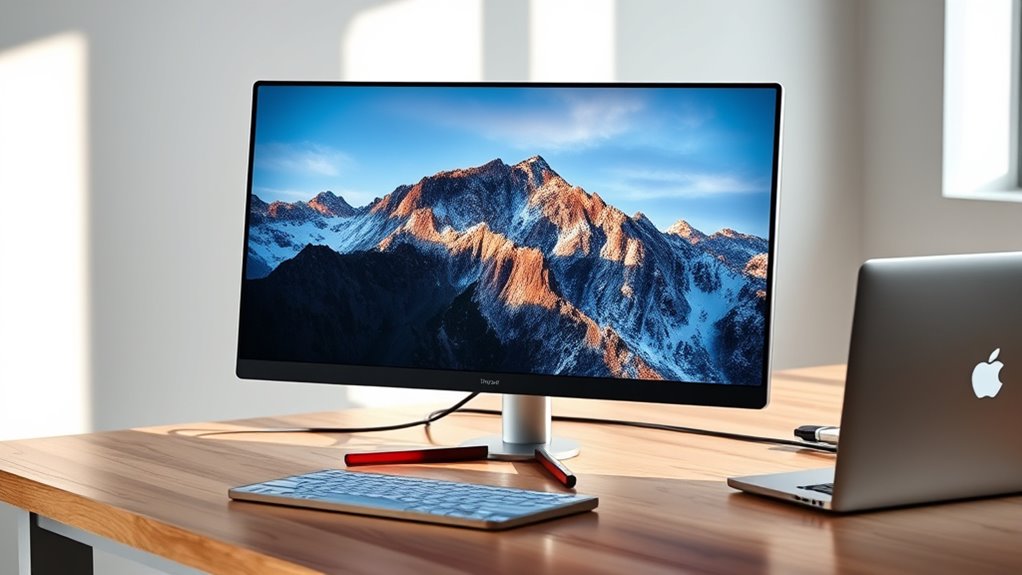

Choosing a USB C monitor for your MacBook involves balancing performance, display quality, and compatibility. The Dell 27 Monitor S2725QC stands out as the best overall thanks to its 4K resolution and seamless connectivity. For a more budget-friendly option, the BenQ GW2490TC offers solid eye-care features and decent performance. Those needing portability might lean toward the InnoView Portable Monitor, while creative professionals may prefer the color accuracy of the ASUS ProArt PA247CV. The main tradeoffs include resolution versus affordability, size versus portability, and feature sets tailored to different workflows. Keep reading for a detailed breakdown of each option to find the best fit for your needs.
Key Takeaways
- High-resolution 4K monitors like the Dell S2725QC deliver exceptional detail but come at a higher price point.
- Color accuracy and wide gamuts are critical for creative work, making models like the ASUS ProArt ideal for professionals.
- Portability options like the InnoView are best suited for users needing an external display on the go, but typically sacrifice some features and size.
- Budget-friendly monitors such as the BenQ GW2490TC provide essential features and eye comfort without the premium price.
- Connectivity versatility, including USB-C with power delivery, ensures seamless integration with MacBook, reducing clutter and enhancing workflow.


| usb c monitors for macbook | Resolution | Connectivity | Display Size |
|---|---|---|---|
| Dell 34 Monitor S3425DW | 3440 x 1440 (WQHD) | USB-C with 65W Power Delivery | 34 inches |
| BenQ GW2490TC 23.8" IPS Comput | 1920 x 1080 | USB-C | 24 inches |
| Dell 27 Monitor S2725QC 4K UHD | 3840 x 2160 (4K UHD) | USB-C, HDMI, DisplayPort | 27 inches |
| InnoView Portable Monitor | 1920 x 1080 | USB-C, HDMI | — |
| Dell 27 Plus QHD USB-C Monitor | 2560 x 1440 (QHD) | USB-C, HDMI, DisplayPort | 27 inches |
| BenQ MA320UP 32” 4K Monitor fo | 3840×2160 (4K) | 2 HDMI, 2 USB-C | 32 inches |
| ASUS ProArt PA247CV 24-Inch 10 | 1920 x 1080 | USB-C with 65W PD, DisplayPort, HDMI | 24 inches |
| INNOCN 27-Inch 4K USB-C Monito | 3840 x 2160 (4K UHD) | USB-C, DisplayPort, HDMI | 27 inches |
| LG 27UP850K-W 27-inch 4K UHD I | 3840 x 2160 (4K UHD) | USB-C, DisplayPort, HDMI (2), USB 3.0 (2), Headphone | 27 inches |
More Details on Our Top Picks
The Dell S3425DW stands out for its expansive 34-inch curved display with WQHD resolution, offering vibrant colors and a wide 95% DCI-P3 coverage, making it ideal for those who want both detailed visuals and an immersive experience. Its 120Hz refresh rate and AMD FreeSync Premium support deliver smooth, tear-free visuals that surpass the standard 60Hz models like the BenQ GW2490TC, which is more suited for everyday use rather than high-refresh-rate gaming or video editing. The monitor’s eye comfort features, anti-glare coating, and HDR10 support help reduce strain during long sessions—crucial for professionals working extended hours. However, its stand lacks detailed adjustability info, and the built-in speakers’ quality is not emphasized, which may be a drawback for users relying on audio. This pick makes the most sense for users who want a large, vibrant display with excellent color accuracy and smooth performance without sacrificing comfort, but it requires a compatible USB-C port for full functionality.
Pros:- Expansive 34-inch curved display with immersive visuals
- High color accuracy with 95% DCI-P3 coverage
- 120Hz refresh rate with FreeSync Premium for smooth motion
- Single USB-C cable for video, data, and 65W power
Cons:- Limited stand adjustability details
- No information on built-in speaker quality
- Requires USB-C port for full functionality
Best for: Creative professionals and power users who need a large, color-accurate display with smooth visuals and USB-C connectivity.
Not ideal for: Users with limited desk space or those seeking highly adjustable stands, as stand ergonomics are somewhat unspecified.
- Display Size:34 inches
- Resolution:3440 x 1440 (WQHD)
- Panel Type:VA
- Refresh Rate:120Hz
- Response Time:0.03 ms
- Brightness:300 cd/m2
- Color Coverage:95% DCI-P3
- Connectivity:USB-C with 65W Power Delivery
Our verdict“This monitor is perfect for users who prioritize immersive visuals and color accuracy in a large curved display, with good performance for both work and entertainment.”
BenQ GW2490TC 23.8″ IPS Computer Monitor with 1080P FHD, 144Hz, Height and Tilt Adjustable, USB-C, Flicker-Free, Low Blue Light, Ultra Slim Bezel, Eye-Care
The BenQ GW2490TC offers a compact yet versatile 24-inch IPS display with a high 144Hz refresh rate, making it particularly appealing for users who want smooth visuals for both work and casual gaming. Its ergonomic features, including height and tilt adjustment, set it apart from the Dell S2725QC, which offers a larger 27-inch size but lacks detailed ergonomic controls. The flicker-free and low blue light technologies help reduce eye strain for long sessions, aligning well with users who spend hours at their desks. However, the absence of a response time specification and limited port options—mainly USB-C—may limit its appeal for gamers or those requiring multiple peripherals. This monitor makes the most sense for professionals and students seeking a comfortable, adjustable screen with eye care features, especially in limited workspace environments.
Pros:- High 144Hz refresh rate for smooth motion
- Ergonomic stand with height and tilt adjustment
- Eye-care features including flicker-free and low blue light
- USB-C connectivity simplifies setup
Cons:- Lack of response time details, limiting gaming appeal
- Limited to 24 inches, which might be small for some users
- Few additional ports beyond USB-C
Best for: Students, remote workers, or professionals needing a compact, ergonomic display with eye-care tech and smooth visuals.
Not ideal for: Gamers or users requiring extensive port options or larger screens for multitasking; it’s better suited for standard productivity.
- Display Size:24 inches
- Resolution:1920 x 1080
- Refresh Rate:144Hz
- Display Technology:IPS
- Brightness:250 cd/m2
- Viewing Angle:178°
- Connectivity:USB-C
Our verdict“This monitor is ideal for users who prioritize comfort, eye health, and smooth visuals in a compact size for daily productivity and casual gaming.”
Dell 27 Monitor S2725QC 4K UHD IPS with USB-C, HDMI, DisplayPort, FreeSync Premium
The Dell S2725QC excels at delivering stunning 4K visuals with vibrant colors, making it a strong choice for detailed work like photo editing or media consumption. Its 120Hz refresh rate and FreeSync Premium support ensure smooth motion, aligning it closely with the performance of the Dell S3425DW but on a smaller 27-inch scale. The IPS panel, combined with Low Blue Light technology, provides comfortable viewing over long hours. Compared to the larger 34-inch Dell, it offers higher pixel density for sharper images, but its smaller size might feel cramped for multitasking or extensive window management. The single USB-C connection simplifies setup but limits expandability. This monitor suits users who want high-resolution clarity and color fidelity in a compact form factor for both work and entertainment.
Pros:- Vivid 4K UHD resolution with high pixel density
- Accurate color coverage with 99% sRGB
- Smooth 120Hz refresh rate with FreeSync Premium
- Single USB-C cable for video and power
Cons:- Smaller 27-inch size may be limiting for multitasking
- Higher price point for a 4K monitor
- Limited info on built-in speakers
Best for: Creative professionals and content consumers who need detailed 4K visuals with color accuracy and smooth performance in a 27-inch size.
Not ideal for: Users needing a larger screen for multitasking or who prefer higher refresh rates for gaming; it’s optimized for clarity rather than size.
- Display Size:27 inches
- Resolution:3840 x 2160 (4K UHD)
- Panel Type:IPS
- Refresh Rate:120Hz
- Contrast Ratio:1500:1
- HDR:Yes
- Connectivity:USB-C, HDMI, DisplayPort
Our verdict“This monitor is well-suited for professionals needing crisp 4K visuals and color accuracy in a manageable 27-inch size.”
InnoView Portable Monitor, 15.6 Inch FHD 1080P HDMI USB-C External Monitor for Laptop, Gaming, and More
The InnoView portable monitor offers a compact 15.6-inch FHD display with IPS technology, making it a flexible choice for users who need a secondary screen on the move. Its lightweight design, combined with multiple connection options including USB-C and HDMI, makes it highly portable for travel, remote work, and casual gaming. While it excels in portability, it may fall short for intensive multitasking or detailed creative work, especially since it relies on device support for optimal connection and may require additional accessories like external power cables. Compared to larger desktop options like the Dell S3425DW or the Dell S2725QC, this monitor trades size for convenience, which can be a decisive factor for frequent travelers or those with limited desk space. It makes the most sense for users prioritizing mobility over screen real estate.
Pros:- Highly portable and lightweight design
- IPS display with vivid colors and wide viewing angles
- Multiple connectivity options including USB-C and HDMI
- Includes protective cover/stand for versatile use
Cons:- Requires device support for optimal connection
- External power cable often needed, adding to accessories
- Potential flickering or restart issues depending on device power output
Best for: Travelers, remote workers, or students needing a lightweight, portable display for quick multitasking and media viewing.
Not ideal for: Power users or creative professionals requiring larger, color-accurate screens for detailed editing or extensive multitasking.
- Size:15.6 inches
- Resolution:1920 x 1080
- Display Technology:IPS
- Viewing Angle:178°
- Connectivity:USB-C, HDMI
- Power:Supports power pass-through
Our verdict“This monitor is ideal for users who need a portable, secondary display for casual work and media on the go, sacrificing size for convenience.”
Dell 27 Plus QHD USB-C Monitor – S2725DC
The Dell S2725DC combines a 27-inch QHD display with a 144Hz refresh rate and 1ms response time, making it particularly appealing for users who want smooth motion for fast-paced work or casual gaming. Its integrated dual 3W speakers add convenience, especially compared to models like the BenQ GW2490TC, which lack audio features. The monitor’s TÜV-certified blue light reduction technology enhances comfort during long hours, aligning well with those working extended periods on their MacBooks. However, its 27-inch size might be limiting for users who prefer more expansive multitasking space, and the absence of additional USB ports could be a drawback for those wanting more device connectivity. This pick suits users who need a high-performance display with built-in audio for a balanced multimedia and productivity experience.
Pros:- 144Hz refresh rate with 1ms response time for smooth visuals
- Integrated dual speakers for sound without extra peripherals
- Blue light reduction technology for eye comfort
- USB-C with power delivery for streamlined connection
Cons:- Limited to 27 inches, which may be small for multitasking
- No additional USB ports for peripherals
- Price may be higher due to high refresh rate features
Best for: Gamers and professionals who want a fast, responsive monitor with integrated sound in a 27-inch size.
Not ideal for: Users needing a larger screen for multitasking or extensive creative work, as the size might be restrictive.
- Display Size:27 inches
- Resolution:2560 x 1440 (QHD)
- Refresh Rate:144Hz
- Response Time:1ms
- Speakers:2 x 3W
- Connectivity:USB-C, HDMI, DisplayPort
Our verdict“This monitor is best suited for dynamic workflows and casual gaming requiring quick response and audio integration, in a compact 27-inch form.”
BenQ MA320UP 32” 4K Monitor for MacBook with USB-C, P3 Color Gamut, Adjustable Stand
The BenQ MA320UP stands out for its expansive 32-inch 4K display calibrated with a P3 wide color gamut, making it ideal for creative tasks that demand accurate, vibrant visuals. Compared to the LG 27UP850K-W, it offers a larger workspace but at a higher price and potentially bulkier footprint. Its dual USB-C ports with 90W Power Delivery simplify connections, reducing cable clutter, while the adjustable stand ensures ergonomic comfort. However, its compatibility is optimized for MacBook, and it lacks built-in speakers, which could be a drawback for multimedia use. This monitor suits creative professionals or designers who prioritize color accuracy and size, and are willing to invest in an ergonomic setup.
Pros:- Vibrant P3 wide color gamut calibrated for MacBook
- Large 32-inch 4K display maximizes workspace
- Single USB-C connection for display and power simplifies setup
- Height, tilt, swivel, pivot adjustments for ergonomic comfort
Cons:- High price point may be prohibitive for some users
- No built-in speakers, requiring external audio solutions
- Limited MacBook compatibility could affect color matching on other devices
Best for: Creative professionals or designers seeking a large, color-accurate 4K display with ergonomic flexibility
Not ideal for: Budget-conscious users or those needing built-in speakers or a more compact setup
- Display Size:32 inches
- Resolution:3840×2160 (4K)
- Color Gamut:P3
- Power Delivery:90W
- Connectivity:2 HDMI, 2 USB-C
- Stand Adjustments:Height, tilt, swivel, pivot
Our verdict“This monitor is best suited for creatives who need a large, color-accurate display and ergonomic flexibility, and are prepared for a higher investment.”
ASUS ProArt PA247CV 24-Inch 1080p USB-C Professional Monitor
The ASUS ProArt PA247CV offers a 24-inch IPS display with 100% sRGB coverage and factory calibration, making it an excellent choice for professionals who need reliable color accuracy without the size or cost of larger 4K monitors. Unlike the BenQ MA320UP, it sacrifices size and resolution but compensates with extensive calibration and a 5-year warranty, appealing to those who prioritize precise color reproduction. Its USB-C port with 65W Power Delivery supports a tidy setup, though its Full HD resolution might feel limiting for detailed creative work. This monitor is ideal for photographers, designers, or video editors working in smaller spaces or on tighter budgets.
Pros:- Excellent factory-calibrated color accuracy with Delta E < 2
- Supports daisy chaining for multi-monitor setups
- Multiple connectivity options including USB-C with 65W PD
- Extended 5-year warranty adds peace of mind
Cons:- Limited to 1080p resolution, less sharp for detailed tasks
- Higher price relative to basic models
- Small screen size may not satisfy those needing more workspace
Best for: Creative professionals or students needing accurate color in a compact, affordable monitor
Not ideal for: Users requiring large screen real estate or 4K resolution for detailed editing or multitasking
- Display Size:24 inches
- Resolution:1920 x 1080
- Color Gamut:100% sRGB
- Calibration:Delta E < 2
- Connectivity:USB-C with 65W PD, DisplayPort, HDMI
- Warranty:5 years
Our verdict“This monitor makes the most sense for professionals or students who need precise color accuracy in a smaller, reliable package.”
INNOCN 27-Inch 4K USB-C Monitor for Laptop MacBook/Mac mini – IPS HDR400
The INNOCN 27-inch 4K UHD monitor offers a well-rounded experience with an IPS panel and HDR400 support, making it suitable for both work and entertainment. Compared to the LG 27UP850K-W, it provides similar size but adds an HDR feature that enhances contrast and color depth, especially in multimedia tasks. Its multiple connectivity options, including USB-C, DisplayPort, and HDMI, allow flexible setup, and the ergonomic stand with tilt, height, and pivot adjustments caters to comfort. However, its 60Hz refresh rate can be limiting for high-end gaming, and brightness may fall short in very bright environments. This monitor suits users who want a versatile display for creative, productive, and entertainment purposes.
Pros:- High-resolution 4K display with accurate colors
- HDR400 support enhances visual contrast and depth
- Multiple connectivity options including USB-C and HDMI
- Adjustable stand for ergonomic comfort
Cons:- Limited to 60Hz refresh rate, not ideal for gaming
- Brightness may be less effective in very bright settings
- No built-in USB hub for additional device connections
Best for: Creative professionals or home users seeking a 4K display with HDR support and ergonomic flexibility
Not ideal for: High-end gamers or users needing a higher refresh rate for fast-paced gaming
- Display Size:27 inches
- Resolution:3840 x 2160 (4K UHD)
- Panel Type:IPS
- HDR:HDR 400
- Connectivity:USB-C, DisplayPort, HDMI
- Stand Adjustments:Tilt, Height, Pivot
Our verdict“This monitor offers versatile 4K performance with HDR and ergonomic features, suited for creative work and entertainment in a mid-sized format.”
LG 27UP850K-W 27-inch 4K UHD IPS Monitor with HDR, USB-C, and Adjustable Stand
The LG 27UP850K-W combines a compact 27-inch 4K IPS screen with Vivid color reproduction and HDR 400, making it a strong choice for those who value vibrant visuals and multimedia features. Its USB-C port with 90W Power Delivery supports seamless connection to a MacBook, while the built-in stereo speakers with Waves MaxxAudio add convenience for multimedia use. Compared to the BenQ MA320UP, it offers a smaller form factor, but still provides adjustable ergonomics and comprehensive connectivity. Its 60Hz refresh rate may disappoint gamers, and its higher price may be a barrier for some users. This monitor is ideal for professionals and home users who want strong visual quality with added multimedia features.
Pros:- Vivid 4K display with 95% DCI-P3 coverage
- HDR 400 support enhances contrast and color depth
- Built-in stereo speakers with Waves MaxxAudio
- Adjustable stand for ergonomic comfort
Cons:- 60Hz refresh rate limits gaming performance
- Higher price point compared to basic monitors
- No mention of additional USB ports beyond basic connections
Best for: Professionals or multimedia enthusiasts who need a compact, color-rich display with good sound and ergonomic flexibility
Not ideal for: High-performance gamers or users seeking ultra-high refresh rates for fast-paced gaming
- Display Size:27 inches
- Resolution:3840 x 2160 (4K UHD)
- Color Gamut:95% DCI-P3
- HDR:HDR 400
- Connectivity:USB-C, DisplayPort, HDMI (2), USB 3.0 (2), Headphone
- Stand Adjustments:Height, tilt, pivot
Our verdict“This monitor offers excellent visual and multimedia features in a compact size, perfect for professionals and entertainment in a home or office setup.”

How We Picked
The monitors in this roundup were selected based on their compatibility with MacBook through USB-C, ensuring reliable video and power delivery. We prioritized display quality—resolution, color accuracy, and refresh rate—since these directly impact user experience. Build quality, adjustability, and usability features like flicker-free technology and eye comfort were also key considerations. Value was assessed by balancing features against price, while portability options were included for those who need mobility. The ranking reflects a combination of overall performance, compatibility, and how well each monitor meets the specific demands of MacBook users.Factors to Consider When Choosing Usb C Monitors For Macbook
When choosing a USB C monitor for MacBook, it’s important to consider several factors that influence how well the monitor will perform and integrate with your workflow. Beyond basic specs, understanding display quality, connectivity, and ergonomics can help you avoid common pitfalls and select a monitor that suits your specific needs. Paying attention to these details ensures you get a device that enhances productivity without unnecessary compromises.Display Resolution and Size
Higher resolution screens like 4K provide sharper images and more workspace, which benefits creative tasks and multitasking. However, a larger display might also demand more from your GPU and require more desk space. Conversely, smaller monitors or Full HD screens can be more affordable and portable but may limit detail and workspace. Consider your primary use—professional editing, general use, or portability—and choose a size and resolution that balance clarity with practicality.
Color Accuracy and Gamut
For creative work, color accuracy is non-negotiable. Monitors with wide color gamuts like P3 or AdobeRGB enable more vibrant, true-to-life images. If your work involves photography, video editing, or design, prioritize monitors with factory calibration and high color fidelity. For general productivity, standard sRGB coverage usually suffices. Avoid monitors with poor color reproduction if your tasks demand precision, as this can lead to frustration and subpar results.
Connectivity and Power Delivery
USB-C ports with power delivery (PD) simplify your setup by eliminating extra cables. Look for monitors that support at least 60W charging, enough to keep your MacBook powered during work sessions. Also, verify the availability of additional ports like HDMI or DisplayPort if you plan to connect multiple devices. Compatibility issues can arise with older MacBook models or certain adapters, so confirm the monitor’s specifications before purchasing. A reliable connection ensures a seamless experience without flickering or lag.
Adjustability and Ergonomics
Ergonomic features such as height, tilt, and swivel adjustments improve comfort during long workdays. Monitors lacking these adjustments can cause neck strain or poor posture. For MacBook users who frequently switch between sitting and standing, an adjustable stand is especially valuable. Also, consider screens with anti-glare coatings or flicker-free technology to reduce eye fatigue. Investing in a monitor with good ergonomics can significantly enhance your overall productivity and well-being.
Price and Value
While higher-priced monitors often offer better panel quality, color accuracy, and build, there are many affordable options that deliver excellent performance for everyday use. Balance your budget with your needs—if you’re a professional requiring precise color work, investing more makes sense. For casual or secondary use, mid-range models often provide the right mix of features and affordability. Avoid overpaying for features you don’t need, but be cautious about ultra-cheap options that cut corners on essential quality aspects.
Frequently Asked Questions
Can I connect multiple monitors to my MacBook via USB-C?
Yes, many MacBooks support multiple external displays, but the number depends on your specific model and graphics capabilities. For example, recent MacBook Pros and MacBooks with M1 Pro or M2 chips can handle two or more external monitors via USB-C. It’s important to verify your MacBook’s specifications because some models may limit the number of supported displays or require specific adapters. Using a docking station can simplify multiple connections and power delivery, making your workspace cleaner and more efficient.
Is it worth investing in a 4K monitor for my MacBook?
Investing in a 4K monitor provides sharper images and more detailed workspace, which benefits tasks like photo editing, video production, and multitasking. However, a 4K display demands more from your MacBook’s GPU, especially on less powerful models, potentially impacting performance. Additionally, some applications may not scale perfectly on 4K screens, leading to UI issues. If your workflow involves high-resolution content or you value crisp visuals, a 4K monitor is a worthwhile upgrade; otherwise, a 1080p or QHD display could be sufficient and more cost-effective.
Are USB-C monitors compatible with all MacBook models?
Most modern MacBooks support USB-C connectivity with power delivery and video output, making them compatible with a wide range of monitors. However, compatibility can vary for older models, especially those without native USB-C ports or limited display support. Always check your specific MacBook model’s specifications for supported resolutions and external display limits. Using high-quality cables and adapters designed for MacBook can help prevent connection issues and ensure stable performance across different models.
Should I prioritize a monitor with a built-in stand or get an aftermarket stand?
Built-in stands offer the convenience of an all-in-one solution, often with adjustable features like height, tilt, and swivel, which are essential for ergonomic comfort. However, aftermarket stands and mounts can provide more flexibility, sturdiness, and customization options, especially for professional setups. If your workspace allows, investing in a high-quality aftermarket stand or arm may better support your preferred ergonomics and save desk space. For casual use or portability, a monitor with a good built-in stand often suffices.
What is the importance of color gamut coverage for MacBook users?
Color gamut coverage indicates how much of the color spectrum a monitor can display. For MacBook users involved in creative work, high coverage of P3 or AdobeRGB is essential for accurate color representation. This ensures that what you see on the screen matches real-world colors, which is vital for editing photos, videos, or designing. Monitors with limited color gamut may result in dull or inaccurate colors, leading to mistakes or the need for additional calibration. Choosing a monitor with broad color coverage enhances your workflow and final output quality.
Conclusion
For general users or those new to external monitors, the BenQ GW2490TC offers reliable performance at an affordable price, making it an excellent entry point. Creative professionals who demand precise color accuracy should consider the ASUS ProArt PA247CV for its calibration and wide color gamut. Those seeking a premium experience with 4K resolution and versatile features will find the Dell 27 Monitor S2725QC to be the best overall choice. If portability is your priority, the InnoView Portable Monitor delivers on-the-go convenience. Ultimately, your choice depends on your workflow, budget, and specific needs, but this guide aims to point you toward the right fit.