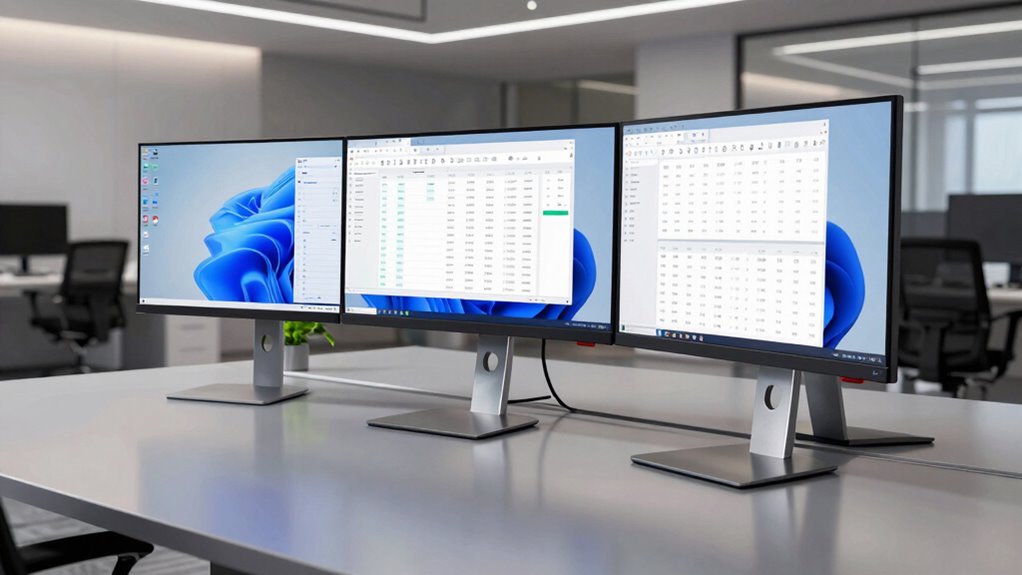

For an ultrawide monitor for office work, I rank the Samsung 49-Inch Business Curved Dual QHD first for replacing a two-screen setup with one expansive workspace and USB-C connectivity. The Dell S3425DW is a strong 34-inch alternative for buyers who want WQHD detail, USB-C, and a smoother 120Hz refresh rate, while the Samsung ViewFinity S65UA suits desk workers who value a curved QHD screen and USB-C workflow. The key tradeoffs are screen area versus desk space, sharper WQHD text versus more affordable WFHD, and built-in connectivity versus a simpler display. Read on for the full ranking, practical buying advice, and guidance on which monitor fits your work setup.

Get the little things that make your day delivered free with Prime
- Fast, free delivery on millions of items
- Prime Video, Amazon Music and more included
- Member-only deals all year
Key Takeaways
- The 49-inch Samsung Business model ranks first for buyers who want the most room for parallel documents and applications, but its width calls for a large desk and comfortable viewing distance.
- USB-C is a meaningful divider: the Samsung Business, Samsung ViewFinity S65UA, and Dell S3425DW are stronger fits for laptop-centered desks than models without that connection.
- WQHD is the more practical resolution target at 34 inches for detailed office work; the LG 34U530A-W’s WFHD panel may suit simpler tasks, but gives up fine detail.
- The Dell S3425DW stands out among 34-inch picks by combining WQHD, USB-C, and 120Hz, while the Samsung S65UA offers a more office-oriented curved QHD alternative.
- Gaming and smart features are secondary benefits, not automatic office upgrades: the Sceptre‘s gaming focus and the LG 34SR60QC-W’s smart functions may matter to specific buyers, but work needs should lead the decision.
| Samsung 49-Inch Business Curved Dual QHD Monitor with USB-C |  | Best for Replacing a Dual-Monitor Setup | Screen size: 49 inches | Resolution: 5120 × 1440 | Aspect ratio: 32:9 | VIEW ON AMAZON | See Our Full Breakdown |
| LG 34WR55QK-B 34-Inch UltraWide Curved WQHD Monitor |  | Best for Balanced Everyday Office Work | Screen size: 34 inches | Resolution: 3440 × 1440 | Aspect ratio: 21:9 | VIEW ON AMAZON | See Our Full Breakdown |
| LG 34U530A-W 34-Inch UltraWide WFHD IPS Monitor |  | Best for Lower-Resolution Office Setups | Screen size: 34 inches | Resolution: 2560 × 1080 | Aspect ratio: 21:9 | VIEW ON AMAZON | See Our Full Breakdown |
| Samsung ViewFinity S65UA 34-Inch Ultrawide Curved QHD Monitor |  | Best for a One-Cable Laptop Desk | Screen size: 34 inches | Resolution: 3440 × 1440 | Aspect ratio: 21:9 | VIEW ON AMAZON | See Our Full Breakdown |
| Sceptre 34-Inch Curved Ultrawide WQHD Gaming Monitor (C345B-QUT168) |  | Best for Gaming After Work | Screen size: 34 inches | Resolution: 3440 × 1440 | Aspect ratio: 21:9 | VIEW ON AMAZON | See Our Full Breakdown |
| Dell 34 Plus USB-C Curved Monitor S3425DW, 34-Inch WQHD, 120Hz |  | Best for One-Cable Laptop Work | Screen size: 34 inches | Resolution: 3440 × 1440 | Aspect ratio: 21:9 | VIEW ON AMAZON | See Our Full Breakdown |
| LG 34SR60QC-W 34-Inch Curved QHD Smart Monitor |  | Best for Work and Streaming | Screen size: 34 inches | Resolution: 3440 × 1440 | Aspect ratio: 21:9 | VIEW ON AMAZON | See Our Full Breakdown |
| Samsung 34-inch ViewFinity S50GC Ultra-WQHD Monitor |  | Best for Picture-by-Picture Multitasking | Screen size: 34 inches | Resolution: 3440 × 1440 | Aspect ratio: 21:9 | VIEW ON AMAZON | See Our Full Breakdown |
| ultrawide monitor for office work | Screen size | Resolution | Aspect ratio | Refresh rate |
|---|---|---|---|---|
| Samsung 49-Inch Business Curve | 49 inches | 5120 × 1440 | 32:9 | 120Hz |
| LG 34WR55QK-B 34-Inch UltraWid | 34 inches | 3440 × 1440 | 21:9 | 100Hz |
| LG 34U530A-W 34-Inch UltraWide | 34 inches | 2560 × 1080 | 21:9 | 100Hz |
| Samsung ViewFinity S65UA 34-In | 34 inches | 3440 × 1440 | 21:9 | 100Hz |
| Sceptre 34-Inch Curved Ultrawi | 34 inches | 3440 × 1440 | 21:9 | 165Hz |
| Dell 34 Plus USB-C Curved Moni | 34 inches | 3440 × 1440 | 21:9 | 120Hz |
| LG 34SR60QC-W 34-Inch Curved Q | 34 inches | 3440 × 1440 | 21:9 | 100Hz |
| Samsung 34-inch ViewFinity S50 | 34 inches | 3440 × 1440 | 21:9 | 100Hz |
More Details on Our Top Picks
Samsung 49-Inch Business Curved Dual QHD Monitor with USB-C
The 49-inch Dual QHD canvas is the clearest choice here for office workers who want several full-size windows side by side without a center bezel. Its 32:9 layout gives you the horizontal room of two QHD screens, while 90W USB-C charging and Ethernet help consolidate a laptop desk. Compared with the 34-inch Samsung ViewFinity S65UA, this model offers much more workspace and a built-in KVM switch, but it also demands a substantially wider desk. The 1000R curve helps keep the broad screen within a more consistent viewing arc. One work-specific caveat: its 120Hz mode is unavailable in Picture-by-Picture, so split-source workflows give up some refresh rate. At 32.2 pounds, it is a major desk fixture rather than a flexible, compact upgrade.
Pros:- 32:9 Dual QHD resolution provides room for multiple work windows without a center bezel.
- USB-C delivers up to 90W charging, reducing laptop-dock clutter.
- Built-in KVM switch makes sharing peripherals between computers easier.
- Height-adjustable stand, Ethernet, and built-in speakers support a consolidated desk setup.
Cons:- The 49-inch width and 32.2-pound weight call for substantial desk space and support.
- 120Hz refresh rate is unavailable in Picture-by-Picture mode.
- Its expansive screen may be excessive for single-window tasks or compact workstations.
Best for: Laptop-based professionals who routinely work across many windows or switch between two computers and have a wide, sturdy desk.
Not ideal for: Workers with limited desk width or people who need full refresh rate while displaying two sources side by side.
- Screen size:49 inches
- Resolution:5120 × 1440
- Aspect ratio:32:9
- Curvature:1000R
- Refresh rate:120Hz
- USB-C charging:90W
- Contrast ratio:3000:1
- Connectivity:DisplayPort, 2 HDMI, USB, USB-C, Ethernet
- Weight:32.2 pounds
Our verdict“Choose this Samsung if you want one screen to replace a dual-monitor office setup and can accommodate its exceptional width.”
LG 34WR55QK-B 34-Inch UltraWide Curved WQHD Monitor
The 34-inch, 3440 × 1440 display strikes a useful balance for office work: it gives spreadsheets and side-by-side documents more room than a standard widescreen without taking over a desk like Samsung’s 49-inch Business Curved monitor. Its 65W USB-C power delivery can connect and charge many work laptops through one cable, while the height- and tilt-adjustable stand offers more positioning flexibility than the LG 34U530A-W’s listed adjustments only matter if you need swivel too. Picture-by-Picture is handy for viewing two inputs, and the 100Hz refresh rate makes scrolling feel fluid. The tradeoff is that this is not the strongest one-cable setup in the group: Samsung’s ViewFinity S65UA supplies up to 90W, and the LG’s OnScreen Control requires software installation. Built-in speakers are not specified.
Pros:- 3440 × 1440 resolution gives documents and multiple windows useful detail and width.
- USB-C provides up to 65W laptop power delivery.
- Height and tilt adjustments help tailor the display position.
- Picture-by-Picture supports viewing two input sources at once.
Cons:- USB-C charging tops out at 65W, below the Samsung ViewFinity S65UA’s 90W.
- OnScreen Control requires software installation.
- Built-in speakers are not specified in the provided product information.
Best for: Hybrid-office workers who want a sharp 34-inch workspace, adjustable positioning, and USB-C charging for a laptop that needs up to 65W.
Not ideal for: Users with higher-powered laptops who want up to 90W charging, or buyers who require confirmed built-in speakers.
- Screen size:34 inches
- Resolution:3440 × 1440
- Aspect ratio:21:9
- Refresh rate:100Hz
- USB-C power delivery:Up to 65W
- Panel technology:VA LED
- Color gamut:Up to 99% sRGB
- Stand adjustments:Height and tilt
- Connectivity:USB-C, 2 HDMI, 2 USB, DisplayPort, headphone jack
Our verdict“Pick the LG 34WR55QK-B for a versatile, high-resolution office display when 65W USB-C charging is enough for your laptop.”
LG 34U530A-W 34-Inch UltraWide WFHD IPS Monitor
The LG 34U530A-W brings the 34-inch ultrawide layout to office workers who value screen width, built-in audio, and flexible positioning more than fine detail. Its 2560 × 1080 resolution is the main compromise: compared with the LG 34WR55QK-B’s 3440 × 1440 panel, it offers less vertical and overall workspace, so dense spreadsheets and small text have less room to breathe. That lower resolution can still suit email, browser tabs, and document work, while the IPS panel and up-to-99% sRGB gamut support broad viewing and color. The height, tilt, and swivel stand has more listed adjustment range than the LG 34WR55QK-B’s height-and-tilt stand. USB-C, DisplayPort, HDMI, and built-in Waves MaxxAudio speakers reduce accessory needs, but USB-C power delivery is not specified.
Pros:- 34-inch 21:9 screen provides a broad workspace for everyday office applications.
- IPS panel and up-to-99% sRGB color gamut support consistent viewing and color.
- Height, tilt, and swivel adjustments allow more positioning options than a height-and-tilt-only stand.
- Built-in Waves MaxxAudio speakers and USB-C, DisplayPort, and HDMI connectivity reduce peripheral needs.
Cons:- 2560 × 1080 resolution is less detailed and offers less workspace than the 3440 × 1440 LG 34WR55QK-B.
- USB-C power delivery is not specified, so laptop charging capability is unclear.
- 1000:1 contrast ratio is lower than the VA-based LG 34WR55QK-B’s listed 3000:1.
Best for: Office users focused on email, web apps, and documents who want a 34-inch ultrawide with speakers and a highly adjustable stand.
Not ideal for: Spreadsheet-heavy workers, frequent multitaskers who need sharper text, or laptop users relying on confirmed USB-C charging.
- Screen size:34 inches
- Resolution:2560 × 1080
- Aspect ratio:21:9
- Panel type:IPS
- Refresh rate:100Hz
- Brightness:400 cd/m²
- Color gamut:Up to 99% sRGB
- Speakers:Built-in stereo speakers with Waves MaxxAudio
- Stand adjustments:Height, tilt, and swivel
Our verdict“Choose the LG 34U530A-W if a wide, adjustable screen with integrated speakers matters more to your office routine than 1440p detail.”
Samsung ViewFinity S65UA 34-Inch Ultrawide Curved QHD Monitor
For laptop-centered office setups, the ViewFinity S65UA’s strongest distinction is 90W USB-C charging on a 34-inch, 3440 × 1440 screen. That combination can power a compatible laptop while carrying the display signal, helping keep the desk simpler than a multi-cable arrangement. Its 1000R curve, height-adjustable stand, and TÜV-certified eye-care features suit long sessions, while Ethernet adds a wired-network option. Compared with the LG 34WR55QK-B, it supplies 25W more USB-C power and has a higher listed 4000:1 contrast ratio; the LG, however, offers a broader set of listed USB and HDMI connections. The Samsung’s 100Hz refresh rate and FreeSync are useful extras, but its curved 34-inch body still needs room, and HDR10 should not be mistaken for a reason to choose it as an office display over its ergonomic and connectivity strengths.
Pros:- USB-C supplies up to 90W charging, more than the LG 34WR55QK-B’s 65W.
- 3440 × 1440 resolution gives office documents and side-by-side windows ample detail.
- Height-adjustable stand and TÜV-certified eye-care features support extended desk sessions.
- Ethernet, 100Hz refresh rate, and AMD FreeSync add practical flexibility.
Cons:- The 34-inch 1000R curve takes up meaningful desk space.
- The listed connectivity is less expansive than the LG 34WR55QK-B’s combination of USB-C, two HDMI ports, two USB ports, and DisplayPort.
- HDR10 is a secondary feature for office work and does not replace the productivity benefits of its resolution and USB-C charging.
Best for: Laptop workers who want a 34-inch QHD ultrawide, up to 90W USB-C charging, and a wired Ethernet option in a tidy workspace.
Not ideal for: Buyers with tight desk space or anyone who needs a wide range of listed ports beyond DisplayPort, HDMI, USB-C, and Ethernet.
- Screen size:34 inches
- Resolution:3440 × 1440
- Aspect ratio:21:9
- Curvature:1000R
- Refresh rate:100Hz
- USB-C charging:Up to 90W
- Contrast ratio:4000:1
- Connectivity:DisplayPort, Ethernet, HDMI, USB Type-C
- Eye-care features:TÜV-certified reduced blue light and flicker-free operation
Our verdict“Choose the ViewFinity S65UA if your priority is a tidy laptop desk with high-wattage USB-C charging and a detailed curved ultrawide.”
Sceptre 34-Inch Curved Ultrawide WQHD Gaming Monitor (C345B-QUT168)
The Sceptre offers office-friendly 3440 × 1440 workspace, but its defining strength is the 165Hz refresh rate and 1ms MPRT response time—specs that matter more for gaming than everyday documents. Compared with the LG 34WR55QK-B, it gives up USB-C laptop charging and listed height adjustment, yet raises the refresh rate from 100Hz to 165Hz and includes two HDMI and two DisplayPort inputs. That makes it a more natural fit for a desk shared by work and gaming equipment than for a streamlined laptop station. The 1500R curve can help bring the wide display into view, though the 280 cd/m² brightness is lower than the office-focused LG 34U530A-W’s 400 cd/m². I would choose it for fast-motion use first, not for connectivity or workplace ergonomics.
Pros:- 3440 × 1440 resolution provides detailed space for office windows and documents.
- 165Hz refresh rate and 1ms MPRT suit fast-motion gaming.
- AMD FreeSync Premium supports adaptive sync.
- Two HDMI and two DisplayPort inputs provide several ways to connect computers and consoles.
Cons:- No USB-C connection or laptop power delivery is listed, unlike the LG 34WR55QK-B.
- 280 cd/m² brightness is lower than the LG 34U530A-W’s listed 400 cd/m².
- The provided specifications do not list ergonomic stand adjustments, and the gaming-led refresh rate adds less value to routine office work.
Best for: Workers who want a 34-inch QHD ultrawide for office tasks and also prioritize high-refresh PC gaming after hours.
Not ideal for: Laptop-first office users who need USB-C charging, or anyone prioritizing listed ergonomic stand adjustments and higher brightness.
- Screen size:34 inches
- Resolution:3440 × 1440
- Aspect ratio:21:9
- Curvature:1500R
- Refresh rate:165Hz
- Response time:1ms MPRT
- Brightness:280 cd/m²
- Adaptive sync:AMD FreeSync Premium
- Ports:2 HDMI, 2 DisplayPort, audio out
Our verdict“Pick the Sceptre if gaming is a major part of your desk use and you can do without USB-C laptop charging and confirmed stand adjustments.”
Dell 34 Plus USB-C Curved Monitor S3425DW, 34-Inch WQHD, 120Hz
I’d rank the Dell S3425DW highly for desk setups where a single USB-C connection needs to handle the display and laptop charging. Its up to 65W power delivery can reduce cable clutter, while the 34-inch, 3440 × 1440 screen gives spreadsheets and side-by-side windows useful horizontal space. Compared with the Samsung ViewFinity S50GC, Dell adds USB-C charging, a faster 120Hz refresh rate, and built-in speakers, making it the more self-contained workstation choice. The VA panel’s 3000:1 contrast and broad color coverage also suit mixed office and media use. The tradeoffs are its substantial 20.7-pound listed weight and a one-year warranty; buyers who want a lighter, simpler display may prefer Samsung. Its 300 cd/m² brightness is also a modest fit for very bright rooms.
Pros:- USB-C provides up to 65W power delivery for a tidier laptop desk setup.
- 3440 × 1440 resolution across a 34-inch curved screen supports side-by-side work.
- 120Hz refresh rate and AMD FreeSync Premium support smoother motion.
- Built-in 2 × 10W speakers and ComfortView Plus add useful everyday conveniences.
Cons:- Listed weight of 20.7 pounds makes repositioning less convenient.
- One-year warranty is limited compared with buyers who prioritize longer coverage.
- 300 cd/m² brightness may be less suitable for very bright rooms.
Best for: Laptop-based office workers who want a 34-inch multitasking display, one-cable USB-C connection with up to 65W charging, and built-in speakers.
Not ideal for: People who need a lightweight monitor for frequent moves, a longer warranty, or high brightness for a sunlit workspace.
- Screen size:34 inches
- Resolution:3440 × 1440
- Aspect ratio:21:9
- Panel type:VA
- Refresh rate:120Hz
- USB-C power delivery:Up to 65W
- Color coverage:99% sRGB, 95% DCI-P3
- Built-in speakers:2 × 10W
Our verdict“Choose the Dell if USB-C laptop charging and a smoother 120Hz display matter more than low weight or extended warranty coverage.”
LG 34SR60QC-W 34-Inch Curved QHD Smart Monitor
The LG 34SR60QC-W suits a shared office and living space better than a monitor focused only on desk productivity. Its webOS 23 smart features, streaming apps, and AirPlay 2 make it easier to use for entertainment without relying on a connected computer. The 34-inch, 3440 × 1440 curved screen still gives office work room for multiple windows, and its 100Hz refresh rate is a step up from standard 60Hz displays. Compared with the Dell S3425DW, LG gives up USB-C laptop charging and a higher refresh rate, but adds built-in streaming and Apple device integration. That makes it a less direct choice for a one-cable workstation. Streaming also depends on internet access, and the Magic Remote is sold separately, so the smart-TV angle may be less useful to buyers who mainly work at a computer.
Pros:- webOS 23 provides access to streaming apps and LG Channels without a computer.
- AirPlay 2 and HomeKit support wireless casting and control.
- 3440 × 1440 resolution and a 1800R curve provide room for multitasking.
- 100Hz refresh rate offers smoother motion than a conventional 60Hz display.
Cons:- No USB-C laptop power delivery is listed, unlike the Dell S3425DW.
- Streaming services need an internet connection and may require subscriptions.
- LG Magic Remote is sold separately.
Best for: People who want one 34-inch screen for office tasks, streaming apps, and wireless casting from Apple devices.
Not ideal for: Laptop users seeking USB-C charging and a one-cable desk setup, or buyers who want streaming controls included without a separate remote purchase.
- Screen size:34 inches
- Resolution:3440 × 1440
- Aspect ratio:21:9
- Curvature:1800R
- Refresh rate:100Hz
- Color gamut:Up to 99% sRGB
- Operating system:webOS 23
- Connectivity:2 HDMI ports, 3 USB ports, Bluetooth
- Wireless features:Apple AirPlay 2, HomeKit, screen sharing
Our verdict“Pick the LG if built-in streaming and Apple-device casting matter as much as having a wide screen for office work.”
Samsung 34-inch ViewFinity S50GC Ultra-WQHD Monitor
I’d choose the Samsung ViewFinity S50GC for an office desk where juggling multiple sources matters more than USB-C convenience. Its picture-by-picture and picture-in-picture modes let users view more than one input at a time, a practical distinction from the LG 34SR60QC-W, whose standout extras center on streaming and wireless casting. The Samsung’s 3440 × 1440 resolution and 21:9 format also provide room for documents and windows, while 100Hz with AMD FreeSync supports smoother motion. Eye-care features, including Flicker Free and automatic brightness adjustment, round out its office focus. The tradeoff is a more basic connectivity mix: HDMI and DisplayPort are listed, but no USB-C charging or built-in speakers are specified. Its 5ms response time is also less suited to buyers prioritizing fast gaming performance.
Pros:- Picture-by-picture and picture-in-picture modes support viewing multiple sources.
- 3440 × 1440 resolution and 21:9 aspect ratio provide broad workspace.
- 100Hz refresh rate and AMD FreeSync support smoother motion.
- Flicker Free and automatic brightness adjustment are useful for extended desk sessions.
Cons:- No USB-C connection or laptop power delivery is listed, unlike the Dell S3425DW.
- No built-in speakers are specified.
- 5ms response time is less geared toward fast-paced gaming than the Dell’s listed 0.03ms.
Best for: Office users who switch between two computers or other video sources and want picture-by-picture viewing on one ultrawide screen.
Not ideal for: Laptop workers who want USB-C charging, people seeking built-in speakers, or buyers choosing a display primarily for fast-response gaming.
- Screen size:34 inches
- Resolution:3440 × 1440
- Aspect ratio:21:9
- Refresh rate:100Hz
- Response time:5ms
- Brightness:300 cd/m²
- Contrast ratio:3000:1
- Inputs:2 × HDMI 2.2, 1 × DisplayPort 1.2
- Weight:10.8 pounds
Our verdict“Choose the Samsung if simultaneous viewing from multiple sources and eye-care features matter more than USB-C charging or built-in audio.”

How We Picked
I ranked these monitors around everyday office use: space for documents and applications, text clarity at the screen’s size, laptop-friendly connections, and how readily each model fits a typical desk. WQHD at 34 inches generally makes more sense for dense spreadsheets and long documents than WFHD, while USB-C can simplify a laptop setup when the monitor’s supported functions match the buyer’s needs. I also weighed practical flexibility, including refresh rate, smart features, and whether a model’s main strengths serve office work or another use.
The ranking favors the Samsung 49-Inch Business model for its broad workspace and USB-C, then gives strong positions to 34-inch WQHD monitors with useful office connections. The Dell S3425DW and Samsung ViewFinity S65UA stand out for different reasons, while the LG WFHD and gaming-focused Sceptre involve clearer compromises for text-heavy work. Smart-monitor and straightforward ViewFinity options round out the list for buyers whose priorities differ from maximum productivity or connectivity.
Factors to Consider When Choosing Ultrawide Monitor For Office Work
Choosing an ultrawide for work is less about finding the biggest screen and more about matching its resolution, connections, and proportions to your desk and daily tasks. These broader checks can help prevent a monitor that looks capable on a spec sheet from becoming awkward in your actual workspace.
Match Resolution to the Work You Read
Resolution affects how much fine detail fits on screen, which matters when spreadsheets, code, or small interface text stay open all day. At 34 inches, WQHD is a useful target for office work because it provides more vertical and horizontal detail than WFHD. A lower-resolution panel can still be adequate for email, video calls, and larger text, especially if keeping system demands modest matters more than dense layouts. Avoid judging sharpness by screen width alone; the pixel count determines how much information appears clearly. If you often enlarge text for comfort, the practical difference may matter less than it would for someone who keeps several small windows visible.
Check USB-C Details Before Replacing a Dock
A USB-C connection can reduce desk clutter by carrying video and, on supported monitors, supplying power or connecting peripherals. Do not assume every USB-C monitor replaces a laptop charger or docking station: confirm the power delivery level and which ports remain available when the display is connected. A single-cable setup is especially useful for people who regularly move a laptop between home and office. Desktop users with a dedicated computer may get little value from paying extra for that convenience. Check your laptop’s own USB-C video support as well, since the port’s shape alone does not promise it can send a display signal.
Measure the Desk and Viewing Distance
An ultrawide can reduce the need for two separate displays, but it still needs enough desk width and a comfortable viewing distance. A 49-inch model offers more room for side-by-side work than a 34-inch screen, yet it can dominate a shallow desk and require more head movement. Curvature can help keep the edges within a natural field of view, though it does not solve limited depth or an awkward seating position. Measure the usable desk area, including space for a stand, speakers, and a laptop. If a monitor arm is part of the plan, check the display’s mounting support and the arm’s capacity before buying.
Prioritize Ergonomics Over Extra Features
A monitor that fits your eyes and posture can matter more over a workday than a feature aimed at entertainment. Check whether the stand offers the height and tilt adjustment you need, and whether the screen can sit at a comfortable angle without forcing you to look up or turn repeatedly. Curved panels may feel natural across a wide display, but personal preference and desk position affect how comfortable they are. If you already have a good monitor arm, stand limitations may be less important, provided the display supports your mounting setup. Do not let a high refresh rate or smart interface distract from basic ergonomic fit.
Pay for Capabilities You Will Use
It can make sense to pay more for a larger workspace, sharper resolution, or connectivity that removes daily friction. It is harder to justify extra features if your work mostly involves a single document and your existing dock already handles connections. Gaming-oriented refresh rates can make pointer movement and scrolling feel smoother, but they do not automatically improve text clarity or office productivity. Smart-monitor functions may be useful when the screen also serves as a standalone media display, though they are less relevant when a computer is always connected. Decide which inconvenience you want the new monitor to solve, then compare models against that need rather than a longer feature list.
Frequently Asked Questions
Is a 49-inch ultrawide too large for a normal home office desk?
It may be, especially if the desk is shallow or already crowded with a laptop, speakers, and paperwork. Measure the monitor’s width and the space its stand uses, then check that you can sit far enough back to view the full screen comfortably. A 34-inch model is usually easier to fit and can still support two substantial work windows side by side. Choose the larger Samsung Business display when broad workspace is worth giving up more desk area. If you are unsure, desk dimensions and viewing distance matter more than the appeal of a larger diagonal measurement.
Should I choose WQHD or WFHD for documents and spreadsheets?
For text-heavy work, WQHD is generally the safer choice because it gives a 34-inch screen more detail for small text, dense tables, and multiple windows. WFHD can work well for simpler tasks or for people who prefer larger on-screen elements and do not need as much information visible at once. Also check how your computer handles scaling, since higher resolution may call for larger interface settings to keep text comfortable. The LG 34U530A-W illustrates the lower-resolution option in this lineup, while several other 34-inch picks provide WQHD. Consider your eyesight and preferred text size alongside the resolution label.
Can a USB-C ultrawide replace my laptop dock?
Sometimes, but the connection alone does not tell you whether it can replace a dock. Verify that the monitor supports the power delivery your laptop needs and offers the peripheral connections your desk uses. Your laptop must also support video output over its USB-C port. If you rely on Ethernet, several USB accessories, or other dock features, a monitor may not cover everything even when it provides power and video. Compare the actual port and power specifications with your current setup before removing a separate dock.
Is a curved monitor better for office work than a flat ultrawide?
Curvature can make the far edges of a wide display feel easier to view without turning your head as much, especially on larger screens. It is a preference rather than a universal advantage, and the effect depends on screen size, seating distance, and the work you do. People who frequently share their screen from different seating positions may prefer a flatter, more conventional presentation. For solo work across a broad desktop, a curved model may feel more cohesive. If possible, compare the shape in person or confirm that your desk setup places you centrally in front of the display.
Do I need 120Hz for office work?
No; standard refresh rates are adequate for documents, email, and most productivity tasks. A 120Hz display such as the Dell S3425DW can make scrolling and cursor movement look smoother, which some people prefer during long work sessions. It will not add screen space or make a lower-resolution panel sharper, so those needs may deserve priority. Your computer must also be able to output the chosen refresh rate at the monitor’s resolution. Treat the higher refresh rate as a comfort preference, not a requirement for office productivity.
Conclusion
Best overall: I recommend the Samsung 49-Inch Business Curved Dual QHD Monitor with USB-C for buyers with a spacious desk who want a single display for broad, side-by-side work. Best value: the Samsung 34-inch ViewFinity S50GC is a sensible direction for buyers who want an ultrawide WQHD workspace without making USB-C the centerpiece of their setup. Best premium 34-inch choice: the Dell S3425DW pairs WQHD with USB-C and 120Hz for people who want a more capable all-round desk display. Best for beginners: the LG 34WR55QK-B offers a straightforward curved WQHD entry into the 34-inch ultrawide format. For laptop-first connectivity, I would shortlist the Samsung ViewFinity S65UA; for simpler workloads on a tighter setup, the LG 34U530A-W may fit, while the LG smart monitor and Sceptre make more sense when their extra entertainment or gaming features have a clear purpose. Choose by desk fit and daily work first, then treat refresh rate and smart functions as secondary factors.