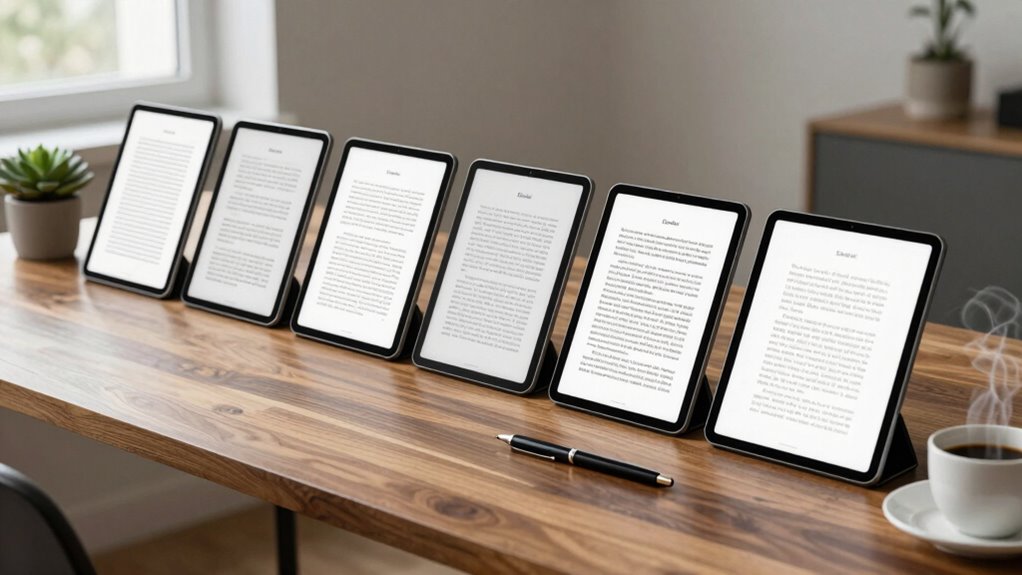

Finding an e ink tablet for distraction free writing means balancing excellent readability with minimal interruptions. The BOOX Note Air 5 C stands out as the best overall choice thanks to its color ePaper display, versatile Android system, and robust performance. For those prioritizing portability, the BOOX Tablet Go Color 7 Gen II offers support for active stylus input at a more affordable price, though it sacrifices some screen size and advanced features. The reMarkable 2 remains a popular pick for pure note-taking with a simple, paper-like experience but lacks color and advanced multitasking. As with any device in this category, tradeoffs include screen size versus portability, feature set versus simplicity, and price versus capability. Continue reading for a detailed breakdown of these options to find the best fit for your distraction-free writing needs.

Get the little things that make your day delivered free with Prime
- Fast, free delivery on millions of items
- Prime Video, Amazon Music and more included
- Member-only deals all year
Key Takeaways
- Color ePaper displays, like on the BOOX Note Air 5 C, enhance note differentiation but often come with higher costs and shorter battery life.
- Stylus support is critical for writing experience; however, more advanced styluses tend to be more expensive and may require additional setup.
- The simplicity of devices like the reMarkable 2 appeals to purists but can limit multimedia or multitasking capabilities, which might matter for some users.
- Size and weight significantly influence portability; smaller tablets are easier to carry but may offer less writing space.
- Pricing varies widely, with premium models offering advanced features at higher costs, while budget options focus on core writing functionality.
| BOOX Note Air 5 C 10.3″ E Ink Tablet with Color ePaper, 6GB RAM, 64GB Storage, Android 15 |  | Best Overall for Versatile Distraction-Free Writing and Note-Taking | Screen Size: 10.3 inches | Display Technology: Kaleido 3 color e-ink | Resolution: B/W: 2480 x 1860, Color: 1240 x 930 | VIEW ON AMAZON | See Our Full Breakdown |
| BOOX Tablet Go Color 7 Gen II E Ink Tablet Support Active Stylus InkSense |  | Best Compact Color E Ink for Reading and Light Note-Taking | Display: 7-inch Kaleido 3 | Resolution: 1680 x 1264 | CPU: Octa-core | VIEW ON AMAZON | See Our Full Breakdown |
| reMarkable Paper Pure with Marker Plus and Mist Green Sleeve Folio – 10.3” Digital Paper Tablet |  | Best for Focused Handwriting and Document Review | Display Size: 10.3 inches | Display Type: e-ink | Response Time: 21 ms | VIEW ON AMAZON | See Our Full Breakdown |
| reMarkable 2 Bundle – Digital Paper Tablet (10.3” Display) with Folio, Marker Plus, Spare Tips, USB-C Cable, 1-Year Connect Trial |  | Best Distraction-Free Note-Taking with Comprehensive Accessories | Display Size: 10.3 inches | Thickness: 4.7 mm | Color: Black | VIEW ON AMAZON | See Our Full Breakdown |
| reMarkable Paper Pure with Marker 10.3-inch Digital Notebook |  | Best for Focused Digital Handwriting and Document Management | Display: 10.3-inch e-ink | Color: Black and White | Response Time: 21 ms | VIEW ON AMAZON | See Our Full Breakdown |
| reMarkable Paper Pro with Marker Plus and Black Leather Book Folio |  | Best for Color, Versatile Reading, and Sketching | Display Size: 11.8 inches | Display Type: Color e-ink | Included Accessories: Marker Plus, 6 spare tips, leather folio, USB-C cable | VIEW ON AMAZON | See Our Full Breakdown |
| e ink tablet for distraction free writing | Connectivity | Storage | Display Size | Color |
|---|---|---|---|---|
| BOOX Note Air 5 C 10.3" E Ink | Wi-Fi, Bluetooth 5.1 | 64GB | — | — |
| BOOX Tablet Go Color 7 Gen II | Wi-Fi, Bluetooth 5.1 | 64GB | — | — |
| reMarkable Paper Pure with Mar | — | — | 10.3 inches | Black and White |
| reMarkable 2 Bundle | USB-C | — | 10.3 inches | Black |
| reMarkable Paper Pure with Mar | Google Drive, Dropbox, Email | — | — | Black and White |
| reMarkable Paper Pro with Mark | USB-C | Not specified | 11.8 inches | — |
More Details on Our Top Picks
BOOX Note Air 5 C 10.3″ E Ink Tablet with Color ePaper, 6GB RAM, 64GB Storage, Android 15
The BOOX Note Air 5 C stands out for its high-resolution 10.3-inch Kaleido 3 color e-ink display, making it a rare choice that combines color support with a focus on distraction-free content. Compared with the reMarkable models, it offers a more versatile platform with Android 15, allowing access to a wider range of apps beyond simple note-taking. Its powerful octa-core processor and 6GB RAM ensure smooth operation, but the color Kaleido 3’s inherent darker display limits brightness and contrast, which can be a drawback for detailed work. The slower refresh rates of E Ink technology also make it less ideal for animations or quick app interactions. This pick makes the most sense for users who want a color e-ink device for static content, annotations, and occasional multimedia use without the distractions of a traditional tablet.
Pros:- High-resolution color e-ink display suitable for static content and annotations
- Powerful octa-core processor with ample RAM and storage for multitasking
- Supports a wide range of document and image formats
Cons:- Color Kaleido 3 screen has darker, grayer display limitations
- Slower refresh rates make it less suitable for animation-heavy applications
Best for: Professionals or students who need a color-capable distraction-free device for note-taking, annotations, and static content viewing.
Not ideal for: Users seeking fast-paced app interactions or multimedia content, as the color display’s limitations and slower refresh rates hinder dynamic tasks.
- Screen Size:10.3 inches
- Display Technology:Kaleido 3 color e-ink
- Resolution:B/W: 2480 x 1860, Color: 1240 x 930
- Color Support:4,096 colors
- RAM:6GB
- Storage:64GB
- Connectivity:Wi-Fi, Bluetooth 5.1
Our verdict“This device is ideal for users who value color support in a distraction-free environment for static content and note-taking.”
BOOX Tablet Go Color 7 Gen II E Ink Tablet Support Active Stylus InkSense
The BOOX Tablet Go Color 7 Gen II shines as a portable, 7-inch color e-ink device optimized for reading and light note-taking. Its 4096-color Kaleido 3 display offers vibrant visuals for e-books, comics, and basic annotations, making it a good choice for those who want color in a smaller form factor. Compared with larger devices like the BOOX Note Air 5 C, its compact size enhances portability but limits screen real estate, which can hamper detailed note work or multitasking. Its 4GB RAM and octa-core CPU ensure decent performance, though the display’s inherent limitations mean it won’t deliver the brightness or contrast of LCD screens. The stylus support, requiring an extra purchase, makes it suitable for casual users who prioritize portability and color over high contrast or fast refresh.
Pros:- Vibrant 4096-color Kaleido 3 display for colorful content
- Compact, lightweight design ideal for portability
- Supports a variety of document and media formats
Cons:- Color display has inherent darker and grayer limitations
- Stylus support is an additional purchase, not included
Best for: Readers or casual note-takers who prefer a small, colorful device for light content consumption and simple annotations.
Not ideal for: Power users or those needing detailed color work or multitasking on a larger screen, as the 7-inch size and color limitations restrict productivity and visual clarity.
- Display:7-inch Kaleido 3
- Resolution:1680 x 1264
- CPU:Octa-core
- RAM:4GB
- Storage:64GB
- OS:Android 13
- Connectivity:Wi-Fi, Bluetooth 5.1
Our verdict“This device suits users seeking a compact, colorful e-ink device for reading and light annotations on the go.”
reMarkable Paper Pure with Marker Plus and Mist Green Sleeve Folio – 10.3” Digital Paper Tablet
The reMarkable Paper Pure excels as a 10.3-inch digital paper tablet designed for handwriting, with a high-contrast e-ink display that mimics paper’s natural look. Compared with the reMarkable 2, the Paper Pure offers a simplified, distraction-free experience focused on writing and reviewing documents, making it ideal for those who prioritize a digital notepad over multimedia capabilities. Its fast response time (21 ms) enhances the writing feel, but the black-and-white display limits its use to monochrome content, which can be restrictive for users wanting color annotations or media viewing. The device’s learning curve can be a hurdle for new users unfamiliar with digital notebooks, but its cloud compatibility and organized note features support seamless workflow integration.
Pros:- High-contrast, fast-response e-ink display for natural writing
- Supports handwriting, note organization, and document editing
- Compatible with cloud storage for easy file management
Cons:- Limited to black-and-white display, no color support
- Requires charging and updates for optimal performance
Best for: Students or professionals who need a dedicated, distraction-free device for handwriting, note organization, and document review.
Not ideal for: Users who require color content, multimedia, or multimedia editing, as the device is limited to black-and-white display and basic functions.
- Display Size:10.3 inches
- Display Type:e-ink
- Response Time:21 ms
- Color:Black and White
- Includes:Marker Plus, Mist Green Sleeve Folio
Our verdict“This device is best for users seeking a distraction-free, dedicated handwriting tablet for focused note-taking and review tasks.”
reMarkable 2 Bundle – Digital Paper Tablet (10.3” Display) with Folio, Marker Plus, Spare Tips, USB-C Cable, 1-Year Connect Trial
The reMarkable 2 Bundle offers a thin, 10.3-inch digital paper experience designed to maximize distraction-free note-taking and reading. Its paper-like feel and natural writing experience make it a favorite for those who dislike traditional tablets’ distractions. Compared to the reMarkable Paper Pure, this bundle includes a folio, extra tips, and a full-year subscription, making it a more complete package for dedicated users. The device’s thin profile (4.7 mm) and distraction-free interface prioritize focus, but it’s limited strictly to note-taking and reading, with no multimedia or color capabilities. The higher price point and subscription requirement for full cloud features can be a drawback for budget-conscious buyers.
Pros:- Feels like writing on paper for a natural note-taking experience
- Distraction-free design enhances focus and productivity
- Includes extensive accessories and a 1-year cloud subscription
Cons:- Limited to note-taking and reading, no multimedia support
- Higher price compared to basic digital notebooks
Best for: Students, writers, or professionals seeking a dedicated, portable device for distraction-free note-taking and reviewing documents without multimedia distractions.
Not ideal for: Those who want a versatile multimedia device or need color support, as the device is limited to monochrome content and focused on writing.
- Display Size:10.3 inches
- Thickness:4.7 mm
- Color:Black
- Included Accessories:Folio, Marker Plus, Tips
- Connectivity:USB-C
- Subscription:12 months Connect Plan
Our verdict“This device suits users who want a dedicated, distraction-free digital paper experience for focused work and note organization.”
reMarkable Paper Pure with Marker 10.3-inch Digital Notebook
The reMarkable Paper Pure serves as a straightforward 10.3-inch black-and-white e-ink tablet focused on handwriting, reading, and simple document review. Its fast digital ink response (21 ms) makes writing feel natural, closely mimicking paper. Compared with the reMarkable 2 bundle, it offers a more streamlined, no-frills experience for those who prefer organizing notes with tags and folders without additional accessories. Its limited to monochrome content means it’s not suitable for color annotations or multimedia, but it excels at delivering distraction-free focus for writing and reviewing. Integration with cloud services like Dropbox and email sharing simplifies workflow, but users should be prepared for some app limitations and no color support.
Pros:- Fast digital ink response enhances writing experience
- Supports organized note-taking with tags and folders
- Easy document sharing via cloud services
Cons:- Limited to black-and-white display, no color support
- Requires compatible apps for full functionality
Best for: Individuals prioritizing pure handwriting, note organization, and document sharing without the need for multimedia or color features.
Not ideal for: Creative professionals or users who need color annotations or multimedia editing, as the device is restricted to black-and-white content and basic file management.
- Display:10.3-inch e-ink
- Color:Black and White
- Response Time:21 ms
- Connectivity:Google Drive, Dropbox, Email
Our verdict“This device is perfect for users seeking a dedicated, distraction-free digital notebook for handwriting and simple document management.”
reMarkable Paper Pro with Marker Plus and Black Leather Book Folio
The reMarkable Paper Pro stands out for its vibrant 11.8-inch color e-ink display, making it a strong choice for users who want to combine distraction-free writing with occasional sketching or reading in color. Unlike the reMarkable 2, which offers a monochrome experience primarily focused on note-taking, this model introduces color, broadening its use cases without sacrificing the paper-like feel. The adjustable reading light and low-glare screen help reduce eye strain during long sessions, but the device’s color capabilities come with tradeoffs: it’s less versatile for multimedia consumption and tends to have a higher price point. The included leather folio and stylus tips enhance durability and precision, making it ideal for organized note-taking and creative tasks. However, the battery life may be impacted by the color display’s power demands, especially with frequent use of the lighting feature. This pick makes the most sense for those who value color for sketches or annotations but still want a distraction-free digital paper experience.
Pros:- Vivid color display enhances sketches and annotations
- Paper-like writing experience with precise control
- Adjustable reading light reduces eye strain
Cons:- Limited multimedia capabilities, not suited for videos or gaming
- Higher price compared to monochrome e-ink tablets
- Battery life can be affected by color display and lighting usage
Best for: Professionals and students who need to annotate, sketch, or read in color without the distractions of a tablet or backlit screen
Not ideal for: Users seeking multimedia features like videos or apps, or those prioritizing maximum battery longevity over color capabilities
- Display Size:11.8 inches
- Display Type:Color e-ink
- Included Accessories:Marker Plus, 6 spare tips, leather folio, USB-C cable
- Features:Adjustable reading light, low-glare screen, handwriting to text conversion
- Battery Life:Varies with use
- Color Support:Yes
- Connectivity:USB-C
- Weight:Approx. 350g
- Storage:Not specified
Our verdict“This device is best for creative professionals and note-takers who want color in a distraction-free, paper-like tablet without the distractions of a typical multimedia device.”
How We Picked
The products in this roundup were selected based on their ability to deliver distraction-free writing with minimal distractions and high readability. We prioritized devices with high-quality e ink or e paper displays, stylus support, and user-friendly interfaces. Battery life, build quality, and software stability also played key roles, along with value for price and versatility. Devices that balance simplicity with enough features for effective writing were ranked higher, while those with too many distractions or limited writing focus were excluded. Our selection aims to serve a range of users, from beginners to advanced writers, ensuring there’s a suitable option for each.| e ink tablet for distraction free writing | Connectivity | Color |
|---|---|---|
| BOOX Note Air 5 C 10.3" E Ink | Wi-Fi, Bluetooth 5.1 | — |
| BOOX Tablet Go Color 7 Gen II | Wi-Fi, Bluetooth 5.1 | — |
| reMarkable Paper Pure with Mar | — | Black and White |
| reMarkable 2 Bundle | USB-C | Black |
| reMarkable Paper Pure with Mar | Google Drive, Dropbox, Email | Black and White |
| reMarkable Paper Pro with Mark | USB-C | — |
Factors to Consider When Choosing E Ink Tablet For Distraction Free Writing
Choosing the right e ink tablet for distraction free writing involves understanding several key factors. Beyond display quality, consider how comfortable it is to write on the device, how portable it is for your daily use, and whether it supports features like stylus input or annotations. Battery life is equally important, especially if you plan to write for long periods without charging. Price and build quality also matter, as a more durable device can withstand frequent use. Finally, think about whether you need additional functionalities like color support or multitasking, which can influence your choice significantly.Display Quality and Size
An ideal distraction free writing device should have a high-contrast, glare-free e ink or e paper display that mimics real paper. The size of the screen impacts your writing comfort and portability; larger screens provide more space but are less portable, while smaller screens are easier to carry but may restrict writing space. Consider your typical writing sessions and whether you prefer a compact device or one with a broader workspace.
Stylus Support and Writing Experience
Most distraction free tablets rely on a stylus for effective writing, so support for a responsive, pressure-sensitive stylus is essential. Devices with active stylus support often deliver a more paper-like feel and better accuracy. However, higher-quality styluses can increase overall costs, and compatibility varies. If handwriting or sketching is a core part of your workflow, prioritize devices with well-supported, responsive styluses.
Battery Life and Usage Duration
Since e ink and e paper screens consume minimal power, these devices typically offer impressive battery life. Still, actual performance depends on screen size, color support, and background processes. Longer battery life means fewer interruptions during extended writing sessions, especially when traveling or away from power sources. Keep an eye on real-world reviews to assess how long a device lasts under typical use conditions.
Build Quality and Portability
Durability matters if you’ll carry your device daily. Materials like metal or sturdy plastic enhance longevity. Weight and thickness influence how easily you can take your device on the go; lighter, slimmer models are generally better for portability but might have fewer features or larger bezels. Consider your typical environment and whether a rugged build or sleek design aligns better with your needs.
Price and Additional Features
Price varies widely, often reflecting added functionalities like color displays, multitasking, or advanced stylus support. While budget models focus on core writing, premium devices may incorporate features that enhance workflow, such as annotations, organization tools, or app support. Assess what features are essential for your writing style and whether the added cost aligns with your budget and needs.
Frequently Asked Questions
Can I use an e ink tablet for handwriting and sketches?
Yes, many e ink tablets support stylus input that allows for handwriting and sketches. Devices like the BOOX Note Air 5 C and reMarkable series offer pressure sensitivity and low-latency writing experiences, making them suitable for detailed notes or sketches. However, the precision and feel may not fully match that of traditional paper or high-end tablets, so it’s worth trying the stylus support in person if possible. The choice depends on how important detailed sketches or handwriting are to your workflow.
Are color e paper tablets worth it for distraction free writing?
Color e paper tablets can add visual differentiation and may enhance note organization, but they often come with tradeoffs like higher cost and reduced battery life. If your writing primarily involves text or sketches, monochrome screens might suffice and offer longer-lasting performance. However, if color coding or visual cues are integral to your process, a color display could be a worthwhile investment, provided you’re comfortable with the higher price and slightly reduced battery endurance.
How durable are e ink tablets for daily use?
Most e ink tablets are designed with durability in mind, often featuring sturdy casings and scratch-resistant screens. Devices like the reMarkable series are built for frequent handling and travel, making them suitable for daily use. However, they are not indestructible—care should be taken to avoid drops or exposure to extreme conditions. Investing in a protective case can extend the lifespan and keep your device in good condition over time.
Is it better to choose a dedicated distraction free writing device or a multipurpose tablet?
Dedicated distraction free writing devices excel in providing a simplified, focused experience with minimal interruptions, making them ideal for writers and note-takers. Multipurpose tablets, while versatile, often include apps and notifications that can distract from your core task. If your primary goal is distraction-free writing, a dedicated device will usually serve you better. Conversely, if you need to switch between writing, reading, and browsing, a more versatile tablet might be worth considering, even if it introduces some distractions.
How important is software ecosystem when choosing an e ink tablet?
The software ecosystem can significantly influence your overall experience. Devices with open Android systems, like the BOOX series, offer access to a wider range of apps and customization options, which can enhance productivity. Closed or simplified systems, like the reMarkable, focus purely on writing and annotation, reducing distractions but limiting functionality. Consider whether you need advanced organization tools, cloud integration, or app support to determine how much the software ecosystem matters to your workflow.
Conclusion
For those seeking an all-around best experience with a color display and robust features, the BOOX Note Air 5 C stands out. Budget-conscious writers will appreciate the BOOX Tablet Go Color for its affordability and support for stylus input. Beginners or those prioritizing simplicity should consider the reMarkable 2 for its straightforward, paper-like writing experience. For users who want the most advanced features and are willing to invest more, the reMarkable Paper Pro offers premium build quality and functionality. Ultimately, your choice depends on your specific writing needs, portability preferences, and budget constraints.
Halloween Picks
halloween
As an affiliate, we earn on qualifying purchases.