Smart photo frames have become the easiest way to keep distant relatives in the loop, but choosing one comes down to a few real tradeoffs: premium ecosystems like Aura and Skylight offer polished apps and free unlimited cloud sharing, while budget Frameo-based frames cost far less but cap photo transfers and rely on a simpler app. For most households, the Aura Carver stands out as the best overall pick thanks to its clean design, free unlimited storage, and genuinely easy setup for less tech-savvy family members. If budget is the priority, the Frameo 10.1-Inch WiFi frame with 32GB of memory delivers the core experience — app-based photo sharing and a sharp IPS touchscreen — at a fraction of the price. And for anyone wanting maximum display impact, the 15.6-inch Frameo frame is the largest option in this lineup. Below, I break down all 15 frames, who each one suits, and which tradeoffs actually matter.

Get the little things that make your day delivered free with Prime
- Fast, free delivery on millions of items
- Prime Video, Amazon Music and more included
- Member-only deals all year
Key Takeaways
- Aura‘s free unlimited cloud storage and polished app make it the strongest pick for gifting to grandparents, even though it lacks a touchscreen and local SD card support.
- Nearly half of the frames in this roundup run the same Frameo platform with nearly identical 10.1-inch 1280×800 IPS panels — differences come down to build materials, storage headroom, and customer support rather than core features.
- The 15.6-inch Frameo frame is the only genuinely large option here, making it the clear choice for living room or wall placement, but it feels bulky on a desk or nightstand.
- Skylight‘s email-based photo delivery is the simplest sharing method for relatives who won’t install an app, though its touch responsiveness lags behind the IPS panels on AEEZO and Frameo models.
- AEEZO’s AiMOR app is the strongest alternative to the Frameo ecosystem, which matters if your family already shares heavily and you want to avoid Frameo‘s per-photo transfer limits on some plans.


| smart photo frame | Resolution | Screen Size | Connectivity |
|---|---|---|---|
| 64GB 15.6" Frameo Digital Pict | 1920 x 1080 Full HD IPS | 15.6 inches | — |
| Frameo 10.1-Inch WiFi Digital | 1280 x 800 HD IPS | 10.1 inches | Wi-Fi |
| Aura Digital HD Picture Frame | — | 10 inches | — |
| Pastigio Frameo 10.1" WiFi Dig | 1280 x 800 IPS | 10.1 inches | — |
| Frameo 10.1" Digital Picture F | 800 x 1280 IPS (supports FHD 1920×1080 photos) | 10.1 inches | — |
| Aura Digital HD Picture Frame | — | 10 inches | WiFi |
| 10.1 Inch Digital Picture Fram | 1280 x 800 | 10.1 inches | WiFi |
| Digital Picture Frame 10.1 Inc | 1280×800 | 10.1 inches | — |
| Frameo 10.1 Inch WiFi Digital | 1280×800 | — | 2.4G Wi-Fi only |
| 32GB FRAMEO 10.1 Inch Smart Wi | 1280×800 | 10.1 inches | WiFi |
| Skylight Digital Picture Frame | 1280×800 | — | Wireless (Wi-Fi) |
| Frameo 10.1 Inch WiFi Digital | 1280 x 800 | 10.1 inches | WiFi |
| AEEZO Digital Picture Frame | 1280 x 800 | 10.1 inches | — |
| Frameo 10.1 Inch Digital Pictu | 1280×800 | 10.1 inches | WiFi |
| BIGASUO Digital Picture Frame | 1280×800 HD | — | Wi-Fi |
More Details on Our Top Picks
64GB 15.6″ Frameo Digital Picture Frame WiFi, Large Electronic Photo Frame
Most frames in this roundup cluster around 10.1 inches, but this 15.6-inch model doubles down on visibility — the difference between a gadget on a shelf and a piece that anchors a living room wall. The Full HD 1920×1080 IPS panel with 178° viewing angles means photos stay watchable from across the room, something the smaller Pastigio Frameo 10.1″ simply cannot match at its lower resolution. With 64GB of internal storage plus SD and USB expansion, capacity anxiety is essentially off the table. The tradeoffs are real though: it is limited to 2.4GHz Wi-Fi, the Frameo app caps videos at 15 seconds, and larger SD cards may not be recognized. This pick makes the most sense for buyers who want photos to feel like wall art rather than a desk accessory.
Pros:- Large 15.6-inch Full HD IPS touchscreen with wide 178° viewing angles
- 64GB internal storage (roughly 100,000 photos) plus SD/USB expansion
- Secure app-based sharing with no distance limits
- Auto-rotate, slideshow, weather/clock display, and wall mounting
Cons:- 2.4GHz-only Wi-Fi compatibility
- 15-second cap on app video uploads
- High-capacity SD cards and USB drives may not work reliably
Best for: Households wanting a wall-mounted, gallery-scale frame visible from across the room
Not ideal for: Anyone with a modern 5GHz-only router, since the frame only connects to 2.4GHz networks
- Screen Size:15.6 inches
- Resolution:1920 x 1080 Full HD IPS
- Viewing Angle:178°
- Internal Storage:64GB (~100,000 photos)
- Expandable Storage:SD card, USB flash drive (FAT32)
- Wi-Fi:2.4GHz only
- App:Frameo (iOS, Android)
- Mounting:Desktop or wall mount with auto-rotate
Our verdict“Buy this if you want your family photos displayed big enough to enjoy from the couch rather than squinted at from an arm’s length.”
Frameo 10.1-Inch WiFi Digital Photo Frame with HD IPS Touch Screen and 32GB Memory
This is the workhorse of the lineup: a 10.1-inch HD IPS touchscreen, 32GB of storage, and the familiar Frameo sharing ecosystem without any premium-frills markup. Compared with the Aura Carver, you trade cloud convenience and display polish for local capacity and a lower price of admission — and for many families, 80,000-plus photos on-device beats unlimited-but-online. The interface is genuinely senior-friendly, which matters if the frame is a gift for grandparents who will never touch a settings menu. Drawbacks mirror the Frameo family: 15-second video limits, potential incompatibility with microSD cards above 32GB, and a hard dependence on Wi-Fi for remote sharing. This option stands out for buyers who want the core smart-frame experience — app sharing, touch control, generous memory — while skipping the premium-tier price.
Pros:- 32GB internal storage holds over 80,000 photos
- Privacy-controlled sharing limited to invited family and friends
- Simple touch interface suitable for all ages
- Calendar sync and weather display add everyday utility
Cons:- Video uploads via app limited to 15 seconds
- MicroSD cards larger than 32GB may not work
- Requires a Wi-Fi connection for remote sharing
Best for: Budget-conscious gift-givers buying for grandparents who need simple touch controls
Not ideal for: Buyers who want longer video clips or cloud backup, since uploads cap at 15 seconds and everything lives locally
- Screen Size:10.1 inches
- Resolution:1280 x 800 HD IPS
- Memory:32GB
- Aspect Ratio:16:10
- Control Method:Touchscreen
- Connectivity:Wi-Fi
- Warranty:365 days
Our verdict“A dependable, no-drama pick that covers the essentials well and leaves the money you saved for the gift card tucked behind it.”
Aura Digital HD Picture Frame (Carver, 10″ Cool White)
The Aura Carver plays a different game from the Frameo models here. Instead of onboard storage you’ll eventually manage, it offers free unlimited cloud storage with no subscription — photos flow in from the Aura app, email, iCloud, and Google Photos, which beats the Frameo family’s app-only pipeline for flexibility. The display is the other differentiator: it’s calibrated for richer color and auto-adjusts brightness to room lighting, so it looks intentional on a nightstand rather than like a screen left on. Setup takes about a minute, versus the multi-step app pairing of the Frameo 10.1″ wood-finish model. The compromises: videos stop at 30 seconds, the frame needs Wi-Fi to function at all, and the premium build carries a premium price. This model is better suited to buyers who value polish and zero storage management over raw capacity.
Pros:- Free unlimited cloud storage with no subscription fees
- Multiple upload routes: app, email, iCloud, and Google Photos
- Auto-brightness display calibrated for rich color
- One-minute setup and preloadable gift photos
Cons:- Video clips capped at 30 seconds
- Requires Wi-Fi to function
- Premium price compared with similarly sized Frameo models
Best for: Design-minded buyers and gift-givers who want premium presentation with zero storage management
Not ideal for: Anyone planning to use the frame somewhere without reliable Wi-Fi, since it cannot function offline
- Brand:Aura
- Model:Carver
- Screen Size:10 inches
- Display:HD, auto-brightness
- Storage:Free unlimited cloud
- Video Support:Up to 30 seconds with sound
- Setup Time:About 1 minute
Our verdict“Worth the splurge if you want the most polished, lowest-maintenance frame in the roundup — as long as it lives on a network.”
Pastigio Frameo 10.1″ WiFi Digital Picture Frame with 32GB Memory
What separates the Pastigio from the near-identical Frameo 10.1″ (B0D8JDPKKS) is its flexibility in getting photos onto the frame. Alongside the standard app sharing, it supports offline transfers via microSD, USB-C drive, or a direct computer connection — a genuine lifeline when a less tech-savquate relative’s Wi-Fi goes down or a family member prefers handing over a card of old prints. The walnut-brown wood-effect finish also reads warmer and more furniture-like than the glossy black of most competitors. The unlimited family connections mean every sibling can beam photos without juggling accounts. The catches: offline computer transfer is Windows-only, external media must be FAT32 formatted, and app videos still stop at 15 seconds. This pick makes the most sense when ease of use across generations matters more than cutting-edge display specs.
Pros:- Three offline transfer options: microSD, USB-C drive, and computer
- Unlimited family members can connect to one frame
- Warm walnut-brown finish that suits home décor
- 32GB storage holds over 50,000 photos
Cons:- Computer transfer is Windows-only
- External storage must be FAT32 formatted (accessories not included)
- Videos limited to 15 seconds
Best for: Families setting up a frame for older relatives who benefit from multiple photo-loading methods
Not ideal for: Mac users who want to transfer photos by cable, since the computer connection only supports Windows
- Screen Size:10.1 inches
- Resolution:1280 x 800 IPS
- Memory:32GB (50,000+ photos)
- Aspect Ratio:16:10
- Offline Transfer:Micro SD / USB-C drive (FAT32), Windows PC via USB-C
- Frame Finish:Walnut brown wood-effect
- Control Method:App, touchscreen
Our verdict“The most forgiving frame on this list for mixed-tech-ability families, thanks to its many ways to load photos.”
Frameo 10.1″ Digital Picture Frame – WiFi Smart Photo Frame with IPS HD Touch Screen, Wood Finish
This is the entry point of the roundup: same 10.1-inch 1280×800 IPS touchscreen and 32GB storage as the pricier Frameo units, but with a genuine wood finish that gives it more character than the black plastic alternatives. Setup takes a few steps in the free Frameo app with no social media or email account required — a privacy plus and a friction minus for first-time buyers. Compared with the Pastigio model, you lose the computer-transfer option and gain TF card expansion; compared with the Aura Carver, you give up cloud backup and display calibration but keep everything stored locally. Be aware it displays 1080P photos and short 30FPS clips rather than full-length video, and the corded power means placement is outlet-bound. This option stands out for dipping a toe into smart frames without commitment.
Pros:- Quick setup with free Frameo app, no account required
- 32GB storage plus TF card expansion
- Auto-rotating HD IPS touchscreen
- Real wood finish with a warmer look than plastic rivals
Cons:- Only short 30FPS video clips, no full-length playback
- Corded power limits placement to near outlets
Best for: First-time smart frame buyers wanting a low-risk, easy-setup entry point
Not ideal for: Anyone hoping to play full-length videos or position the frame far from a power outlet
- Screen Size:10.1 inches
- Resolution:800 x 1280 IPS (supports FHD 1920×1080 photos)
- Storage:32GB built-in, TF card support
- Aspect Ratio:16:10
- Frame Material:Wood
- Control Method:Touch
- App:Frameo (free, iOS & Android)
Our verdict“A sensible, low-commitment first smart frame that nails the basics — just don’t expect it to replace a video player.”
Aura Digital HD Picture Frame (10″ – Carver Black)
Aura’s Carver frame stands apart from the Frameo-based competition in this roundup by removing the single most annoying cost of smart frame ownership: storage limits. With free unlimited cloud storage and no subscription, it never asks you to manage memory the way the 16GB and 32GB models here do. The color-calibrated HD display with auto-brightness produces a noticeably more polished image than the generic 1280×800 IPS panels on the Akimart and AiMOR frames. Photos arrive via app, email, text, iCloud, or Google Photos — a wider intake funnel than any Frameo alternative, which lean almost entirely on a single companion app. The tradeoff: video is capped at 30 seconds, there’s no SD card slot for offline backups, and everything depends on Aura’s cloud staying online. Compared with the similarly spec’d Carver Cool White, this black finish just suits darker decor.
Pros:- Free unlimited cloud storage with no subscription fee
- Color-calibrated HD display with room-sensing auto-brightness
- Photos accepted via app, email, text, iCloud, and Google Photos
- Gift-ready packaging with the option to preload photos before gifting
Cons:- No SD card slot or local storage expansion for offline use
- Fully dependent on Aura’s cloud ecosystem continuing to exist
- Videos capped at 30 seconds
Best for: Buyers who want a set-and-forget gift for less tech-savvy relatives and refuse to pay recurring fees
Not ideal for: Anyone who wants local storage control or offline access — there’s no SD slot and the frame depends on Aura’s cloud service
- Screen Size:10 inches
- Color:Carver Black
- Storage:Free unlimited cloud storage
- Subscription Fee:None
- Video Support:Up to 30 seconds with sound
- Live Photos:iOS supported
- Screen Mirroring:Windows PC (wireless)
- Connectivity:WiFi
Our verdict“This is the pick for buyers who value a frictionless, fee-free experience and polished display quality over local storage control.”
10.1 Inch Digital Picture Frame with HD IPS Touch Screen, 32GB Memory, Auto-Rotate (Black)
Where most frames in this roundup treat storage as a problem you solve with SD cards, this model flips the script with 32GB of internal memory holding over 50,000 photos before you ever insert a card. That headroom is double the capacity of the 16GB Frameo wooden frame (B0B5TTDV6J) and it makes a real difference for families who share constantly rather than curating carefully. The AiMOR app handles instant sharing of photos and 15-second videos, and smart cropping plus auto-rotate keep portrait shots from sitting in awkward letterboxing. The touchscreen setup is genuinely simple — a grandparent can be running a slideshow in minutes. The catches: video is limited to 15-second clips, and content on an SD card cannot play directly — everything must be imported to internal memory first, which makes the expansion slot slower to use than it sounds.
Pros:- Massive 32GB internal storage for over 50,000 photos
- Instant remote sharing of photos and videos via the AiMOR app
- Touch-based setup simple enough for all ages
- Auto-rotate, smart cropping, and light-sensing brightness
Cons:- Videos capped at 15-second clips
- SD card content must be imported before it can be displayed
Best for: Families and photo hoarders who share in high volume and want room to grow without deleting anything
Not ideal for: Anyone hoping to swap SD cards between devices for instant playback — media must be imported to internal storage first
- Screen Size:10.1 inches
- Resolution:1280 x 800
- Screen Type:HD IPS Touchscreen
- Internal Storage:32GB
- Expandable Storage:Micro SD up to 64GB
- Video Format:MP4 (15-second clips)
- App:AiMOR
- Connectivity:WiFi
Our verdict“The smart choice if storage capacity is your deciding factor and you don’t mind the card-import workaround.”
Digital Picture Frame 10.1 Inch, 32GB Storage, WiFi Photo Frame with 1280×800 IPS Touch Screen, Auto-Rotate, Black
This frame earns its place by doubling down on the gifting experience. Like the AiMOR model above, it offers 32GB of built-in storage, but it stretches expansion to 128GB via SD card — the largest ceiling among the 10.1-inch frames here. The interface was clearly designed with older recipients in mind, and privacy controls let the owner approve what appears on screen, which matters when the whole family has sending privileges. Backing it up is a one-year replacement service plus lifetime technical support, a stronger safety net than the standard one-year warranty on the Frameo wooden frame (B0B5TTDV6J). The frustration hides in the fine print: the free sharing tier limits you to 9 photos or one 15-second video per send, so a vacation batch becomes a multi-step chore. For grandparents receiving a trickle of daily photos, that limit rarely bites — but heavy sharers should look at the Aura Carver instead.
Pros:- 32GB built-in storage expandable to 128GB by SD card
- Senior-friendly interface with privacy controls
- 1-year replacement service plus lifetime technical support
- Auto-rotate and auto-brightness for effortless viewing
Cons:- Free sharing tier limits sends to 9 photos or one 15-second video
- 15-second video cap limits storytelling clips
Best for: Adult children gifting a frame to parents or grandparents who will receive photos in small, regular batches
Not ideal for: Bulk sharers — the free tier’s 9-photo-per-send cap makes uploading large albums tedious
- Screen Size:10.1 inches
- Resolution:1280×800
- Screen Type:IPS Touch Screen
- Built-in Storage:32GB
- Expandable Storage:Up to 128GB SD card
- App:AiMOR (iOS & Android)
- Free Sharing Limit:9 photos or 1 short video (max 15 seconds) per send
- Warranty:1-year replacement, lifetime technical support
Our verdict“A thoughtful, well-supported gift frame for seniors — as long as your family shares photos in small doses rather than big dumps.”
Frameo 10.1 Inch WiFi Digital Photo Frame with HD IPS Touch Screen, Auto-Rotate
Most frames in this category arrive as glossy black plastic rectangles; this one wears an actual wooden frame bezel that lets it sit on a shelf or mantel without announcing itself as gadgetry. That makes it the aesthetic choice for living spaces where the Akimart Frameo (B083SH697H) or the AiMOR frames would look out of place beside real framed photos. Functionally it runs the familiar Frameo app, which lets multiple family members push photos in real time — an ecosystem many buyers already know. The compromise is capacity: 16GB internal storage is half what the competing 32GB models offer, and Micro SD expansion stops at 32GB. It’s also pickier about networks, supporting 2.4G Wi-Fi only, which can complicate setup on modern mesh routers. The corded power source further limits where it can live. For style-conscious buyers, those compromises may feel reasonable; for storage hounds, they won’t.
Pros:- Real wooden frame design that blends with home decor
- Frameo app lets multiple family members send photos in real time
- Auto-rotation for both portrait and landscape placement
- Customizable slideshow settings on an HD IPS touch screen
Cons:- 16GB storage is half the capacity of competing 32GB models, with expansion capped at 32GB
- 2.4G Wi-Fi only — may struggle with newer router configurations
- Corded power restricts placement options
Best for: Buyers prioritizing a natural, furniture-friendly look for living rooms, hallways, or bedrooms with mixed decor
Not ideal for: Homes with 5GHz-only networks or buyers who need large capacity — storage is half the competition and Wi-Fi support is limited
- Display Size:10.1 inches
- Resolution:1280×800
- Aspect Ratio:16:10
- Memory Storage Capacity:16 GB (up to 40,000+ photos)
- External Storage:Micro SD up to 32GB
- Connectivity:2.4G Wi-Fi only
- Control Method:Touchscreen
- Warranty:1 year
Our verdict“Choose this for the look and the trusted Frameo ecosystem, not for capacity or connectivity flexibility.”
32GB FRAMEO 10.1 Inch Smart WiFi Digital Photo Frame 1280×800 IPS LCD Touch Screen, Auto-Rotate Portrait and Landscape, Built in 32GB Memory
This Akimart-built Frameo frame piles on capabilities the other 10.1-inch models here simply don’t have. Beyond basic sharing, it adds a collage mode displaying up to six photos at once, emoji reactions recipients can tap directly on the frame, on-frame album creation, and a calendar that syncs with iCloud, Google, Outlook, and Yahoo to show daily schedules alongside photos. Compared with the plain slideshow-plus-app experience of the AiMOR 32GB frame (B0FV857P1H), this feels closer to a household hub than a passive display. Storage is a solid 32GB with Micro SD expansion, and — unlike the AiMOR model — you can import and export media via card, making it a genuine two-way device. The downsides are familiar: 15-second video caps and a dependence on the Frameo app for remote sharing. Buyers wanting a frame that does more than display photos will forgive both.
Pros:- Collage mode shows up to six photos simultaneously
- Calendar sync with iCloud, Google, Outlook, and Yahoo
- Emoji reactions and on-frame album organization
- Micro SD support for both importing and exporting media
Cons:- Videos capped at 15 seconds
- Feature-rich interface can overwhelm users who want a simple slideshow
- Remote sharing depends entirely on the Frameo app
Best for: Busy households who want weather, calendar, and multi-photo collages alongside their pictures, plus card-based backup
Not ideal for: Minimalists who just want photos — the extra widgets and settings add complexity you may never touch
- Screen Size:10.1 inches
- Resolution:1280×800
- Screen Type:IPS LCD Touch Screen
- Built-in Storage:32GB
- Expandable Storage:Micro SD card
- Image Formats:JPG, JPEG, BMP, PNG
- Video Format:MP4 (max 15 seconds)
- App:Frameo (iOS & Android)
- Connectivity:WiFi
Our verdict“The most versatile frame in this batch — pick it if calendar widgets, collages, and two-way card transfers matter more than simplicity.”
Skylight Digital Picture Frame, 10″ Black
What sets the Skylight 10-inch apart is its Gift Mode: you can preload photos before the box is even opened, so the recipient plugs it in and immediately sees a finished slideshow. Compared with the BIGASUO or Frameo frames in this lineup, which require the giftee to complete app pairing themselves, Skylight’s email-based sharing removes nearly every setup barrier for a less tech-savvy recipient. The tradeoff is storage and flexibility. With only 8GB and no expandable memory, it holds a fraction of what the 32GB Frameo models manage, and everything depends on cloud storage. It also needs Wi-Fi for any new photos to arrive, and the corded design restricts placement. This pick makes the most sense for gifting scenarios where the unboxing moment matters more than raw capacity.
Pros:- Gift Mode lets you preload photos before the recipient unboxes it
- Unique email address makes sharing possible without any app
- Cloud-based storage means no memory cards to manage
- Offline mode still displays existing photos without Wi-Fi
Cons:- Only 8GB of storage with no SD card expansion
- Requires Wi-Fi to receive any new photos
Best for: Gift-givers who want to preload photos before wrapping the frame for a parent or grandparent
Not ideal for: Heavy photo hoarders — 8GB of storage fills up long before the 32GB competitors run out of room
- Display Size:10 inches
- Resolution:1280×800
- Aspect Ratio:16:9
- Storage Capacity:8 GB
- Connectivity:Wireless (Wi-Fi)
- Touchscreen:Yes
- Control Method:App / email sharing
Our verdict“The frame to buy when the gift-opening moment itself needs to impress — as long as 8GB is enough capacity for the recipient.”
Frameo 10.1 Inch WiFi Digital Picture Frame with 32GB Memory, 1280×800 IPS Touch Screen
This Frameo 10.1-inch stands out for sheer capacity: 32GB of internal storage holds roughly 40,000 photos, double the headroom of the Skylight and enough that most families will never manage or delete anything. Where the AEEZO requires importing SD card files before they’ll play, this Frameo supports playback alongside instant app sharing from multiple approved users — useful when several relatives want to contribute. The auto-rotate and wall-mount design also give it placement flexibility that corded-only desk frames can’t match. The limitations are real, though: video clips sent through the app are capped at 15 seconds, and any Micro SD card you add must be FAT32 formatted, which trips up buyers expecting plug-and-play expansion. This model is better suited to photo-first households than video sharers.
Pros:- 32GB of storage holds approximately 40,000 photos
- Secure multi-user sharing with controlled app access
- Auto-rotate plus wall-mount and detachable stand options
- Instant sharing from anywhere via the free Frameo app
Cons:- App video uploads are limited to 15 seconds
- Micro SD expansion requires FAT32 formatting
Best for: Families building a shared, ever-growing photo archive from multiple contributors
Not ideal for: Video-heavy users — the 15-second app clip limit rules out meaningful video sharing
- Screen Size:10.1 inches
- Resolution:1280 x 800
- Screen Type:IPS Touch Screen
- Internal Memory:32GB
- Expandable Storage:Micro SD card up to 32GB (FAT32)
- Connectivity:WiFi
- Mounting:Wall mountable, detachable stand
Our verdict“The pick for buyers who want to dump a lifetime of photos on a frame and never think about storage again.”
AEEZO Digital Picture Frame, 10.1 Inch HD IPS Touch Screen, 32GB Memory, Auto-Rotate, AiMOR App Sharing (Black)
The AEEZO 10.1-inch earns its spot through automation rather than raw specs. Its light sensor adjusts brightness automatically and the gravity sensor handles rotation, meaning an elderly recipient rarely has to touch a setting once it’s configured. Compared with the BIGASUO, which offers similar storage but requires manual brightness tweaks, AEEZO’s sensors make day-to-day use genuinely hands-off. The 32GB capacity quoted at over 50,000 photos also edges out the Frameo 10.1-inch models on paper, and lifetime support backs the hardware long term. The catch is storage handling: SD cards can’t play directly — files must be imported into internal memory first — and expansion stops at 64GB. Compared with frames that read cards on the fly, that adds an extra step for anyone digitizing old photo collections.
Pros:- Light sensor auto-adjusts brightness for comfortable viewing
- Auto-rotate gravity sensor works in any orientation
- Over 50,000 photo capacity on 32GB internal storage
- Setup simple enough for all ages, with lifetime support included
Cons:- SD card files must be imported before viewing — no direct playback
- SD card support capped at 64GB
Best for: Grandparents and seniors who need a frame that manages brightness and rotation without any fiddling
Not ideal for: Buyers migrating large physical photo collections from cards — the import-only workflow slows things down
- Screen Size:10.1 inches
- Resolution:1280 x 800
- Screen Type:HD IPS Touchscreen
- Internal Memory:32GB
- Photo Capacity:Over 50,000 photos
- SD Card Support:Up to 64GB (import required)
- Sensors:Gravity sensor, light sensor
- App:AiMOR
Our verdict“The most low-maintenance choice in this batch for a senior recipient who should never need to adjust a setting.”
Frameo 10.1 Inch Digital Picture Frame, 32GB, 1280×800 HD IPS Touchscreen
Where most frames in this roundup are desk-bound or offer a basic detachable stand, this Frameo 10.1-inch ships with a magnetic stand that flips between landscape and portrait plus full wall-mounting support — the most versatile physical design here. Its 1-year replacement warranty and lifetime technical support also outclass the standard 1-year coverage on the BIGASUO, which matters for a device meant to run all day, every day. Sharing works through the same free Frameo app with user approval, keeping the experience consistent with the larger Frameo models. The honest weakness is the 1280×800 resolution, which matches most of this batch but sits below true Full HD frames like the Aura Carver for sharpness on fine detail. And because the app’s video limits aren’t documented, video-focused buyers are guessing.
Pros:- Magnetic stand switches between landscape and portrait instantly
- Full wall-mounting support for flexible placement
- 1-year replacement warranty plus lifetime technical support
- IPS touchscreen keeps images clear from wide viewing angles
Cons:- 1280×800 resolution is lower than competing Full HD frames
- App video length limits are not clearly documented
Best for: Buyers who want to wall-mount a frame or frequently switch between portrait and landscape displays
Not ideal for: Detail-focused viewers who want maximum sharpness — 1280×800 trails Full HD alternatives
- Screen Size:10.1 inches
- Resolution:1280×800
- Storage:32GB
- Screen Type:IPS touchscreen
- Connectivity:WiFi
- Mounting:Magnetic stand, wall-mountable
- Warranty:1 year replacement, lifetime support
Our verdict“The frame to choose when where you put it matters as much as what’s on it.”
BIGASUO Digital Picture Frame, 10.1″ Frameo WiFi Frame with 32GB Memory and IPS Touch Screen
The BIGASUO 10.1-inch delivers the core smart-frame experience — 32GB storage, IPS touchscreen, and Frameo app sharing — while adding a few extras that pricier rivals skip, including Micro SD expansion for overflow storage and album creation for organizing photos into themes. Where the Skylight relies entirely on 8GB of cloud-backed storage, BIGASUO gives you expandable local memory, and its regular software updates suggest ongoing refinement. Auto-rotate, slideshow, brightness adjustment, and sleep mode round out a feature set that covers the basics well. Two compromises keep the cost down: the plastic frame construction looks and feels less premium than an Aura Carver, and the corded power requirement means it lives near an outlet. Compared with the AEEZO, it lacks auto-brightness, so expect occasional manual tweaks.
Pros:- Micro SD expansion adds storage beyond the built-in 32GB
- Album creation helps organize large photo collections
- Secure Frameo app sharing from anywhere on iOS and Android
- Auto-rotate, slideshow, and sleep mode included at an accessible price
Cons:- Plastic frame construction feels less premium than metal or wood rivals
- Corded power limits placement to spots near an outlet
Best for: Budget-conscious gift-givers who want expandable storage and core smart features without paying a premium
Not ideal for: Design-focused buyers — the plastic build won’t pass as a premium home accent piece
- Display Size:10.1 inches
- Resolution:1280×800 HD
- Screen Type:IPS Touchscreen
- Memory Storage Capacity:32 GB
- Memory Expansion:Micro SD card
- Connectivity:Wi-Fi
- Power Source:Corded Electric
- Frame Material:Plastic (Matte Black)
- Warranty:1 year
Our verdict“The sensible budget choice that covers every essential smart-frame feature and lets you expand storage later.”
How We Picked
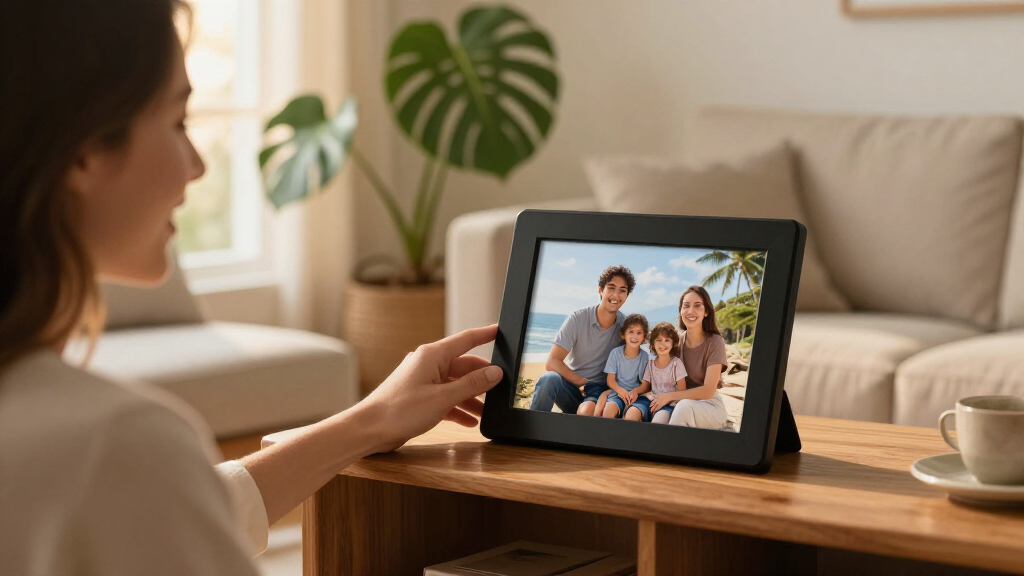
I evaluated these smart photo frames against the factors that actually shape daily use: screen quality and viewing angle (since a washed-out IPS panel ruins the effect no matter how good the software is), sharing workflow (how many steps it takes a grandparent to receive a photo, and whether sending photos is free or capped),, storage and capacity, ease of setup for non-technical recipients, and build and design — because these frames live on mantels and nightstands where aesthetics count. Frames that lock senders behind subscription-style limits were judged more harshly for gifting scenarios than for personal use.
The ranking logic separates frames by role rather than ranking fifteen near-identical devices by decimal points. Aura models earn the top slots for their ecosystem, Skylight earns its place for sheer simplicity, AEEZO stands out as the strongest non-Frameo app alternative, and the Frameo-based frames are ordered by capacity, screen size, build quality, and how well each brand supports the shared platform. Where two frames share the same internals, I favored the one with better construction or a clearer ownership experience.
Factors to Consider When Choosing Smart Photo Frames
Before picking a specific model, it helps to understand what actually separates a frame you’ll love from one that ends up unplugged in a drawer. These are the factors that shaped my rankings — and the mistakes I see buyers make most often.Free Sharing vs. Unlimited Sharing
The single biggest hidden difference between smart photo frames is how photos get delivered and what it costs. Aura offers free unlimited cloud storage, meaning relatives can send as many photos as they like with no caps or subscriptions. The Frameo platform is free for everyday sending but imposes limits on how many photos can be transferred in a given window on some configurations, which a photo-happy family will notice. Skylight sits in between, with simple email-based delivery but paid upgrades for video and extended features. My advice: match the frame to your heaviest sender, not your average one. If one family member floods the group chat daily, caps and app friction will frustrate them faster than any screen spec ever could.
Screen Size and Placement Reality
A 10.1-inch screen is the category sweet spot for desks, nightstands, and bookshelves — it’s readable from across a room but doesn’t dominate a surface. The 15.6-inch frame in this lineup only makes sense if it’s going on a wall or a large console, where its bulk becomes an advantage rather than a liability. A common mistake is buying the biggest screen available and discovering it overwhelms the space it lives in. Also check whether the frame auto-rotates between portrait and landscape; if you plan to mount it vertically, that feature saves you from a frustrating settings hunt. Resolution matters less than you’d expect at these sizes — 1280×800 is perfectly sharp at viewing distance — but panel quality (IPS versus cheaper TN-style screens) affects off-angle viewing, which matters when people view the frame from a couch rather than straight on.
Who Sets It Up Matters More Than Specs
Smart frames are usually bought as gifts, and the buyer is often more tech-savvy than the recipient. That mismatch is where most disappointment comes from. A frame with a touchscreen interface is far easier for an elderly recipient to manage than one requiring a paired phone app for every adjustment. Aura and Skylight both handle most management remotely, letting you fix problems from your own phone without a support call. Frameo-based frames require a bit more hands-on interaction with the device itself. A practical tip regardless of brand: set the frame up completely before gifting it — connected to WiFi, pre-loaded with photos, and already linked to family senders. A frame that works the moment it’s unboxed gets used; one that requires a setup afternoon often doesn’t.
Cloud Dependency and Offline Storage
Some frames are cloud-first, storing your photos on company servers and streaming them to the display; others store everything locally on built-in memory. Cloud-first frames like Aura offer seamless backups but stop working if the company ever changes its service — a real long-term consideration for a device you may keep for a decade. Locally-stored frames keep working regardless of internet outages or server shutdowns, and most still accept photos over WiFi. Storage capacity matters more than buyers expect: 32GB holds roughly 40,000 compressed photos, which sounds infinite until family starts sending short videos, which consume space far faster than stills. If video playback matters to you, verify it’s supported at all — several frames in this category display stills only.
Design, Materials, and Long-Term Durability
Because these frames sit visibly in living spaces, build quality and finish affect satisfaction as much as any internal spec. The wood-finish Frameo frame in this lineup looks at home on traditional furniture, while the Aura Carver’s minimalist matte design suits modern interiors, and the glossy black plastic on some budget models can look utilitarian up close. Check the stand mechanism too — flimsy rear props are a common weak point on cheaper frames, and a frame that tips over when nudged is a daily annoyance. Also consider whether the frame has a motion sensor or scheduled sleep mode; without one, it either lights a dark room all night or requires manual on/off, both of which get old quickly.
Frequently Asked Questions
Is Aura worth the extra cost over a Frameo-based frame?
If the frame is a gift for someone who isn’t tech-savvy, yes — Aura’s advantages are exactly where that scenario is painful: free unlimited photo storage, an app that’s simple for senders, and remote management so you can troubleshoot from your own phone. Frameo-based frames deliver similar core functionality for much less money, but they involve more hands-on interaction with the device and a sharing platform with per-window transfer caps. For personal use by a comfortable smartphone user, the gap narrows considerably, and the budget options become genuinely sensible. Where Aura clearly earns its price is gifting, large distributed families, and situations where you never want to explain an app to a relative.
Can family members send photos without installing an app?
Skylight is the standout here — its email-based delivery means anyone who can send an email can add photos, with no app, account, or setup required on their end. That makes it the best choice when several senders are older relatives or occasional contributors who won’t manage another app. Aura and Frameo both require the sender to install an app and be invited to the frame, which is a one-time hurdle but a real one for some users. A practical middle path: appoint one tech-comfortable family member as the hub who receives photos via text or email and forwards them through the app. That workaround works with any frame in this roundup.
How much storage do I actually need in a smart photo frame?
For still photos, less than you’d think — 32GB comfortably holds tens of thousands of compressed images, which covers years of typical family sharing. Storage becomes a real factor when videos enter the picture, since even short clips consume space at many times the rate of stills, and several frames in this category don’t support video at all. If your family shares a lot of video, verify playback support first and treat larger storage as a genuine need rather than a nice-to-have. For photo-only households, I’d prioritize screen and app quality over capacity every time. Cloud-based frames like Aura sidestep the question entirely by handling storage on their servers.
Do these frames require a subscription to keep working?
All fifteen frames here function as photo displays without any ongoing subscription — the core experience of sending and viewing photos is included. Where paid tiers appear is in extras: Skylight reserves video playback and some premium features behind an optional paid plan, and the Frameo platform’s higher-volume sending on some configurations is tied to paid options. Aura is the most straightforward, with genuinely free unlimited photo storage and no upsell for normal use. Before buying, check whether the features you actually want — video, captions, high-volume sending — sit behind a paywall, because that changes the real cost comparison between a cheap frame and a premium one.
What happens to my photos if the frame brand shuts down its cloud service?
This is a legitimate long-term concern for cloud-dependent frames, and it’s the strongest argument for frames with substantial local storage. Frames that store photos on built-in memory keep displaying them regardless of what happens to any company’s servers — they become ordinary digital frames at worst. Cloud-first frames like Aura are more vulnerable in theory, though the company’s longevity and the fact that your original photos stay on your phone limit the real risk: you’d lose the delivery pipeline, not the photos themselves. A sensible habit regardless of brand is keeping your originals on your own devices or a personal cloud backup, treating the frame as a display rather than an archive. That way, even a worst-case service shutdown is an inconvenience rather than a loss.
Conclusion
The right smart photo frame depends less on specs and more on who’s sending photos and who’s looking at them. For best overall, the Aura Carver earns it with free unlimited sharing, remote management, and a design that fits any room — the safest gift in the lineup. For best value, the Frameo 10.1-Inch WiFi frame with 32GB memory delivers the core smart-frame experience at the category’s most sensible price, and the wood-finish Frameo model adds warmth for traditional interiors at a similar cost. For best premium, the Aura Carver in Cool White is the more design-forward take on the same excellent ecosystem. For beginners and non-technical recipients, the Skylight 10-inch wins on sheer simplicity — email-based sharing means no app hurdles at all. And for specific needs: the 15.6-inch Frameo frame for large wall or living room displays, the AEEZO with the AiMOR app for families who want a capable alternative to the Frameo platform, and the Pastigio and BIGASUO Frameo frames for buyers who want backup capacity and straightforward operation without paying for polish they won’t use. Whatever you choose, set it up and pre-load it with photos before it reaches its recipient — that single step does more for long-term satisfaction than any spec on the box.
Halloween Picks
halloween
As an affiliate, we earn on qualifying purchases.