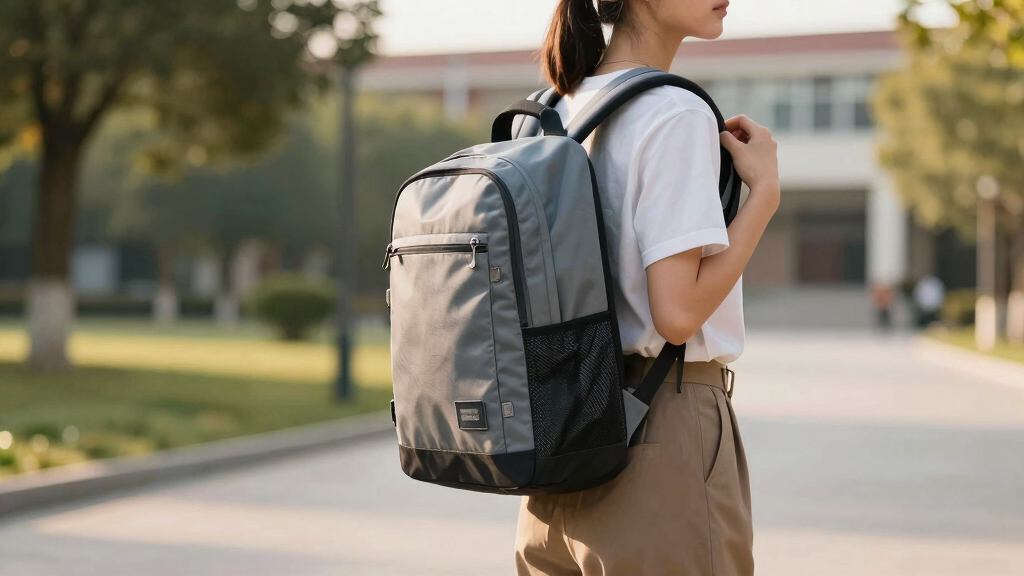

This guide helps students and parents choose an ergonomic backpack that minimizes back strain and enhances comfort. It covers key features to look for, how to assess fit, and what to avoid. Follow these steps to make an informed choice that supports healthy posture throughout the school year.
Difficulty: Beginner | Time: 15-30 minutes
What You’ll Need
Tools & Materials:
- Measuring tape
- Pen and paper for notes
Knowledge:
- Basic understanding of backpack features
- Awareness of personal body measurements
Ensure the student is present for proper measurements and fittings. Allow enough time to compare multiple options.
Before You Start
Measure the student’s torso length and shoulder width before selecting a backpack. Check for specific school requirements, if any. Avoid rushing the decision to ensure the best fit and features.
Step-by-Step Instructions
Step 1: Determine the student’s torso length
Use a measuring tape to measure from the base of the neck (C7 vertebra) down to the top of the iliac crest (hip bone). Record this measurement.
Tip: Have the student stand straight with shoulders relaxed during measurement for accuracy.
Check: You have a clear torso length measurement, which helps select the right backpack size.
Step 2: Identify the appropriate backpack size
Choose a backpack with a length roughly equal to the torso measurement, not exceeding the lower back. The backpack should sit comfortably between the shoulders and waist.
Tip: Avoid oversized backpacks that extend below the hips or are too small to hold essentials.
Check: The backpack fits the torso length without excessive sag or tightness.
Step 3: Check for padded, adjustable shoulder straps
Inspect the backpack for wide, padded straps that are adjustable. Adjust straps so they sit snugly but comfortably on the shoulders without digging in.
Tip: Ensure straps are wide enough to distribute weight evenly and can be tailored to the student’s shoulder width.
Check: Straps are snug without causing pressure or slipping off, and the backpack sits evenly on the back.
Step 4: Ensure the backpack has a padded back panel and waist belt
Verify the presence of a padded back panel and a waist (hip) belt. Fit the waist belt around the hips, not the waist, and adjust it for snugness.
Tip: The waist belt helps transfer weight from shoulders to hips, reducing back strain.
Check: The backpack feels stable, with weight distributed across shoulders and hips, and the back panel provides support.
Step 5: Pack the backpack correctly
Place heavier books and supplies close to the back, near the spine, and lighter items towards the outside. Use compartments to organize items neatly.
Tip: Avoid overpacking; the backpack should not weigh more than 10-15% of the student’s body weight.
Check: The backpack is well-organized, balanced, and not overly heavy.
Step 6: Test the fit and comfort
Have the student wear the backpack and walk around. Check for any discomfort, slipping straps, or uneven weight distribution. Adjust straps as needed.
Tip: Ensure the backpack does not sag below the hips or cause shoulder pain.
Check: The student can wear the backpack comfortably for extended periods without pain or slippage.
Common Mistakes to Avoid
- Selecting a backpack that is too big or too small — Measure torso length and choose a backpack that fits the measurements precisely.
- Overpacking the backpack beyond recommended weight — Limit weight to 10-15% of the student’s body weight and organize items efficiently.
- Ignoring adjustable features and proper fitting — Ensure straps and waist belts are adjusted properly for a snug, comfortable fit.
- Choosing a backpack without padding or support — Select backpacks with padded back panels and wide straps for better support.
Troubleshooting
Problem: Backpack slips off shoulders
Solution: Adjust straps for a tighter fit, ensuring they sit snugly without causing discomfort.
Problem: Back feels strained or uncomfortable
Solution: Check weight distribution, reduce load, and confirm proper fit with padded support and waist belt use.
Problem: Straps cause shoulder pain
Solution: Ensure straps are wide, padded, and properly adjusted to avoid pressure points.
What Success Looks Like
The selected backpack fits the student’s torso length, has adjustable padded straps, a supportive back panel, and a properly fitted waist belt. The student can wear it comfortably for extended periods without pain, slippage, or imbalance.
Next Steps
Regularly check the fit throughout the school year, especially as the student grows. Repack and reorganize the backpack weekly to maintain comfort and support. Consider ergonomic accessories like portable lumbar cushions if needed.
Frequently Asked Questions
How do I know if the backpack is too heavy?
The backpack should not weigh more than 10-15% of the student’s body weight. Use a scale to weigh it regularly, and remove unnecessary items to lighten the load.
What features make a backpack ergonomic?
Look for padded, adjustable shoulder straps, a padded back panel, a waist belt, and compartments that allow proper weight distribution.
Can I modify a regular backpack to make it more ergonomic?
Adding padded straps or a lumbar support cushion can improve comfort, but replacing it with a purpose-built ergonomic backpack is more effective for long-term health benefits.
Products Worth Considering
As an affiliate, we earn on qualifying purchases.