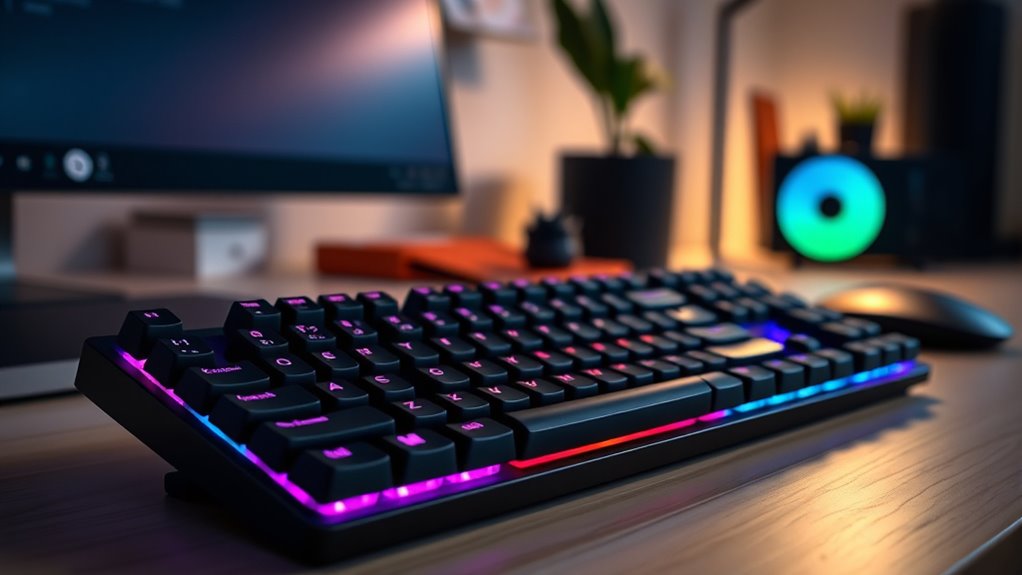

Choosing a mechanical keyboard for office work involves balancing typing comfort, noise levels, and versatility. The Logitech MX Mechanical stands out as the overall best due to its quiet, tactile switches and seamless multi-device connectivity. For those seeking a budget-friendly yet reliable option, the Redragon K668 offers a full-sized layout with extra hotkeys. Meanwhile, the Keychron C2 is ideal for Mac users needing a straightforward, durable wired keyboard. These choices reflect common tradeoffs: higher-end models prioritize quiet operation and build quality, while cheaper options might compromise on noise or features. Keep reading for a detailed breakdown of these and other top picks to find the best fit for your office setup.
Key Takeaways
- The best office mechanical keyboards balance quiet switches with high build quality to minimize distraction.
- Wireless options like the Logitech MX Mechanical add convenience but may have slight latency compared to wired models.
- Hot-swappable switches are increasingly popular, allowing users to customize feel without soldering.
- Full-size layouts are preferred for productivity, but compact designs save space for smaller desks.
- Pricing varies widely; investing more typically yields quieter switches, better materials, and longer lifespan.




| mechanical keyboards for office | Switch Type | Connectivity |
|---|---|---|
| EPOMAKER x Aula F75 Gasket Mec | — | Bluetooth, 2.4GHz, USB-C |
| Redragon K668 RGB Gaming Keybo | Red linear, hot-swappable | Wired |
| Redragon Mechanical Gaming Key | Red, hot-swappable | Wired |
| AULA S98 Pro Wireless Mechanic | Hot-swappable | Bluetooth 5.0, USB-C, 2.4GHz |
| Cherry Xtrfy MX 2.0S Wired Mec | Cherry MX2A Blue | Wired |
| Newmen GM325Pro Mechanical Key | Linear Red Switches | Wired with 1.8-meter detachable USB cable |
| Logitech MX Mechanical Wireles | Tactile Quiet Switches | — |
| AULA F2088 Typewriter Style Me | Blue Switches | Wired USB |
| Keychron C2 Full Size Wired Me | Keychron Brown | — |
| Cherry KC 200 MX | MX2A Silent Red | USB-A |
| AULA F99 Wireless Mechanical K | Pre-lubed linear switches, hot-swappable | — |
| Logitech G413 SE Full-Size Mec | Mechanical tactile | Wired USB |
| SOLAKAKA KI99 Pro Wireless Mec | Silent, hot-swappable | — |
More Details on Our Top Picks
EPOMAKER x Aula F75 Gasket Mechanical Keyboard, 75% Wireless Hot Swappable Gaming Keyboard with RGB Lighting
The EPOMAKER x Aula F75 stands out for combining a compact 75% layout with versatile wireless connectivity and premium sound dampening. Its gasket structure and five-layer sound absorption make it notably quieter than typical office keyboards, while the full hot-swappable switches offer customization without sacrificing build integrity. Compared with wired options like the Redragon K668, it provides greater flexibility and a cleaner desk setup, but this comes with a higher price and potentially more complex setup that might challenge beginners. Its large battery supports extended work sessions, making it ideal for those who prioritize a tidy, wireless workspace with a quiet typing experience.
Pros:- Compact, space-saving 75% layout ideal for small desks
- Excellent sound dampening from five-layer padding
- Wireless connectivity via Bluetooth, 2.4GHz, and USB-C for flexible use
- Full hot-swappable switches for easy customization
Cons:- Setup process can be complex for those unfamiliar with advanced configurations
- Higher price point due to premium features and build quality
Best for: Professionals seeking a compact, quiet keyboard that supports wireless work setups and customization.
Not ideal for: Users who prefer simple plug-and-play devices without the need for setup or who prioritize lower price points.
- Layout:75% compact
- Connectivity:Bluetooth, 2.4GHz, USB-C
- Battery:4000mAh
- Switches:Pre-lubricated mechanical, hot-swappable
- Keycaps:Cherry-profile double-shot PBT
- Backlight:RGB with 16.8 million colors
Our verdict“This keyboard is best suited for office users who want a quiet, versatile, and wireless solution with customization options.”
Redragon K668 RGB Gaming Keyboard, 108 Keys Wired Mechanical Keyboard with Extra Hotkeys and Sound Absorbing Foam
The Redragon K668 offers a full-size wired layout with a wealth of features, making it a solid choice for office environments that benefit from extra shortcut keys and quieter typing. Its sound-absorbing foam and ergonomic adjustable feet improve comfort and reduce noise, which is essential in shared workspaces. While its wired connection limits flexibility compared to wireless models like the EPOMAKER F75, it provides a reliable, plug-and-play experience with straightforward setup. The hot-swappable switches add a level of customization, but the mixed color keycaps and reliance on software for full RGB control might not appeal to all users. Overall, this keyboard balances performance and affordability well for office use.
Pros:- Hot-swappable switches for easy customization
- Sound-absorbing foam reduces typing noise
- Full-size layout with extra shortcut keys
- Adjustable feet for ergonomic comfort
Cons:- Requires software for complete RGB customization
- Limited to wired connection, reducing flexibility
- Mixed keycaps may not suit aesthetic preferences
Best for: Office workers who want a full-size keyboard with extra keys and noise reduction at an affordable price.
Not ideal for: Those seeking wireless convenience or minimal desk clutter, as it requires a wired connection.
- Keys:108
- Switch Type:Red linear, hot-swappable
- Backlighting:RGB with 19 presets
- Sound Absorbing Foam:Yes
- Connectivity:Wired
- Extra Keys:4 shortcut keys
Our verdict“This keyboard is an excellent choice for office users who want a feature-rich, wired solution with noise reduction at a reasonable price.”
Redragon Mechanical Gaming Keyboard Wired, 11 Programmable Backlit Modes, Hot-Swappable Red Switch, Anti-Ghosting, Double-Shot PBT Keycaps, Light Up Keyboard for PC Mac
The Redragon B0CF3VGQFL combines gaming-grade features with office versatility, thanks to its 11 customizable backlit modes and durable double-shot PBT keycaps. Its hot-swappable red switches provide smooth, quiet keystrokes, which are suitable for prolonged typing tasks and casual gaming. Anti-ghosting ensures reliable performance during intense multitasking, making it a good fit for busy work environments. However, its backlight presets are fixed, limiting color customization beyond the modes, and it requires a wired connection, which may be less appealing for flexible office setups. Still, this keyboard offers a high level of durability and responsiveness for those balancing work and leisure.
Pros:- 11 programmable backlit modes for visual customization
- Hot-swappable red switches for quiet, smooth typing
- Anti-ghosting for reliable multitasking
- Double-shot PBT keycaps for durability
Cons:- Backlight color options are limited to preset modes
- Requires wired connection, reducing mobility
- Software for backlight customization is limited
Best for: Office workers who also enjoy gaming or need a durable, customizable keyboard for multitasking.
Not ideal for: Quiet office environments where loud switches and fixed backlighting might be disruptive.
- Backlit Modes:11
- Switch Type:Red, hot-swappable
- Keycaps:Double-Shot PBT
- Anti-Ghosting:Yes
- Connectivity:Wired
- Additional Features:Macro support
Our verdict“This keyboard fits office users who want a durable, customizable, and quiet device that supports multitasking and gaming alike.”
AULA S98 Pro Wireless Mechanical Keyboard with Smart LCD Screen, Knob, RGB Backlit, and Hot-Swappable Switches
The AULA S98 Pro elevates office keyboards with its tri-mode connectivity, smart LCD display, and multi-function knob, making it ideal for users who appreciate advanced features in a wireless setup. Its support for Bluetooth, USB-C, and 2.4GHz allows seamless device switching, while the hot-swappable switches enable easy customization. The large 5000mAh battery ensures long work sessions, and the RGB lighting adds aesthetic flexibility. Compared with models like the EPOMAKER F75, it offers more device versatility and smart interface options, but its reliance on Windows software for full customization and limited support for non-Windows systems could be drawbacks. This pick appeals to tech enthusiasts who want a multi-device, feature-rich office keyboard.
Pros:- Supports Bluetooth, USB-C, and 2.4GHz wireless modes
- Long-lasting 5000mAh battery for extended use
- Smart LCD screen and multi-function knob for on-the-fly info
- Hot-swappable switches for easy customization
Cons:- Full customization requires Windows software
- Some features need wired connection for setup
- Limited compatibility with non-Windows OS for software
Best for: Tech-oriented professionals needing multi-device support and advanced customization features.
Not ideal for: Users seeking a plug-and-play, straightforward keyboard without the need for extra software or setup complexity.
- Connectivity:Bluetooth 5.0, USB-C, 2.4GHz
- Battery Capacity:5000mAh
- Backlight:RGB, 19 effects
- Switch Type:Hot-swappable
- Compatibility:Windows, Mac, iOS, Android
- Additional Features:Smart LCD screen, multi-function knob
Our verdict“This keyboard is best for office users who want multi-device connectivity combined with smart features and customization options.”
Cherry Xtrfy MX 2.0S Wired Mechanical Gaming Keyboard with RGB Lighting, Blue Switches
The Cherry Xtrfy MX 2.0S offers a robust wired design with classic Cherry MX2A Blue switches, providing tactile, clicking feedback that many office users find satisfying for typing tasks. Its vibrant RGB effects can be customized, adding a lively aesthetic to a professional setup. Its full N-key rollover and anti-ghosting features ensure accurate typing during high-volume work sessions. However, the loud click of Blue switches might be distracting in quiet office environments, and the absence of wireless options limits flexibility. Additionally, the optional palm rest is sold separately, which could be a downside for those seeking a more ergonomic setup without extra purchases. This model is suited for users who value tactile feedback and durability over quiet operation.
Pros:- High-quality Cherry MX2A Blue switches for tactile feedback
- Vibrant RGB with customizable effects
- Full N-key rollover and anti-ghosting for accuracy
- German engineering quality
Cons:- Loud switch noise may be disruptive in quiet settings
- No wireless connectivity options
- Optional ergonomic features sold separately
Best for: Office workers who prefer tactile, clicky keys and prioritize durability for daily typing and occasional gaming.
Not ideal for: Quiet office environments or users needing wireless flexibility and a quieter keyboard experience.
- Switch Type:Cherry MX2A Blue
- Lighting:RGB with customizable effects
- Full Key Rollover:Yes
- Anti-Ghosting:Yes
- Connectivity:Wired
- Designed in:Germany
Our verdict“This keyboard is ideal for office users who enjoy tactile feedback and a durable, wired device, accepting the tradeoff of louder operation.”
Newmen GM325Pro Mechanical Keyboard, 104 Keys Rainbow LED Backlit Wired Gaming Keyboard, Hot-Swap Metal Panel, ABS Black Keycaps, Windows Compatible, Linear Red Switches
This full-size keyboard combines durability and visual flair, making it suitable for workspaces needing both reliability and style. The metal top panel offers a sturdy feel, unlike the more plastic-heavy Logitech MX Mechanical, which emphasizes portability over ruggedness. Its 13 rainbow LED effects add personality without overwhelming a professional environment, though the lighting is limited to side-edge effects and requires software for full customization—less seamless than Logitech’s smart illumination. The linear red switches provide smooth, quiet keystrokes that suit long typing sessions, but lack the tactile feedback preferred by some users. Because it’s wired and hot-swappable, it strikes a balance between customization and stability, which is advantageous for office setups. However, the RGB is restricted to side lighting only, and the absence of wireless means less flexibility. Overall, this model offers a durable, customizable option for office users who want visual appeal without sacrificing performance but don’t need wireless connectivity.
Pros:- Durable full-metal top panel for longevity
- Vivid rainbow LED side lighting with multiple effects
- Responsive linear red switches for smooth typing
- Full-size layout with macro recording and full rollover
Cons:- RGB lighting limited to side effects only
- Requires software for advanced customization
- No wireless or Bluetooth connectivity
Best for: Office workers who value durability, customizable lighting, and a full-size layout for multitasking or extensive typing.
Not ideal for: Users seeking wireless convenience or a more compact form factor for tight desks, as it lacks Bluetooth and is full-sized.
- Keys:104
- Lighting Effects:13 preset LED rainbow effects
- Backlighting:RGB side-edge illumination
- Switch Type:Linear Red Switches
- Connectivity:Wired with 1.8-meter detachable USB cable
- Build Material:Full-size metal top panel
- Keycaps:ABS Black
- Compatibility:Windows
- Full-Key Rollover:Yes
Our verdict“This keyboard suits office environments where durability, visual customization, and full-size keys are priorities, but it’s less ideal for wireless or space-constrained setups.”
Logitech MX Mechanical Wireless Illuminated Performance Keyboard, Tactile Quiet Switches, Backlit Keys, Bluetooth, USB-C, macOS, Windows, Linux, iOS, Android, Metal, Graphite
The Logitech MX Mechanical is designed for users who need a sleek, versatile keyboard that works across multiple devices and operating systems. Its tactile quiet switches deliver satisfying feedback with minimal noise, ideal for shared office spaces where quieter typing is appreciated—something the Newmen GM325Pro’s linear switches don’t offer. The smart backlighting detects your hand approach and adjusts brightness automatically, providing a seamless experience that traditional wired options like the Cherry KC 200 lack. The ability to connect to up to three devices via Bluetooth or the Logi Bolt receiver makes it perfect for multitasking, unlike the wired-only Newmen. Its low-profile keys enhance ergonomics, but some users may find the shorter key travel less satisfying than traditional taller switches. The rechargeable battery lasts up to 15 days with backlight, offering a significant advantage over wired models. Still, this premium build comes at a higher price point, making it less suitable for budget-conscious users.
Pros:- Wireless multi-device connectivity via Bluetooth and Logi Bolt
- Quiet tactile switches for comfortable, noise-free typing
- Smart auto-adjusting backlit keys for convenience
- Full-size layout with customizable Fn and backlighting effects
Cons:- Higher price compared to wired alternatives
- Limited customization without software (Logi Options+)
- Shorter key travel with low-profile design
Best for: Office professionals who switch between multiple devices and prioritize quiet, ergonomic, and wireless operation.
Not ideal for: Those requiring a wired connection or a more tactile, high-profile switch for intensive typing feedback, as it emphasizes quietness and low profile.
- Connectivity Technology:Bluetooth, USB-C
- Switch Type:Tactile Quiet Switches
- Backlit Keys:Yes, auto-adjusting
- Battery Life:Up to 15 days
- Weight:29.2 oz (828 g)
- Dimensions:1.02 x 17.08 x 5.18 in
Our verdict“This keyboard excels for multi-device office users needing wireless, quiet, and ergonomic features, though it commands a premium price.”
AULA F2088 Typewriter Style Mechanical Gaming Keyboard Wired, Blue Switches, Rainbow LED Backlit, Removable Wrist Rest, Media Control Knob, Retro Punk Round Keycaps, USB Wired Computer Keyboard
The AULA F2088 stands out for its vintage-inspired design, making it a unique choice for creative or casual office environments that appreciate style. Its round keycaps and retro punk aesthetic differentiate it from the more utilitarian options like the Cherry KC 200, adding personality without sacrificing functionality. The blue switches offer a quicker response and crisp click sound, suitable for users who prefer tactile feedback, though the noise level might be disruptive in shared spaces. The Rainbow LED backlit and media control knob enhance usability, but the lighting effects are more about aesthetics than professional subtlety. Its removable wrist rest and ergonomic keycap design help reduce fatigue, while the sturdy metal panel ensures durability. The tradeoff is that its bold design may not fit all office decor, and the wired connection limits mobility.
Pros:- Vintage round keycaps with retro punk style
- Rainbow LED backlit with multiple effects
- Removable ergonomic wrist rest for comfort
- Media control knob for quick adjustments
Cons:- Louder blue switches may disturb others
- Bold aesthetics may not suit all professional settings
- Limited wireless options, wired only
Best for: Creative professionals or casual office users seeking a stylish, vintage-inspired keyboard with tactile response and RGB lighting effects.
Not ideal for: Formal or minimalistic office environments where subtlety and wireless convenience are priorities over aesthetic flair.
- Switch Type:Blue Switches
- Backlighting:Rainbow LED
- Removable Wrist Rest:Yes
- Media Control:Knob
- Connectivity:Wired USB
- Keycaps:Round vintage-style
Our verdict“Ideal for style-conscious users who want tactile feedback and visual flair but do not mind a wired setup and louder switches.”
Keychron C2 Full Size Wired Mechanical Keyboard Compatible with Mac, Keychron Brown Switch, 104 Keys ABS Retro Color Keycaps Gaming Keyboard for Windows, USB-C Type-C Braid Cable
The Keychron C2 is tailored for Mac users who need a reliable, full-size wired keyboard with a classic aesthetic. Its retro color keycaps and full layout with dedicated function keys make it a practical choice for office tasks, especially for Mac users who often find Apple’s keyboards lacking in tactile feedback. The Brown switches deliver a balanced tactile bump suitable for typing and light gaming, outperforming the linear switches of the Newmen GM325Pro for precision. Its USB-C braided cable ensures a stable connection, unlike wireless options that may introduce latency. The keyboard’s inclined bottom frame and adjustable feet improve ergonomics, but some might prefer a more compact or wireless setup for limited desk space. The included extra keycaps for Mac and Windows enhance versatility, yet the wired connection limits mobility in dynamic work environments.
Pros:- Optimized for Mac with dedicated function and multimedia keys
- Balanced tactile feedback with Keychron Brown switches
- Full-size layout with numeric keypad and extra keycaps
- Sturdy USB-C braided cable for reliable connection
Cons:- Wired only, less flexible for mobile or dynamic workspaces
- ABS keycaps may wear over time compared to PBT
- No RGB lighting, only retro color scheme
Best for: Mac users or office workers seeking a reliable, full-sized keyboard with a nostalgic design and balanced tactile feedback.
Not ideal for: Users who prioritize wireless or minimal desk footprint, as it relies on wired connection and is full-sized.
- Keys:104
- Switch Type:Keychron Brown
- Keycaps:Retro color ABS
- Connection:USB-C braided cable
- Compatibility:Mac and Windows
- Design:Full size with numeric keypad
Our verdict“This keyboard offers a reliable, tactile, and Mac-friendly experience suitable for productivity, though it lacks wireless convenience.”
Cherry KC 200 MX, Wired Mechanical Office Keyboard, Modern Design with Elegant Aluminum Surface, USB-A Connection, MX2A Silent RED Switches, Black/Bronze
The Cherry KC 200 MX is an excellent choice for office environments where a quiet, stylish keyboard is needed. Its aluminum surface exudes a modern, professional look, setting it apart from more colorful or gaming-oriented options like the Aula F2088. The MX2A Silent Red switches provide smooth, linear, and noise-minimized keystrokes, ideal for shared workspaces or audio-sensitive settings. The full N-key rollover and anti-ghosting ensure reliable input during busy tasks, surpassing some budget models in responsiveness. Its white status LEDs subtly indicate lock states without being distracting. The sturdy, non-slip fold-out feet enhance stability, and the cord length offers reliable wired connection, though the lack of wireless options limits flexibility for clutter-free desks. The sleek design and quiet operation make it a refined office companion, albeit at a slightly higher cost.
Pros:- Elegant aluminum surface with modern aesthetics
- MX2A Silent Red switches for quiet, smooth keystrokes
- Full N-key rollover and anti-ghosting for responsiveness
- Stable, non-slip fold-out feet for comfort
Cons:- Wired connection only, less flexible for dynamic setups
- Higher price compared to basic office keyboards
- Limited customization options
Best for: Office users who need a durable, quiet, and stylish keyboard that fits a modern professional setting.
Not ideal for: Those looking for wireless or RGB lighting features, as this model focuses on simplicity and silent operation.
- Switch Type:MX2A Silent Red
- Build Material:Aluminum surface
- Connectivity:USB-A
- Keys:108
- Anti-Ghosting:Yes
- LED Indicators:White status LEDs
Our verdict“Ideal for professionals seeking a sleek, silent, and reliable wired keyboard with modern design elements, but not suited for wireless needs.”
AULA F99 Wireless Mechanical Keyboard, Tri-Mode BT5.0/2.4GHz/USB-C, Hot Swappable, RGB Backlit, 96% Layout, Rechargeable
The AULA F99 stands out for its impressive flexibility, supporting multiple connection modes including Bluetooth 5.0, 2.4GHz, and wired USB-C, making it ideal for users who switch between work devices seamlessly. Its hot-swappable switches and durable PBT keycaps cater to those who appreciate customization and longevity, while the large 8000mAh battery ensures all-day use without frequent charging. Compared to the Logitech G413, which focuses more on tactile feedback and build quality, the F99 offers more connection options but can feel a bit bulky and complex for newcomers. The RGB lighting adds a touch of personalization, especially suited for those who want a bit of flair in their workspace. However, the extensive features may overwhelm users seeking a straightforward office keyboard, and its weight could be a drawback for portable setups.
Pros:- Supports multiple connection modes including Bluetooth, wireless, and wired
- Hot-swappable switches for easy customization and maintenance
- Long-lasting 8000mAh rechargeable battery
Cons:- May be too complex for users unfamiliar with advanced features
- Heavier weight due to large battery can reduce portability
Best for: Tech-savvy professionals who need multi-device connectivity and customization for daily work tasks
Not ideal for: Users seeking a simple plug-and-play office keyboard with minimal setup or fuss
- Connection Modes:BT5.0, 2.4GHz, USB-C
- Number of Keys:99 keys
- Layout:96% compact
- Switch Type:Pre-lubed linear switches, hot-swappable
- Backlighting:RGB with 16 effects
- Battery Capacity:8000mAh
- Keycap Material:Double shot PBT
- Additional Features:Macro support, N-key rollover, multi-device switching
Our verdict“This keyboard is best suited for professionals who require flexible connectivity and customization in a single device.”
Logitech G413 SE Full-Size Mechanical Gaming Keyboard – Backlit Keyboard with Tactile Mechanical Switches, Anti-Ghosting, Compatible with Windows, macOS – Black Aluminum
The Logitech G413 SE offers a sleek, durable design with a full-size layout, making it suitable for office environments that benefit from a sturdy, no-nonsense keyboard. Its tactile mechanical switches provide clear feedback, ideal for those who prefer a more responsive feel during typing or frequent command input. The aluminum top case adds a premium touch and ensures long-term durability, especially compared to the more plastic-heavy Redragon K668, which lacks the premium finish. Its anti-ghosting and 6-key rollover support reliable input during fast typing or multitasking. The backlit keys, combined with media controls via FN keys, make it a practical choice for productivity. However, it lacks wireless connectivity, which might be a dealbreaker for users wanting a clutter-free workspace or mobility. Its size and weight are also less ideal for frequent movers or small desks.
Pros:- Durable aluminum top case with a premium finish
- Tactile mechanical switches for responsive typing
- Reliable anti-ghosting and 6-key rollover support
Cons:- No wireless connectivity, limiting mobility
- Bulkier and heavier than compact options, less portable
Best for: Office professionals who value durability, tactile feedback, and a professional look
Not ideal for: Users seeking a wireless, portable keyboard for hybrid work environments
- Material:Black brushed aluminum
- Switch Type:Mechanical tactile
- Backlighting:White LED
- Connectivity:Wired USB
- Layout:Full-size
- Additional Features:Anti-ghosting, 6-key rollover
Our verdict“This keyboard makes sense for users who want a tough, tactile, and professional-grade office keyboard with a sleek look.”
SOLAKAKA KI99 Pro Wireless Mechanical Keyboard with Quiet Switches and RGB Backlit
The SOLAKAKA KI99 Pro is designed for office environments where noise reduction and space efficiency are priorities. Its silent, hot-swappable switches provide a quieter typing experience, ideal for shared or open-plan offices. The compact 96% layout saves desk space compared to full-size models, and the long 10,000mAh battery offers extended use without frequent charging. While the RGB lighting adds customization, it may require software for full control—something not as seamless as on dedicated gaming keyboards. Compared with the AULA F99, which offers more connection options, the KI99 Pro emphasizes quiet operation and simplicity. Silent switches might feel slightly different for users accustomed to tactile or clicky switches, and some may find the RGB customization limited without extra software. Its wireless versatility suits users who need mobility and minimal desk clutter.
Pros:- Supports multiple connection modes including Bluetooth and 2.4G
- Quiet, hot-swappable switches for a silent typing experience
- Large 10,000mAh battery for extended cordless use
Cons:- Full RGB customization may require additional software
- Silent switches could feel different for typists used to tactile feedback
Best for: Office workers who need a quiet, space-efficient keyboard with reliable wireless performance
Not ideal for: Gamers or users who prioritize tactile feedback and extensive RGB customization
- Connection Modes:Bluetooth 5.0, 2.4G, Type-C
- Battery Capacity:10,000mAh
- Layout:96%
- Switch Type:Silent, hot-swappable
- Keycaps:PBT
- Lighting:Full RGB with side light bars
- Compatibility:Windows, macOS, PC, laptop, smartphone
Our verdict“This keyboard is ideal for professionals seeking a quiet, compact wireless model that blends space-saving design with long battery life.”

How We Picked
To determine the most suitable mechanical keyboards for office use, I evaluated each model based on key factors such as typing comfort, noise levels, build quality, connectivity options, and overall value. I prioritized products that offer a good balance between durability and usability, especially for extended daily use in a professional environment. Models with features like quiet switches, reliable wireless connectivity, and user-friendly layouts ranked higher, as these traits directly impact productivity and comfort. I also considered customer feedback and expert reviews to ensure real-world performance aligns with specifications. The final rankings reflect a combination of these criteria, emphasizing versatility for office tasks and long-term reliability.| mechanical keyboards for office | Connectivity |
|---|---|
| EPOMAKER x Aula F75 Gasket Mec | Bluetooth, 2.4GHz, USB-C |
| Redragon K668 RGB Gaming Keybo | Wired |
| Redragon Mechanical Gaming Key | Wired |
| AULA S98 Pro Wireless Mechanic | Bluetooth 5.0, USB-C, 2.4GHz |
| Cherry Xtrfy MX 2.0S Wired Mec | Wired |
| Newmen GM325Pro Mechanical Key | Wired with 1.8-meter detachable USB cable |
| Logitech MX Mechanical Wireles | — |
| AULA F2088 Typewriter Style Me | Wired USB |
| Keychron C2 Full Size Wired Me | — |
| Cherry KC 200 MX | USB-A |
| AULA F99 Wireless Mechanical K | — |
| Logitech G413 SE Full-Size Mec | Wired USB |
| SOLAKAKA KI99 Pro Wireless Mec | — |
Factors to Consider When Choosing Mechanical Keyboards For Office
When selecting a mechanical keyboard for office work, understanding the key factors that influence comfort, noise, and usability is essential. Not all switches are created equal; some prioritize quiet operation, while others focus on tactile feedback. Connectivity options vary from wired to wireless, affecting desk clutter and mobility. Layout choices, such as full-size versus tenkeyless, impact workspace efficiency. Material quality and build durability also matter, especially for daily use. By considering these factors carefully, you can avoid common pitfalls like choosing overly noisy switches or a layout that hampers workflow.Switch Type and Noise Levels
Switch choice profoundly affects typing experience and noise. Linear Red or Yellow switches are typically quiet and smooth, ideal for office environments where noise distraction is a concern. Tactile switches like Cherry MX Browns provide feedback without excessive noise, suitable for typing-intensive tasks. Clicky switches such as Blue or Green are louder and generally less suitable for shared spaces, but they can boost accuracy for some users. Balancing switch type with your environment is key to maintaining a productive and non-disruptive workspace.
Connectivity and Compatibility
Deciding between wired and wireless keyboards depends on your workspace setup. Wireless options like Bluetooth or 2.4GHz USB dongles offer clutter-free desks and easy switching between devices, but may introduce slight latency and require regular charging or batteries. Wired models guarantee a stable connection and are often preferred for tasks demanding precise timing, such as fast typing or gaming. Compatibility with your operating system is also vital, so verify support for Windows, macOS, or Linux before purchasing.
Layout and Size
Choosing the right layout impacts both comfort and desk space. Full-size keyboards include a number pad, which can enhance productivity for data entry but take up more room. TKL (tenkeyless) options save space and are easier to position ergonomically, reducing strain during long typing sessions. Compact 60% or 75% layouts sacrifice some keys for size, which might hinder certain workflows but create cleaner, more portable setups. Consider your specific needs—whether numeric data entry or minimal footprint—to select the most suitable size.
Build Quality and Materials
Durability is essential for office keyboards that see daily use. Look for sturdy frames, preferably with metal or high-quality plastic construction, to withstand wear and tear. Keycap material also matters; PBT keycaps are more resistant to shine and wear than ABS. Additionally, features like hot-swappable switches can extend the lifespan of your keyboard, allowing easy customization without soldering. A solid build minimizes the risk of key chatter or hardware failure over time, ensuring consistent performance.
Additional Features and Aesthetics
While not critical, features such as RGB lighting, programmable keys, or media controls can enhance your experience. For office use, subdued lighting and a professional appearance typically matter more, so adjustable backlighting or minimalist designs are often preferred. Some keyboards include wrist rests or adjustable stands to improve ergonomics and reduce fatigue during long work sessions. Weigh these extras against your actual needs to avoid paying for features you won’t use or that could distract from focus.
Frequently Asked Questions
Are wireless mechanical keyboards reliable enough for office work?
Wireless mechanical keyboards have improved significantly and generally offer reliable performance for office tasks. Modern Bluetooth and 2.4GHz connections provide stable links with minimal latency, suitable for typing and productivity. However, they may require occasional charging or battery swaps, which can be inconvenient if not managed properly. For most office environments, a high-quality wireless model can match wired reliability while offering greater flexibility and less cable clutter. Just ensure the connection protocol and battery life meet your daily usage needs.
Should I prioritize quiet switches for office use?
Quiet switches are generally recommended for office settings to minimize distractions and maintain a professional atmosphere. Linear or tactile switches with dampening features reduce noise significantly compared to clicky alternatives, making them suitable for shared workspaces. However, some users find that quieter switches may offer less tactile feedback, which can affect typing accuracy for some. Testing different switch types before buying can help you find a comfortable balance between noise level and tactile response that suits your workflow.
Is a full-size keyboard necessary for office work?
Not necessarily. Full-size keyboards with a number pad are beneficial for tasks involving extensive data entry or calculations. However, if desk space is limited or you prefer a more ergonomic setup, a tenkeyless (TKL) or compact layout can be equally functional while saving space. Many office workers find that removing the number pad doesn’t hinder productivity, especially with software that supports number inputs via other means. Consider your specific work tasks and available space to determine whether a full-size model is worth the extra footprint.
Are hot-swappable switches worth the extra cost?
Hot-swappable switches can be a valuable feature if you like customizing your typing experience or plan to upgrade switches over time. They allow you to change or repair switches without soldering, extending the lifespan of your keyboard. For office use, this means you can switch to quieter or more tactile switches as your preferences evolve. However, not all models include this feature, and the initial cost is higher. If you value flexibility and long-term customization, hot-swappable models are worth considering.
What factors should I prioritize if I want a keyboard that lasts for years?
Durability and build quality are paramount for a long-lasting office keyboard. Look for models with metal or high-quality plastic frames, PBT keycaps, and switches rated for millions of keystrokes. Features like hot-swappability can also extend the lifespan by allowing you to replace worn switches. Additionally, choose a reputable brand known for reliable components and good customer support. Investing in a well-built model ensures consistent performance over many years, reducing the need for replacements and repairs.
Conclusion
For most office workers seeking a balance of quiet operation, durability, and convenience, the Logitech MX Mechanical stands out as the best overall choice thanks to its seamless connectivity and low-noise switches. Budget-conscious users will find the Redragon K668 offers excellent value with full features at a lower price point. Professionals who prefer premium materials and a sleek look should consider the Cherry KC 200 or Keychron C2 for a reliable, stylish experience. Beginners or those with limited space may prioritize compact models like the Keychron or wireless options, while power users requiring customization will benefit from hot-swappable models like the AULA S98 Pro. Tailor your choice based on your specific work habits and environment to ensure comfort and productivity.